|
This is the first installment in a 5-part series highlighting the biggest Atlassian Platform announcements from Team '26 US:
- The Atlassian Platform - start your AI and cloud journey with the Atlassian Platform
- Teamwork Graph & Rovo - power AI with your organization's connected work context
- Platform apps - connecting the dots for your organization
- Administration - master the four shifts of modern administration
- Enterprise-grade infrastructure - scale confidently with new AI trust and governance controls
Join this group to get notified as each post drops!
🎁 Stick around to the end — we're giving away free Atlassian certification vouchers to two lucky commenters!
|
Hi Community!
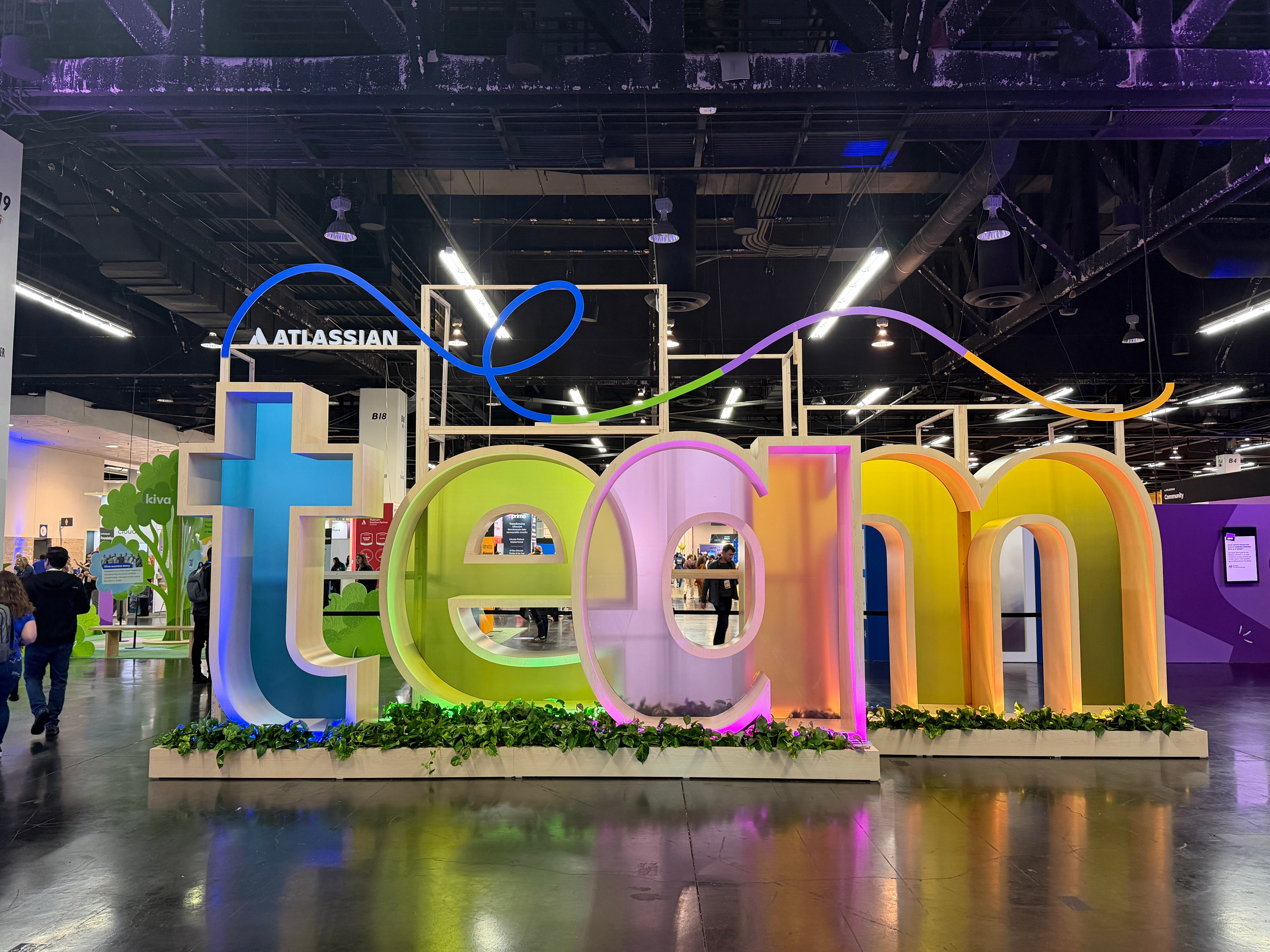
I'm Maggie, Head of Product Marketing for Atlassian Platform and Migrations. What a week in Anaheim! Team '26 US was packed with high-energy, deep-dive sessions and exciting announcements we've been heads-down on for months.
In every customer conversation I had, the same question kept showing up: "We have the AI tools. Why aren't we getting the results?" The answer is almost always context. That context is also your most strategic, confidential asset. The work we showed at Team across the Atlassian Platform is how we're solving for both - access to stronger data, while keeping it safe.
Below are the four areas I'd want every customer to walk away with. My team will deep-dive into each over the coming weeks, so stay tuned!
 You can also catch on-demand replays of the Founder Keynote, Solution Keynotes, and more in our on-demand library.
🧠 How Teamwork Graph powers AI with your connected work context
150 billion+ connections. That's how much context your teams are already creating — across every Jira ticket, Confluence page, goal, project, and decision in Atlassian. All of it lives in the Teamwork Graph.
Teamwork Graph is Atlassian's context graph for curating a live, intelligent map of how work actually happens across your org, connecting people, work, and knowledge across your entire tech stack.
The shift we made at Team: opening the Teamwork Graph to the broader AI ecosystem so your context follows you wherever you work, whether it's Claude, Cursor, Salesforce, or any other tool your team is using, and there are two ways to get started:
-
Teamwork Graph CLI gives developers direct access to their organization's context with 300+ commands to query connected insights from Teamwork Graph. Connect Claude Code, Cursor, or any shell-capable agent and give it the full picture of your org's work, right in the terminal. In our internal testing, agents using Teamwork Graph achieved a 44% improvement in answer quality and used 48% fewer tokens. Install the CLI and get started 
-
Teamwork Graph tools in Rovo MCP brings that same connected context to your AI assistants and apps. Any MCP-compliant AI assistant — Claude, ChatGPT, Copilot, Figma, Replit, and more — gets a standard, secure way to read from your Teamwork Graph. It's permission-aware and auditable at every step, so your governance posture stays intact no matter which AI tool is making the call. Enable Teamwork Graph tools via MCP
The bottom line: Better context means better answers (and lower cost) without changing how your teams already work.
🤖 Put AI to work
The fastest path to AI value isn't a feature — it's letting your teams build their own. With the new, unified Rovo Studio experience generally available, any team can build agents, automations, and apps from a simple prompt, no code required.
Unlike ad-hoc AI tools and vibe-coded scripts that bypass IT, Studio has built-in access controls, versioning, and insights so teams can move fast and build with AI, while security and IT stay in control. Get started today.
 Connecting the dots across your organization with Platform Apps
Most customers I talked to didn’t lack data; they lacked answers. That’s the gap Analytics is closing, and we made a number of exciting new announcements at Team that I think everyone will really love:
-
A single app to visualize your work: Your reporting shouldn't live in five different places. Home Dashboards is joining the Analytics app, giving every Atlassian Cloud customer a single, flexible canvas to visualize work and turn data into decisions.
-
Data you can actually trust: With Secoda’s AI-ready data management capabilities coming to Analytics, you’ll see where your data came from and whether it’s reliable — so you (and your AI) aren’t working off bad inputs.
-
Ask your data anything: Move from building static dashboards to having fluid conversations with your work data with <mark data-is-hovered="false" data-has-focus="false" data-mark-annotation-state="resolved" data-id="3eaa284e-47dc-4490-a85a-52cc0533cb87" data-mark-annotation-type="inlineComment" data-mark-type="annotation" data-renderer-mark="true" aria-disabled="true">/get-data-insights</mark> (live now) in Rovo Chat or Rovo Analytics (coming soon) for deeper analysis across Atlassian and external data sources like Databricks or Snowflake.
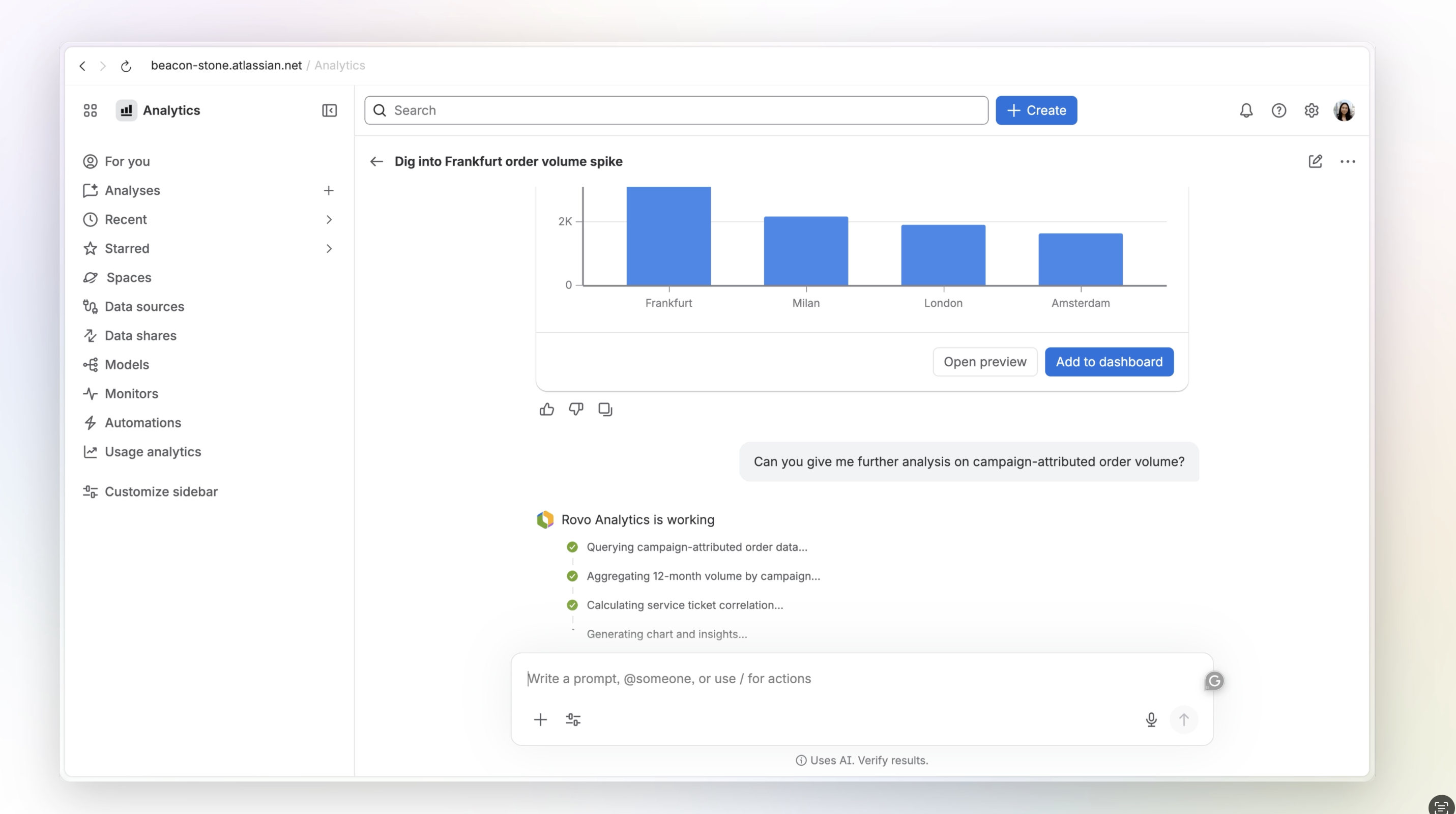
Rovo Analytics
Analytics is the headline, but there's more worth knowing about Platform Apps – from AI-powered status updates in Projects to new editor permissions for granular control.
 Mastering the four shifts of modern administration
The way you ran your Atlassian org three years ago doesn't work in an AI world. Period.
The four shifts in administration we laid out at Team are the framework I've watched our most sophisticated enterprise customers already adopt — and the playbook every admin should be planning against in FY27:
-
Shape your system of work by design: Set up a system of work tailored to your organization’s unique DNA, one that evolves as your organization grows.
-
Secure your organization with guardrails: Keep your users and data safe, ensure business continuity, and get ahead of change instead of reacting to it
-
Scale administration as a team: Empower specialized admins to own their domains while you remain the captain with complete oversight.
-
Transform your business with AI you can trust: Build a foundation for innovation without sacrificing security.
We’re putting these shifts into practice with capabilities like Units (closed EAP), which lets you configure collaboration and data boundaries within your org, so collaboration and AI stay contained within the boundaries you set.
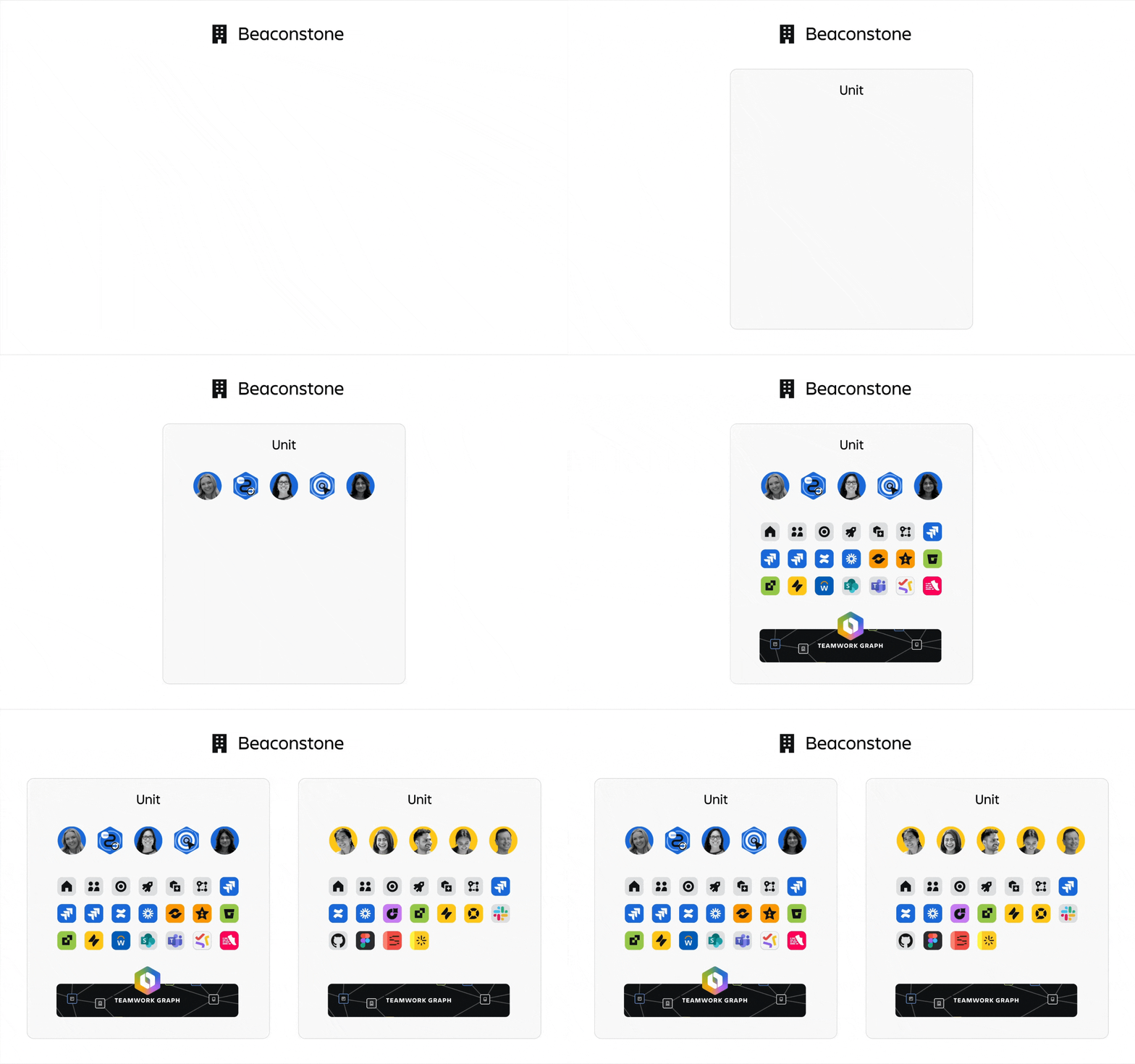
The deep dive on administration is coming soon — we'll unpack each shift and show you how to put them into action.
🏗️ Scale with confidence on enterprise-grade infrastructure
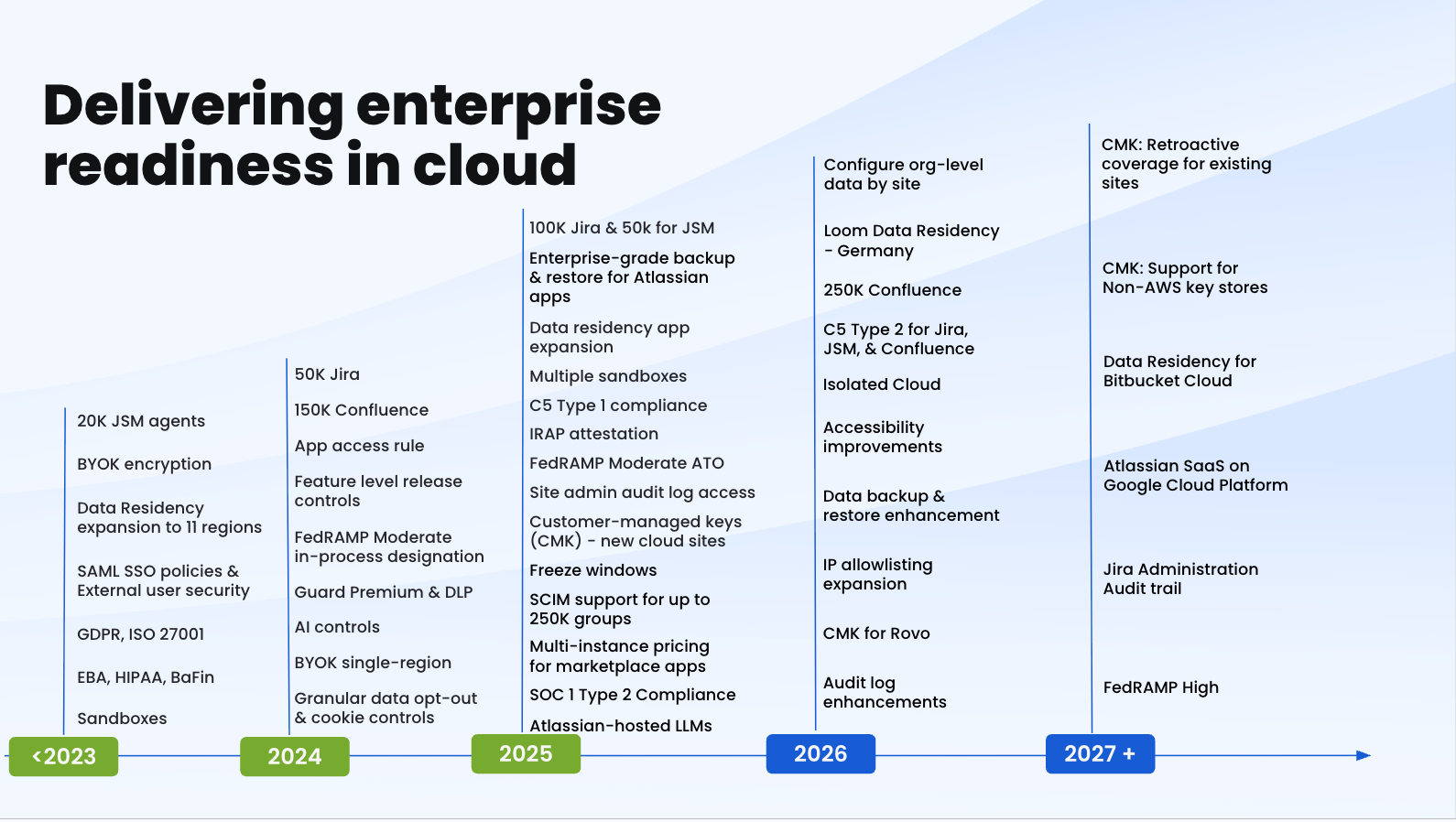
We’ve made massive investments in our enterprise-grade infrastructure over the past few years. But here's what I'm hearing most from customers right now: "We want to use AI. We just can't lose control of our data." So we're giving you the controls to do both, with new controls coming to Guard Premium. You’ll be able to expand Rovo usage across more teams, knowing your confidential data is protected by enforceable policies, with:
-
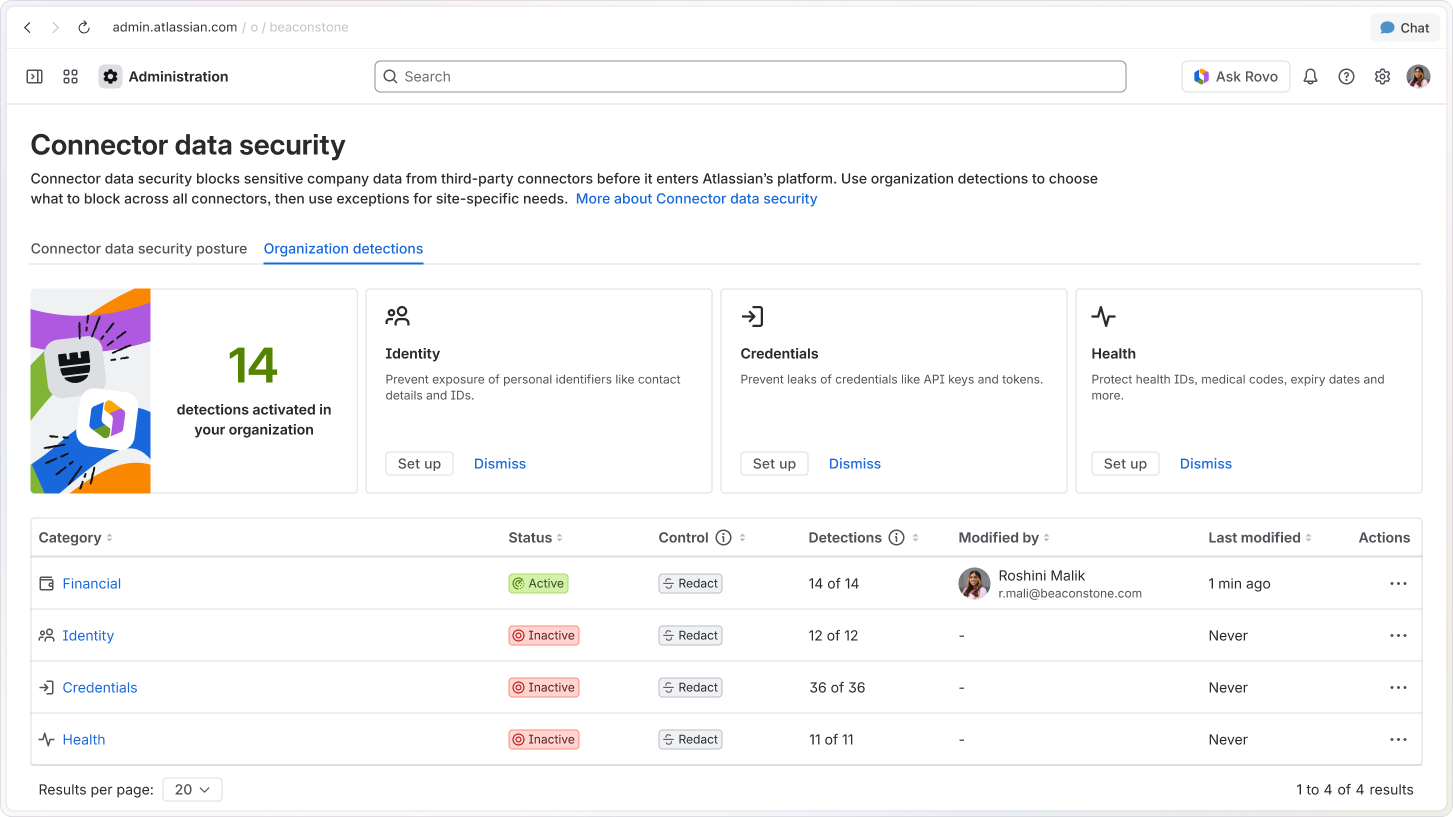
Rovo connector data security, which lets you set rules for which third-party data AI pulls in and processes. If something confidential, like a bank account number, appears, it can be blocked.
Look out for the upcoming deep dive where we’ll cover more on performance and scale, including new scale milestones and ways to monitor the operational status of your cloud apps.
💬 We want to hear from you!
There was so much shared in Anaheim, and this recap has only just scratched the surface. You’re going to see a lot more on each of the areas covered above!
In the meantime, there are two questions I'd love your take on in the comments:
-
Which of these is going to make the biggest difference for your team in the next six months?
-
What's holding you back from getting started?
Or just ask us some questions you want to learn more about in each of these areas, and we’ll make sure we cover those in our future posts!
 Bonus: We’ll pick two lucky commenters to win a free Atlassian certification voucher,so you can earn a credential and level up your career. Winners will be randomly chosen and mentioned in the comments in 2 weeks.
Be sure to check out the rest of the recap series over the coming weeks as we continue exploring how.
 Up next: The Teamwork Graph and Rovo deep dive. You won’t want to miss it!


