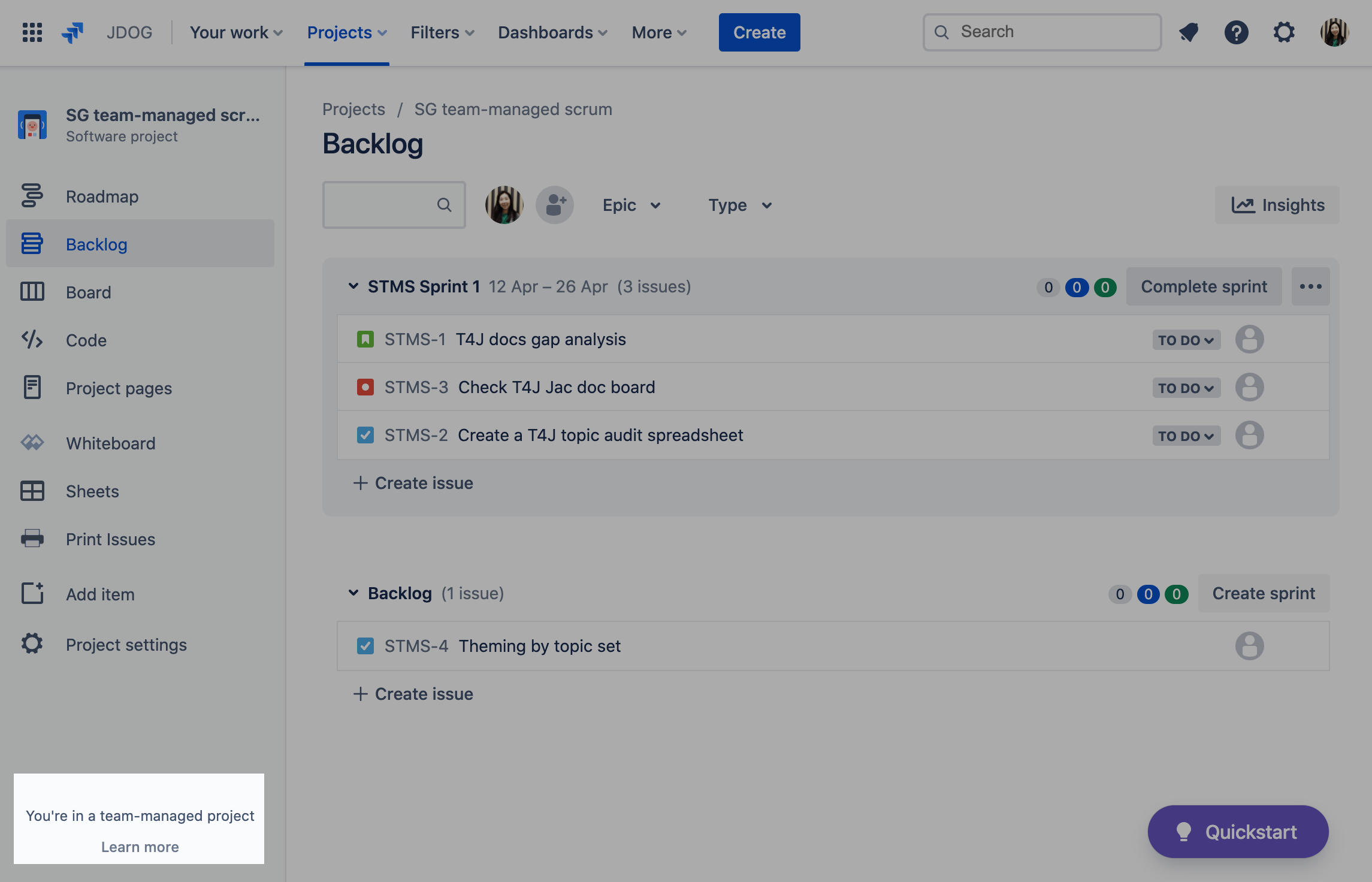
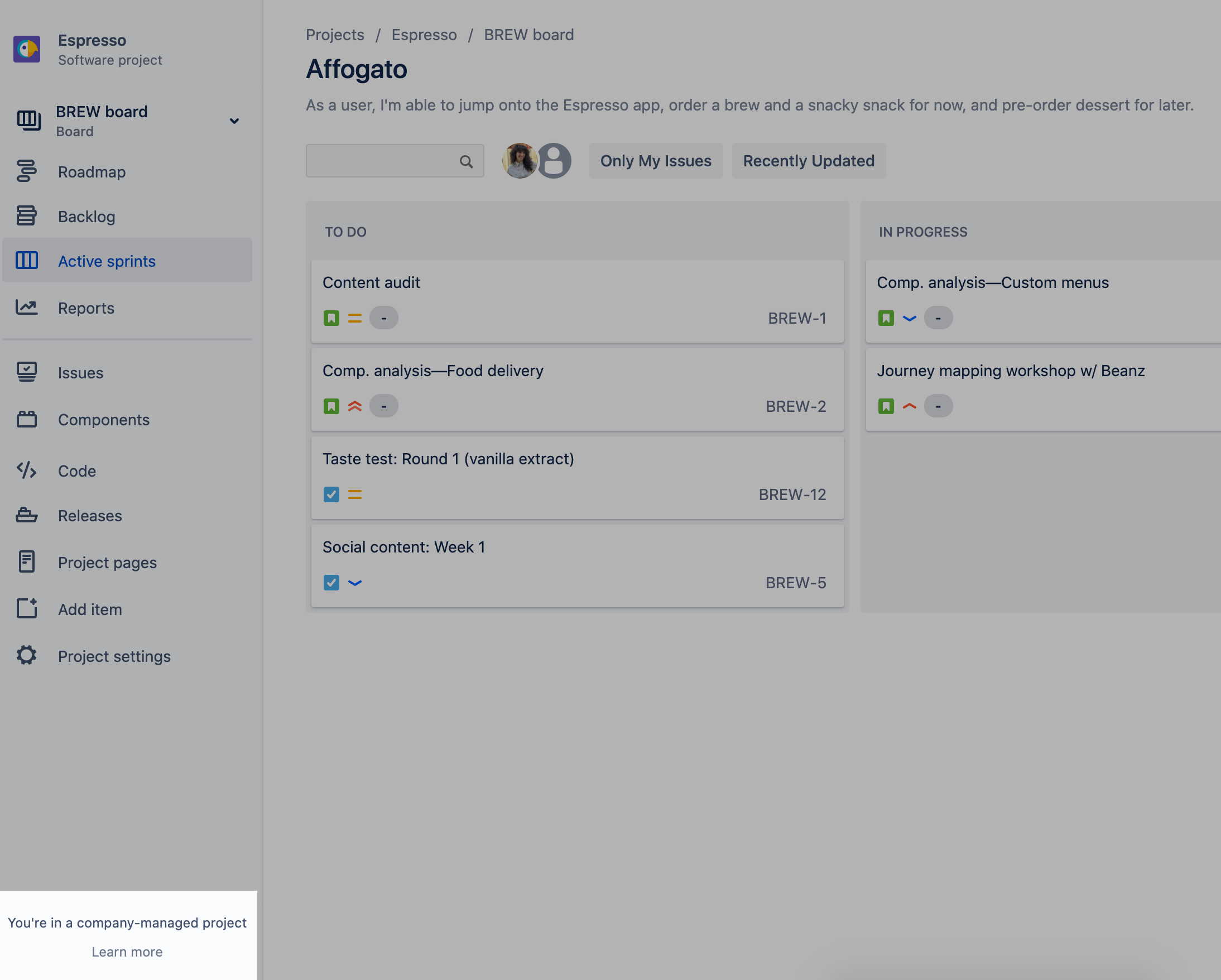
In order to transition an issue from a status to another, you must ensure you have configured a transition between those two statuses in your workflow. You can follow the steps below to confirm if that’s the case:
Resolution:
Confirm if any other admin of your team has not manually updated the workflow and removed the transition you are looking for intentionally. Once you confirm it, you can follow the steps below to add the transition:
You can not add transitions to a draft of an active workflow. That being said, you would need to create a copy of the workflow, edit and replace the workflow with the new one in your current project. You can check more details about this in the documentation below:
Work with issue workflows
Once you create a new copy of your workflow, you can follow the steos below to properly edit this:
- Navigate to the Workflows > Edit
-
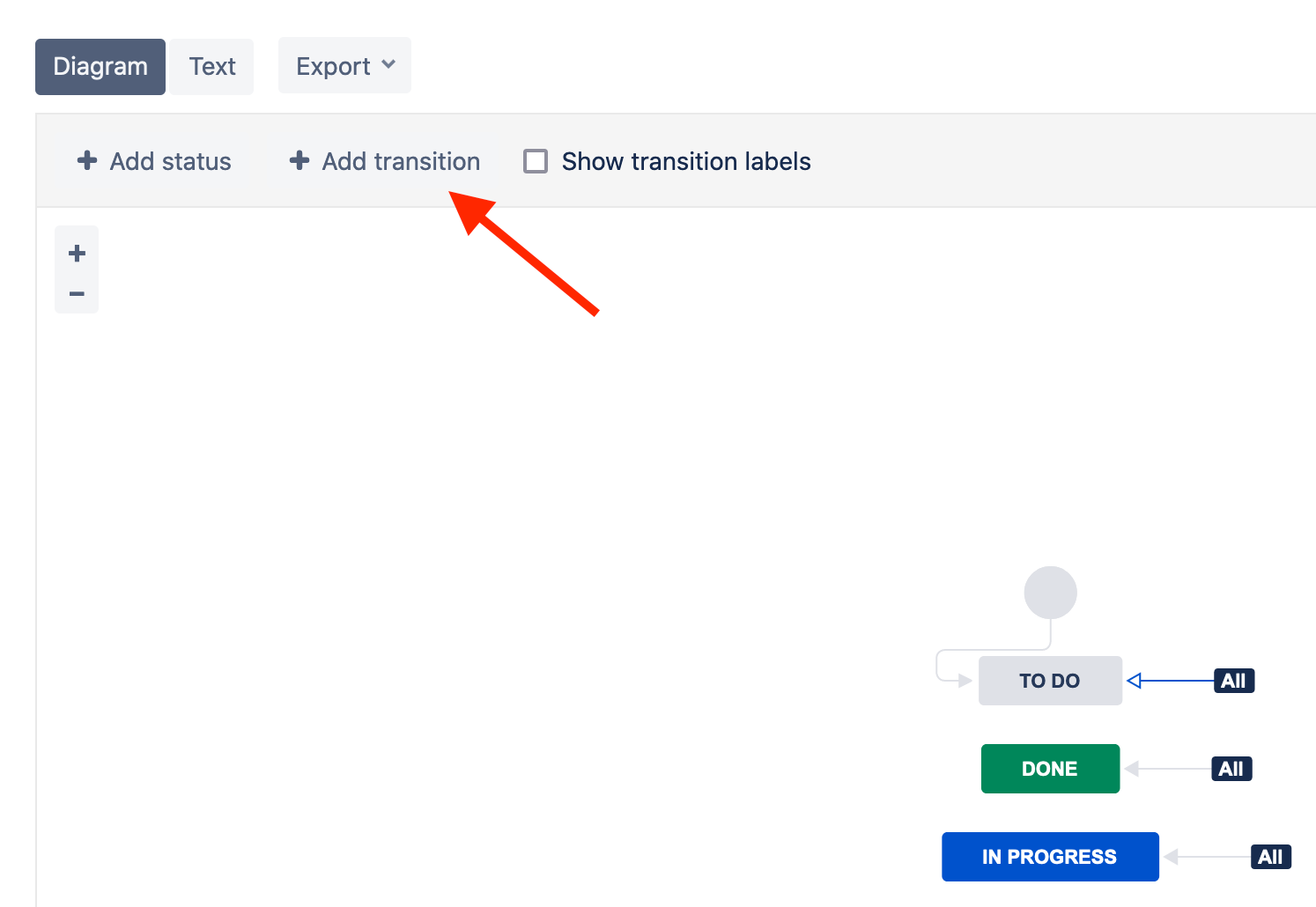
On Diagram mode, click to add a new transition, selecting the statuses you want:
- Navigate to the project > Project settings > Workflows > Click to add a new workflow, selecting the one you copied
Sometimes when moving an issue from one workflow to another (by changing the project or issue type), the process fails and does not change the current workflow in the issue background. This problem can cause your issue to be stuck in a single status. Here are the steps to troubleshoot it:
Question:
-
Navigate to the issue
-
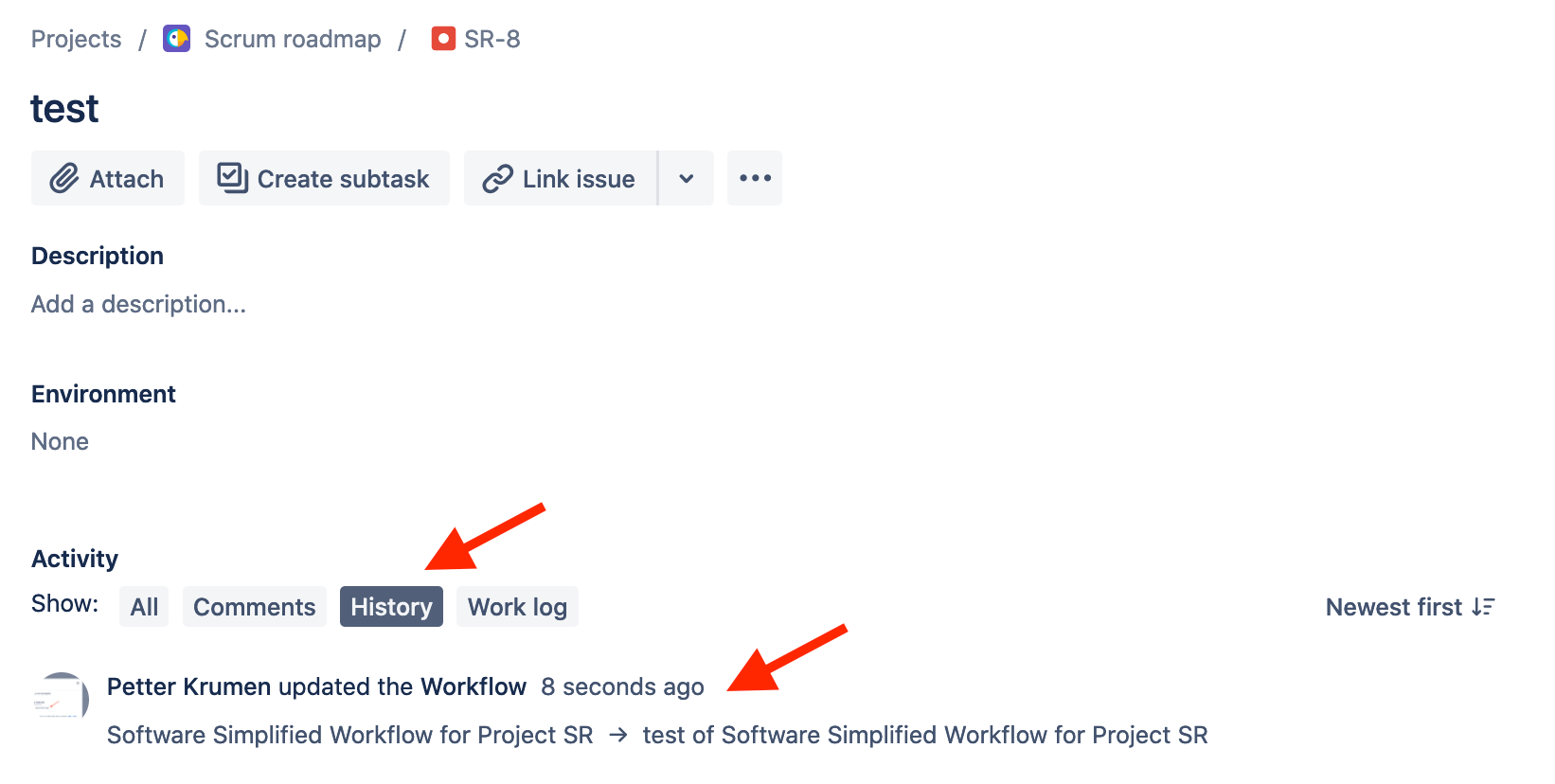
Click on the issue history and check if the workflow of the issue was changed anytime before
Resolution:
If the answer to the question above is "yes", try to move the issue to a different workflow and back to the current one you are using to force a resync of the statuses:
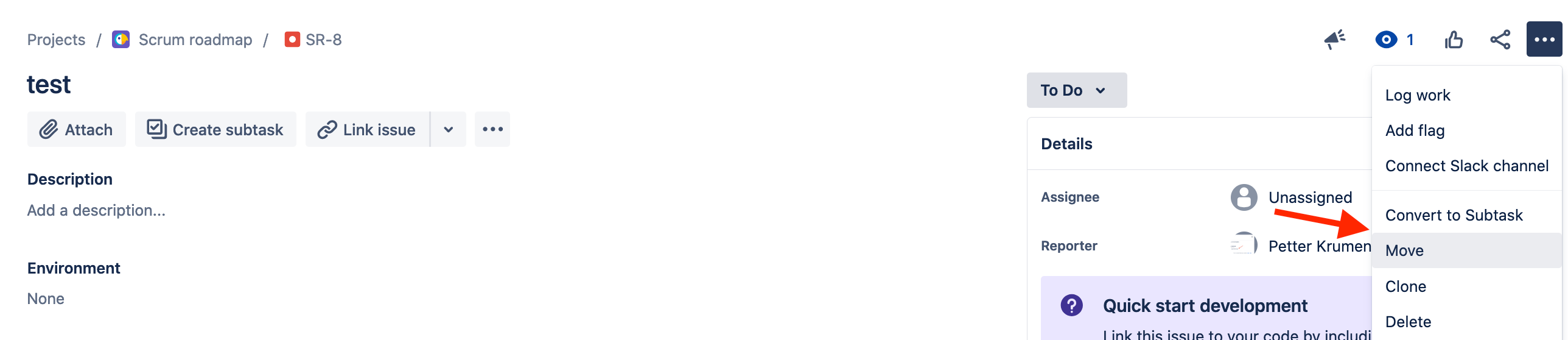
For Team-managed projects:
To properly troubleshoot issues with this project template, please consider the following:
You must be a Project administrator to edit workflows for Team-managed projects (Added to the Administrator role under project settings > Access), which will be required to apply the troubleshooting steps in this article.
Possible root causes for not being able to transition an issue:
1 - The user is not added to the member or administrator roles in the project
It is required for users to be added with the administrator or member role in the project to properly transition issues between two statuses.
Warning:
Being a Jira administrator does not mean you have the three project permissions above. You can still be restricted from them even begin a site-admin, so don’t avoid this step during your troubleshooting.
Also, this step is only applicable if you are not using the free plan of Jira software, Work management, or Service Management.
You can follow the steps below to confirm if the user is missing this role:
-
Navigate to your project > Project settings > Access
-
Check if the user is properly added with the Member or Administrator role
Resolution:
Once you confirm the user does not have one of the required roles, follow the steps below:
-
Navigate to your project > Project settings > Access
-
Click on "add people” and add the member or administrator role to the user, considering which permissions you want your user to have as explained in the documentation below:
Team-managed project permissions
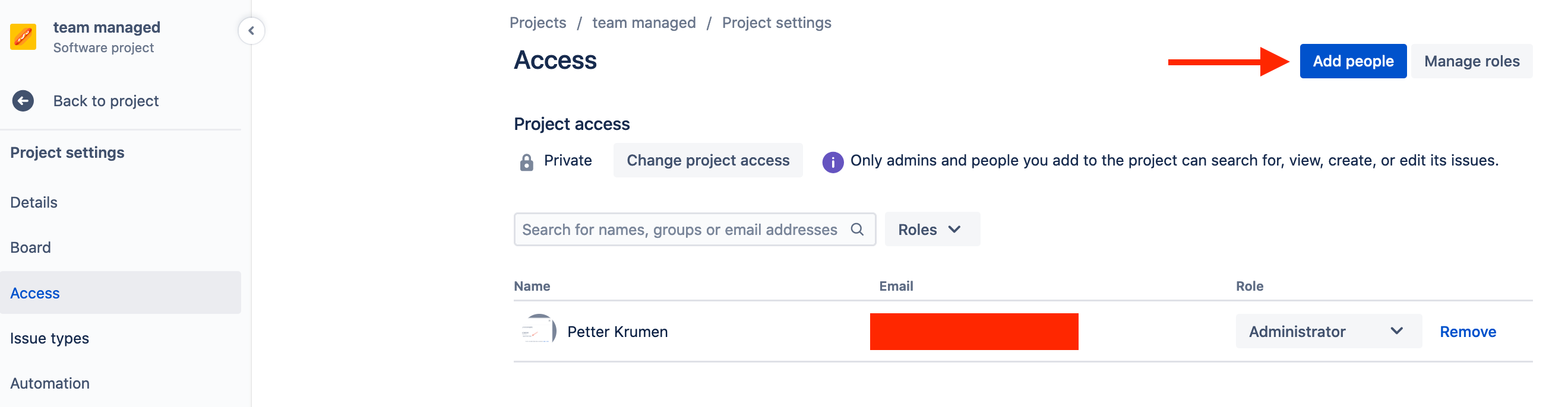
2 - There are no transitions created in your workflow to move the issue to the status
In order to transition an issue from a status to another, you must ensure you have configured a transition between those two statuses in your workflow. You can follow the steps below to confirm if that’s the case:
-
Navigate to your project > Board > Manage Workflow
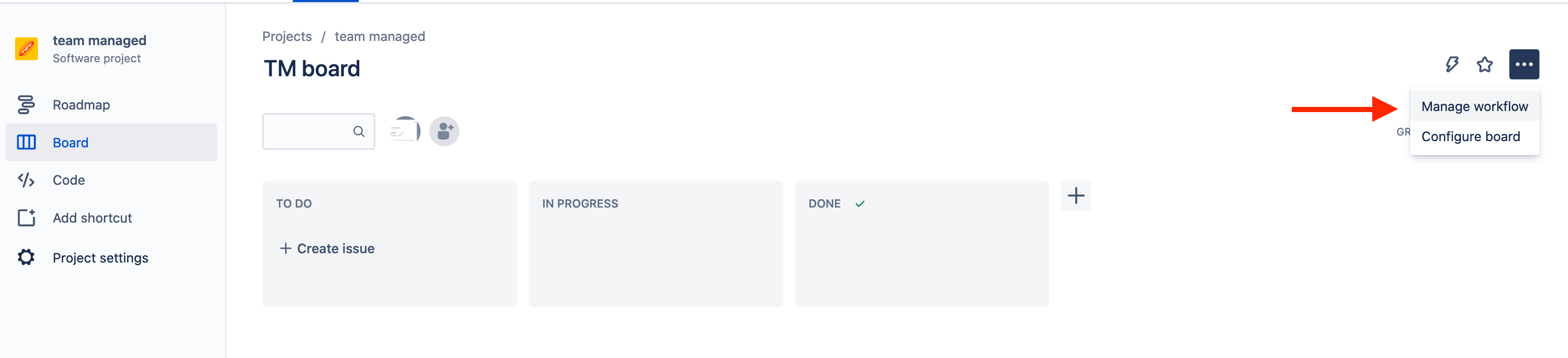
-
Check if there is a transition that allows you to transition the issue to the status you need, considering the status the issue is at the moment
Resolution:
Once you confirm which is the missing transition, you can follow the steps below to add the transition:
-
Navigate to your project > Board > Manage Workflow
-
Click on Transition to create it:
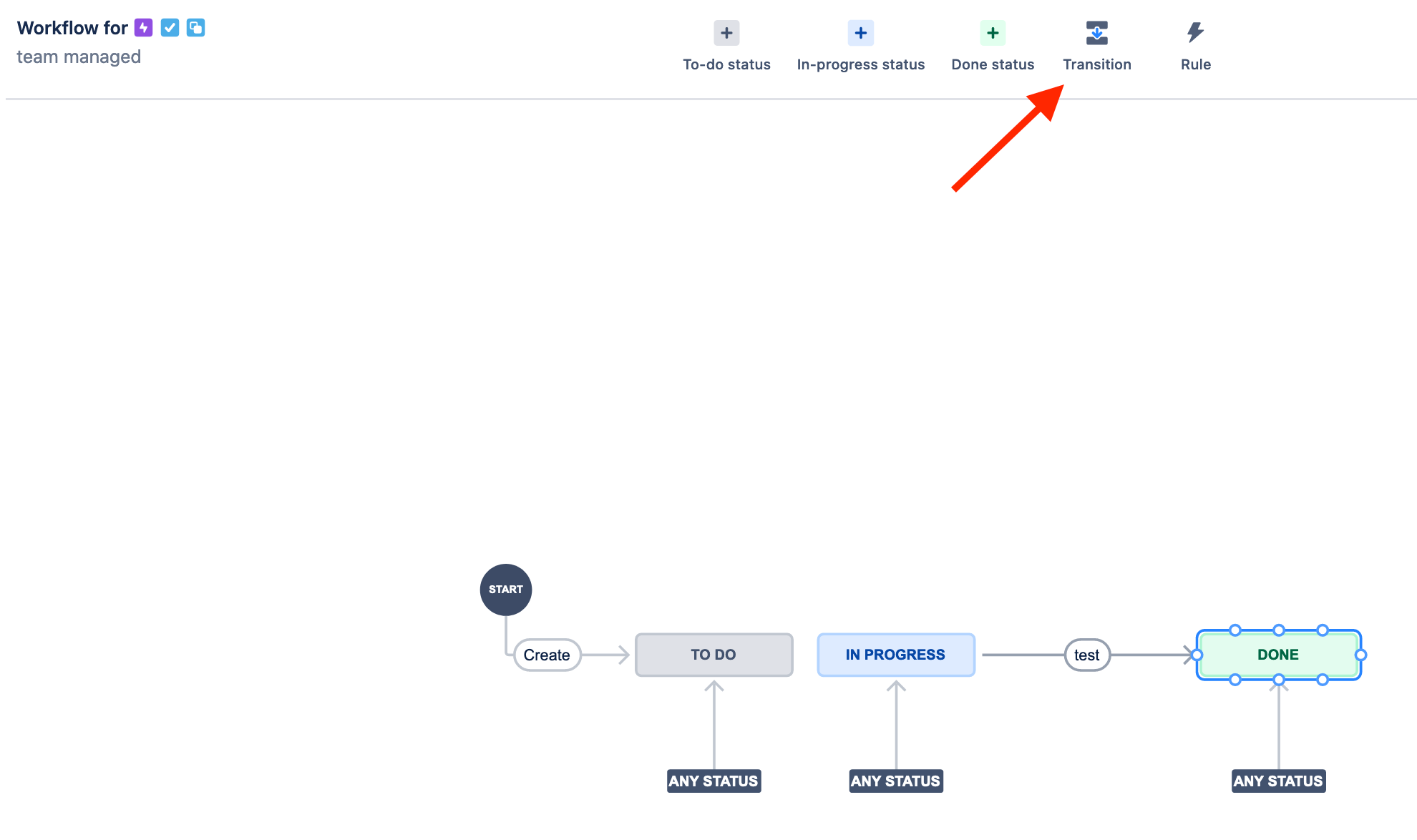
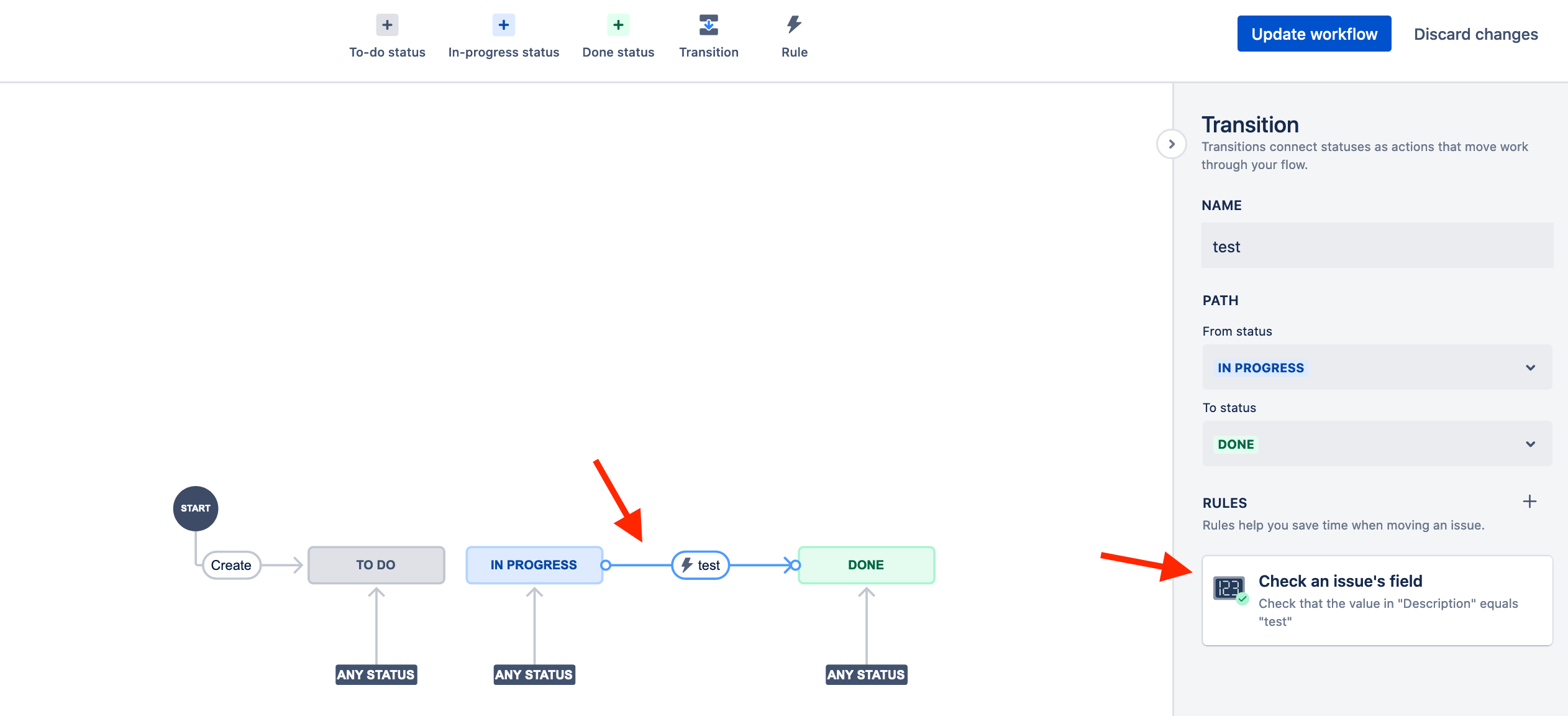
3 - Your workflow transition is configured with a Rule that is blocking the transition
You can configure Rules in your workflow transition to ensure your issue meets certain criteria before the transition (A field must be filled, a step must be concluded, etc). Follow the steps below to check if a rule might be blocking you:
-
Navigate to your project > Board > Manage Workflow
-
Click on the transition you are trying to execute > Check the rules created for it in the right panel:
Resolution:
Remove the rule that is causing the problem.
4 - There’s a problem with the integrity of your workflow
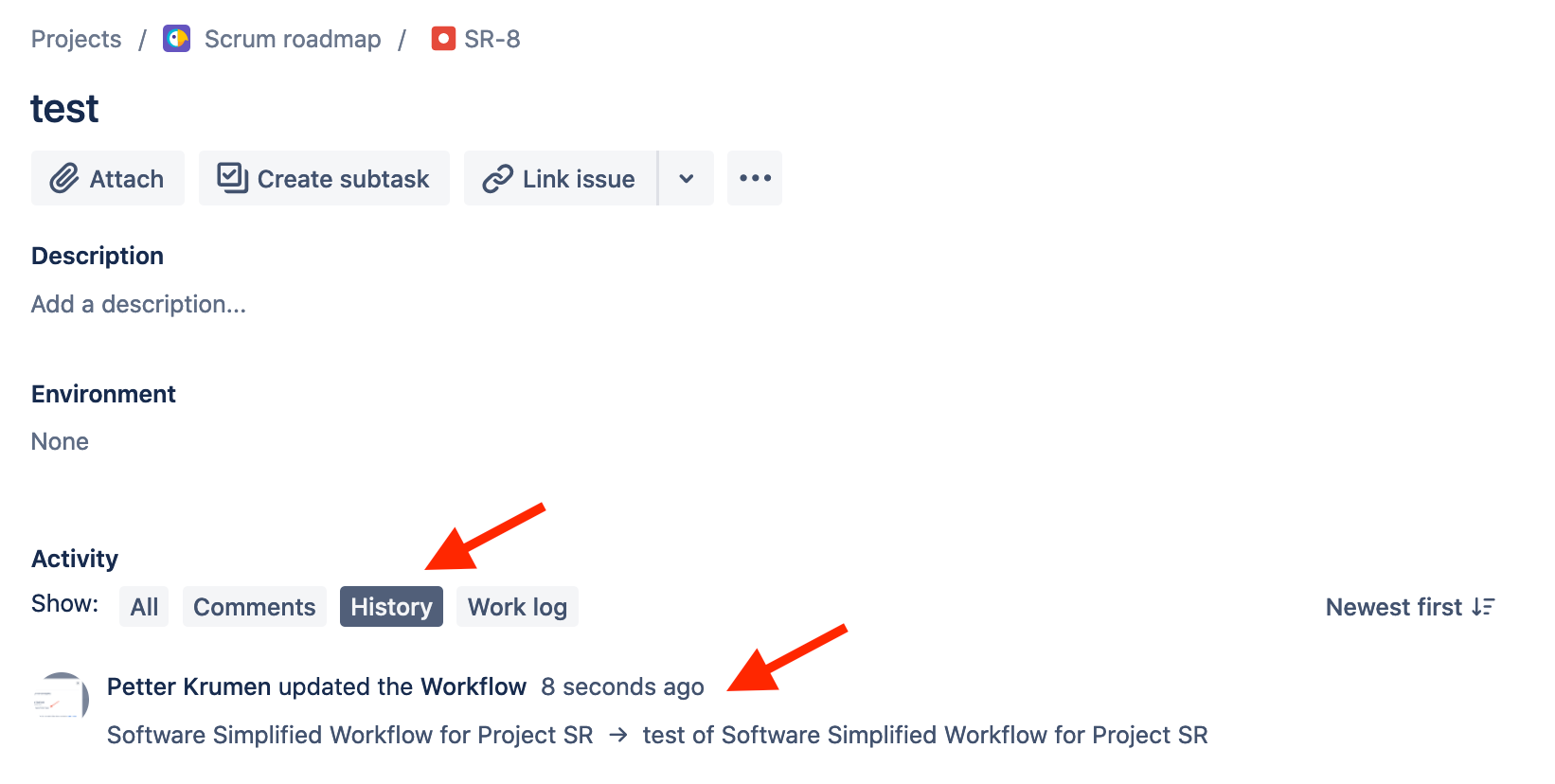
Sometimes when moving an issue from one workflow to another (by changing the project), the process fails and does not change the current workflow in the issue background. This problem can cause your issue to be stuck in a single status. Here are the steps to troubleshoot it:
Question:
-
Navigate to the issue
-
Click on the issue history and check if the workflow of the issue was changed anytime before:
Resolution:
If the answer to the question above is "yes", try to move the issue to a different workflow and back to the current one you are using to force a resync of the statuses:
Related community posts:
You don't have permission to transition this issue
How do you prevent users transitioning issues with no time logged?
added a status and a column to the board but I can't move anything there
Cannot transition issue with all permissions, only 1 issue affected
Transitions not available
Can't move issues to Done
Cannot move issues from IN PROGRESS to TO DO in Kanban board
Related commonly asked questions:
Why can’t I transition an issue?
What's causing an issue to not transition?
I’m unable to transition an issue?
Transition issue greyed out, why?
Can’t move an issue to "Done".
Cannot move issues …