Community resources
Community resources
Community resources
XSRF Security Token Missing


Hi Guys,
I know that this is a very asked question as i found out a lot
of topics on this matter but i cannot find the solution to this problem...and i really need help...
Basically, when i want to create a ticket it gives me this error:
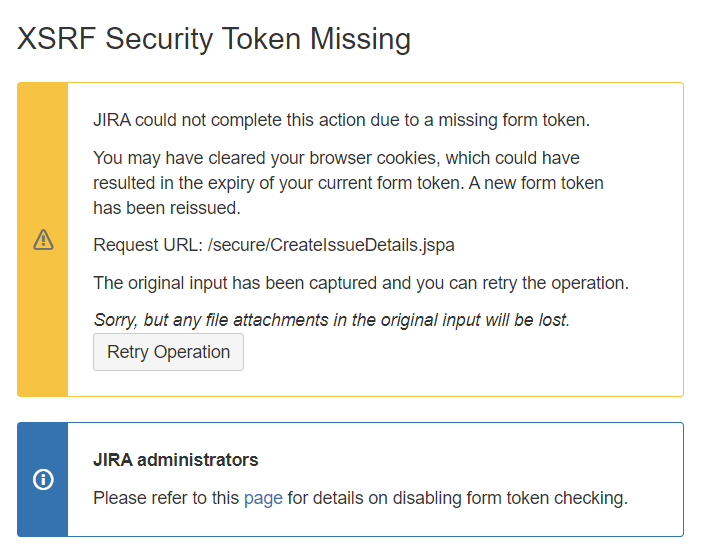
If i clear all my tokens it doesn't work.
If i use another browser +/ incognito - doesn't work.
If i press retry it says:

The atlassian-log says:
2020-08-04 16:22:20,336 http-nio-8443-exec-8 INFO admin /secure/CreateIssueDetails.jspa [c.a.j.web.action.XsrfErrorAction] The security token is missing for 'admin'. User-Agent : 'Mozilla/5.0 (Windows NT 10.0; Win64; x64) AppleWebKit/537.36 (KHTML, like Gecko) Chrome'
Can somebody help here? How do i solve this?
1 answer

Hello,
You would need a plugin. Kindly have a look at this plugin:
https://marketplace.atlassian.com/apps/1215700/notifications-for-jira?hosting=server&tab=overview

Hi there. I tried to install this on my Service Desk, but it seems that it is only possible to use it on a local server version of Service Desk. I can't install it on the cloud version we have. Is there any workaround for this?
You must be a registered user to add a comment. If you've already registered, sign in. Otherwise, register and sign in.

You must be a registered user to add a comment. If you've already registered, sign in. Otherwise, register and sign in.