The volume of agent work is growing fast. You assign work items directly to agents, automation rules fire, workflow transitions kick off sessions. But when agents are touching 10, 20, 50 work items, you need a way to manage their outputs without clicking into each one.
That’s what My agent sessions does. It’s a new section on your Jira For You page that pulls every agent session you’re running and organizes them by what needs you first.
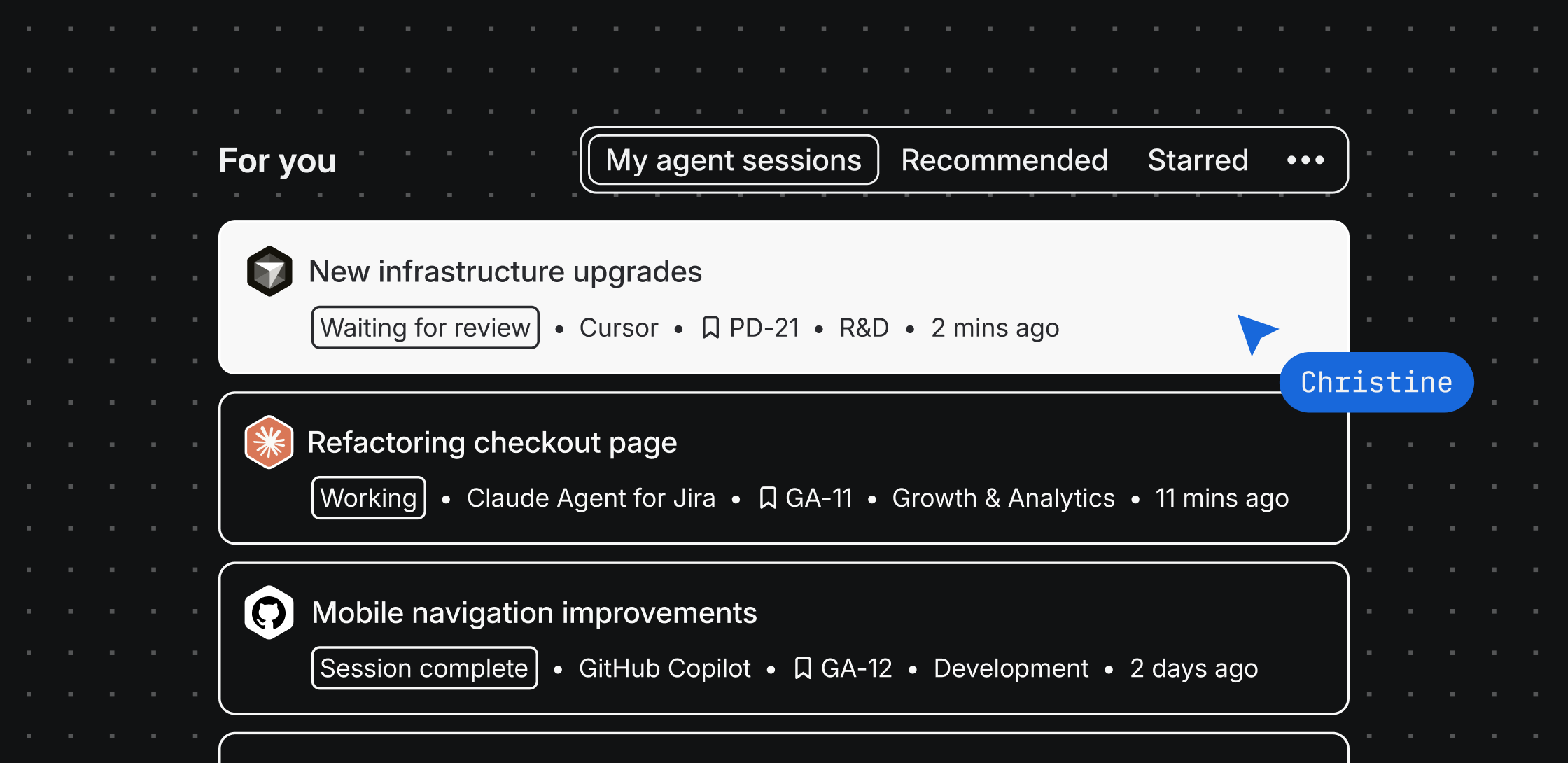
You already use your Jira home page to stay on top of work
Your For You page surfaces recommended work items, notifications, and quick actions. My agent sessions adds a new tab to that same surface – so managing your agents lives right alongside everything else you’re already checking.
|
❓What does it show? Three states: Needs input (surfaces first), Working, and Finished. One quick glance tells you where to focus.
🔁 What can I do from here? You can kick off new sessions, unblock stalled ones, redirect an agent’s approach, or approve outputs – all without leaving your Jira home page.
🧠 How does it know what needs me? Sessions that stall or hit a decision point surface in your recommended feed the next time you open Jira. No more scavenger hunts across boards, list views, or individual work items.
|
See it in action
How to get started
Requirements
Not using agents yet? Follow these steps to get started
Steps
-
Open your Jira home page (the For You page)
-
Look for the My agent sessions tab. It will appear automatically once you have active sessions
-
Scan by state. Start with anything marked Needs input – that’s where your attention matters most
-
Click a session card to review what the agent did and unblock, approve, or redirect
For more information on finding agent sessions, check out this guide.
Why we built this
There was no single place to answer "which of my agent sessions need me right now?" and checking progress work item by work item shouldn't cost the time they were supposed to save you. My agent sessions fixes that so the time you save actually stays saved.
Have questions or feedback? Drop a comment below – your input shapes what ships next.

