Hello,
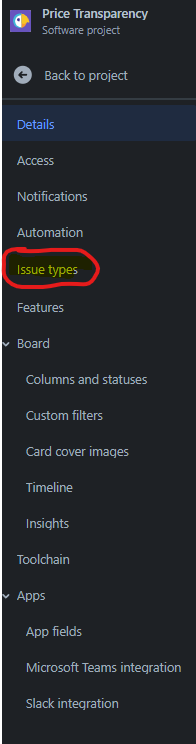
Consulting the article on editing a custom field's options has led me to believe that it is possible that the documentation may not be up to date with the current settings UI. The FAQ page suggests that I navigate from Settings to Issues. However, my settings page does not contain an Issues section, only an Issue Types section (screenshot 1).
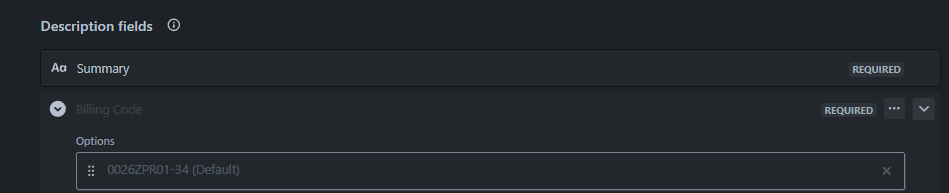
Going down this path anyway, clicking Issue Types allows me to view the current options for the custom field that I want to edit (currently set as a required field for one of our issue types - bug), and even set a default by hovering over one of the options (screenshot 2).
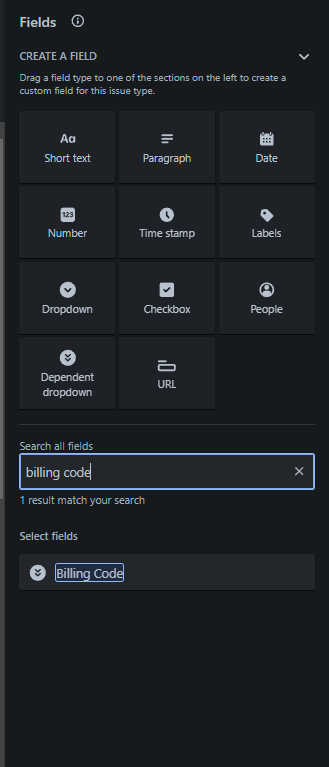
I also tried expanding the field to edit its available list of options when searching for it in the right-side panel, but clicking on it anywhere simply adds it to the list of required fields for that issue type (even if that field is already present, it can be added multiple times - shown in screenshot 3).
It seems that I am at a dead end. Could you please advise on how I might be able to edit this list of values? I have already confirmed that I have the proper admin status on this project that should allow me to edit such things, but it seems at this point to be a navigation issue.
Thanks!
Dave