Create
Turn on suggestions
Auto-suggest helps you quickly narrow down your search results by suggesting possible matches as you type.
Showing results for
Community resources
Community resources
Community resources
How to use custom fields in Work Management projects with global automation

Benjamin Heunemann
October 5, 2022 edited
Hey, I am desperately trying to have custom fields created on a global aspect (issues > fields > custom fields) show up and be usable in business projects, especially for automation.
My idea:
- I created a simple text field with a few options (as mentioned under issues > fields > custom fields)
- if in a business project an issue under certain conditions is created, a new issue with pre-filled information, among them the custom field, will be created
- neither does the custom field show up in the project's issue types settings nor does (global) automation recognise the field:
"Unknown fields set during create, they may be unavailable for the project/type. Check your custom field configuration. Fields ignored -" (followed by the field name) - also the field does not show up in the new project's task configuration screen (which is most likely to be related to the error)
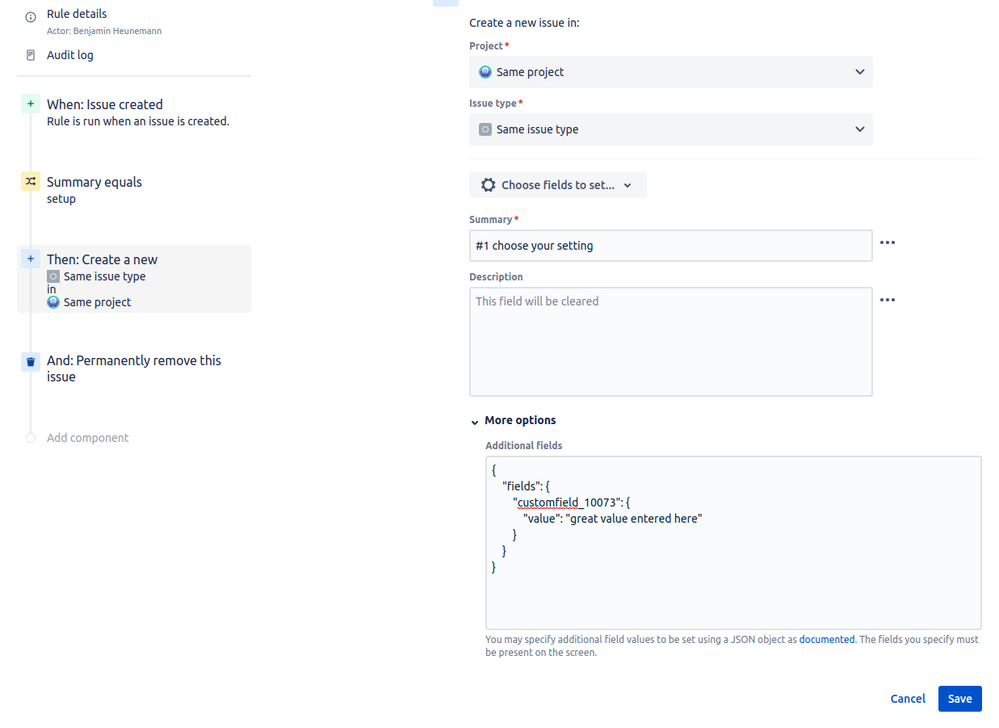
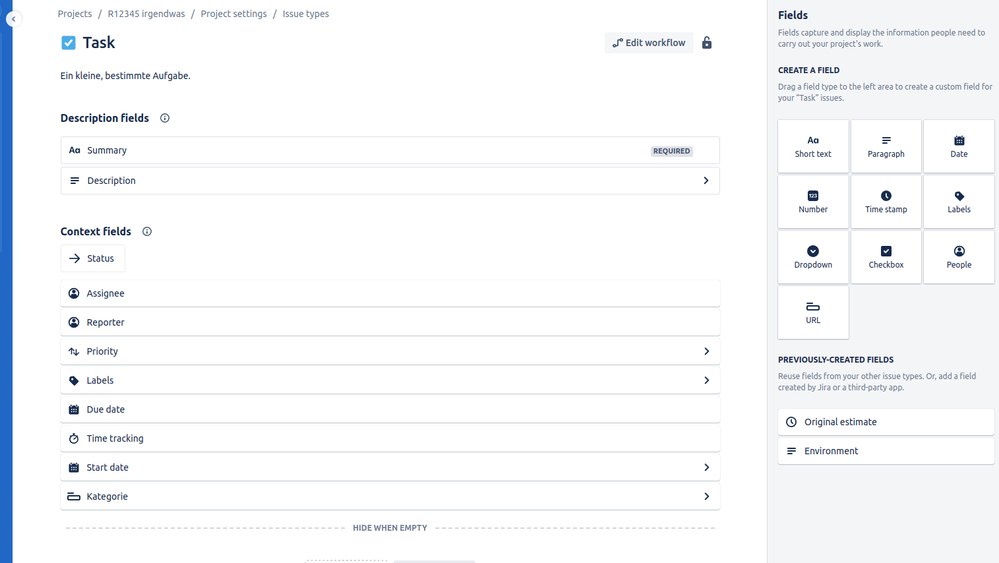
I have no idea what to do and feel like I've looked everywhere. Does anyone have a hint?
1 answer

nriley
Atlassian Team
Atlassian Team members are employees working across the company in a wide variety of roles.
April 8, 2013 edited
Only users with "Create Issue" permissions for the project you are adding issues to can be added as a reporter. (See https://confluence.atlassian.com/display/JIRA/Managing+Project+Permissions for assistance)
More deatils on setting up an Issue collector can be found here: https://confluence.atlassian.com/display/JIRA052/Using+the+Issue+Collector#UsingtheIssueCollector-Addinganissuecollector

Was this helpful?
Thanks!
TAGS
Community showcase
Atlassian Community Events
Copyright © 2025 Atlassian
You must be a registered user to add a comment. If you've already registered, sign in. Otherwise, register and sign in.