Community resources
Community resources
Community resources
How to use custom fields in Work Management projects with global automation

Hey, I am desperately trying to have custom fields created on a global aspect (issues > fields > custom fields) show up and be usable in business projects, especially for automation.
My idea:
- I created a simple text field with a few options (as mentioned under issues > fields > custom fields)
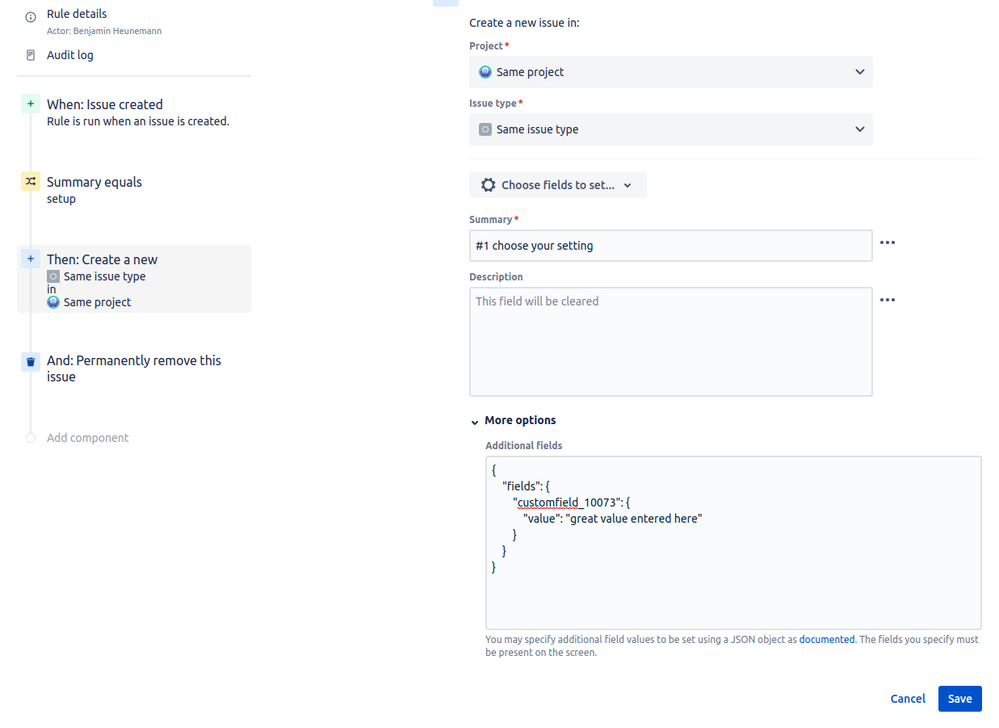
- if in a business project an issue under certain conditions is created, a new issue with pre-filled information, among them the custom field, will be created
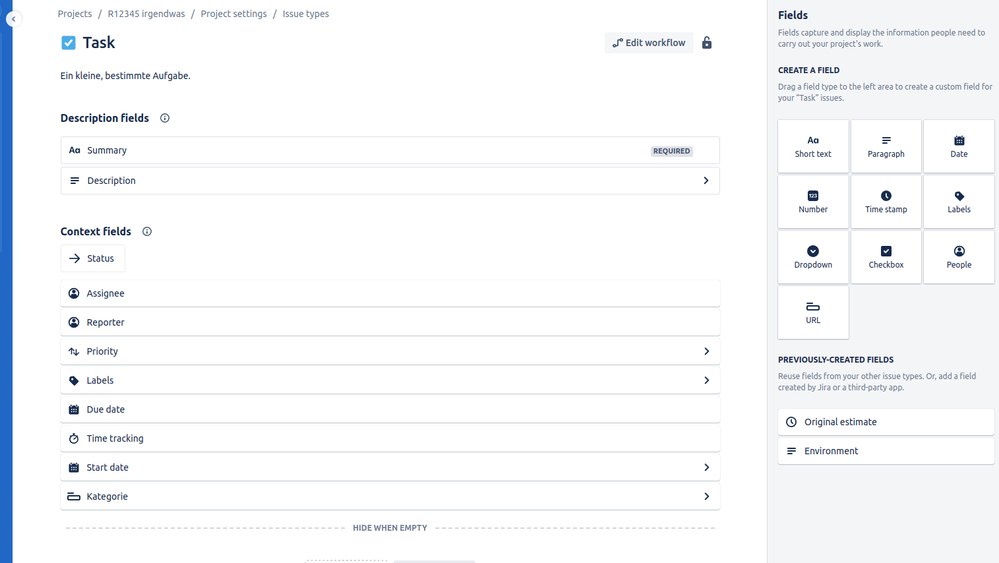
- neither does the custom field show up in the project's issue types settings nor does (global) automation recognise the field:
"Unknown fields set during create, they may be unavailable for the project/type. Check your custom field configuration. Fields ignored -" (followed by the field name) - also the field does not show up in the new project's task configuration screen (which is most likely to be related to the error)
I have no idea what to do and feel like I've looked everywhere. Does anyone have a hint?
1 answer

In Cloud, users with No Application Access can't use the applications at all. Is just like a logged out user. Same level of access. It is there so you can basically switch users from application to application or disable them for some time. It also helps to keep a user linked to the history of activities, comments, issues etc.
Are you trying to grant them access to view the issues? What Project details if not?
To achieve a View Only permission to a project issues you'll have to create a new group for example: 'view-only' and add users to only that group.
- add the group to the Global Permissions: JIRA Users access so they can use the application. It will grant them Application Access. Since no project permission grants that group access to the project, they will still see no issues
- Grant Project Permission: Browse Project so they can browse the issues in the project. They won't be able to do much else since they won't have Create Issue or Comment, Transition etc.
Remember to remove users from other groups because if not they will also have permissions for those groups.
Cheers!

So just to get things straight...I cannot add non-jira users to a 'view-only' group and give that group browse permission on the project? The only way I can allow someone with no application access to browse the project is by adding 'Anyone' to the browser permission?
You must be a registered user to add a comment. If you've already registered, sign in. Otherwise, register and sign in.

You must be a registered user to add a comment. If you've already registered, sign in. Otherwise, register and sign in.