Create
Turn on suggestions
Auto-suggest helps you quickly narrow down your search results by suggesting possible matches as you type.
Showing results for
Community resources
Community resources
Community resources
Comparing Company-Managed Project Differences Between Two Jira Accounts

Muhammad Azmi Adhani
October 9, 2023 edited
Hello fellow Jira Software users,
I've encountered some intriguing differences between two of my Jira accounts, particularly in the context of company-managed projects. I wanted to share these disparities with you and seek your insights and experiences.
Account 1:
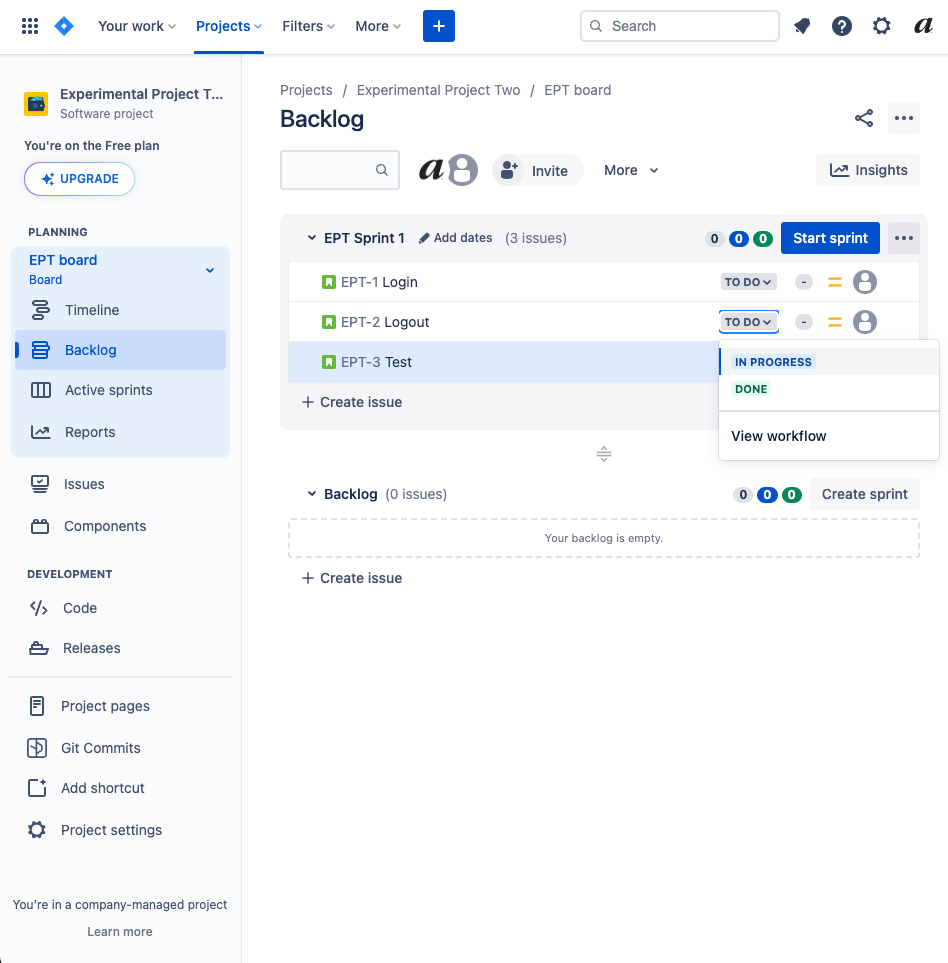
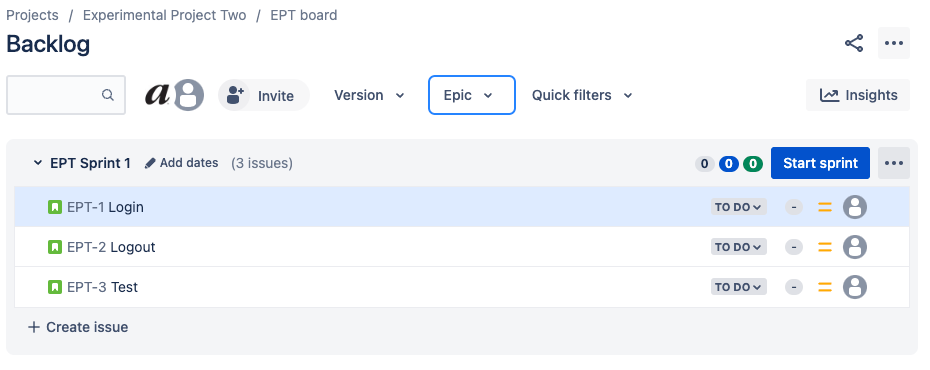
- In my first account, company-managed project's backlog issues have a status dropdown menu, allowing me to change the issue status directly from the backlog view.
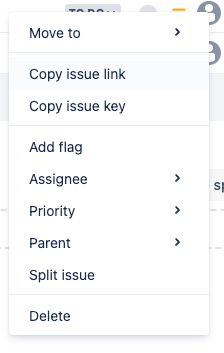
- There is a right-click menu available for backlog issues, offering various options for quick actions.
- The version and epic filter are positioned at the top of the screen for easy access and filtering.
Account 2:
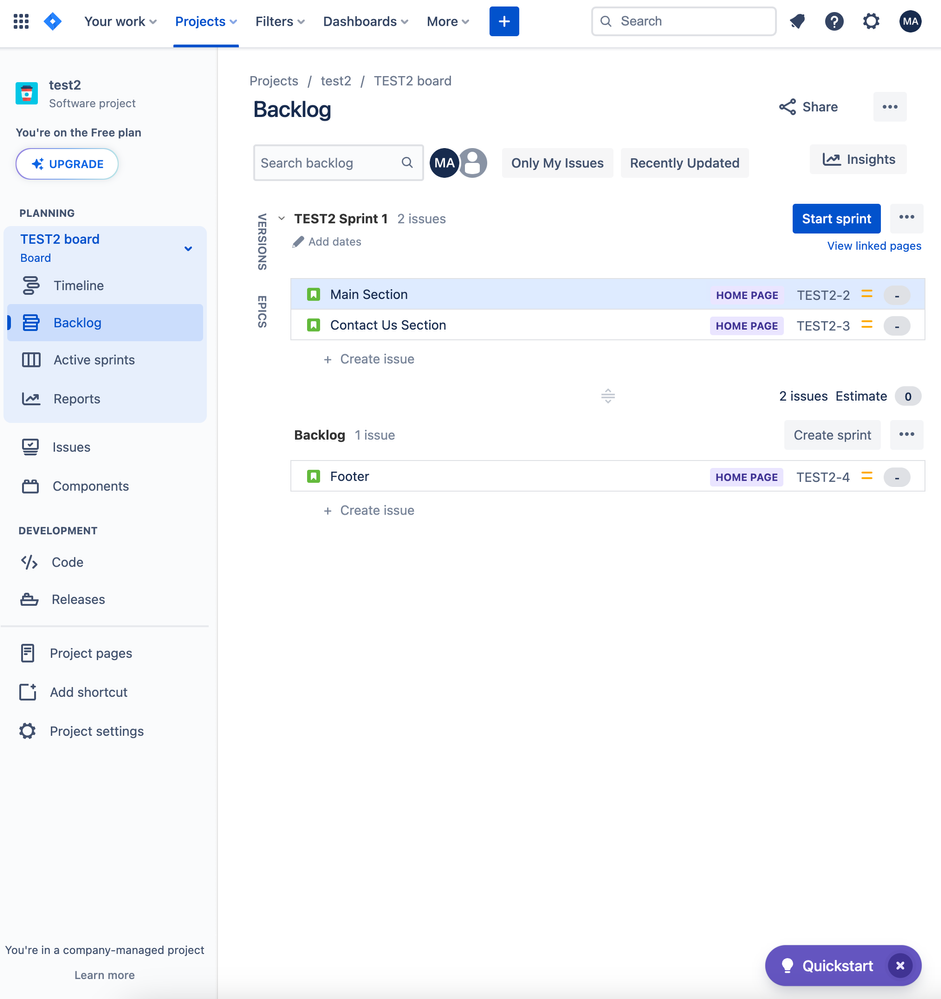
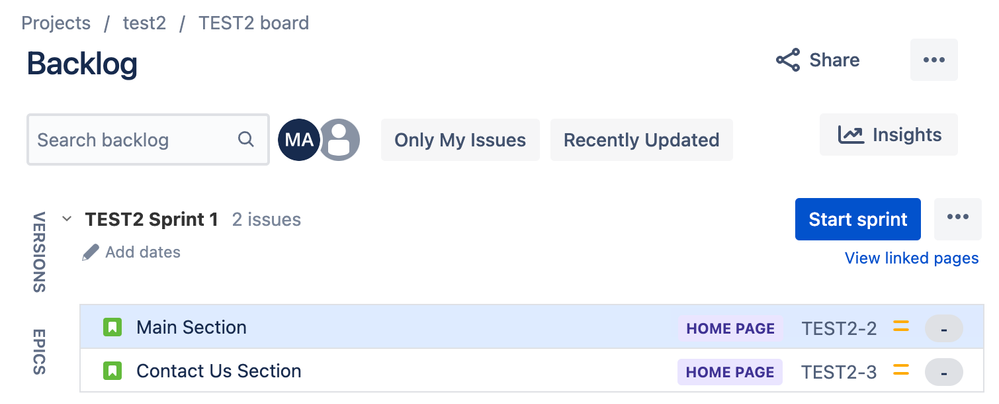
- In contrast, in my second account, company-managed project's backlog issues do not feature a status dropdown menu, making it necessary to navigate into the issue to modify its status.
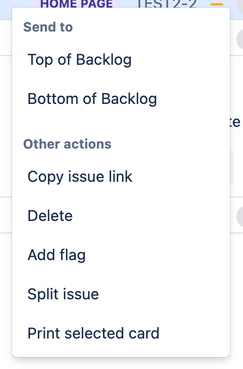
- Additionally, there seems to be a lack of a right-click menu for backlog issues in this account, which limits the available options for managing issues directly from the backlog view.
- The version and epic filter are located on the side of the screen, altering the user interface and potentially affecting the workflow.
Image Comparison: I've included an image to illustrate some of these differences visually, providing a clearer picture of the variances between the two accounts:
- Status Dropdown
Account 1:
- Account 2
- Right click menu on backlog issues
Account 1:
- Account 2:
- Filter menu and backlog sprint
Account 1:
- Account 2:
Now, I'm curious to hear from the Jira community:
- Have you encountered similar differences between your Jira accounts or within your team's Jira instances?
- Do you know if these disparities are a result of specific settings, permissions, or configurations that can be adjusted?
- Are there any tips or tricks you can share for optimizing the use of company-managed projects, especially in scenarios where such differences exist?
I appreciate any insights or guidance you can provide as I aim to make the most of my Jira experience and streamline project management in both of my accounts.
Thank you in advance for your help!
Best regards, Muhammad Azmi Adhani
0 answers
Community showcase
Atlassian Community Events
Copyright © 2025 Atlassian