I have Jira Software 7.3.1 running on Windows Server 2012.
First time I was using it at xxx.xxx.xxx.xxx:8080 and everything worked fine.
Now I've to migrate it to a subdomain.
I've done everything according to this article https://confluence.atlassian.com/adminjiraserver071/integrating-jira-applications-with-iis-802593039.html and eveyrhing works good.
Now I have to use SSL certificate on this subdomain and I'm refering to https://confluence.atlassian.com/adminjiraserver071/running-jira-applications-over-ssl-or-https-802593051.html
When using system without HTTPS - it working. If I'm using with HTTPS, I see a lot of errors in browser console that requests were blocked because of asking http... from https...
Screenshot
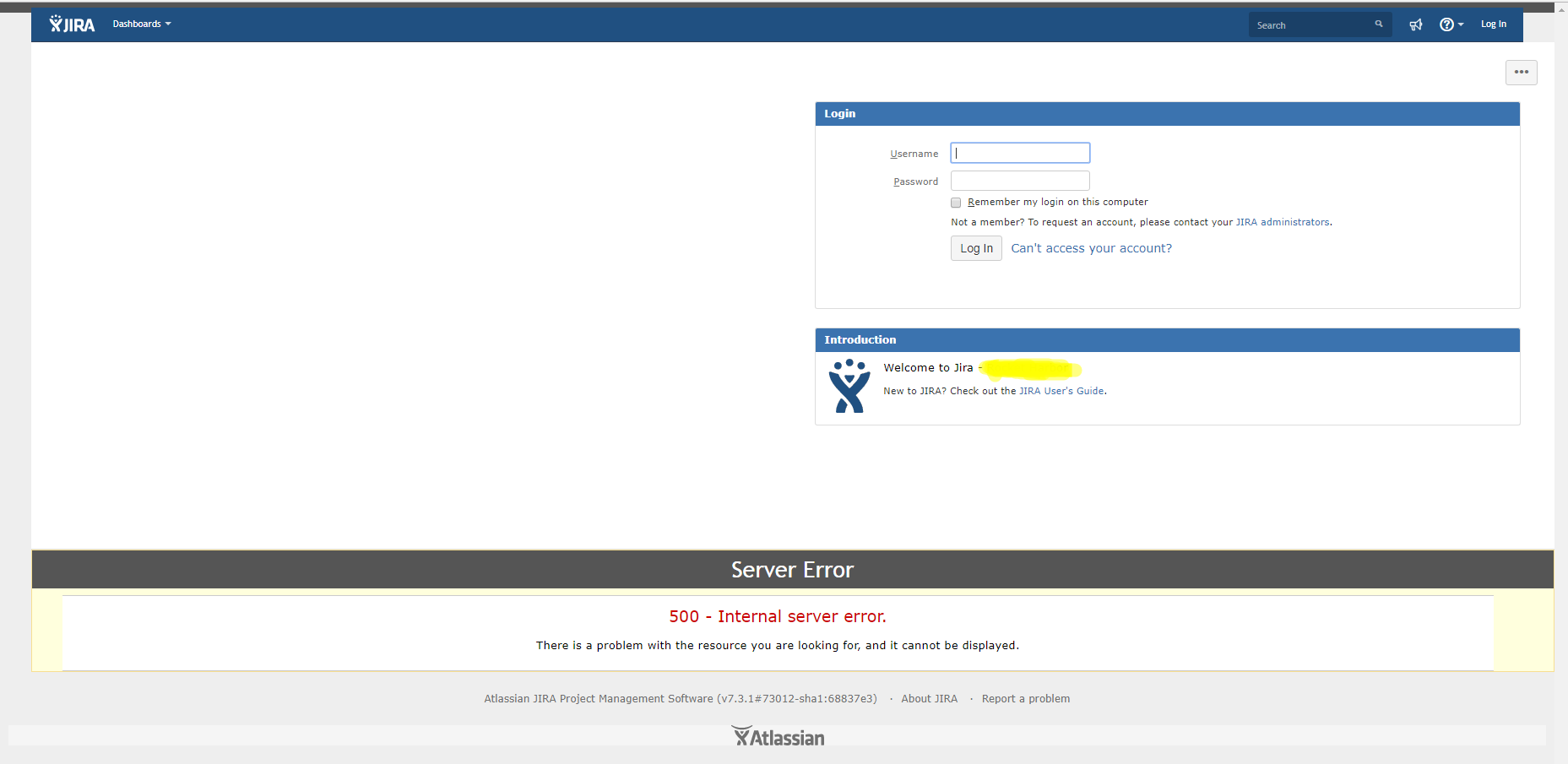
I suppose, it is because I have not installed redirect
<security-constraint>
 <web-resource-collection>
 <web-resource-name>all-except-attachments</web-resource-name>
 <url-pattern>*.jsp</url-pattern>
 <url-pattern>*.jspa</url-pattern>
 <url-pattern>/browse/*</url-pattern>
 <url-pattern>/issues/*</url-pattern>
 </web-resource-collection>
 <user-data-constraint>
 <transport-guarantee>CONFIDENTIAL</transport-guarantee>
 </user-data-constraint>
</security-constraint>
But when I'm installing this redirect suddenly port 8443 is added
https://sub.domain.com:8443/secure/Dashboard.jspa
Please, advice what to do in this situation.
My server.xml
<?xml version="1.0" encoding="UTF-8"?>
<Connector acceptCount="100"
connectionTimeout="20000"
disableUploadTimeout="true"
enableLookups="false"
maxHttpHeaderSize="8192"
maxSpareThreads="75"
maxThreads="150"
minSpareThreads="25"
port="8080"
protocol="HTTP/1.1"
redirectPort="8443"
proxyName="sub.domain.com"
proxyPort="80"
useBodyEncodingForURI="true"/>
<Connector URIEncoding="UTF-8" enableLookups="false" port="8009" protocol="AJP/1.3" redirectPort="8443"/>
<Engine defaultHost="localhost" name="Catalina">
<Host appBase="webapps" autoDeploy="true" name="localhost" unpackWARs="true">
<Context docBase="${catalina.home}/atlassian-jira" path="" reloadable="false" useHttpOnly="true">
<Resource auth="Container" factory="org.objectweb.jotm.UserTransactionFactory" jotm.timeout="60" name="UserTransaction" type="javax.transaction.UserTransaction"/>
<Manager pathname=""/>
<JarScanner scanManifest="false"/>
</Context>
</Host>
<Valve className="org.apache.catalina.valves.AccessLogValve" pattern="%a %{jira.request.id}r %{jira.request.username}r %t "%m %U%q %H" %s %b %D "%{Referer}i" "%{User-Agent}i" "%{jira.request.assession.id}r""/>
</Engine>
<Connector SSLEnabled="true"
acceptCount="100"
clientAuth="false"
connectionTimeout="20000"
disableUploadTimeout="true"
enableLookups="false"
keyAlias="my_alias"
keystoreFile="path_to_keystore.jks"
keystorePass="mypassword"
keystoreType="JKS"
maxHttpHeaderSize="8192"
maxSpareThreads="75"
maxThreads="150"
minSpareThreads="25"
port="8443"
protocol="org.apache.coyote.http11.Http11NioProtocol"
scheme="https"
secure="true"
sslProtocol="TLS"
proxyName="sub.domain.com"
proxyPort="443"
useBodyEncodingForURI="true"/>
</Service>
</Server>
Also important thing is that from config wizard I cannot select HTTP and HTTPS as it's not active for me. Just HTTP or HTTPS can be selected.
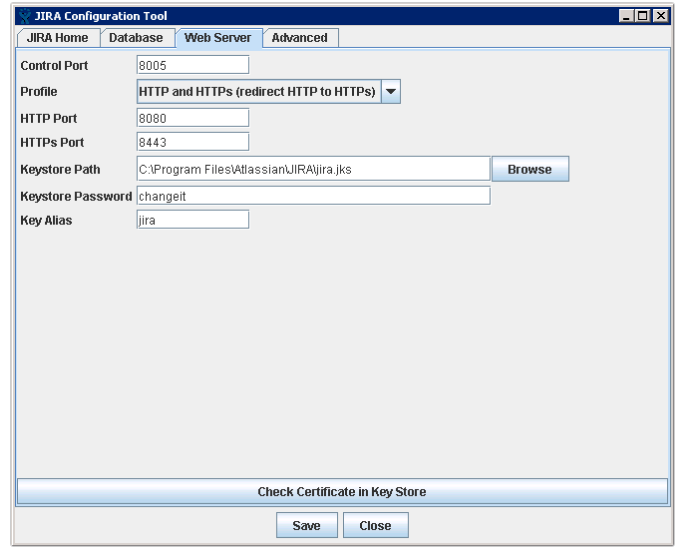
Please, help me to avoid adding 8443 port to URL.
Thanks in advance!


