Community resources
Community resources
Community resources
Jira Cloud Slack previews are too large, any way to configure them?

Jira Slack previews used to be short and helpful (screenshot from the Slack Apps Store), but now they are at least twice their height due to the new button row and more whitespace around each preview, which makes multiple previews in one post quickly fill the entire screen.
It is forcing me to manually remove each preview if I don't want my message to be pushed out of the viewport. (screenshot 2)
Is there any way to configure the Jira Cloud Slack previews to make them smaller again?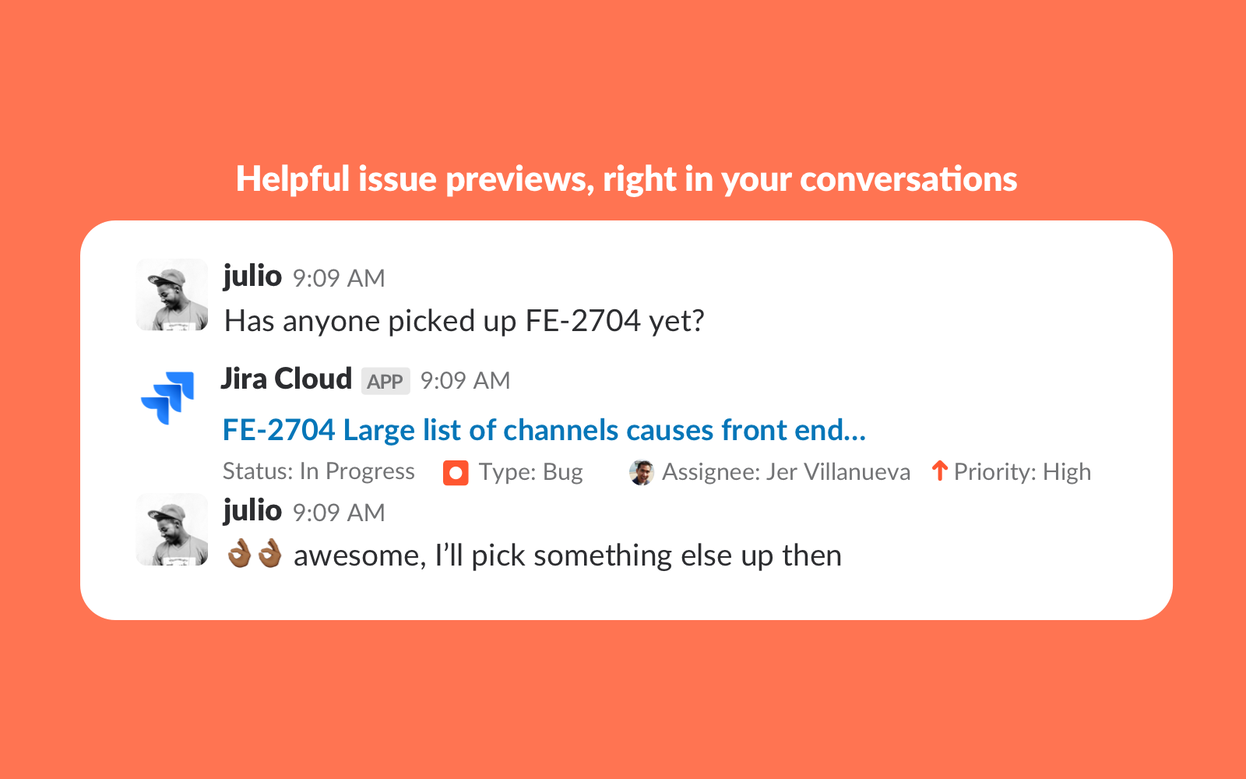

2 answers
1 accepted
Actually, Atlassian appears to have changed the behavior recently, between my first post and now.
Listing multiple links now behaves more like it was before, with small previews of each link and without the new button bar.
To whomever did this: Thank you so much!!
Before:
After:


Hi @Sam Bäumer
I'm afraid that this is not configurable but please confirm it with Atlassian support (https://support.atlassian.com).
Regards,
Seba
You must be a registered user to add a comment. If you've already registered, sign in. Otherwise, register and sign in.
You must be a registered user to add a comment. If you've already registered, sign in. Otherwise, register and sign in.
This is what I have gotten back from support:
- Jira Slack link previews (unfurls) are not configurable beyond enabling or disabling them.
- You can:
- Turn previews on or off, and
- Remove a specific preview from an individual message (using the “x” in Slack),
- But you cannot currently customize or hide individual elements within the preview (such as the new action buttons) while keeping the rest of the card.
There are no additional settings today to further configure the layout or content of those link previews.
You must be a registered user to add a comment. If you've already registered, sign in. Otherwise, register and sign in.
So it seems there are no settings to make the previews smaller or remove the new button row that was recently added.
You must be a registered user to add a comment. If you've already registered, sign in. Otherwise, register and sign in.

Hello @Sam Bäumer
Thank you for reaching out to Atlassian support regarding this matter.
At the moment, that’s correct:
-
Jira Slack link previews (unfurls) are not configurable beyond enabling or disabling them.
-
You can:
-
Turn previews on or off, and
-
Remove a specific preview from an individual message (using the “x” in Slack),
-
-
But you cannot currently customize or hide individual elements within the preview (such as the new action buttons) while keeping the rest of the card.
There are no additional settings today to further configure the layout or content of those link previews.
Thanks & Regards,
Karthik Raja V
You must be a registered user to add a comment. If you've already registered, sign in. Otherwise, register and sign in.
Sorry I wasn't able to accept your answer since it is a comment to an existing message, if you feel particular about it you can write a separate comment and I can try accepting it because technically, only your post answers my initial question.
Thanks again for your support on this!
You must be a registered user to add a comment. If you've already registered, sign in. Otherwise, register and sign in.

You must be a registered user to add a comment. If you've already registered, sign in. Otherwise, register and sign in.