Forums

Articles
Create
cancel
Showing results for 
Search instead for 
Did you mean: 

Added users are not able to enter Space

Pascal Janssen
Contributor
January 30, 2026

In the Space settings of one of our customers' Space we add users at 'People': Scherm­afbeelding 2026-01-30 om 16.21.26.png
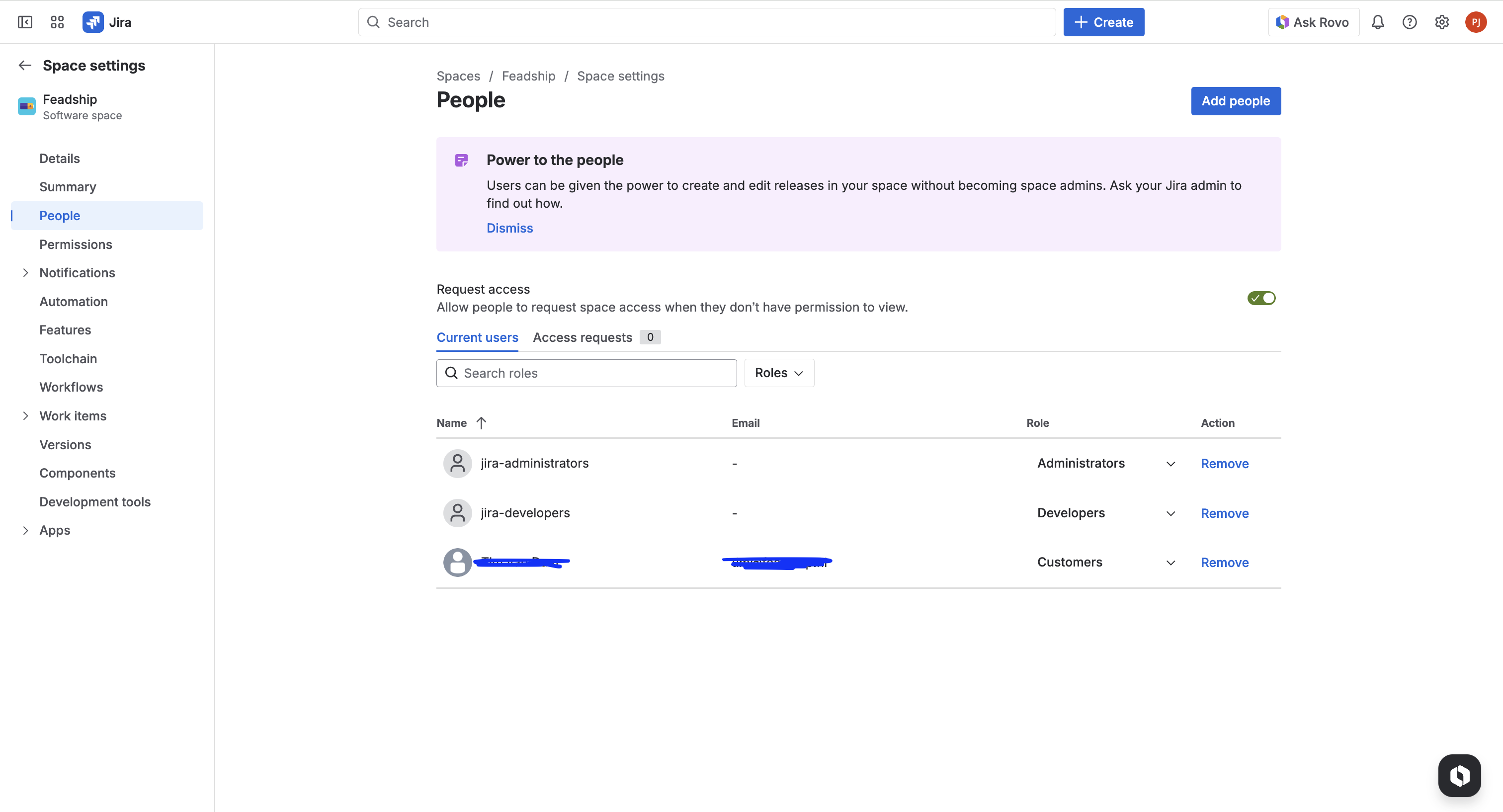
In this exact space we create sprint tickets. When we share the Space environment or/and specific ticket, with the recently added user, he is not able to get into the space nor the ticket. He will be led to a different area in Jira.

My main question is: Do I have to add this person anywhere else, than the space? How is it possible that he is still not able to get into our sprint Space?

2 answers

1 vote
Marc -Devoteam-
Community Champion
January 30, 2026

Hi @Pascal Janssen 

As @Swathi Acharya do the users/groups in specified roles have at least the browser permission.

Are the user granted a license (User access on JIra) in Atlassian Administration?

0 votes
Swathi Acharya
Atlassian Team
Atlassian Team members are employees working across the company in a wide variety of roles.
January 30, 2026

Hello @Pascal Janssen

Welcome to Atlassian Community!

In Jira, for a user to be able to access a Space and view the work items, they need to be granted the Browse project permission on that space.

As I see in the screenshot, the user is given Customer project roles, could you please verify if the Customer role has Browse project permissions in the Space settings > Permissions

Thanks!

Pascal Janssen
Contributor
January 30, 2026

Hi @Swathi Acharya 

Thanks for the reply!

Space Role (Customers) on the right at Browse Projects.

Does this mean that the user should have rights to enter our Sprint space?


Scherm­afbeelding 2026-01-30 om 16.48.53.png

Trudy Claspill
Community Champion
January 30, 2026

Hello @Pascal Janssen 

Has the user been granted the User role for the Jira Application? That is something that your Organization Admin, Site Admin, or User Management Admin should be able to answer.

Has Issue Security been applied to the issues you are trying to share?

Your Jira Application Admin may also try to use the the Admin Permissions Helper to get more information about whether or not specific users should be able to see specific issues.

https://support.atlassian.com/jira-cloud-administration/docs/use-the-jira-admin-helper/

Suggest an answer

Log in or Sign up to answer
DEPLOYMENT TYPE
CLOUD
PRODUCT PLAN
STANDARD
TAGS
AUG Leaders

Atlassian Community Events