by Cidoni Brind & Dave Rosenlund
In large enterprises, teams aren’t just distributed. They’re running on different cadences, with different tooling, and often, with different understandings of where the work actually lives.
Jira and Confluence may be central hubs, but even within those tools, it's easy for context to get lost or fragmented.
We hear this constantly: “We’re using the right tools, but we’re still chasing the story.”
Leadership wants the big picture. Project managers want to see the details. System administrators want smart, clean integrations. And individual team members just want to stop context switching.
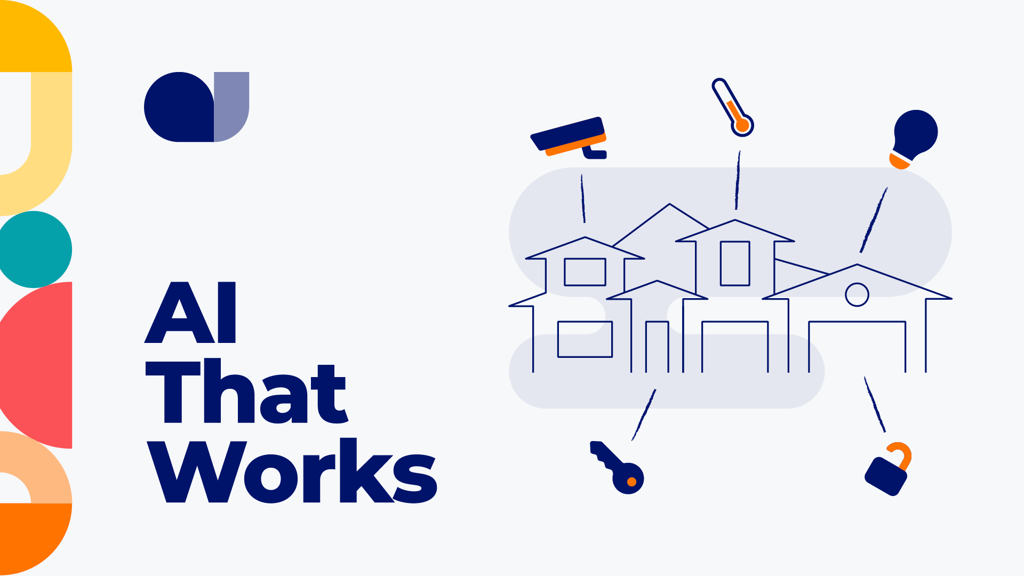
Imagine a modern home equipped with smart devices. Some devices are connected to a central smart hub, while others remain disconnected. While your lights, thermostat, speakers, and security cameras function individually, they lack seamless integration. Family members resort to switching between apps, setting up devices individually, and attempting to synchronize them. Although it works to some extent, the process remains messy and confusing.
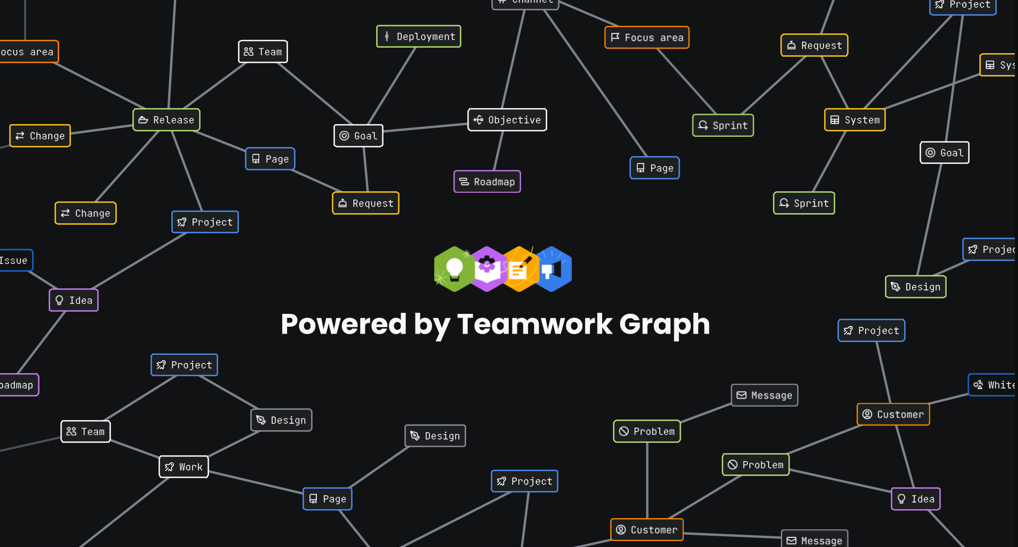
Think of Atlassian’s Teamwork Graph like a smart hub for your Atlassian apps—and more.
It doesn’t just connect things—it understands the relationships between people, projects, documents, and decisions. And once those relationships are mapped, the entire environment becomes more intuitive. You stop switching apps just to find what you need. Insights show up where and when it makes the most sense.
Teamwork Graph isn’t a product you install or a feature you toggle. It’s a foundational intelligence layer that, when fully connected, provides context to work instead of burying it in silos.
Like your smart home hub, your Teamwork Graph offers little value if things remain disconnected.
Connect things purposefully and you’ll unlock the power of a unified System of Work.
What Atlassian Means by “System of Work”
Atlassian’s System of Work is about more than tooling. It’s about the structure behind the structure—how work moves, how teams align, and how context is preserved across every layer of collaboration. Atlassian describes it as a way to accelerate alignment, execution, and knowledge sharing across teams by reducing friction between strategy and delivery.
It’s the connective tissue that lets a team in Hyderabad contribute meaningfully to a project led out of Vancouver, without someone needing to copy-paste Jira links into Slack or summarize last week’s meeting on a Confluence page (again).
But a system only works if it knows how its pieces relate. That’s what Teamwork Graph does—it gives shape to the complexity.
“By bringing together all of this scattered information, people will know where to find what they need. A lot of times they don’t even have to switch tools to find it…”
— Matt Chester, Senior System Engineer, Reddit
What Teamwork Graph Actually Is
So what exactly is Teamwork Graph—and why should you care?
At a technical level, it is Atlassian’s unified data layer based on graph-oriented concepts. It derives mainly from graph theory, a branch of mathematics that models relationships between objects as interconnected structures. Here, it models relationships among people, teams, projects, pages, work items, and decisions across your Atlassian tools and connected systems.
But what we care about as users isn’t the data structure—it’s what it enables. When Teamwork Graph is working for you, it feels like the system knows what you’re trying to do. Search surfaces the right Confluence page because it knows which Jira work item you were just in. Rovo suggests helpful content not because it’s trending, but because it’s relevant to your role, your team, what you’re doing, and your work history.
You stop stitching together fragments from Jira, Slack, and Confluence manually. Context starts showing up where it’s needed.
That’s what we’ve seen when customers get this working: less hunting, more doing.
What About Atlas?
If you’ve been around the Atlassian ecosystem for a while, you might be wondering: whatever happened to Atlas?
Atlas started out as a standalone product designed to answer common cross-team questions like: Who’s working on what? Why are we doing it? And how’s it going? It offered lightweight project visibility and goal tracking—without the overhead of traditional PPM tools.
Atlassian has since folded those capabilities into what it now calls Platform Experiences. The standalone Atlas UI is gone, but the functionality is still very much alive—just embedded into Atlassian Home and contextually surfaced across the tools you already use.
As Champions, we often tell teams: If you’re using Jira, Confluence, and Rovo in the Cloud, you’re already seeing the best parts of what Atlas used to do. You just might not realize it yet. Instead of managing “Atlas” as a separate thing, you get smarter recommendations, goal connections, and team alignment features right where you work—because it’s all powered by Teamwork Graph under the hood.
Why Project Management Leaders Should Care
In our conversations with project management leaders, one truth keeps showing up: visibility isn’t just hard—it’s fragile.
Plans live in decks. Status lives in Jira. The why is in someone’s head. Documentation is in Confluence (maybe). Decisions are buried in Slack. And yet, everyone’s expected to “stay aligned.”
That alignment often depends on heroic effort—manually stitching together updates, chasing clarifications, re-explaining the same context across teams.
What we’ve seen with Teamwork Graph is that it doesn’t replace that leadership discipline, but it gives it a serious assist. When work is connected behind the scenes—when the system remembers relationships between people, issues, pages, and priorities—PMs don’t have to chase context. It shows up. It lives where the work happens.
That’s not just useful. It’s a structural advantage.
Constellation Research analysts note that Atlassian’s System of Work is “landing large enterprises that want to connect their technology and business teams,” and that Teamwork Graph is central to enabling that strategy.
None of this replaces the need for frameworks or governance. But it gives those frameworks something solid to stand on—actual visibility into how work flows, not just how it’s reported.
What Connected Work Actually Looks Like
We see the impact in the small-but-crucial moments—the ones that normally drain time and mental energy.
You're reviewing a Jira ticket and, without digging, you spot the linked Confluence page that answers the open question. Better yet, you can see who wrote it and when. A Slack thread bubbles up because it mentioned a related issue, and suddenly you’ve got the missing context that would've taken two DMs and a meeting to uncover. Rovo surfaces a policy doc tied to a similar use case—not because someone tagged it, but because the system recognized the pattern.
These aren’t flashy features. They’re friction reducers. They turn what used to be a hunt for tribal knowledge into a flow of “right place, right time” nudges.
And the more your tools are connected through the Teamwork Graph, the more helpful and accurate those nudges become—just like a smart home that starts anticipating your routines.
Adoption Is Strategic
Here’s the part that doesn’t come built in: configuration and adoption.
Just because your data lives in Atlassian Cloud doesn’t mean Teamwork Graph is helping your teams yet. Someone still has to connect the dots—literally and organizationally.
 That starts with choosing one high-impact use case—because successful teams don’t try to boil the ocean. Instead, they focus on a recurring pain point: onboarding, cross-team approvals, visibility into product work. Then they dig in—mapping out the tools involved, where context gets lost, and what data should flow between them.
With that groundwork in place, the next step is alignment. You need admins, tool owners, and team leads working together. Who owns the Slack integration? What permissions apply across Confluence spaces? Who’s keeping the documentation Rovo surfaces up to date?
From there, it’s about designing for clarity. Deliberately define your sources of truth. Decide where each type of work belongs. Bring in the right apps—and train teams to use them consistently.
For example: keep all project work items in Jira, system components in Compass (linked to Jira), and documentation in Confluence (linked to the relevant Jira items). That kind of structured integration enriches your Teamwork Graph and delivers meaningful, cross-tool insights.
The tooling supports it. The platform’s ready. But the structure still takes human effort. That’s where PMs and admins lead, together.
AI in the Atlassian System of Work
Follow the patterns outlined in this article, and AI becomes useful at scale by understanding context, not just content. Leveraging the Teamwork Graph, it can grasp how people, work items, documentation, teams, and goals connect.
This distinction matters. A Confluence page on its own is just text. A Jira work item is just a ticket. But when the system understands who is involved, what the work connects to, why it exists, and where it fits into broader goals, AI can stop guessing and start assisting in meaningful ways.
That’s the role Teamwork Graph plays inside Atlassian’s System of Work — it provides the connective tissue that AI needs to be useful rather than noisy.
What we’re seeing with customers is that Rovo becomes valuable not because it’s clever, but because it’s informed. Search results are more relevant. Summaries reflect real project context. Suggestions surface work that actually matters to the team asking the question. And over time, as teams connect more of their work deliberately, those AI-driven experiences improve without anyone needing to “train” the system explicitly.
AI is an amplifier. And in the Atlassian System of Work, Teamwork Graph is what determines whether that amplifier produces signal or just more noise.
Final Thought
The Atlassian System of Work is only effective if the system comprehends the interconnectedness of your work. This is precisely what the Atlassian Teamwork Graph enables.
It doesn’t replace your existing frameworks or governance structures; instead, it complements them, fills in the gaps, and minimizes the friction that hinders team productivity. By enhancing the integration of your tools, it facilitates greater value extraction, allowing you to leverage them more effectively and with less effort.
"AI isn’t the magic—it’s the multiplier. The real transformation happens when connected data and consistent ways of working let AI act like a teammate, not just a tool." - Mark Cruth, Principal Modern Work Coach & Advocate, Atlassian
Our advice? Don’t wait for a grand rollout. Pick a use case or two, pull their threads, and see what context is already there—waiting to be surfaced. That’s where the real shift begins.
@Cidoni Brind _Trundl_ and @Dave Rosenlund _Trundl_ are Atlassian Community Champions with experience on the customer and partner sides of the Atlassian ecosystem. And, they form two-thirds of the leadership team for the virtual Atlassian Community Events chapter, Program/Project Masters.
They’re also work colleagues at Atlassian Solution Partner, Trundl.
They co-authored this article and obtained peer reviews from their Trundl colleagues and other relevant contacts within the Atlassian ecosystem.
Feedback, questions, related future topic suggestions, and pushback are not only welcome—they’re encouraged.
Further Reading


