We’re excited to share the next evolution of the Atlassian Rovo MCP Server: we've officially added support for Jira Service Management (JSM)!
If you use AI assistants or automation to manage IT workflows, incidents, or alerts, this update brings your service desk right into your favorite AI environment.
What is it?
The MCP (Model Context Protocol) server lets your AI and development tools talk directly to Atlassian. With this new update, your AI can now natively query JSM alert, on-call, interact with incident queues, and automate ITSM workflows without leaving your IDE or AI assistant.
This release adds JSM-specific tools so your AI can work with on-call, alerts, and scheduling directly from the MCP server:
-
On-call – Query who’s on call, list on-call schedules or rotations, and check coverage. Ask your AI “Who’s on call for platform?” or “Show this week’s on-call rotation” without leaving your IDE or assistant.
-
Alerts – Create, list, acknowledge, or resolve alerts from your AI workflow. Trigger alerts, check status, and manage incident alerts via natural language or automation.
-
Scheduling – Manage schedules and rotations (create, update, list). Keep on-call schedules in sync and visible to your AI so you can plan and troubleshoot with full context.
If you run Jira Service Management (or use Atlassian for incident and on-call management), these tools let you drive ops workflows from your AI assistant—fewer tab switches, faster response.
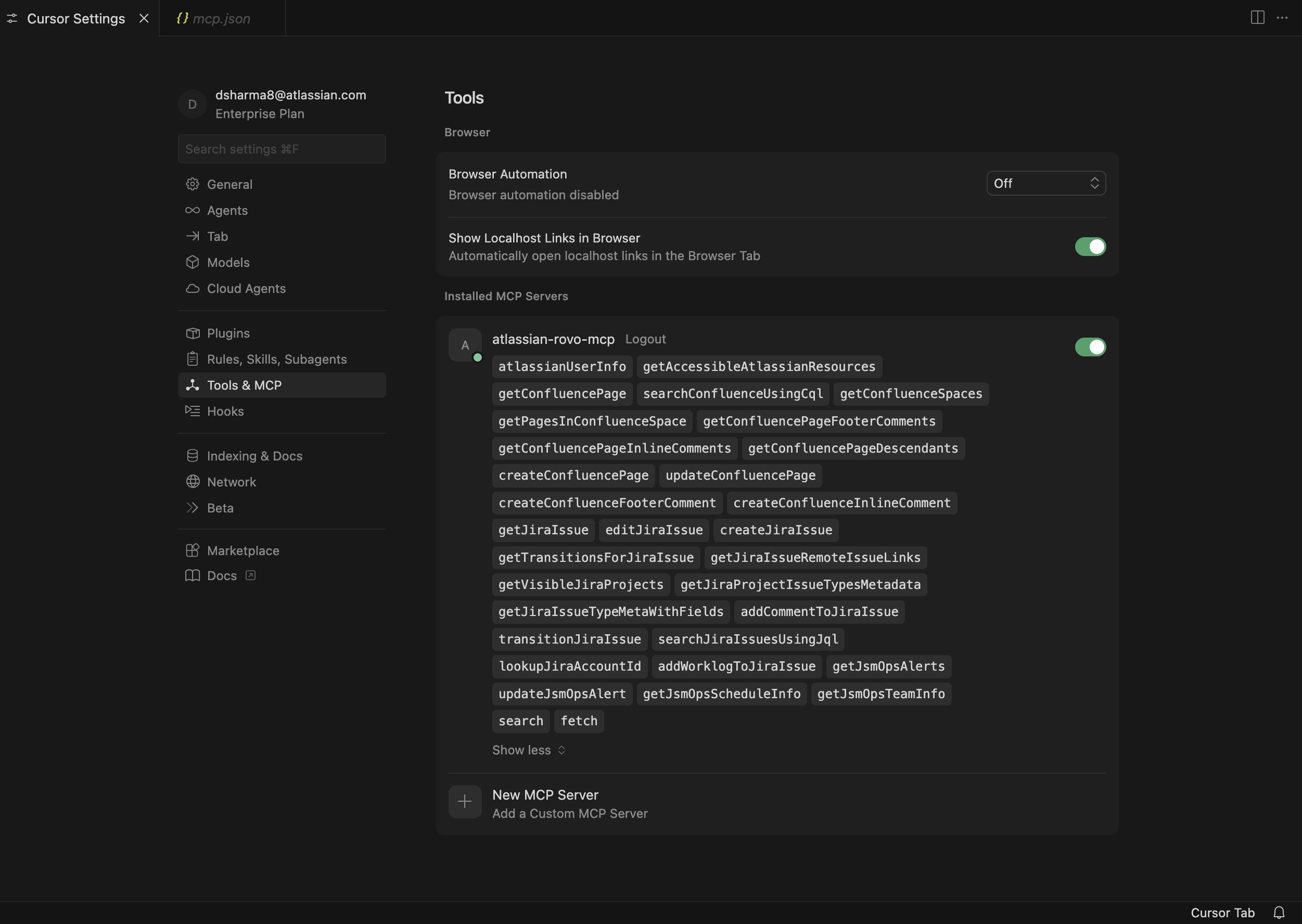
Get started
Support doc (setup & authentication): Configuring authentication via API token
Use this to configure the MCP server and set up API token authentication step by step
Note: JSM tools are currently available on the above headless authentication method and not OAuth. So if you have installed the Atlassian MCP with Oauth you will need to also install the using the API token method to use JSM tools
We’d love to hear how you’re using these new JSM capabilities and what ITSM automations you're building next. What other JSM tools would you like to be.
Drop a comment or share your use case below!


