When an incident is in full swing, every second counts. Your team is already in Microsoft Teams — so why should they have to switch to a browser to take action on an incident?
We're excited to announce new Microsoft Teams ChatOps capabilities for Jira Service Management Cloud customers. We are delivering the ability to update incidents directly from your MS Teams incident chat — no tab-switching required.
What's new in Jira Service Management ChatOps for Microsoft Teams
- Add responders to an incident
- Add stakeholders to an incident
- Update incident status
- Add affected services
Read on for how each capability helps your teams during incident response.
Add responders directly from Microsoft Teams
When an incident breaks out, getting the right people involved quickly is critical. You can now add responders to an incident directly from your Microsoft Teams incident chat.
This helps you:
- Loop in the right responders without leaving Teams
- Speed up escalation and reduce response time
- Keep everything tracked in Jira Service Management
How it works:
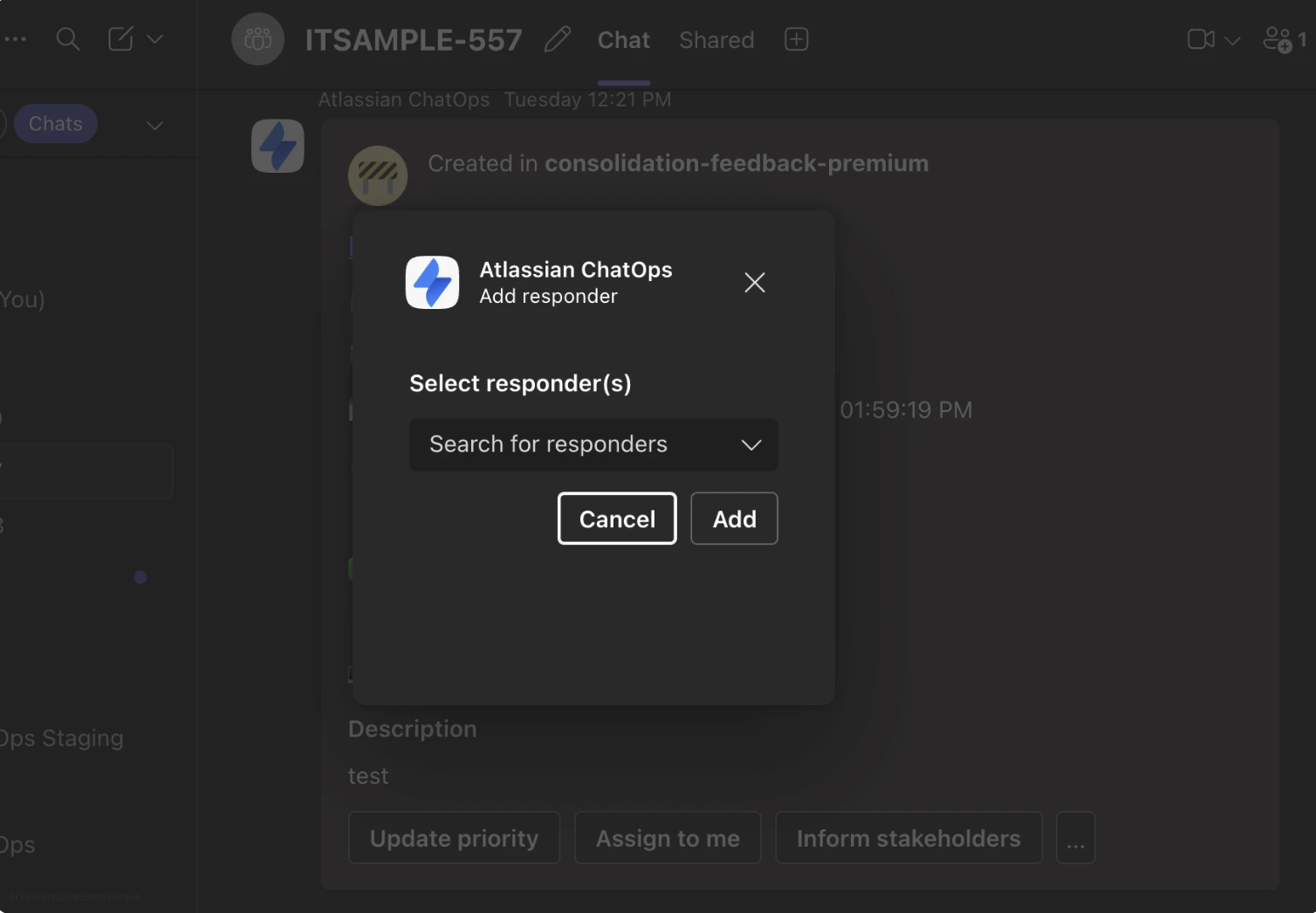
From the incident chat in Microsoft Teams, select the add responder option from the summary card. Find the responders to be added using the search bar and click on add. The responder is immediately added to the incident in Jira Service Management and notified.
Add stakeholders directly from Microsoft Teams
Keeping stakeholders informed is just as important as managing the incident itself. You can now add stakeholders to an incident from Microsoft Teams — so they're looped in and receiving updates right away.
This helps you:
- Keep leadership and business owners in the loop faster
- Reduce the back-and-forth of manually notifying stakeholders
- Ensure visibility across your organisation during an incident
How it works:
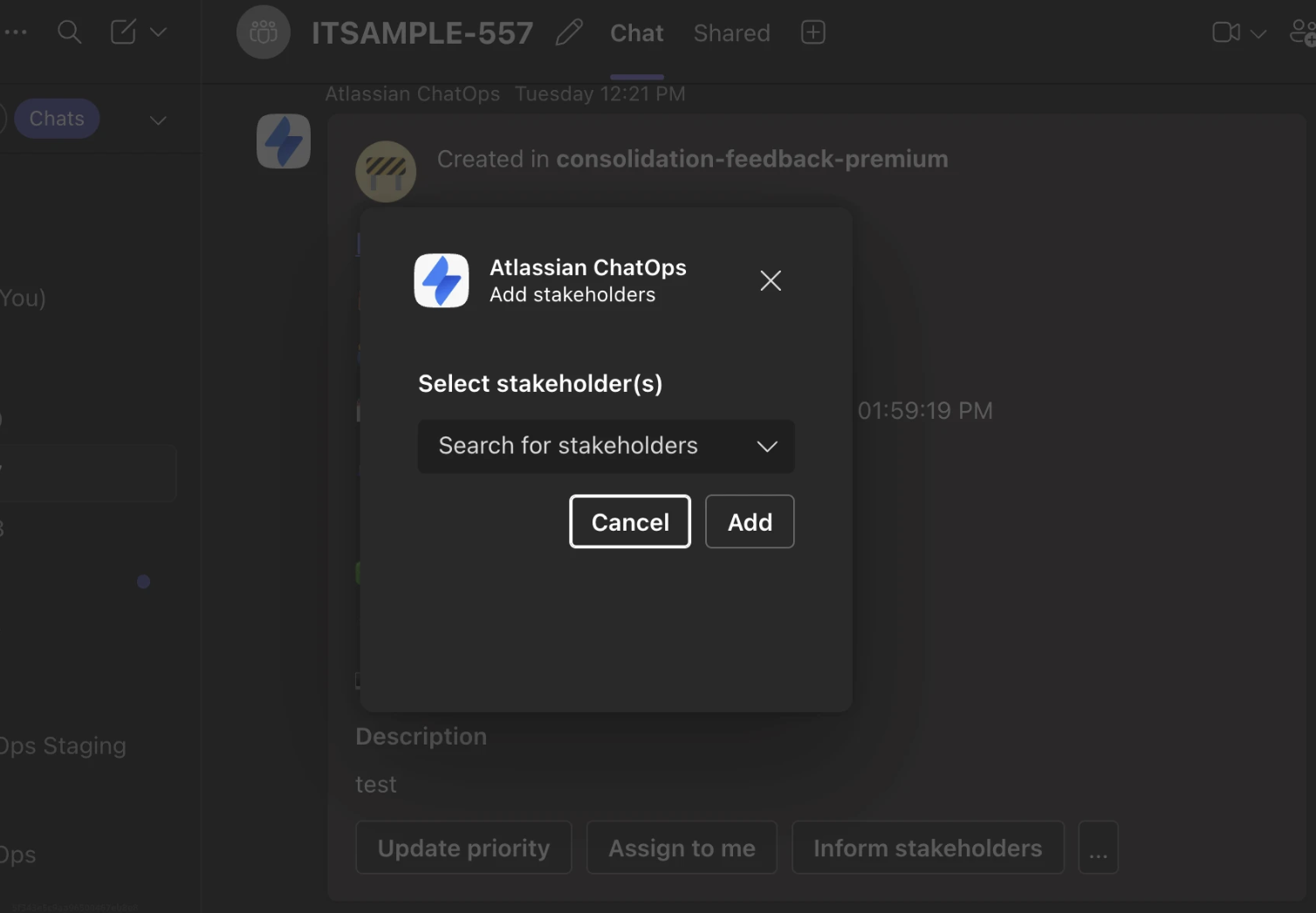
From the incident chat in Microsoft Teams, select the add stakeholder option from the summary card. Find the stakeholders to be added using the search bar and click on add. The selected stakeholders are immediately added to the incident in Jira Service Management.
Update incident status from Microsoft Teams
No more switching to the browser to move an incident from "Investigating" to "Identified" or "Resolved". You can now update the status of an incident directly from the Microsoft Teams incident chat.
This helps you:
- Keep incident status accurate and up to date in real time
- Reduce friction for responders managing the incident lifecycle
- Ensure your Jira Service Management records are always in sync with what's happening in chat
How it works:
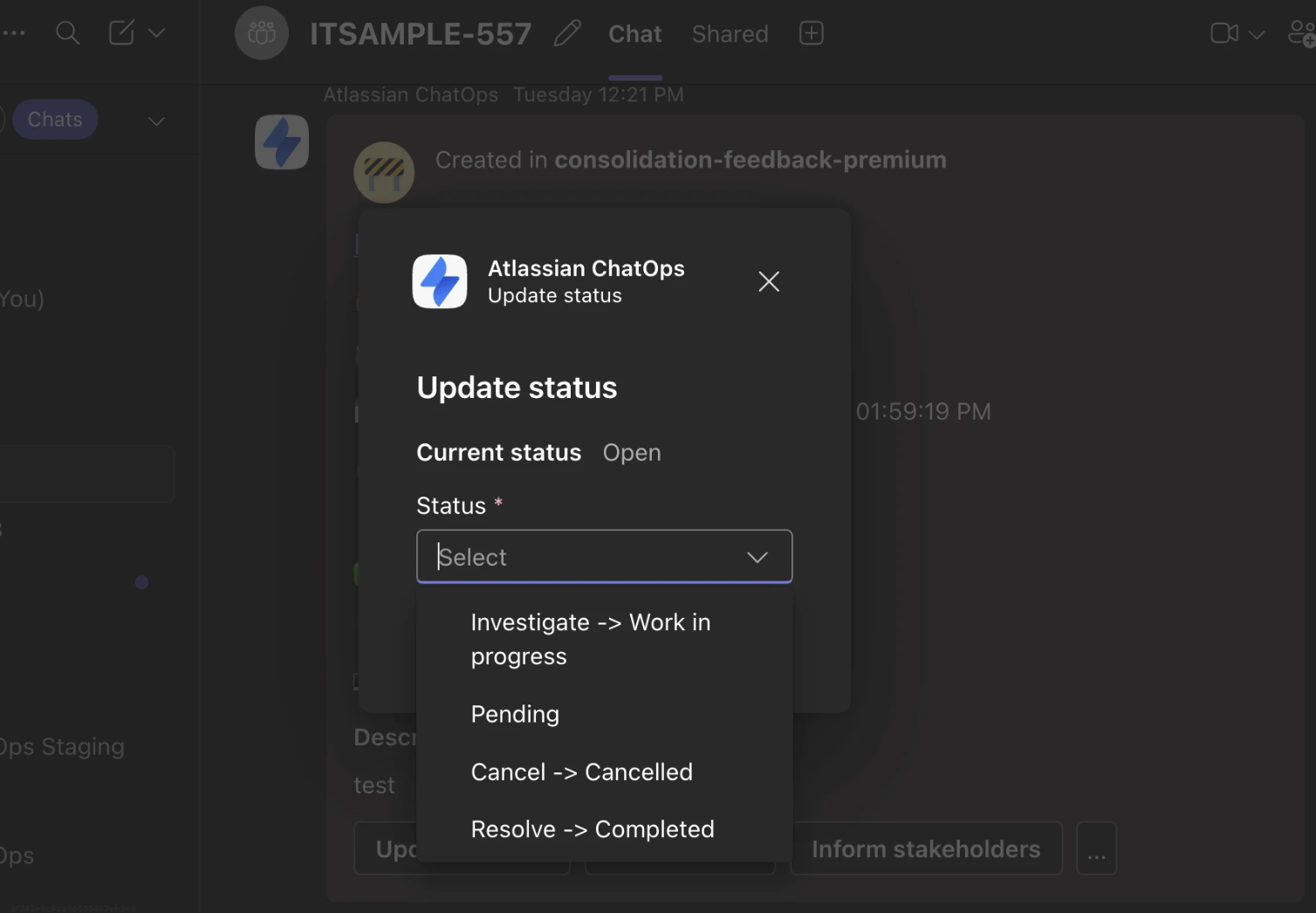
From the incident chat in Microsoft Teams, select update status option from the summary card. Select the desired transition state. The status of the incident is immediately changed in Jira Service Management.
Add affected services from Microsoft Teams
Accurately capturing which services are impacted is an important part of incident management. You can now add affected services to an incident from your Microsoft Teams chat.
This helps you:
- Accurately document the blast radius of an incident
- Feed the right data into post-incident reviews
- Keep your service catalogue up to date without leaving Teams
How it works:
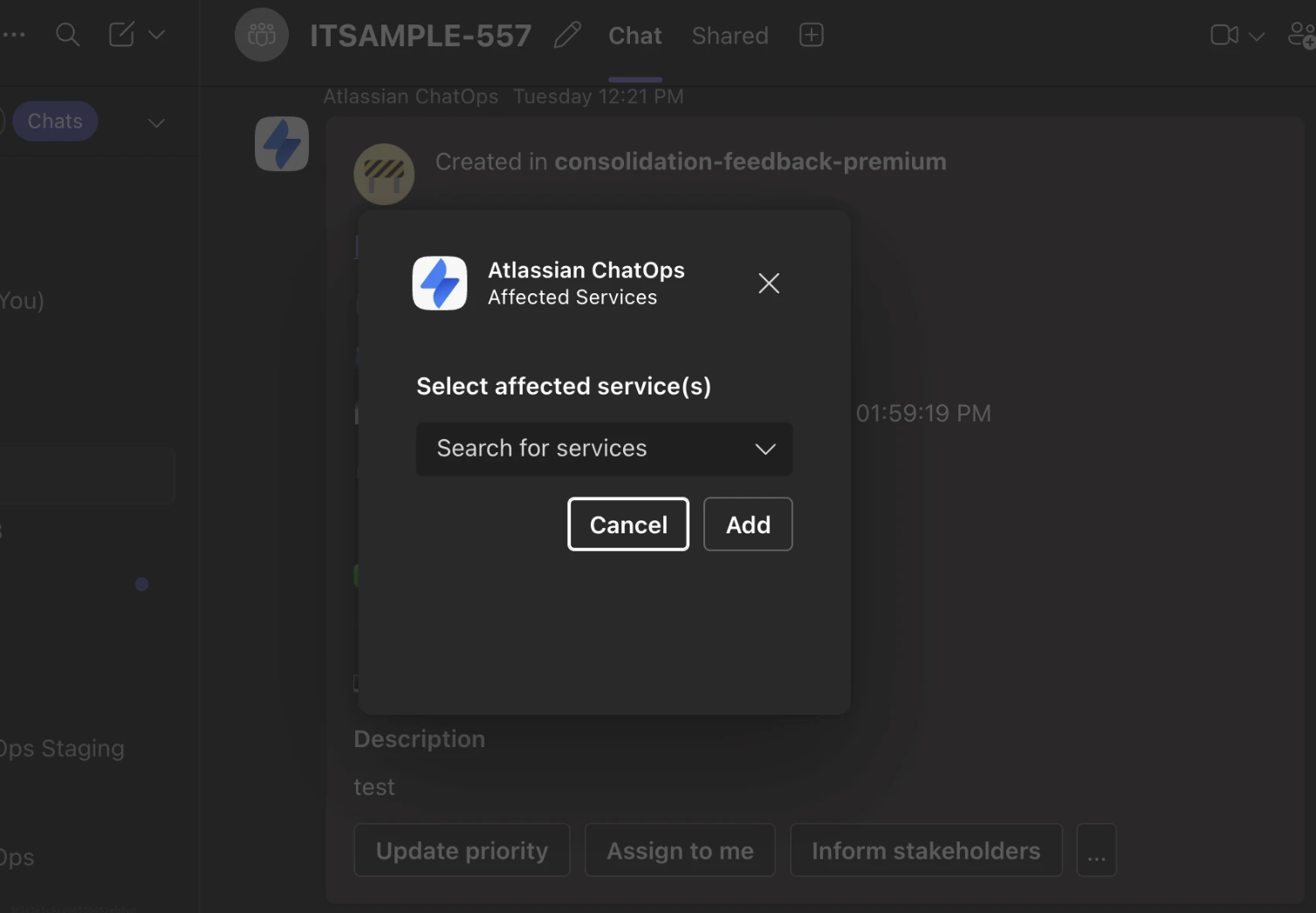
From the incident chat in Microsoft Teams, select the affected services option from the summary card. Find the service to be attached to the incident using the search bar and click on add. The affected service/s is immediately added to the incident in Jira Service Management.
These capabilities are available to Jira Service Management Cloud customers using the Microsoft Teams ChatOps integration. This is just the first milestone in our MS Teams parity journey — more capabilities are on the way.
Please leave your feedback in the comments below — we're continuing to improve the ChatOps experience and would love to hear from you.


