Hi everyone! 👋
A few months ago, we announced an Early Access Program for Observability in JSM powered by Rovo. Your feedback on bringing AI-assisted alerting and root-cause analysis into your workflows was incredible.
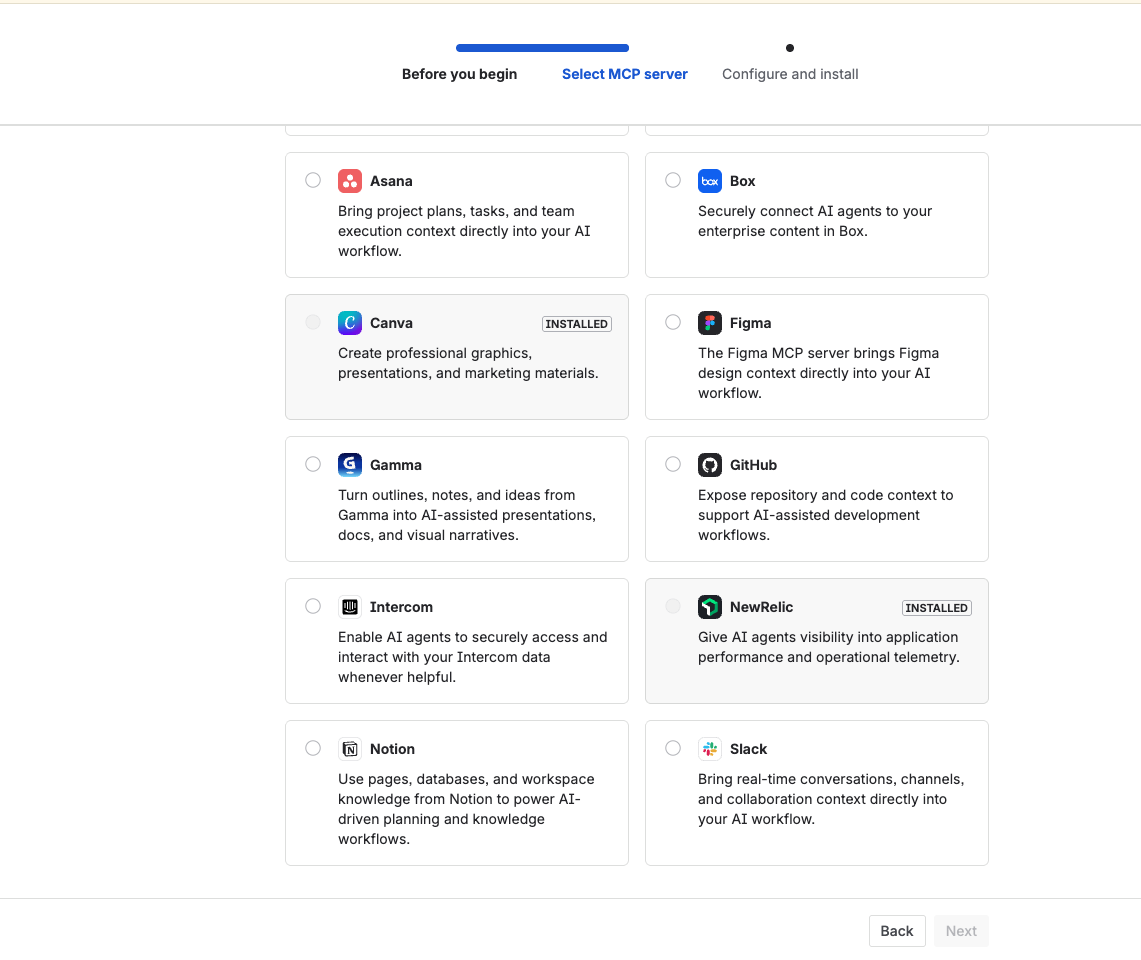
Today, we are thrilled to announce the next step in that journey: the New Relic MCP (Model Context Protocol) is now officially part of Rovo Ops!
If your ITOps, engineering, or SRE teams rely on New Relic for monitoring and Atlassian for incident management, this integration allows your AI to bridge the gap seamlessly.
What is it?
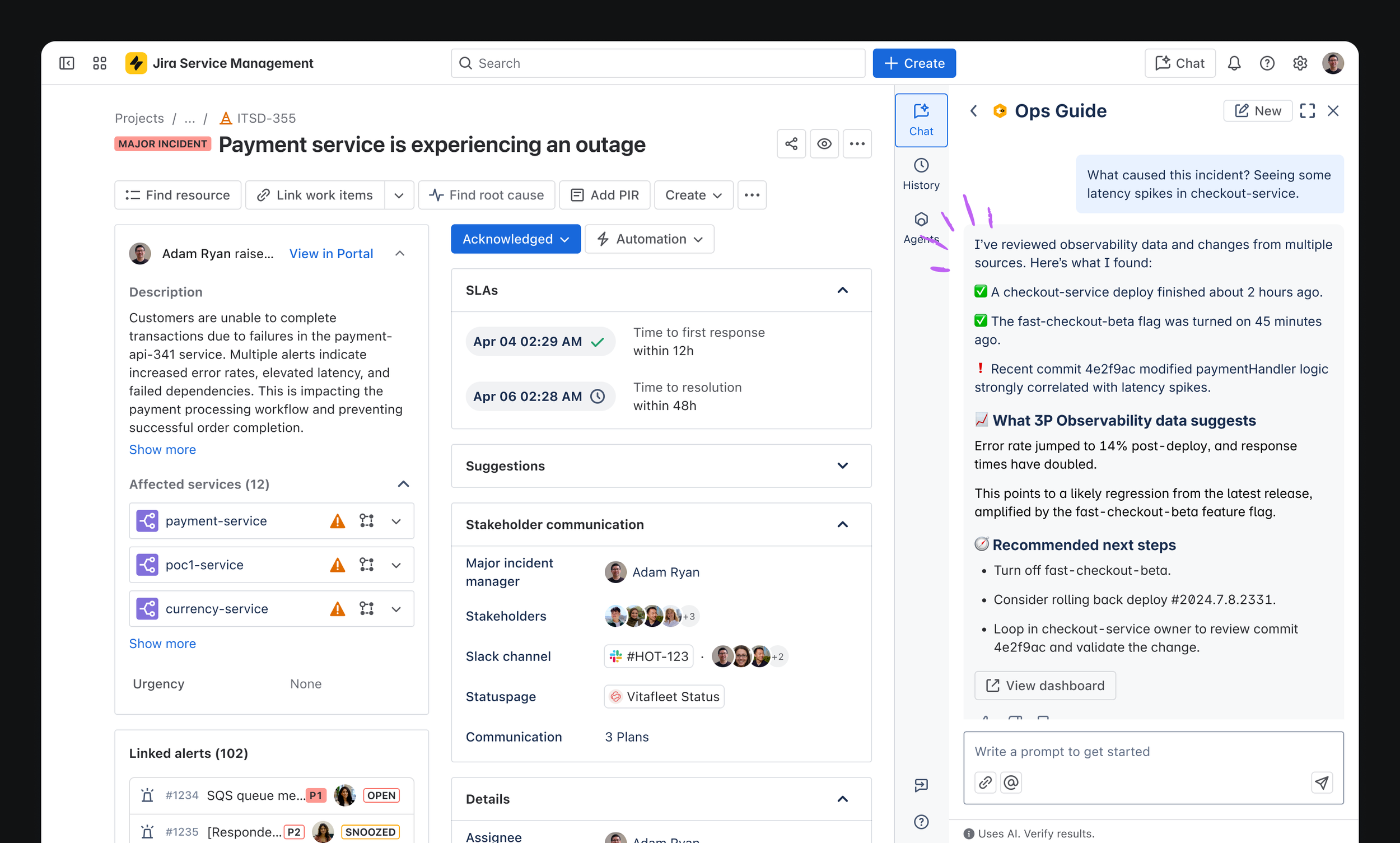
By adding the New Relic MCP to Rovo Ops, your AI agents and tools can now securely query your New Relic observability stack directly from Atlassian. You can fetch metrics, analyze logs, and investigate traces via natural language without ever leaving Jira Service Management, Confluence, or your IDE.
What’s in it for you?
This release takes the core concepts from our Observability EAP and makes them natively available through the MCP standard:
-
Conversational Diagnostics – Ask Rovo natural-language questions like "What caused the CPU spike in the billing service?" or "Show me the latest error logs for the checkout API in New Relic," and get instant, AI-powered answers.
-
Unified Incident Context – Stop the tool-switching during critical outages. Surface real-time telemetry, metrics, and traces directly inside JSM issues or Rovo Chat to accelerate triage.
-
Smarter Post-Incident Reviews (PIRs) – Use Rovo to automatically pull relevant New Relic charts, data points, and root-cause summaries into your Confluence PIRs.
-
Seamless & Secure Auth – Secure, admin-configured connections mean your team isn't juggling API keys in the middle of a high-severity incident.
By connecting Atlassian’s Teamwork Graph (deployments, changes, and DevOps context) with your New Relic observability data, your team gets the complete picture instantly—lowering MTTR and reducing alert fatigue.
Try it out: Sample Prompts
Once connected, try asking Rovo Ops some of these commands to see the New Relic integration in action:
Investigating Alerts & Impact
-
"Investigate this alert"
-
"Show all the open alerts in New Relic"
-
"What is the user impact for this alert?"
-
"What is the deployment impact of this New Relic alert ( [New Relic] [b5d465c8-47df-4342-878c-3351bbb8e2be] )?"
Service & Deployment Context
-
"Show me the recent deployment history of the services mentioned in this alert"
-
"Show me the recent deployment history of the invoice service in New Relic"
-
"List all services in production environment"
-
"List all services in staging environment"
Logs, Errors, & Diagnostics
-
"Show New Relic services with high error rates"
-
"Show me the logs of the service invoice in New Relic for the last 24 hours"
-
"Show me the logs of this service in the last 24 hours"
Get started
Getting your team set up is quick and requires just a few steps:
-
Enable the integration: First, ensure the New Relic MCP is enabled for your new relic account
-
Site-level authentication: Connect and authenticate the New Relic MCP server within your Atlassian MCP settings. View the configuration guide here.
-
User-level authentication: Once the site connection is established, the MCP is automatically available in Rovo Ops. The first time you (or your team members) prompt the New Relic MCP, Rovo will ask you to complete a quick, one-time user authentication. Just follow the prompts, authorize the connection, and return to Rovo Ops to start querying!
We’d love to hear how your on-call teams are using the New Relic MCP to speed up investigations. Drop a comment, share your favorite Rovo prompts for New Relic, or let us know what observability tool you want to see added next!
