Hey Community 👋
I'm Sagar, product manager on the Jira Service Management team, and my team and I have been working on something new we're excited to share. If you've ever set up a service desk in Jira Service Management, you know there's a lot to configure – request types, queues, SLAs, portals, automations, permissions, etc. Getting it just right takes time, and sometimes it means knowing the system well.
You asked us for a faster way to go from idea to live service desk, so we built one.
Introducing Solution Composer – an AI-powered setup experience built on Rovo. Describe what you need in plain language and get a fully configured service desk in minutes.
|
Early access starts 3rd August 2026. We're looking for customers ready to help define this exciting future with us. Register your interest →
|
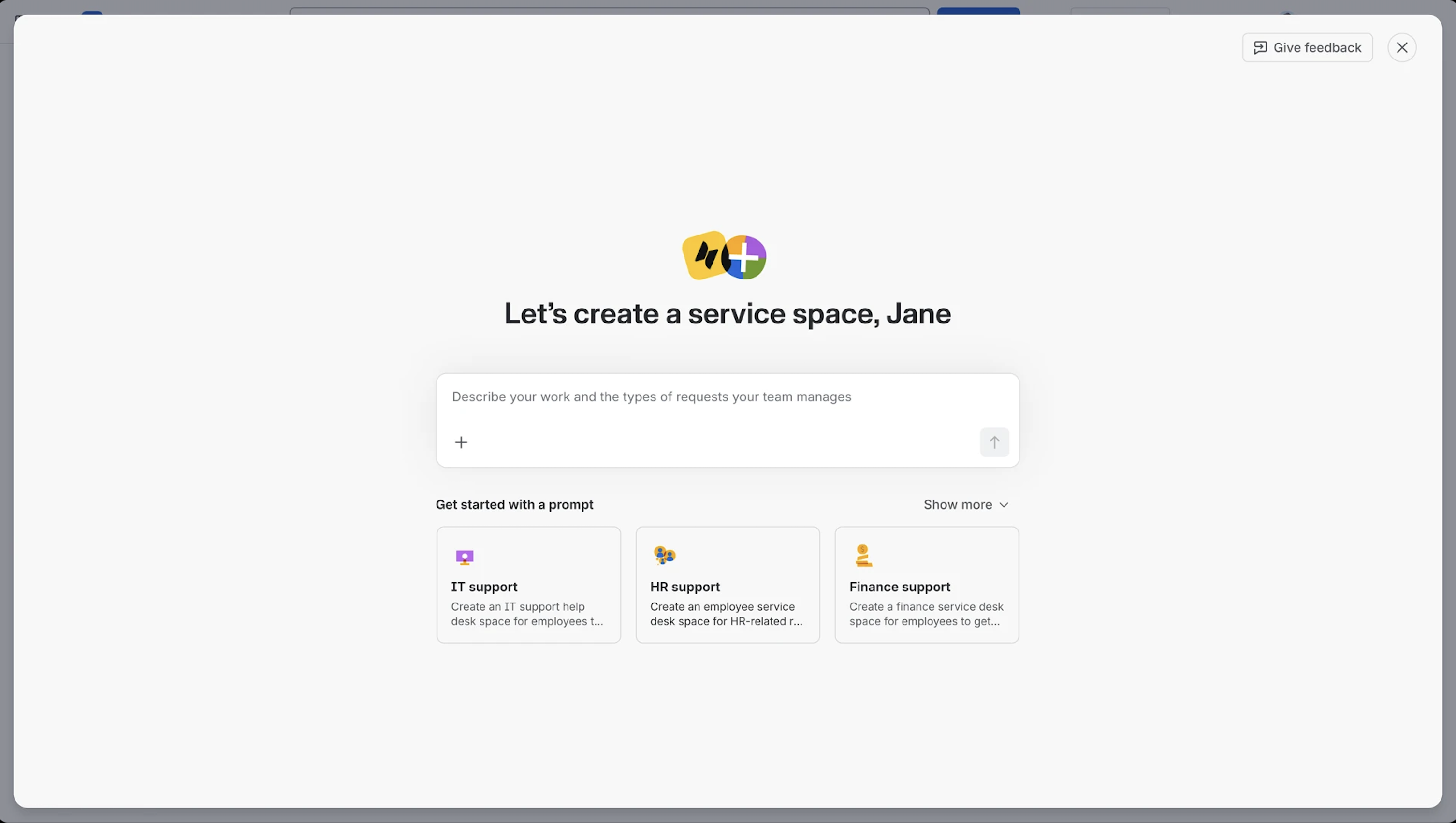
What is Solution Composer?
Imagine creating a fully functional service desk simply by describing what your team needs.
Built on Rovo, Solution Composer lets you have a conversation to set up a service desk. Rather than clicking through multiple configuration screens, AI interprets your description and builds a service desk tailored to your inputs, domain, team, and context.
Whether you’re setting up an IT help desk, an HR service desk, or something specific to your business or team, Solution Composer acts like an experienced service management consultant alongside you. Tell it what you need, answer a few guided questions, and it will help design and configure the foundations for your service desk, from request types and forms to workflows, automations, and knowledge resources.
You stay in control throughout the process. Solution Composer shows what it’s creating, explains its choices, and lets you review, refine, and approve changes before they go live. You don’t need to know where every setting lives, jump between admin screens, or have prior JSM expertise. Just describe the outcome you’re after, and Solution Composer helps with the heavy lifting, taking you from an idea to a functional service desk on day one.
|
Example prompt - “I need a service desk where employees can ask our IT team for help with hardware, software, or access requests."
From that single prompt, Solution Composer sets up a working service project – complete with portal, request types, queues, and SLAs – in one go.
|
Why Solution Composer matters
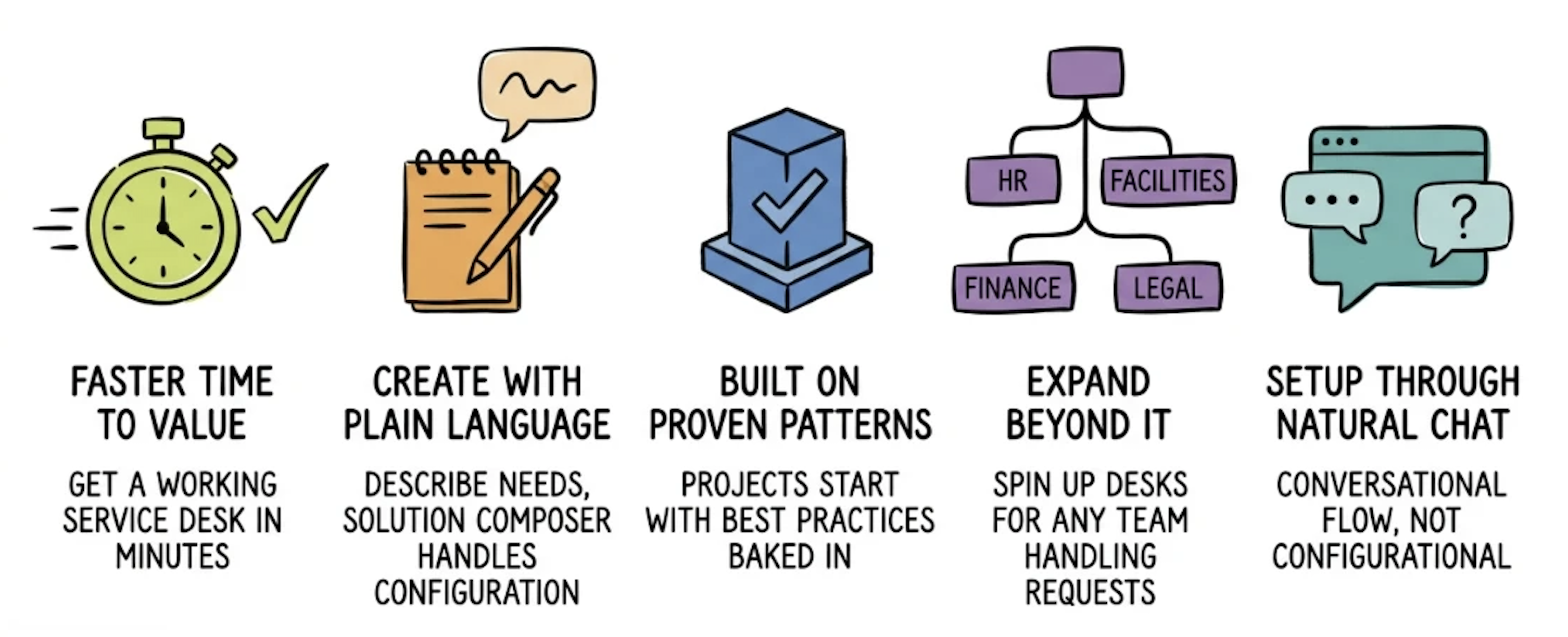
Setting up a new service desk requires navigating multiple screens, configuring each part individually, and often involving someone with deep JSM expertise. Even experienced admins spend more time clicking through setup than solving the problem they intended to fix.
Solution Composer changes that:
What's included in Early Access
During EAP, Solution Composer supports:
- Conversational prompt-based space creation (company-managed spaces)
- Request types, queues, portals, SLAs, automation setup based on natural language prompting
- A full plan to review and approve before building a service desk
- Ability to set up and modify service desks for IT and business teams such as HR, Finance, and Facilities
Based on feedback from EAP participants, we'll keep adding capabilities to make the experience more complete and easier to use.
Who this is for
-
Admins who want to build spaces more efficiently
-
Business teams (HR, Finance, Facilities, Legal, Ops, Marketing, Engineering, etc.) that want to manage their service experience independently or build one with guidance
-
IT teams scaling Jira Service Management across the org who need a faster, more consistent way to spin up new desks
What EAP participants get
This is a closed early access program. We're starting with a small cohort to learn fast and iterate with real feedback.
-
Early feature access on your JSM Cloud site, ahead of general availability
-
Real use case testing – use Solution Composer to set up actual service desks, not sandboxes
-
Direct engagement with the product team to spar and co-create experiences, where your feedback shapes what we build next.
|
This is early access. Not all features are available, but we want to collaborate with customers and partners to build a comprehensive service desk setup.
|
Join the EAP
We're opening early access on 3rd August 2026.
You're a good fit if you:
-
Build, or want to build, new service desks across your organisation
-
Can test the experience and share feedback as it evolves
-
Want to be a partner and co-builder with Atlassian in bringing this experience to your teams
|
What we ask of EAP participants:
-
Make time to test the feature - for your own service desk use-cases
-
Share feedback on what works and what can be improved
-
Tell us what would make the product more useful and delightful for your organisation
|
Not sure if you're a fit? Register anyway – we want to hear from teams at every stage, whether AI is brand new to you or already part of how you work.
The program runs from 3rd August - 18th September 2026. We'll set up regular sync time to walk through the feature and work with you on usage.
Questions? We are all ears
If you have questions or suggestions, drop them in the comments below. The product team monitors this thread and will respond directly. If you want to get on a call and chat as well, please let us know.
We're genuinely excited about where this is going – and the people who join the EAP will have real influence over how it develops. Thanks for building with us. 🙏


