Microsoft is deprecating the Office 365 connectors feature from Microsoft Teams. All existing connectors within all clouds will continue to work until December 2025, however using connectors beyond December 31, 2024 will require additional action. They recommend Power Automate workflows as the solution for getting information in and out of Teams.
But if you've been working with Office 365 connectors and Jira, for example within the webhook in the 'Send message to Teams' Jira automation action, you might be looking for a workaround: This video is for you.
yasoon’s CTO Tobias shows you a few ways to find a simple solution to integrate Microsoft Teams and Jira without Office 365 connectors.
▶️ Jira automation: How to deal with the retirement of Office 365 connectors within Microsoft Teams (youtube.com)
At yasoon, our focus is on offering apps that deeply integrate Jira and Microsoft 365. Therefore, this topic is part of our everyday life and that's why we felt called to create this post.
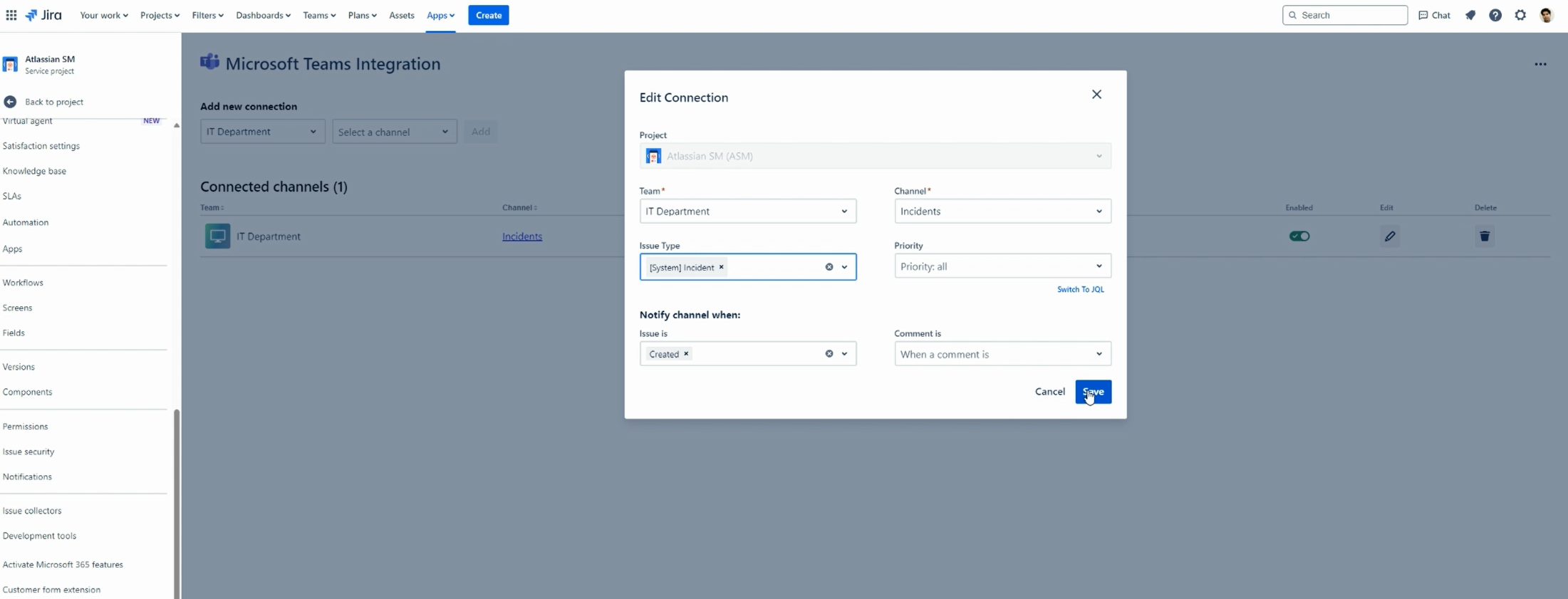
1. For simple requirements, the official Microsoft Teams integration by Atlassian is enough for you. In your project settings you'll be able to select "Microsoft Teams integration" and set up a notification for a specific Microsoft Teams channel.
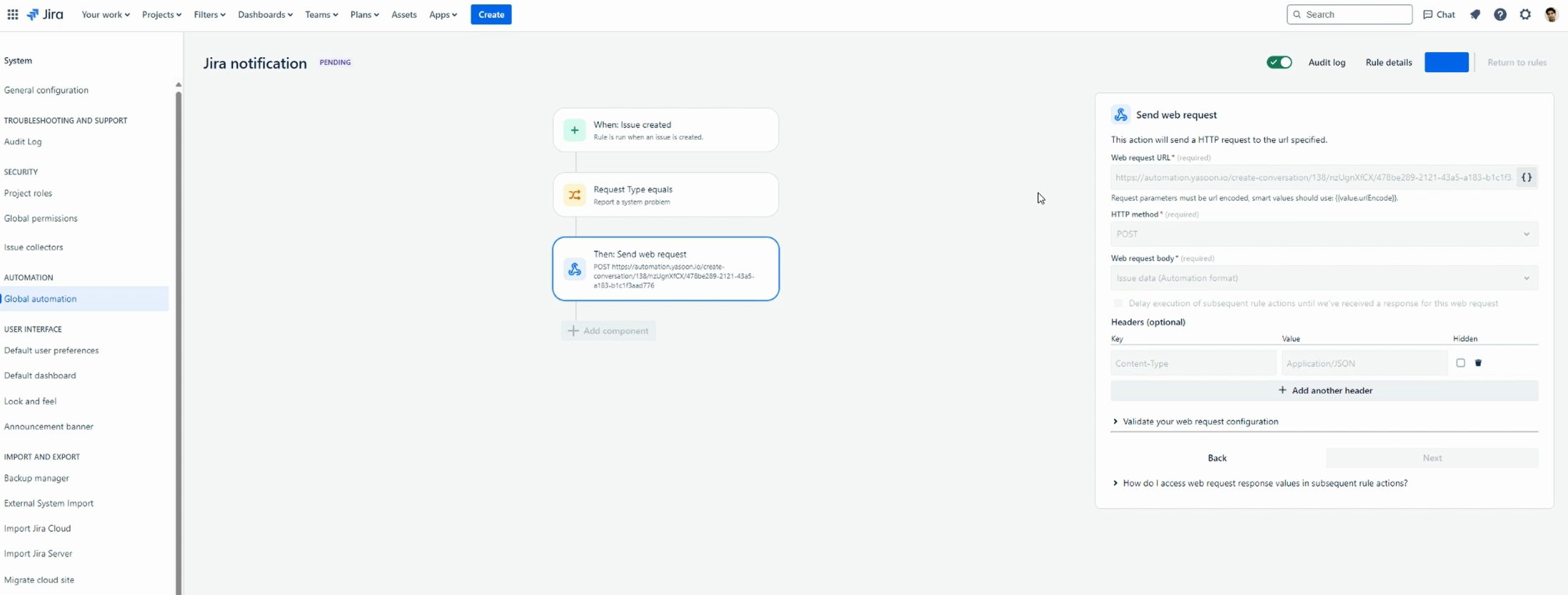
2. For more advanced Jira automation rules, you can work with Microsoft 365 for Jira - Outlook Email, Teams, Calendar | Atlassian Marketplace. In the video we’re showing you how to set up basic and advanced automations with Microsoft and Jira.
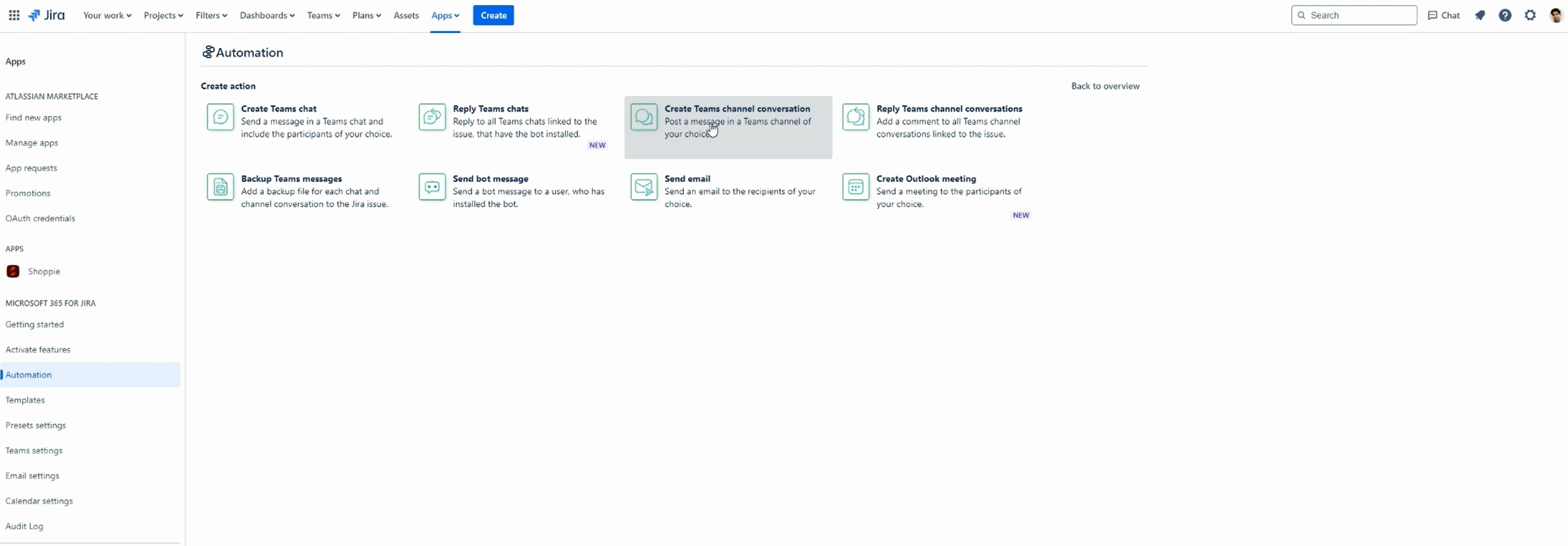
With minor adjustments, you'll be able to work with your automation rules just as they are.
Get in touch, if you like
Check the yasoon docs or directly connect with Tobias via Microsoft Teams to discuss the retirement of Office 365 connectors:
🗨️ tobias.viehweger@yasoon.com
You can also connect with other help seekers in the Atlassian Community:
![Photo of Britta Neugebauer [yasoon]](https://us.v-cdn.net/6038660/uploads/avatars/aa/91/naa911027d8b510b9ede410cfc2561efa.png)
