I am trying to do a Site Import into Cloud because user has one large Service Management product. The current system uses the following products with an on-prem server: Jira Software, Jira Core, Jira Service Desk. There are about 30 Jira Software products and 1 big Service Desk project that is mission critical. The system has an Active Directory connection, with 269 users. There are 28 internal JIRA directory users.
The vast majority of AD Users have never used the system, but there are some AD Users who are active. Essentially, there are 15-20 users total that need to make this migration.
This migration is more complicated than necessary due to Atlassian’s lack of a Jira Service Desk/Management migration tool. Therefore, I am trying the Site Import option to recreate the current site in the cloud.
However, I am stuck during the test migration phase regarding Users. I am following this document, but stuck between a rock and a hard place.
I’ve tried the following with no success:
When I try to do a CMT of only the Users to the Cloud, I need to assign email addresses to abut 12 AD users. It will not allow me to run the migration of users-only without email addresses to the 12 Users. This is a live system and may be possible, but not preferable.
When I try to Site Import, with any option of Merge with existing, Overwrite existing, or “I've migrated user data using the Jira Cloud Migration Assistant “, the import balks with:
“There was an error importing file JIRA_Backups.zip. Following issues were reported:
We have detected users from external directories. Convert your external directory to internal ones on server, take a fresh backup, import again. Learn more.”
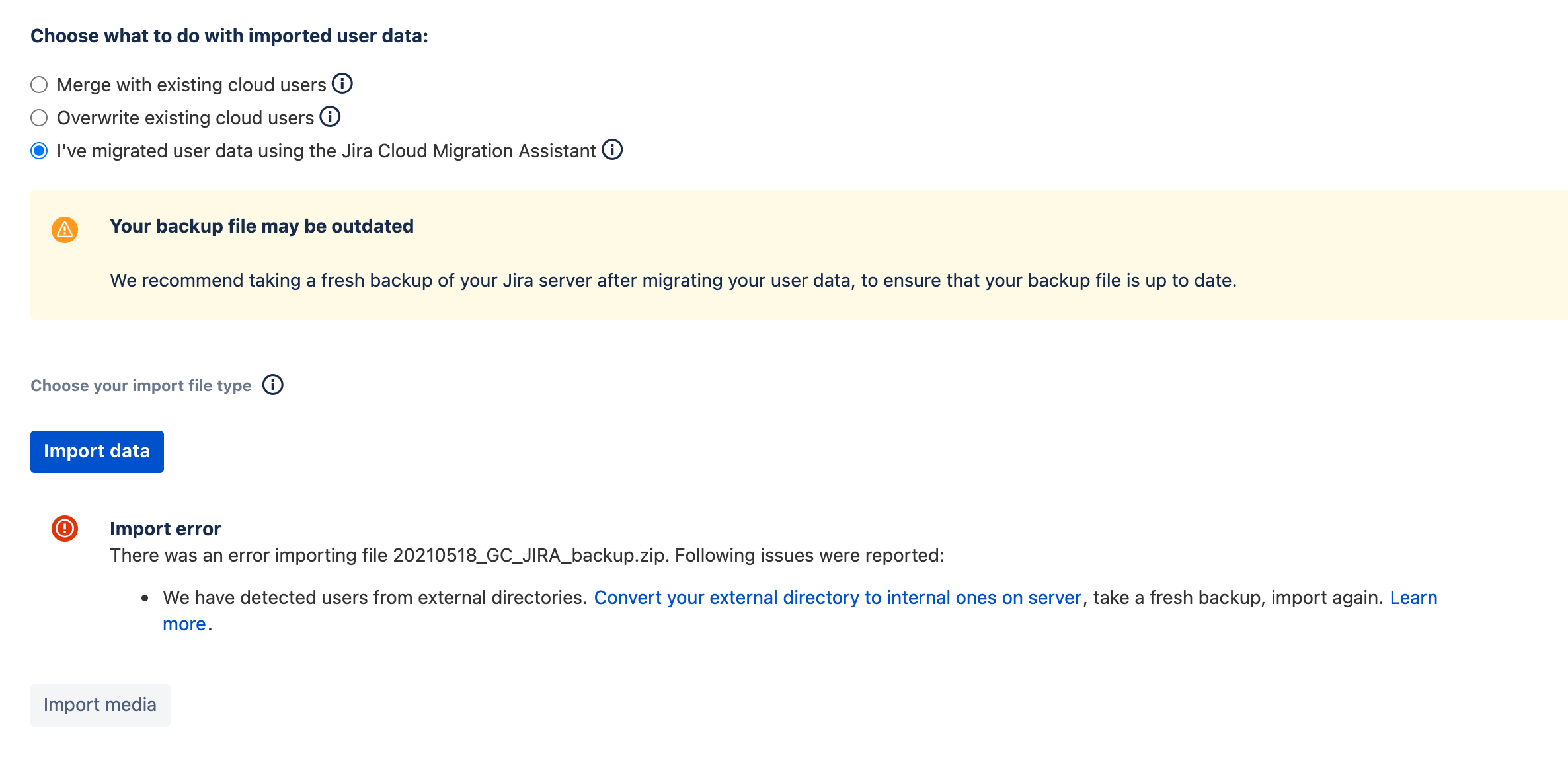
Therefore, even when I tell the import to not import User data, it still requires me to convert Users. This is a problem for three reasons:
- This is a Live system with Active Users in both AD and Internal JIRA directory. I can’t just go converting users in production.
- Even if I assign email addresses to the 12 users above, it seems the Site Import will fail and require me convert Users.
- Even if I create the Users manually in the Cloud and then try to import the projects (per Option 1 https://confluence.atlassian.com/jirakb/migrating-from-external-directory-to-jira-internal-user-directory-968659306.html), it seems Site Import will not ignore the User information provided in the backup.
- We are not using Atlassian Access due to cost.
Ultimately, this is a merge into an existing Cloud instance of Jira Software and Service Desk. I would like to get the current on-prem into the Cloud to test Adapivist’s Project Configurator to import the Service Desk project to the Cloud instance we are merging to for testing. However, I cannot re-create the current on-prem in the Cloud without this User issue addressed.
Is there something I am missing that won’t risk the current on-premise production instance of User and Groups and allow me to move the data into the Cloud? We can adjust the Users and Groups after, there are not many, but I cannot proceed unless I deal with AD now.


