As Atlassian Cloud Orgs grow, so does the web of automations, scripts, and third-party integrations that maintain everything running. But let's be honest, how many of us still use a quick, available but paid "dummy user" account, or worse, a real admin's personal API token to power an external integration?
We’ve all been there: a project or product admin leaves the company, their account is deactivated, and suddenly five critical business automations or AI integrations break because their token went dark. Thankfully, there is a much cleaner, native way to handle this in Atlassian Cloud: Service Accounts.
What Exactly is an Atlassian Service Account?
A service account is an identity designed to represent a tool, integration, or automation rather than a person. Instead of hacking together a workaround, you can use these dedicated accounts for:
- Global Automation & Scripts: Moving away from human-tied API tokens.
- AI & Third-Party Apps: Connecting external LLMs or BI tools securely.
- Scheduled Jobs: Making sure your cron jobs and data syncs have uninterrupted access.
As admins, we constantly fight to keep our user tier counts optimized. Here is the big win: Service accounts do not count towards your user tier limit. Instead of burning a paid license on a machine, Atlassian gives us native scalability. Every organization gets 5 free service accounts out of the box. If your organization uses Atlassian Guard Standard, that limit increases to 250 service accounts.
How to create an Atlassian Service Account?
- Log in to Atlassian Administration (https://admin.atlassian.com) and select your organization.
- In the left sidebar, click on Directory and then select Service accounts.
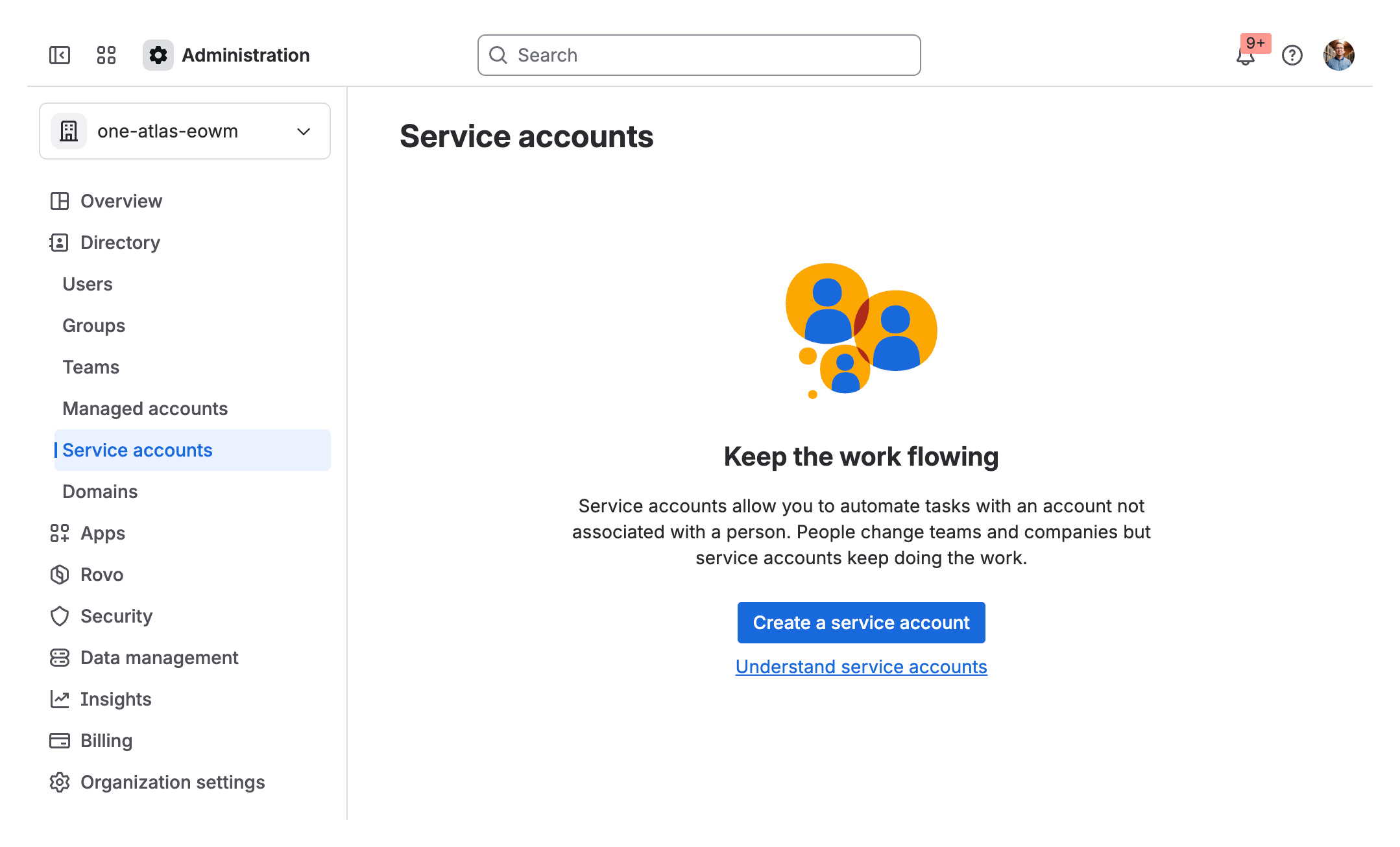
- Click the Create a service account button in the top right corner or the center.
- Name the account and add an optional description so other admins know what integration it belongs to.
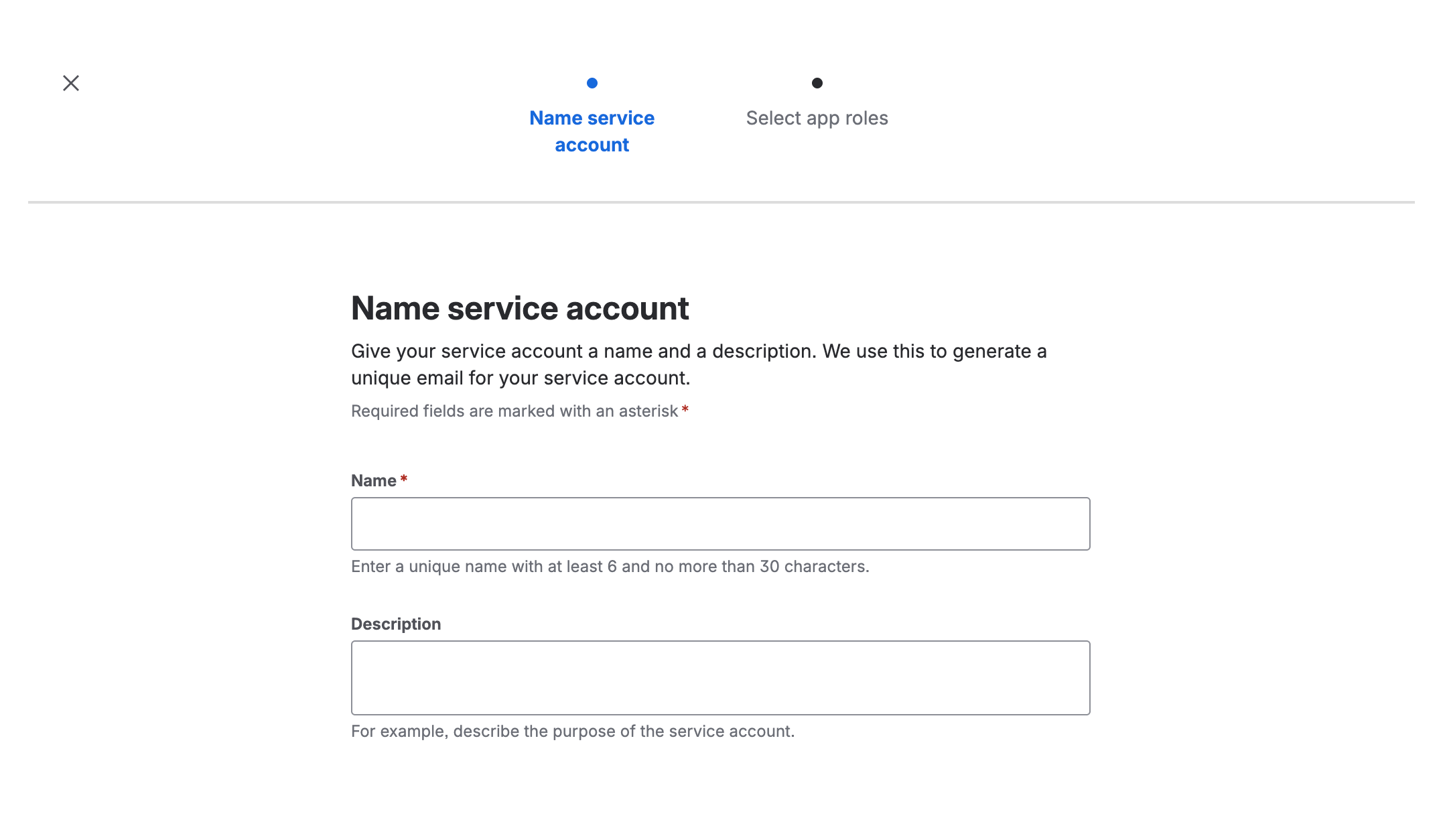
- Click Create. Once the account is created, you can generate its OAuth 2.0 or API token.
Why You Should Audit Your Org This Week
Decoupling human identities from system access isn't simply about saving budget: it is about operational peace of mind. The next time HR requests an offboarding, you shouldn't have to worry whether a critical AI tool or pipeline will crash or spend hours reviewing all configurations.
You want to learn more?


