The Atlassian Community Forums are currently in read-only mode. We will be relaunching on a new platform on September 22 (read more here). We apologize for the extended downtime. For concerns or questions, please email communitymanagers@atlassian.com. See you on the other side, on the new Atlassian Community Forums! :)
×Community resources
Community resources
Community resources
Is it possible to create automated reports that span multiple boards in a workspace?

Hi everyone, I'm currently running automated weekly reports across multiple boards, for different but connected workstreams (such as content production and marketing campaigns).
Our stakeholders have asked for a single, high-level report of tickets in certain statuses across these projects. So, something very similar to the automation rules for a board, but something that pulls across the entire workspace, in this format;
Board 1
Filter 1
Cards matching filters
Filter 2
Cards matching filters
Board 2
Filter 1
Cards matching filters
Filter 2
Cards matching filters
And so on.
Is this possible or would I need a third party plugin to achieve this?
2 answers
1 accepted
Comments for this post are closed
Community moderators have prevented the ability to post new answers.

You could create an uber board that has dashcards for each of your filters (a dashcard is a reportcard that can give you a summary view across your entire workspace). See https://www.atlassian.com/blog/trello/dashcards-powerup
Thanks, this is what I'm looking for, the ability to do this in Trello as part of the solution rather than a paid third-party tool. Does this work with automation?
You must be a registered user to add a comment. If you've already registered, sign in. Otherwise, register and sign in.

You can definitely use Planyway for Trello to manage this type of reporting. Planyway offers a Portfolio View that aggregates cards from multiple boards into a single, high-level view, and allows you to filter and group them based on various criteria (like statuses, labels, or members). This could work perfectly for your automated weekly reports across connected workstreams.
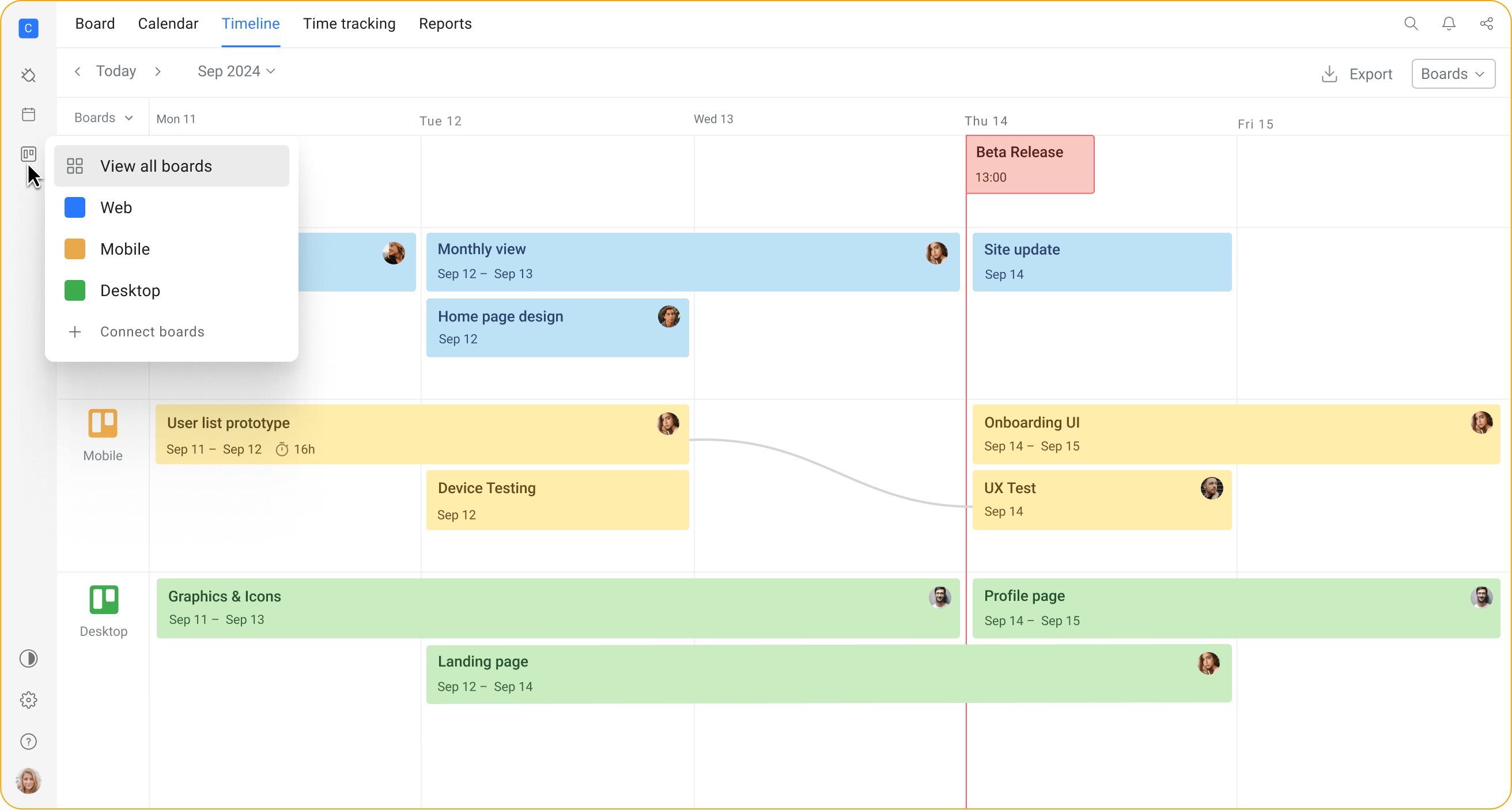
With Planyway, you can:
- Visualize multiple boards in one place, allowing stakeholders to see a consolidated overview of all workstreams.
- Apply filters based on statuses, labels, and other card attributes, just like in the example you described.
- Export or share this view as a report for your stakeholders.
If you're already using Trello, Planyway is an easy plugin to integrate into your workflow and can save you from having to rely on third-party tools for this purpose.
You must be a registered user to add a comment. If you've already registered, sign in. Otherwise, register and sign in.
But this is a third-party tool, and a paid one. I'm looking for a solution using existing automation.
You must be a registered user to add a comment. If you've already registered, sign in. Otherwise, register and sign in.

Olá @Matt Nicholson, entrei nesse post buscando pelo mesmo contexto, ter uma visão de Portfolio, e gostaria de saber se conseguiu evoluir em suas buscas. Tenho seis Quadros em Áreas de Trabalho Enterprise (administrada cada um por seu líder), e gostaria de ter uma visão CONSOLIDADA em um único painel. Usei vários recursos (que considerei retrabalho), e não identifiquei nada que crie essa visão (que parece ser o desejo de muitos, não entendo porque é tão difícil...) Das muitas maneiras que tentei, não consigo ter um Dashboard com a visão dos recursos, então sempre volto para a situação inicial. A Alta gestão não quer saber apenas quantidade de cartões, preciso de algo mais robusto, e nativamente, o Trello não me permitiu. Preciso muito de ajuda com essa questão, se alguém souber e puder me ajudar... Já testei os Power-ups também, e não vejo outra forma de fazer... Alguns outros posts indicam automações e processos que não são simples para quem não é expert em Trello. De fato, entendo que o objetivo é dificultar para facilitar a aquisição de opções pagas...
You must be a registered user to add a comment. If you've already registered, sign in. Otherwise, register and sign in.

You must be a registered user to add a comment. If you've already registered, sign in. Otherwise, register and sign in.