We're moving! The community forums are migrating to a new platform on September 22. Learn more
×Community resources
Community resources
Community resources
Clarification on deadline visibility, category‑based views, and reporting/export options


Hi Trello Support,
We’re reviewing Trello’s functionality and would like to clarify what features are available on the Free plan versus the Paid plans in relation to:
1. Deadlines
- What built‑in tools exist for viewing upcoming due dates?
- Do the paid plans offer enhanced deadline visibility?
2. Viewing deadlines by category
We intend to classify tasks using labels or custom fields.
- What filtering or sorting options exist for viewing deadlines by category?
- Are there additional category‑based views or grouping options on the paid plans?
3. Reporting / Exporting
- What options exist to export or report on cards with due dates (CSV, PDF, dashboard views, etc.)?
- Do paid plans offer more advanced reporting or export capabilities?
A simple comparison of how these features differ between the Free and Paid plans would be extremely helpful.
Kind Regards,
Michael
2 answers

Hi @Michael Catterall ,
1. Deadlines
Trello Free
- You can assign due dates to cards.
- Due date badges appear on cards.
This works well for simple deadline tracking within one board.
Trello Paid
In addition to Free features:
- Calendar capabilities
- Timeline view
- Dashboard view
Paid plans mainly enhance how you visualize deadlines across projects.
2. Viewing Deadlines by Category
If you classify tasks using Labels or Custom Fields:
Trello Free
- You can filter by Labels.
- Basic board filtering..
Trello Paid
- Custom Fields available.
- Advanced filtering (combine labels + members + dates).
- Timeline and Dashboard views (Premium) allow better segmentation.
- Table view (Premium) allows sorting by due date and grouping.
Paid plans improve multi-criteria filtering and visual grouping.
3. Reporting / Exporting
Trello Free
- JSON export only.
- No native CSV export.
- No structured deadline reporting.
Trello Paid
- CSV export.
- Dashboard View with visual reporting.
- More complete export data including custom fields.
Paid plans significantly improve export and reporting capabilities.
How Planyway for Trello Helps
If your focus is deadline visibility, cross-board planning, and structured reporting, Planyway plugin adds capabilities on top of Trello — even if you're on Free.
Here’s how it helps:
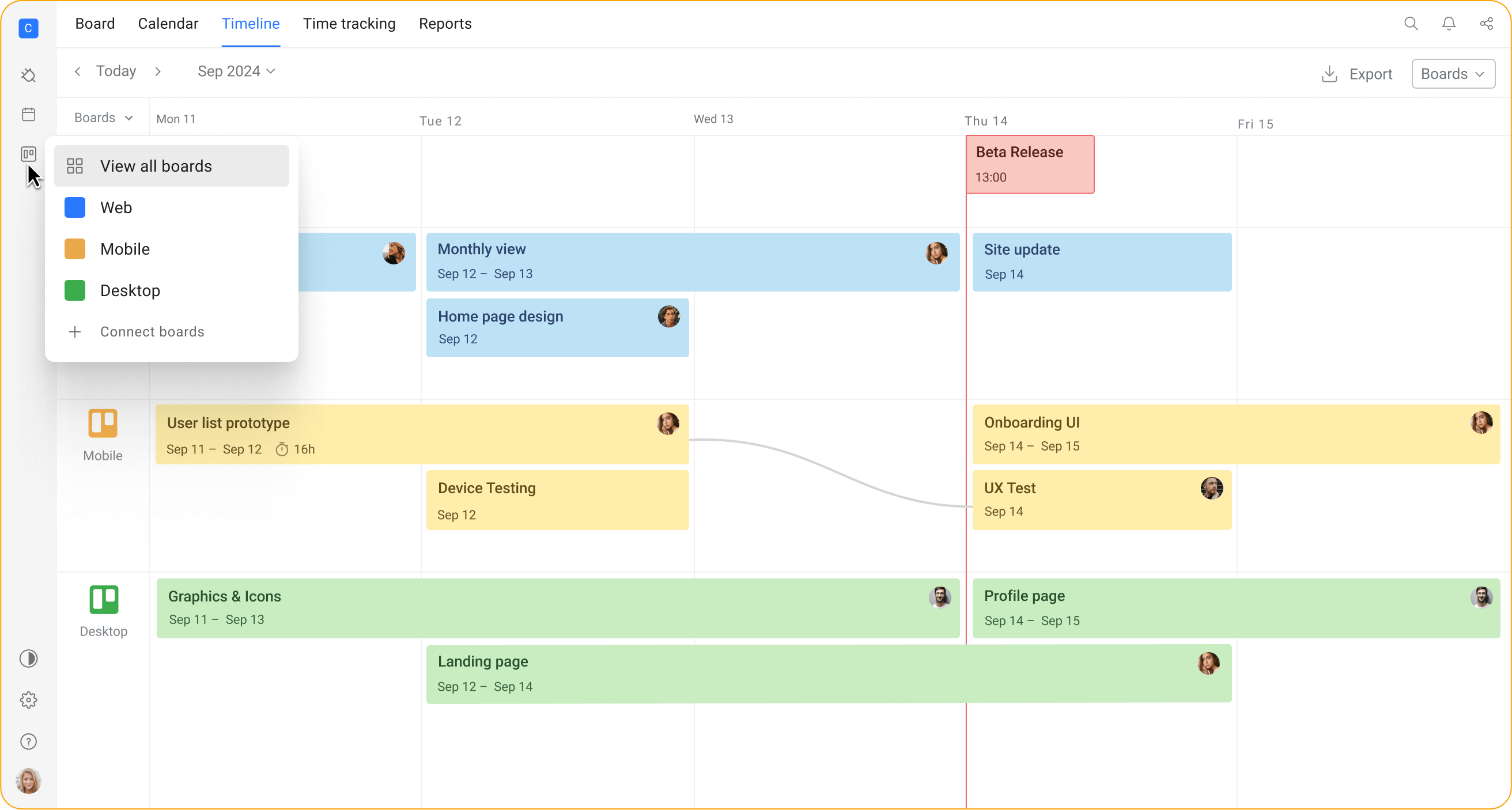
1️⃣ Clear Timeline Across Boards
Planyway gives you a timeline (Gantt-style) view where:
- You can see all cards with start and due dates visually.
- Deadlines across multiple boards appear in one place.
- Grouping timeline by team member, boards, lists, and labels.
- It’s easier to spot overlaps and workload conflicts.
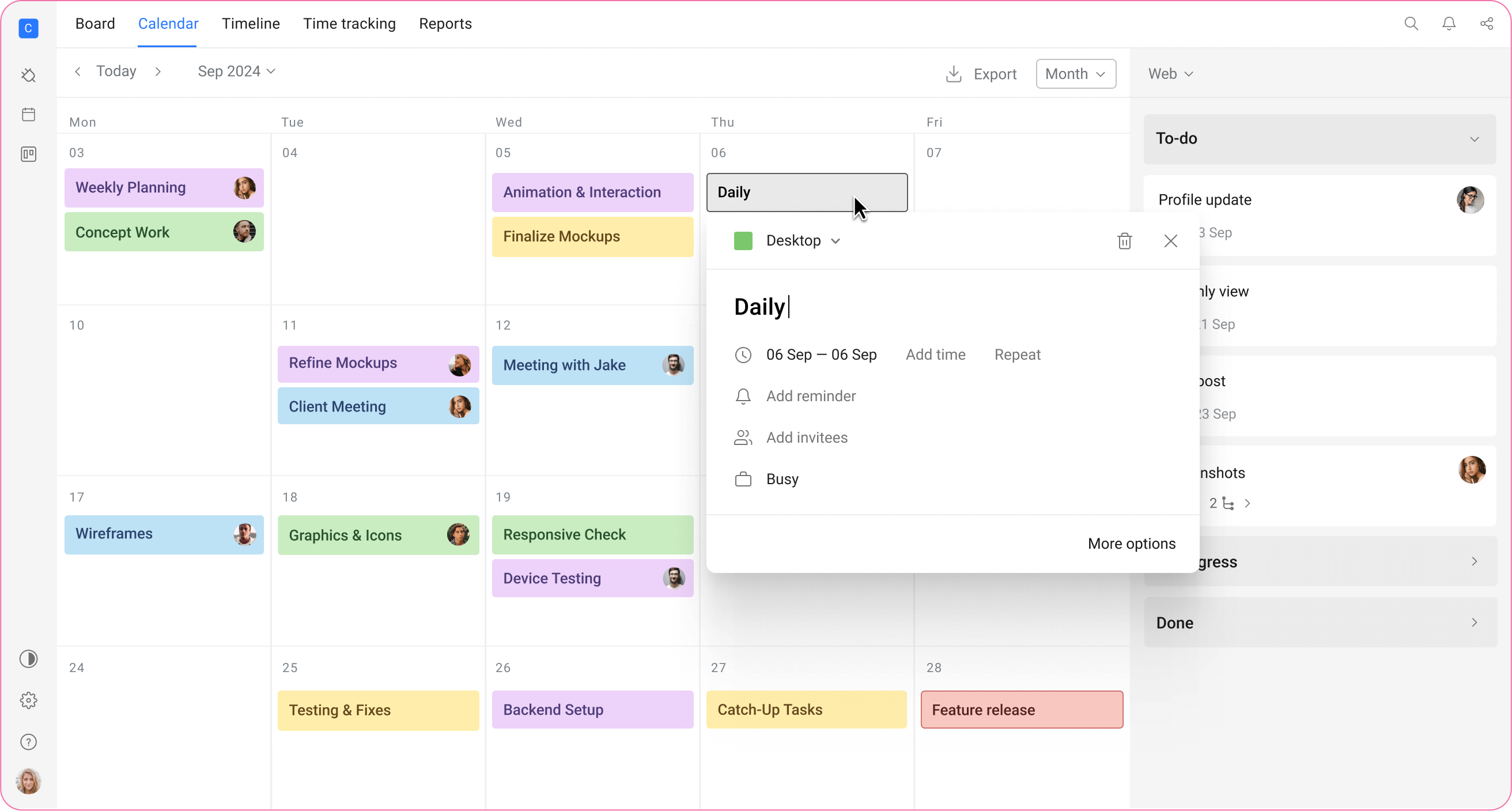
2️⃣ Calendar View with Better Context (supported in Free version)
Unlike Trello’s basic calendar:
- You can filter by labels, members, boards.
- You can combine filters (e.g., “Marketing + Due this month + Assigned to John”).
- Supports monthly, weekly, and daily views.
- You can visually group and color-code for clarity.
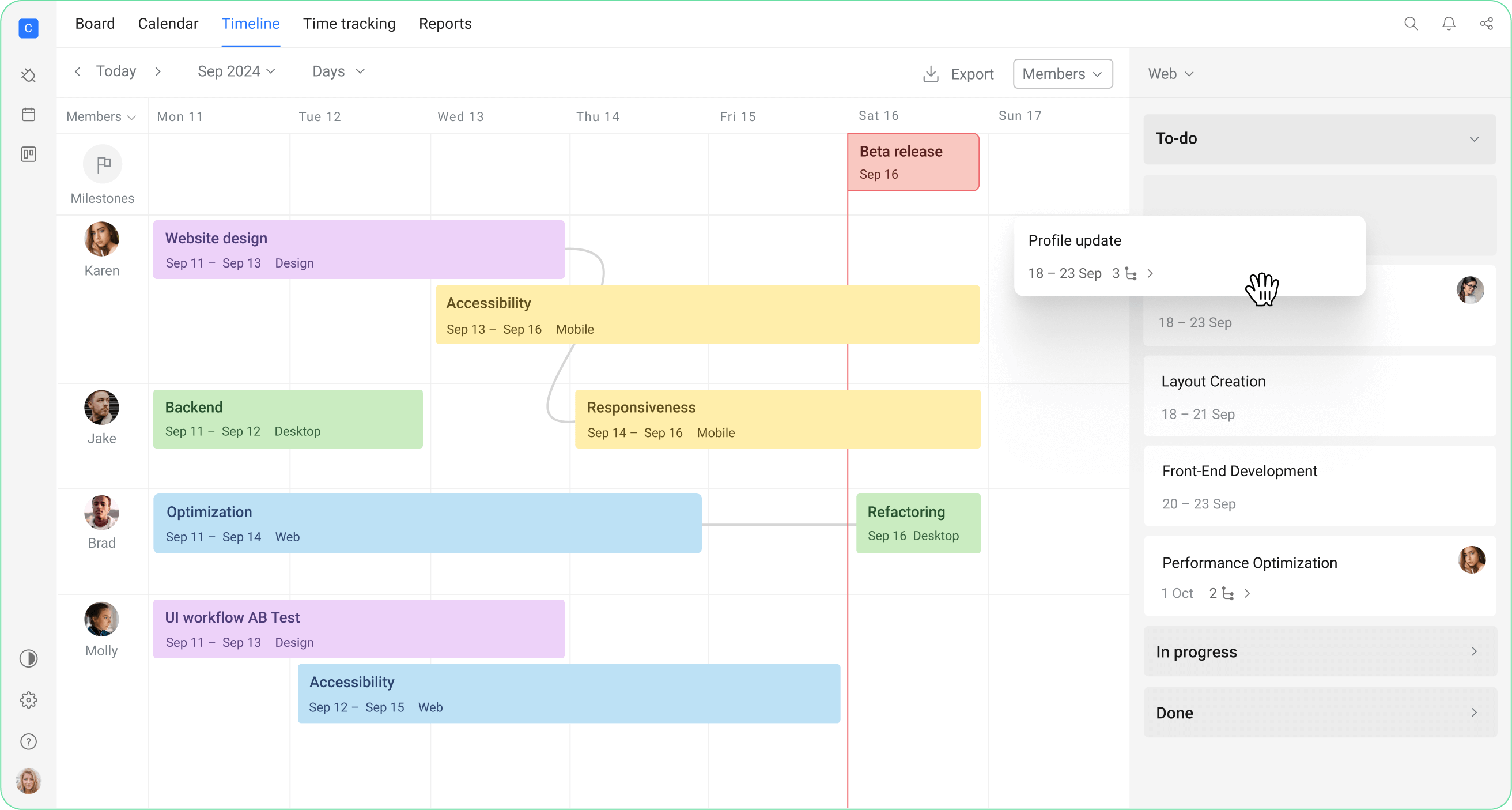
3️⃣ Workload & Capacity View
If deadlines are connected to resource planning:
- You can see who is overloaded.
- Set capacity per team member.
- Compare planned vs actual workload.
4️⃣ Reporting & Export
With Planyway you can:
- Export to Excel or CSV, PDF too.
- Filter before exporting (by date range, labels, members, boards).
- Build time tracking reports (if using time tracking).


Hi!
On the Free plan, you can add due dates to cards and filter cards on a board by due date, labels, members, and keywords. Custom Fields are available from the Standard plan upward.
Premium and Enterprise add Calendar, Timeline, Dashboard, and Workspace views. The Workspace Calendar is especially useful for deadlines because it can show cards from multiple boards and filter them by labels, lists, members, keywords, and due dates.
For exporting, Premium supports CSV exports for boards. Trello also provides JSON exports.
https://support.atlassian.com/trello/docs/exporting-data-from-trello/
For a more flexible reporting screen across several boards, I recommend trying the Cross-Boards Dashboards Power-Up:
https://trello.com/power-ups/66291013ec3abfbf13b255c6

There are also many other Power-Ups that can extend Trello with additional reporting, exporting, and workflow options. Power-Ups can be enabled regardless of the Trello plan, although some third-party Power-Ups may have their own pricing.
You must be a registered user to add a comment. If you've already registered, sign in. Otherwise, register and sign in.

You must be a registered user to add a comment. If you've already registered, sign in. Otherwise, register and sign in.