Hello everyone,
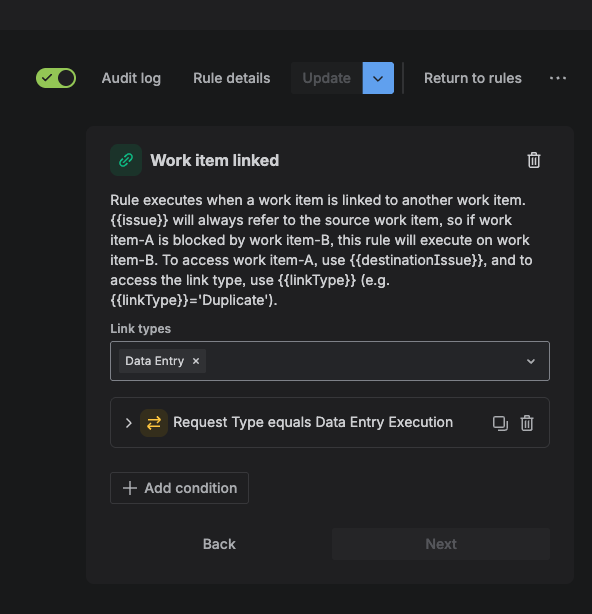
I'm having an issue with an automation, the flow of the ticket is the following:
En estimation ticket is created and an amount of information is filled by the requester >
Once an estimation is completed we need to create a deal for the client to sign >
Once that deal is signed we can create an execution ticket.
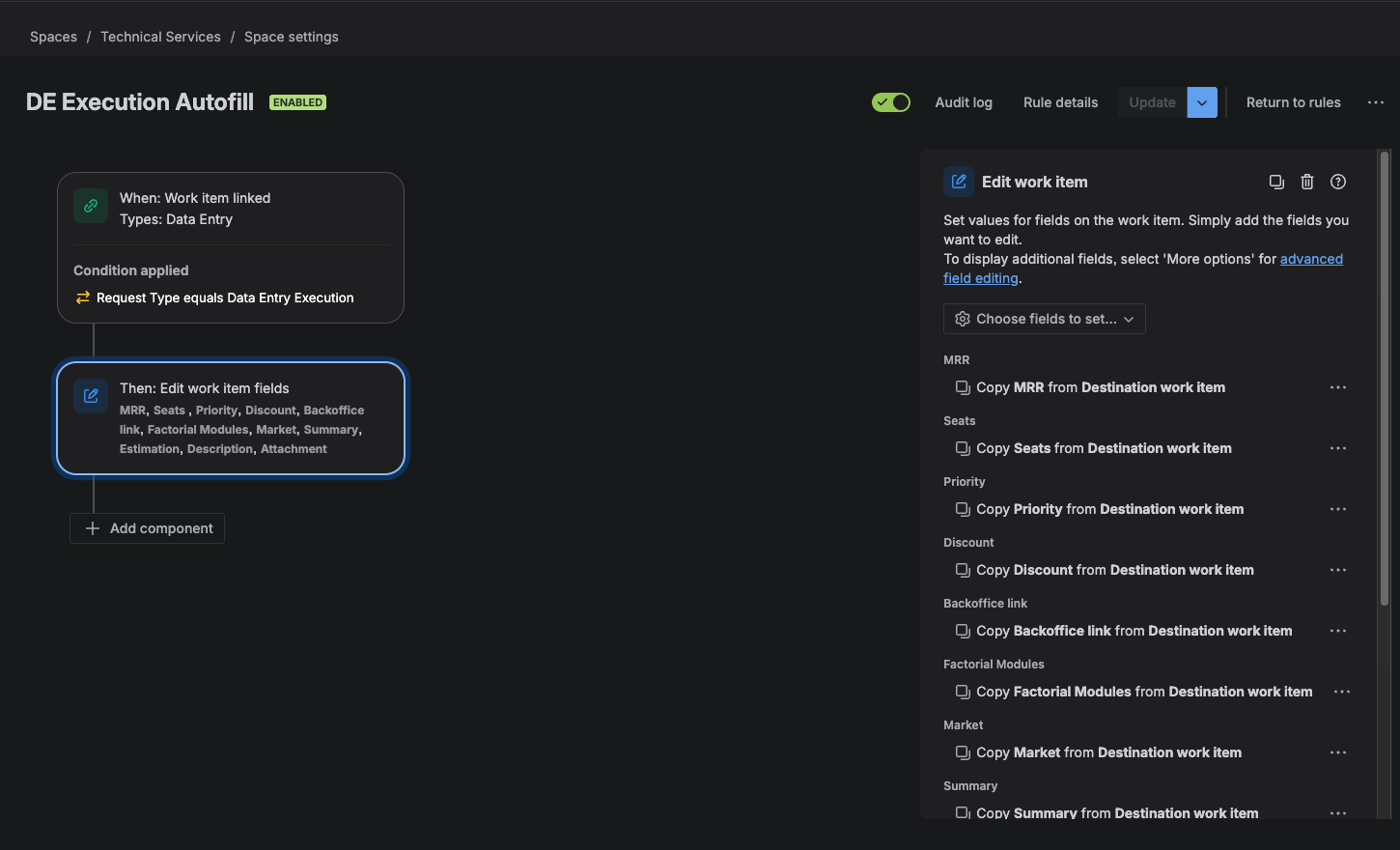
What I would like to achieve is to link that estimation ticket to the execution ticket and bring the information from the estimation to the execution ticket, I already was able to link the ticket using smart values and the advanced field but my problem is the autofill.
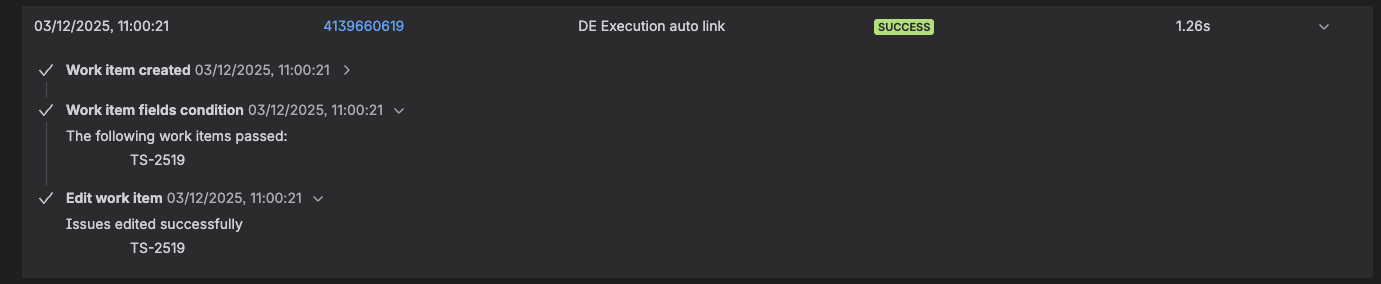
The trigger in the autofill is "when an issue is linked" but the event on the advanced field modification is "work item edited" so the trigger is never met and the automation never triggers.
I wanted to try and use Smart Values in order to collect the information, but on the option of copy I can only copy from 2 sources
Is there any way to bypass this limitation without using "elements connect" or another plugin?
Welcome to the community.
On which ticket are you executing the link action the Estimation ticket or the Execution ticket?
Reading your explanation, I think the Execution ticket.
Simplest is to execute the link action in the Estimation ticket, then in the edit copy the values based on the option Trigger Issue.
The other way around as you do now is moer complicated, as you would need to find the linked issue via a lookup action and then set each field in the Execution item with a smart variable.
e.g. {{lookupIssues.MRR}}
Or even simpler and maybe the easy way.
Create an automation with a manual trigger that can be executed on the Estimation ticket, in that rule just have a create work item action, within the create action you can set all required fields , use copy from trigger issue for the fields and you can link the items as well
Thank you for your time and expertise. To directly answer your question: Yes, the link automation is executed on the Execution ticket.
The reason for this approach is that the Estimation ticket is often closed before certain external, non-Jira events occur. The creation of the Execution ticket can be delayed by weeks. By delaying the link creation until the Execution ticket is created, we prevent errors and avoid linking to an Estimation ticket before all prerequisite steps are complete.
A mandatory prerequisite for creating an Execution ticket is that the internal customer must reference an existing Estimation ticket. Therefore, the Estimation ticket's key must be passed as a value within the creation form of the Execution ticket.
This ticket Key value is collected through Smart Value and I modify the link to a personalised issue Link with this:
{"update": {
"issuelinks": [
{
"add": {
"type": {
"name": "Data Entry"
},
"outwardIssue": {
"key": "{{customfield_11220}}"
}
}
}
]
}
}
This part works perfectly. My problem is the second part which is the "Auto fill" of the ticket.
I think I will have to go through this option:
"The other way around as you do now is more complicated, as you would need to find the linked issue via a lookup action and then set each field in the Execution item with a smart variable."
What I would have to figure out is how to achieve this.
You must be a registered user to add a comment. If you've already registered, sign in. Otherwise, register and sign in.
This way is way more cumbersome:
"The other way around as you do now is more complicated, as you would need to find the linked issue via a lookup action and then set each field in the Execution item with a smart variable."
As I mentioned this is simpler:
Create an automation with a manual trigger that can be executed on the Estimation ticket, in that rule just have a create work item action, within the create action you can set all required fields , use copy from trigger issue for the fields and you can link the items as well
You must be a registered user to add a comment. If you've already registered, sign in. Otherwise, register and sign in.