The Atlassian Community Forums are currently in read-only mode. We will be relaunching on a new platform on September 22 (read more here). We apologize for the extended downtime. For concerns or questions, please email communitymanagers@atlassian.com. See you on the other side, on the new Atlassian Community Forums! :)
×Community resources
Community resources
Community resources
- Community
- Q&A
- Jira Service Management
- Questions
- “I’m trying to link Jira tickets to Confluence but getting a permission error.
“I’m trying to link Jira tickets to Confluence but getting a permission error.


I’m trying to link Jira tickets to Confluence pages to streamline documentation and task tracking. However, I’m encountering a permission error that prevents the link from being established. I need guidance on what permissions are required and how to properly configure Jira and Confluence so that linking works without errors.
3 answers
Comments for this post are closed
Community moderators have prevented the ability to post new answers.

Hello @Balogun Tajudeen
building a bit on what’s already been asked above by @Trudy P Claspill, I would focus on separating permissions vs. integration here.
Even if you have Product Admin access in Jira Service Management Cloud, that does not automatically mean you have access to the Confluence content you are trying to link. The first thing to confirm is whether you can open the Confluence page directly with the same account.
If that works, then the next likely area is the Jira ↔ Confluence connection itself.
In Cloud, this is usually automatic, but there are cases where the application link is broken or duplicated, which causes the authentication step to fail when linking content. Atlassian has a KB describing exactly that scenario:
https://support.atlassian.com/jira/kb/confluence-links-within-jira-issues-fail-to-authenticate/
So I would check:
- can you access the Confluence page directly ?
- are both products on the same Atlassian site ?
- There is any issue with the application link ?

Hello @Balogun Tajudeen
Welcome to the Atlassian community.
What are the exact steps you are taking to try to create this link?
Are you trying to create the link from within the Jira ticket or within the Confluence page?
Which of the link options are you trying to use?

What steps have you executed immediately prior to getting the error? What is the exact error message?
Does the identity you are using to access Jira have access to the Confluence system you are trying to reference?
You must be a registered user to add a comment. If you've already registered, sign in. Otherwise, register and sign in.

Hi @abalog
If you're still trying to link Jira tickets to Confluence, I suggest trying our app Elements Publish. It's used by our customers to track tasks and projects in Confluence but also to automate documentation creation.
Basically what the app does is:
- Automatically create a Confluence page from a Jira issue
- Insert Jira issue fields inside the page (Confluence template or your own page)
- Link the ticket and the page together
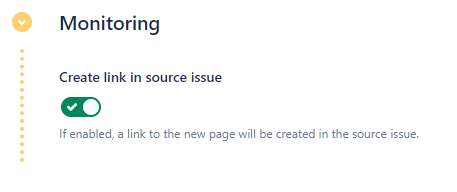
- Synchronize the fields so that every change in the Jira ticket is reflected in the Confluence page
You can try the app for free to see if it could fit your use case.
You must be a registered user to add a comment. If you've already registered, sign in. Otherwise, register and sign in.
Comments for this post are closed
Community moderators have prevented the ability to post new answers.

You must be a registered user to add a comment. If you've already registered, sign in. Otherwise, register and sign in.