Community resources
Community resources
Community resources
- Community
- Q&A
- Jira Service Management
- Articles
- Unifying Assets across the Atlassian Platform
Unifying Assets across the Atlassian Platform
If you attended or watched the keynote from Team EU ‘25, we shared that Assets would become its own Platform App and a core part of Atlassian’s Cloud Platform offering—and now you’ll start to see what that really means in your day-to-day work. With this shift, every piece of work gains more context, and every teammate gains speed. Instead of hopping across tools, teams can find, understand, and act on the right asset data in the flow of work.
Asset’s data is starting to become integrated into Teamwork Graph, helping shape the graph and bring in unique data. Making it easier for customer to connect, analize, and report on business objects in Assets across the Atlassian cloud Platform. This enables richer data insights and more powerful automation by linking Assets with other platform data and work.
As a first step, objects from your Assets app are now being woven into the Atlassian Teamwork Graph, so your asset data and work is no longer locked inside a single project or product. The objects and relationships you model will be surfaced across Atlassian apps. That means objects currently in Jira Service Management, can be found with Search and brought into Jira, Confluence pages, app Home, automations, and more. Instead of jumping between tools and systems, assets data comes to you.
These updates are focused on three core areas:
-
Assets everywhere you work (App Home, Rovo Search EAP and Studio)
Assets is becoming a reusable data layer across Atlassian apps, so key objects in schemas (people, services, devices, vendors) can be linked wherever you’re already working, reducing context‑switching and helping teams make more accurate decisions. -
A friendlier onboarding experience and new ‘For you'
Getting started with the Assets app is easy with in-product onboarding and a new “For you” landing page to continue where you left off or see the latest changes. -
Stronger admin control with in‑context settings and governance
Admin capabilities have expanded and modernized. In Assets, you can manage admin tools like app usage, global reference types/statuses, icons, themes, banners, and data controls directly within Assets, providing admins clearer governance and simpler oversight from one place.
Together, these updates move Assets to a connected, reusable data layer that powers work across the Atlassian platform and very soon more than Jira Service Management Premium and Enterprise customers will have access as well.
As these changes arrive on your site, we’d love to hear how they help your teams and what you want next in the Assets experience. See more details below. To learn how other companies use Assets, check out our latest webinar with Rover and how they manage more than HAM, but dogs 🐶 too!
Unifying Assets across the Platform
When your assets can be found in your daily work flow like App Home, Rovo Search (EAP - natural language/LLM coming soon), and Studio, powered by the Teamwork Graph, every piece of work gains context, and every teammate gains speed. Instead of hopping across tools, teams can find, understand, and act on the right data asset in the flow of work, with relationships (people, projects, work, pages, requests, and more) automatically mapped and kept up-to-date.
The result: less context switching, faster decisions, and smarter collaboration as Atlassian brings all your systems and tools together in one trusted, connected experience.
See Assets app, Schemas, and Objects in App home:

See Schemas and Objects appear in your Rovo Search:
You can now search for objects with Rovo search and see what you just worked on or just updated, in the future we will have a deeper natural language/LLM capabilities.

Get quick access to Studio from Assets:
We’ve added a dedicated Studio app entry point inside Assets so users can quickly switch between Assets and Studio, reducing clicks and context switching.

A new Assets in-app product change experience and ‘For you’ navigation
We introduced two ways to help support our customers with onboarding and learning about product updates in the Assets app along with a new ‘For you’ space for everyone to land on when they enter the app.
There is a new in-product changeboarding flow, existing customers will receive a guided tour of the new Assets features. Additionally, new Asset app users will experience an onboarding walkthrough to quickly learn how to use Assets.
Additionally, this will help us to inform and highlight key improvements to our customers to help them understand what’s new and how to get started.

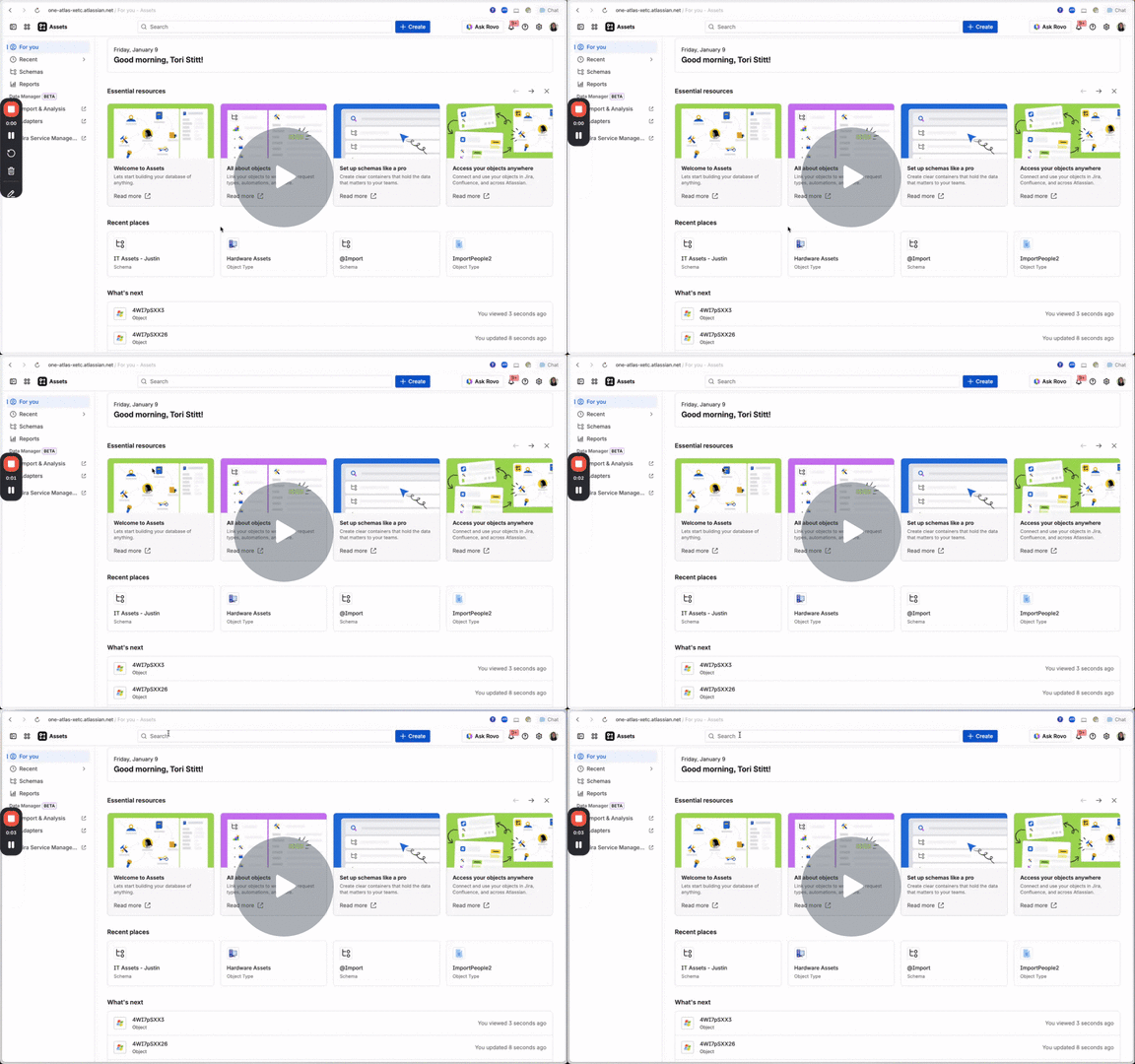
We’ve added a new 'For you' tab to your sidebar navigation, which is now the default landing location for users entering the Assets app. It includes essential product resources, recent places visited by admins and users, and a 'what's next' section. This helps admins find helpful resources and gives agents the ability to hop right back into work.

Both of these updates are aimed to help reduce confusion and training needs by covering the basics and providing more visibility.
A modern, in-context admin experience inside Assets
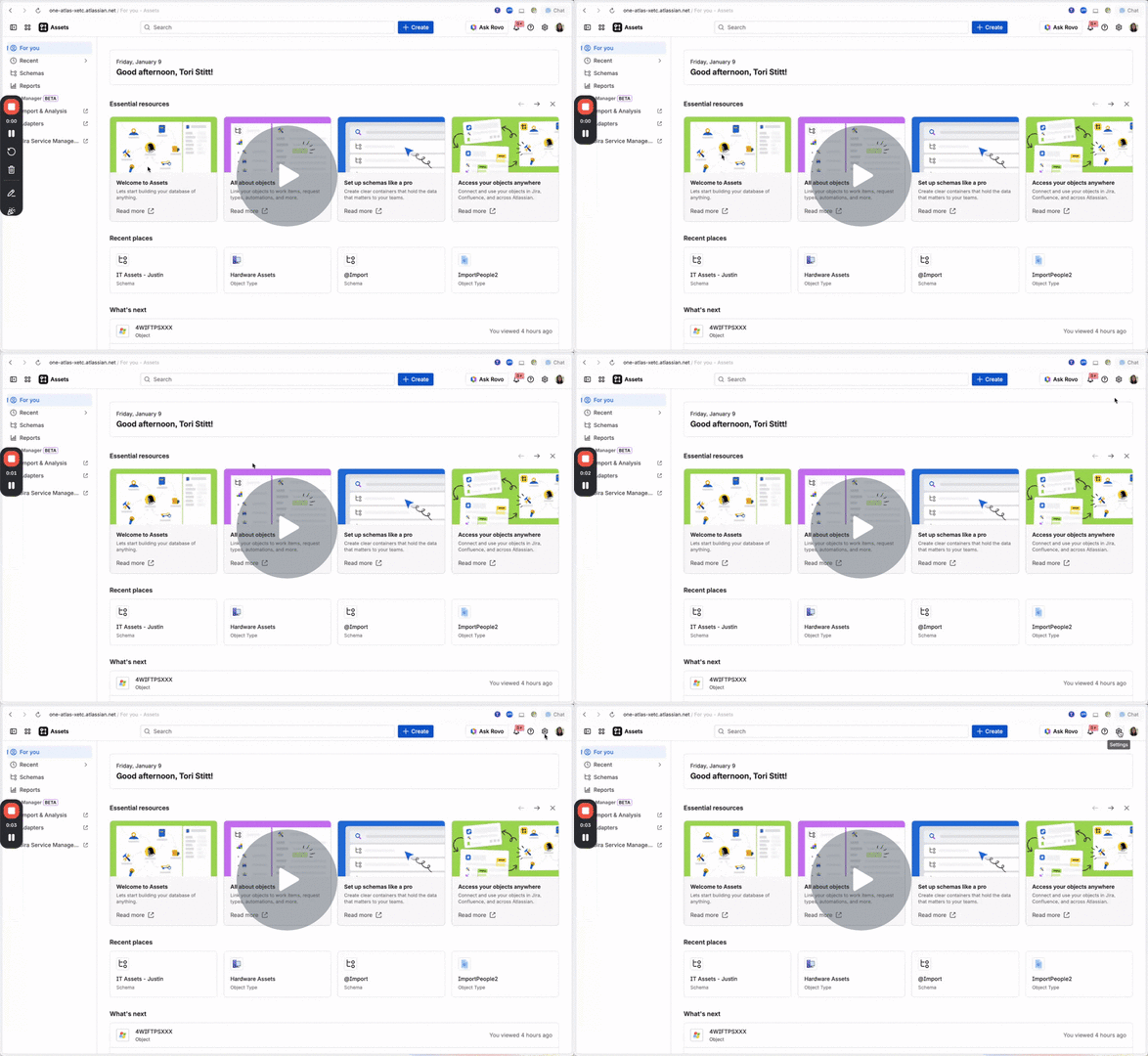
We’ve modernized the Assets settings page. You can now easily navigate through the various asset settings controls using the left sidebar inside the Assets settings page. We also moved app usage into the settings and added the capabilities to add an Announcement Banner on the Assets screen and the option to change the Asset Theme.
Clearer governance in Admin Hub
We’ve decoupled Assets administration from Jira Service Management and centralized Assets access and configuration in Admin Hub, making it easier for org admins to control who can use Assets. This will help speed up navigation for admins and reduces overwhelm or accidental Asset.
Assets in the Admin Hub, has separate controls for groups and users, org admins can manage Assets roles directly, giving stricter governance over who can view or change data. You can learn more about this here and check out our latest blog on Asset Role Alignment.
What Assets admins and users can do next
To make the most of these changes:
-
Review your Assets governance model.
-
Decide which teams should be Assets admins vs. consumers.
-
Use Admin Hub to align groups and roles with that model.
-
-
Standardize your asset model and visuals.
-
Use Global Reference Types, Statuses, and Icons to align how assets are related, labeled, and displayed.
-
-
Refresh your onboarding and internal docs.
-
Incorporate the new settings pages, banners, themes, and Studio navigation into how you train new admins and agents.
-
Point existing users to the in-product changeboarding and supplement it with context that’s specific to your org.
-
-
Check out Rover’s Assets use case webinar - Where Rover’s IT Manager, Kate Brendan, shares how the company uses Atlassian’s Jira Service Management, Assets, and Rovo to streamline access requests, improve cross-team collaboration, cut costs, and even manage office dogs.
Stay tuned for more updates to come!!
Was this helpful?
Thanks!

Tori Stitt

14 comments