UPDATE: All Standard Service Collection Customers should be enabled by March 12, 2026.
Building on last month’s release momentum, we are excited to announce a major enhancement to Service Collection beginning to roll out Assets to Standard plans which includes 5,000 objects a month at no extra cost. Customers over the next few weeks will be enabled to begin using Asset no through the end of the month.
🎉 This update delivers powerful asset and configuration management to more teams, right out of the box.
Why does this matter?
-
Centralize and Streamline Operations:
With Assets, teams can begin to track hardware, software, facilities, contracts, and more, as part of their Service Collection Standard edition. This means you can manage everything from laptops and licenses to office equipment and employee onboarding, and even dogs like Rover without leaving your service desk.
-
Drive Efficiency and Visibility:
Having a single source of truth for your assets empowers your agents to resolve incidents faster and make smarter decisions. No more scattered spreadsheets or siloed systems; just seamless, integrated asset management.
-
Reduce manual work:
Use asset data to power automation for common tasks like onboarding, access changes, and hardware lifecycle updates. Customers can start managing their assets and configuration items right away, thus improving service delivery, reducing manual work, and setting a strong foundation for future growth.
What is included in the Standard offering?
-
5,000-object allowance with no additional price change
-
As you grow, you can easily scale up with additional objects starting at $0.02/object/month (with volume discounts as your needs increase). Learn more about pricing and limits here: Service Collection Pricing: Free and Paid Plans | Atlassian
When teams need to scale or require more advanced asset and configuration management capabilities, they can upgrade to Service Collection Premium (up to 50,000 objects) or Service Collection Enterprise (up to 500,000 objects). These higher editions also unlock Assets Data Manager, which provides opinionated, ready-to-use schemas, more advanced IT and employee support use cases, and new scheduled imports to keep asset data fresh and automated.
What you need to do?
Nothing has changed in your billing, and there’s no add-on to install. Just:
-
Open your workspace
-
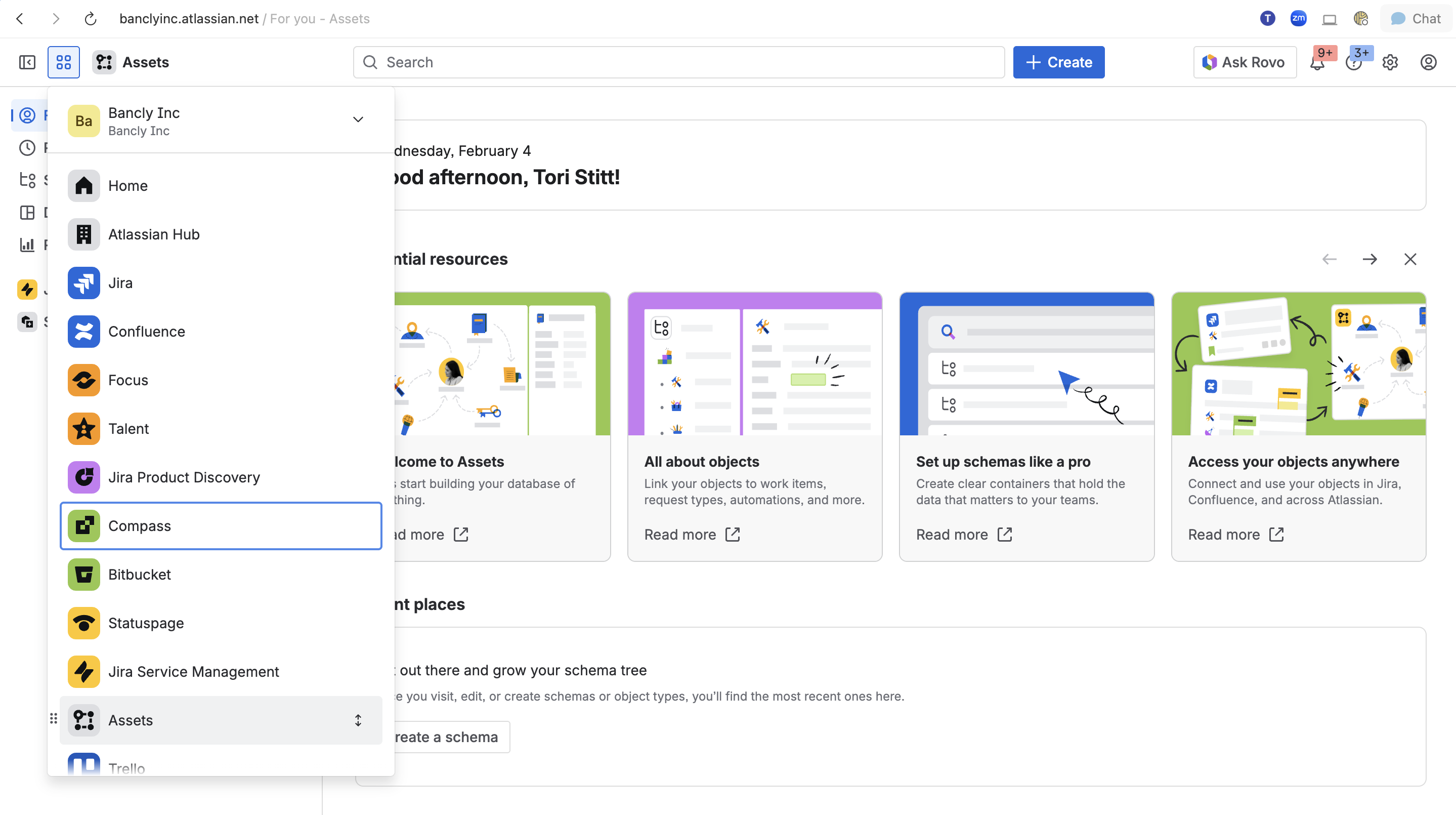
Navigate to Assets via the app switcher
-
Start adding objects such as laptops, SaaS applications, facilities, or other key services
👀 New App Switcher location and appearance
For existing Service Collection Assets Premium and Enterprise customers, the Asset App color changes from yellow to grey, and its location in the app switcher now aligns with our Platform Apps. Customers do not need to do anything and no changes have been made to your Assets App settings.
We hope you are as excited as we are with the new changes, and we look forward to hearing your feedback and sharing more updates soon!


