Hello Confluence admins 👋,
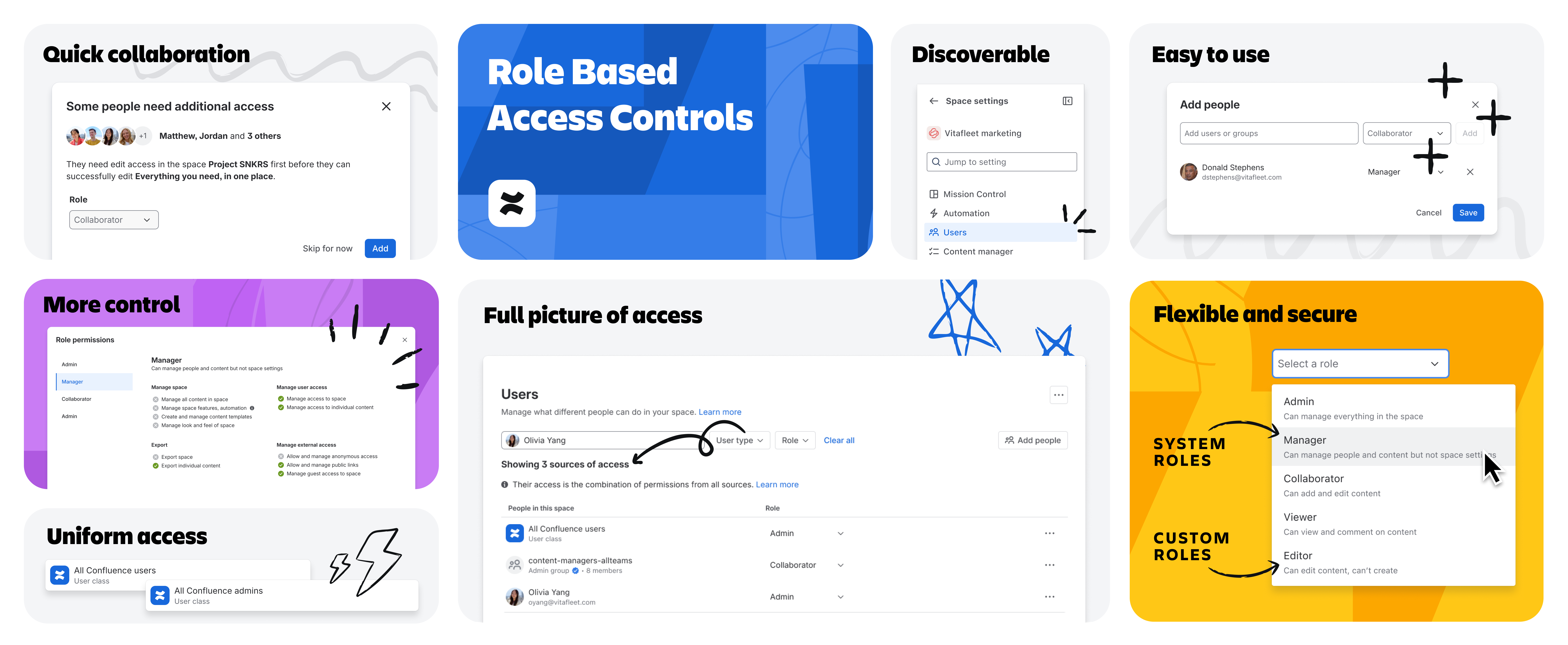
We're excited to share that role-based access control (RBAC) GA is coming soon for all Confluence Cloud Standard, Premium, and Enterprise customers. Starting the week of July 6, roles will begin rolling out to all Confluence Cloud sites – making managing access faster, clearer, and more predictable.
If you've been following along since our EAP, you know we've been building toward this moment for a long time. Hundreds of thousands of customers have already been using roles in Beta and on new sites, and the feedback has been clear: the ability to have a simpler, more scalable way to manage space access is a game changer.
| Important: This GA rollout will not change any permissions for any users until you take action. |
Why roles? Simplicity and scalability, together at last
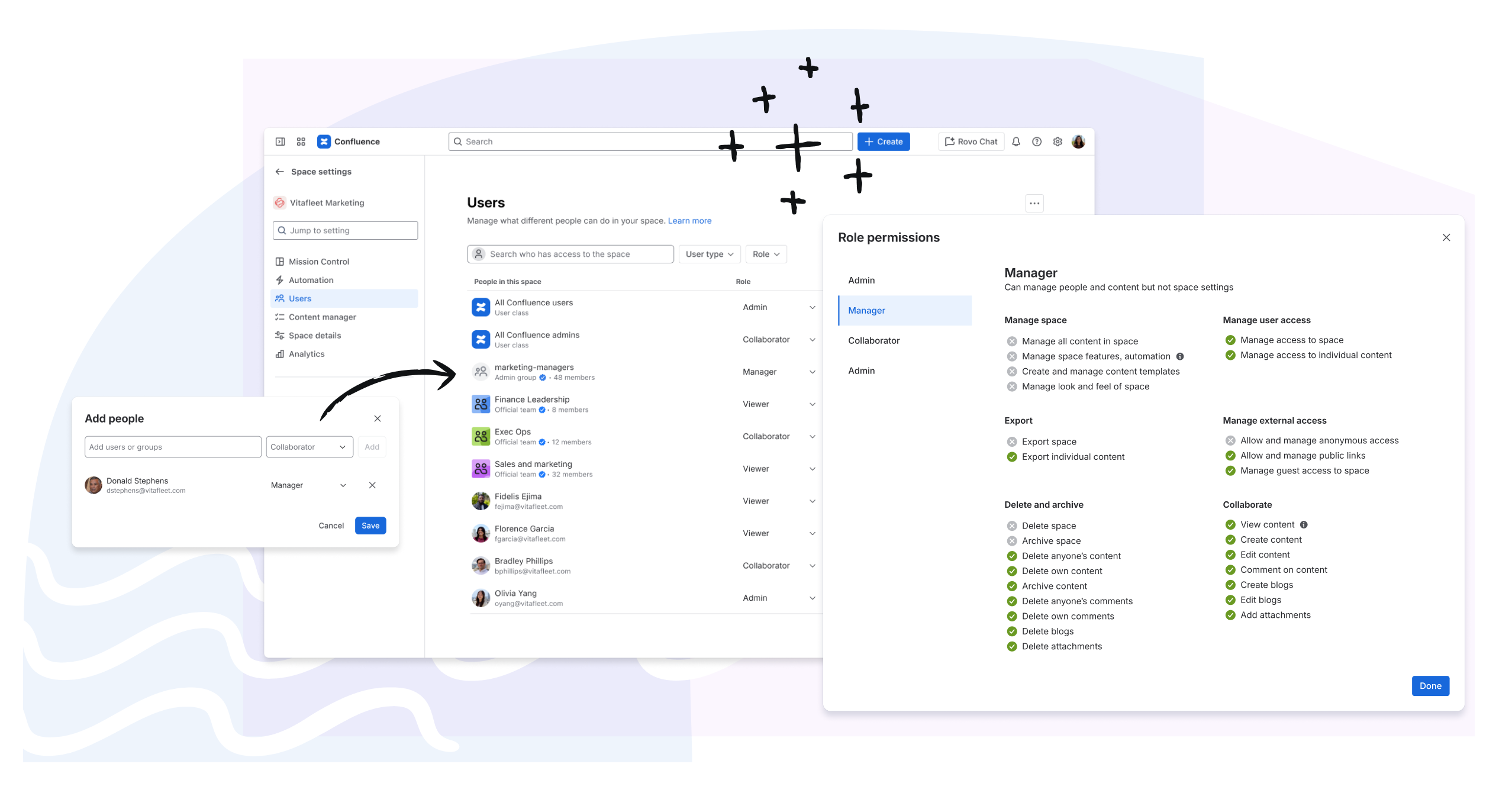
Managing access in Confluence today means wrestling with 14 individual permission checkboxes every time you add someone to a space – across hundreds or even thousands of spaces. Over time, permission configurations drift, creating access sprawl and no reliable source of truth. Admins end up repeating the same multi-step process for every change and often grant more access than intended just to keep work moving.
Roles simplify this. Instead of choosing between 14 checkboxes, you assign a role – and you're done.
Role-based access gives you:
- Speed without sacrificing precision – assign access in two clicks instead of fourteen
- Consistency and predictability – the same roles carry the same permissions across every space
- Scalability – manage access for individuals, groups, and user classes from a single table that works at any org size
What's included in GA
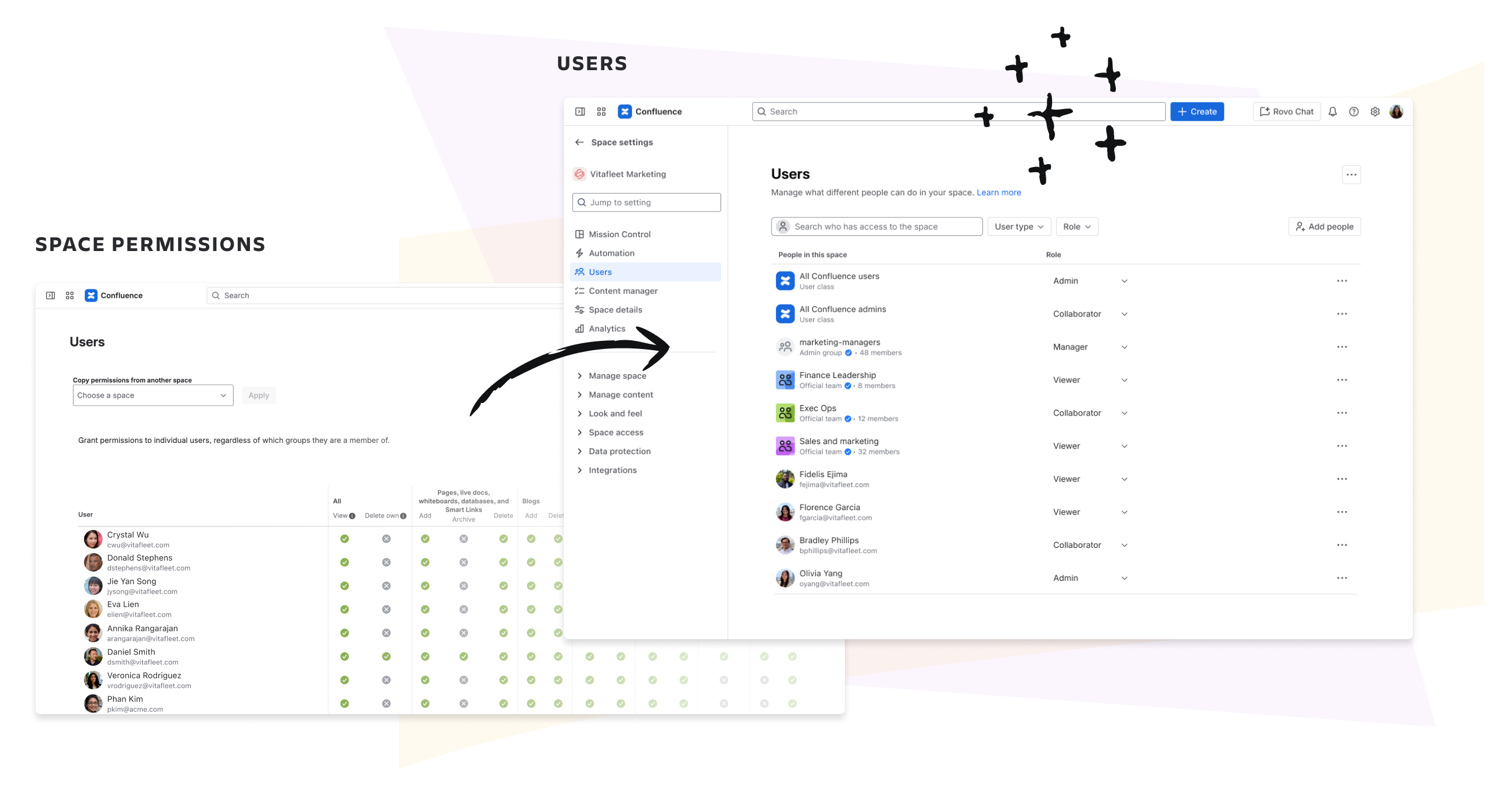
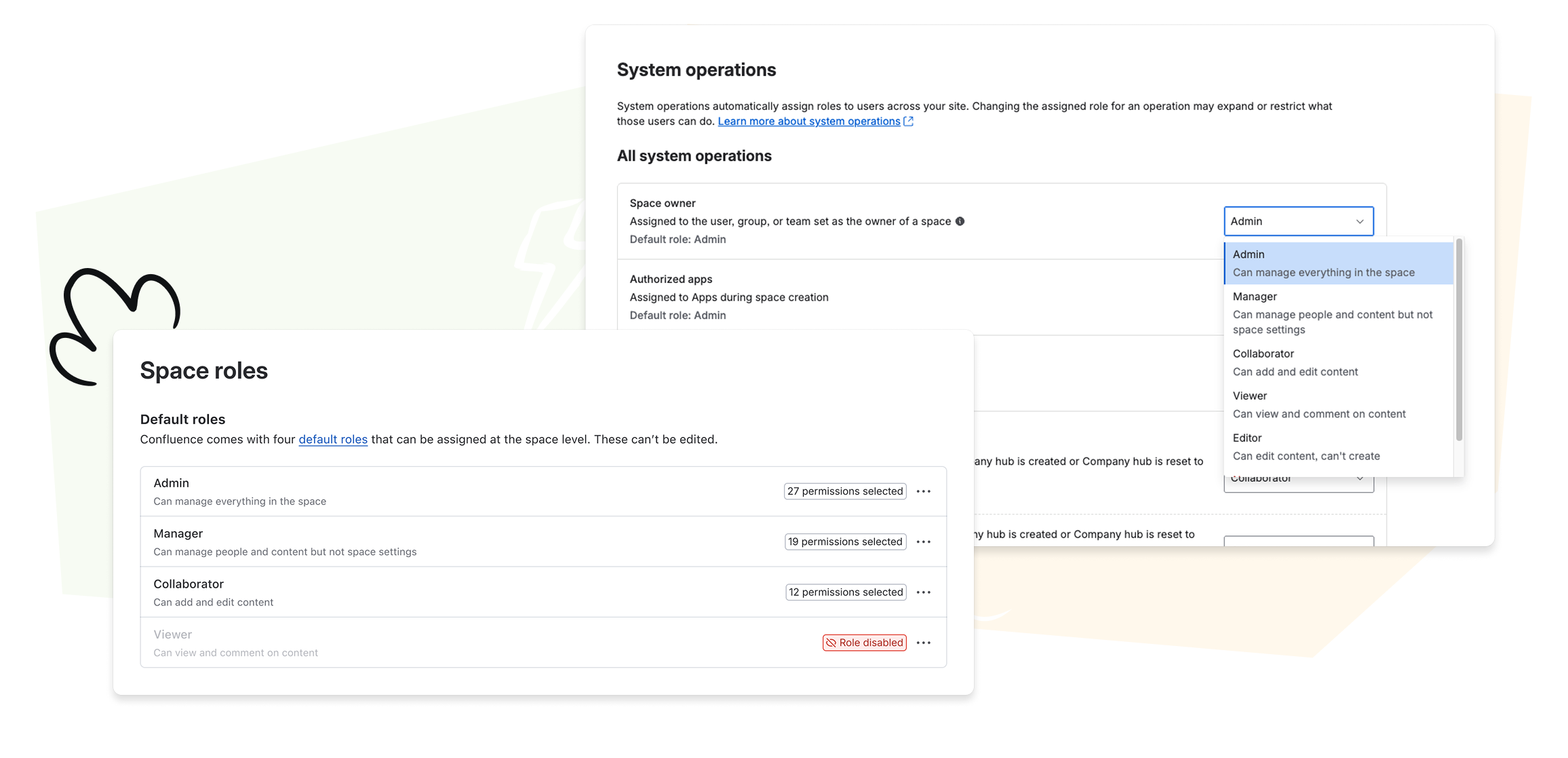
Four default roles, ready out of the box
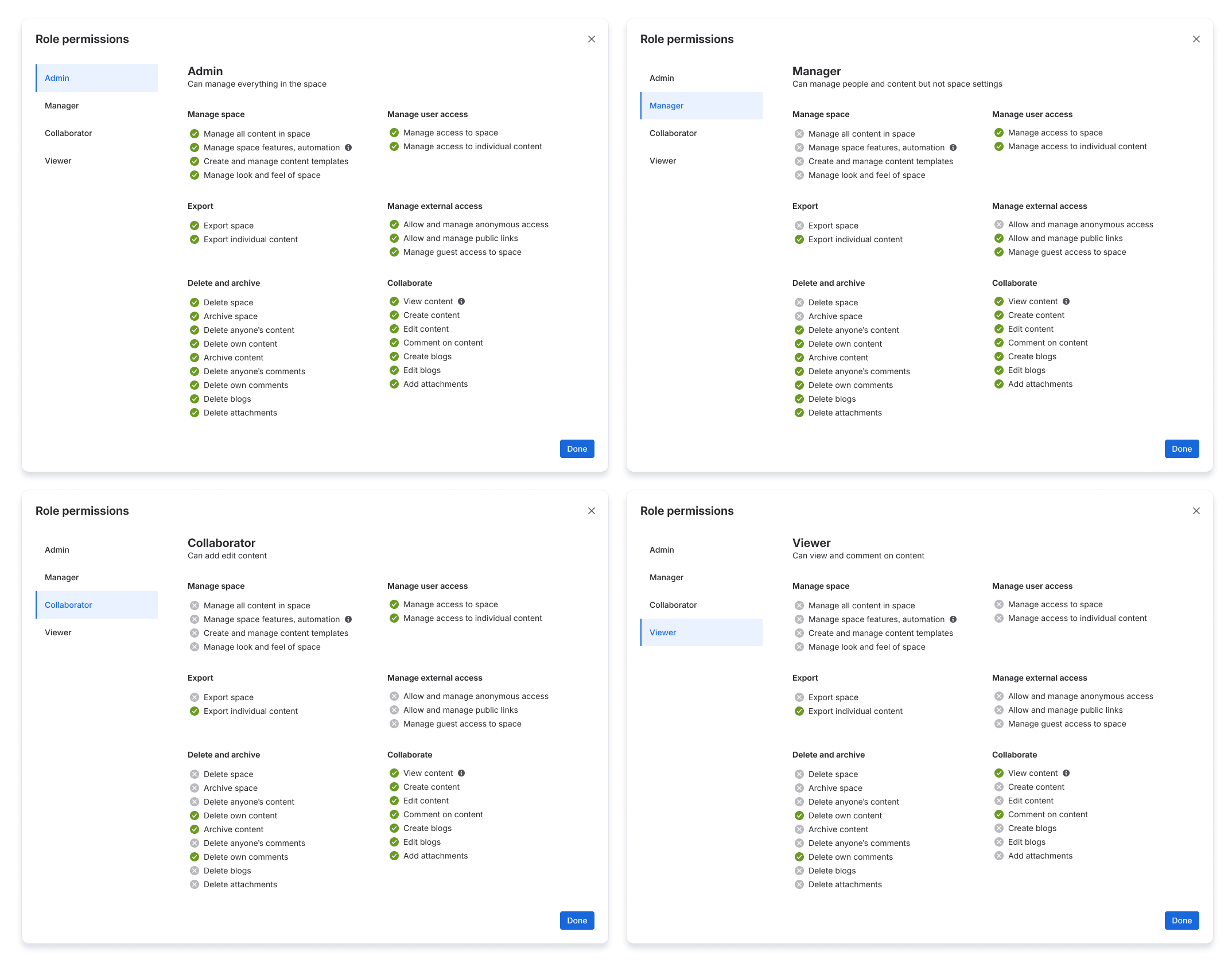
Every site ships with four default roles:
|
Role
|
What it's for
|
|---|
|
Admin
|
Full space control – manage access, content, and space settings
|
|
Manager
|
Manage people and content in a space, without full admin powers
|
|
Collaborator
|
Create, edit, and contribute to content
|
|
Viewer
|
View and comment on content
|
These four roles cover the vast majority of access patterns we see across all Confluence customers. No configuration needed – they just work.
Custom roles for unique needs
When defaults aren't enough, Confluence admins can create custom roles with exactly the permissions their organization requires. Define the name, description, and permissions for up to 10 custom roles to match internal workflows – like "Editor" (can edit but not create content) or "Content manager" (can manage content but not people).
We’ve taken the 14 permissions and broken them into even more specific, granular actions, giving you more control than ever when building custom roles without adding complexity to the day-to-day experience of assigning them.
 Disable default roles and configure system operations
For customers who need maximum control: product admins can now disable any default role they don't want available on their site and re-assign system operations (like space owner or guest access) to use a different role.
This means you're not locked into our out-of-the-box configuration. Your access model can be as tailored as your organization requires.
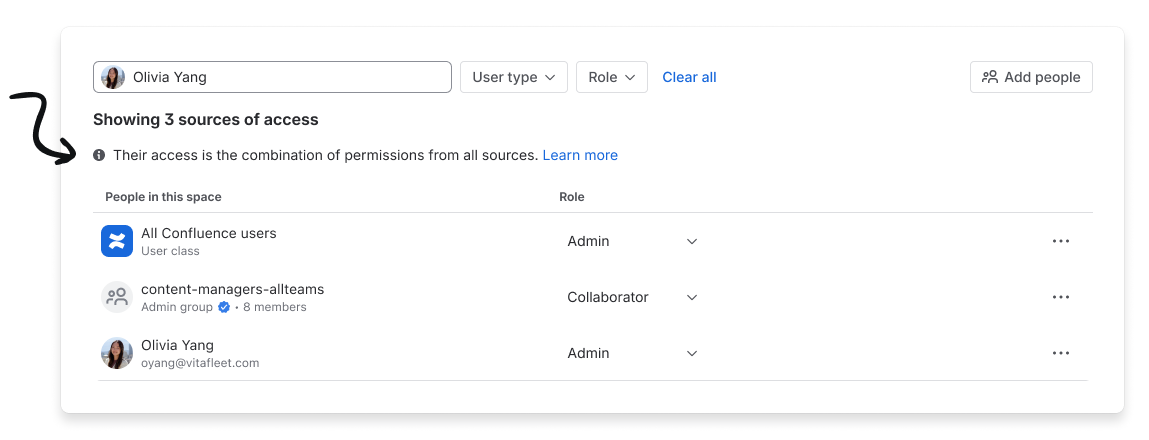
A single, searchable Users table
No more juggling separate tables for users, groups, and guests. All access is managed from one unified Users table that shows:
- Every user, group, app, and user class with access to a space
- Their role at a glance
- All sources of access when you search for an individual (individual, group membership, user class, etc.)
Removing access? You'll instantly see if someone still has access through other sources – so nothing slips through the cracks.
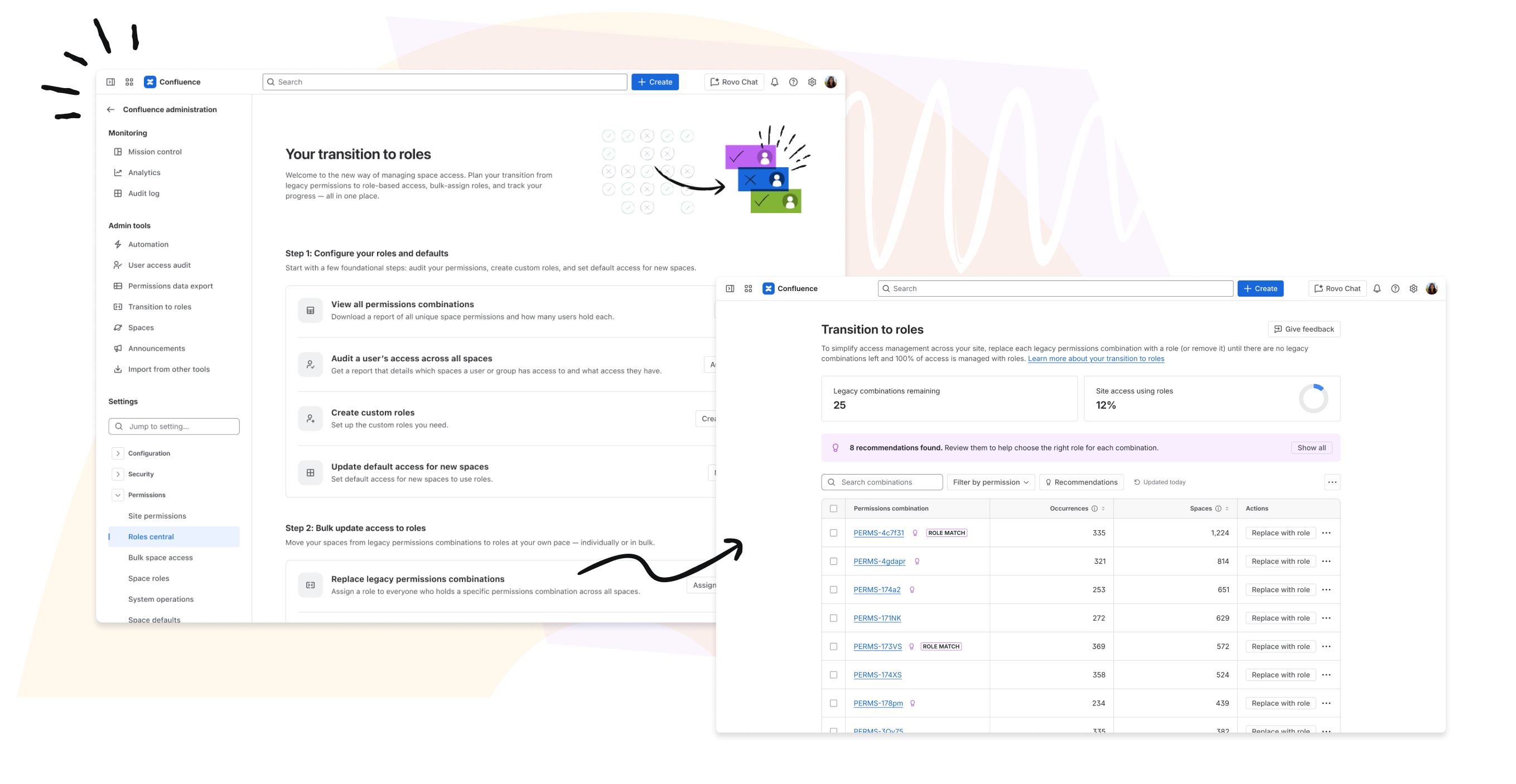
Transitioning to roles: built for scale
When roles roll out to your site, no one's access changes. Everyone's existing permissions are preserved and displayed as "Custom access" in the role selector. This gives you time and flexibility to transition on your own terms.
Tooling purpose-built for the transition
We heard from admins that a confident transition requires visibility, planning tools, and auditability. So we built:
- Roles central – a one-stop hub in Confluence admin to plan your transition, track progress across spaces, and understand what needs to be converted
- Permissions data exports – download a full picture of current permissions across your site so you can plan offline
- Bulk transition tooling – convert "Custom access" to roles at scale with intelligent role recommendations, full transparency into access changes, and an audit trail for every action
Our transition tooling has been validated at the scale of our largest customers and tested extensively with enterprise customers.
Timeline: what to expect and when
|
Milestone
|
Date
|
|---|
|
GA rollout begins
|
Gradual rollout, starting in early July, 2026
|
|
All Confluence Cloud customers have roles
|
By end of September, 2026
|
What customers are saying
Roles have been live with thousands of customers since Beta and across all new Confluence sites since November 2025. Here's what we're hearing:
"So much easier to use and understand!"
"It was an instant win once we switched from the old experience to using roles. 💪"
"User classes are a game-changer!
Get started
- Learn about roles – Review the default roles and create custom roles for any specific access needs your organization has.
- Explore your current permissions – Use roles central and permissions data exports (available in Confluence admin) to understand your starting point
- Plan your transition – Identify spaces to prioritize and align on your organization's role strategy
- Transition at scale – Use the bulk transition tool to convert access across your site
Explore all documentation on roles, custom roles, and transition tooling.
Questions?
- Provide feedback in-product – our team reads every single submission!
- Reach out through your support channels
We're incredibly proud to bring this experience to GA – it's the culmination of years of work, customer feedback, and deep collaboration. Roles are the future of access management in Confluence, and we can't wait to see how they simplify your admin experience.
Cheers,
The Confluence Permissions Team ✨


