We’re continuing to invest in surveys in Jira Service Management so teams can capture meaningful feedback from people across their organization and pair it with the operational metrics they already use to manage work.
Operational metrics show what happened, while surveys reveal how people experienced the service. Together, they help employee-facing teams understand both service performance and employee experience in one place.
Since launching native surveys, we’ve added new capabilities that make surveys easier to organize, more flexible to design, and more useful when it’s time to act on feedback.
What’s new
Organize surveys as you scale
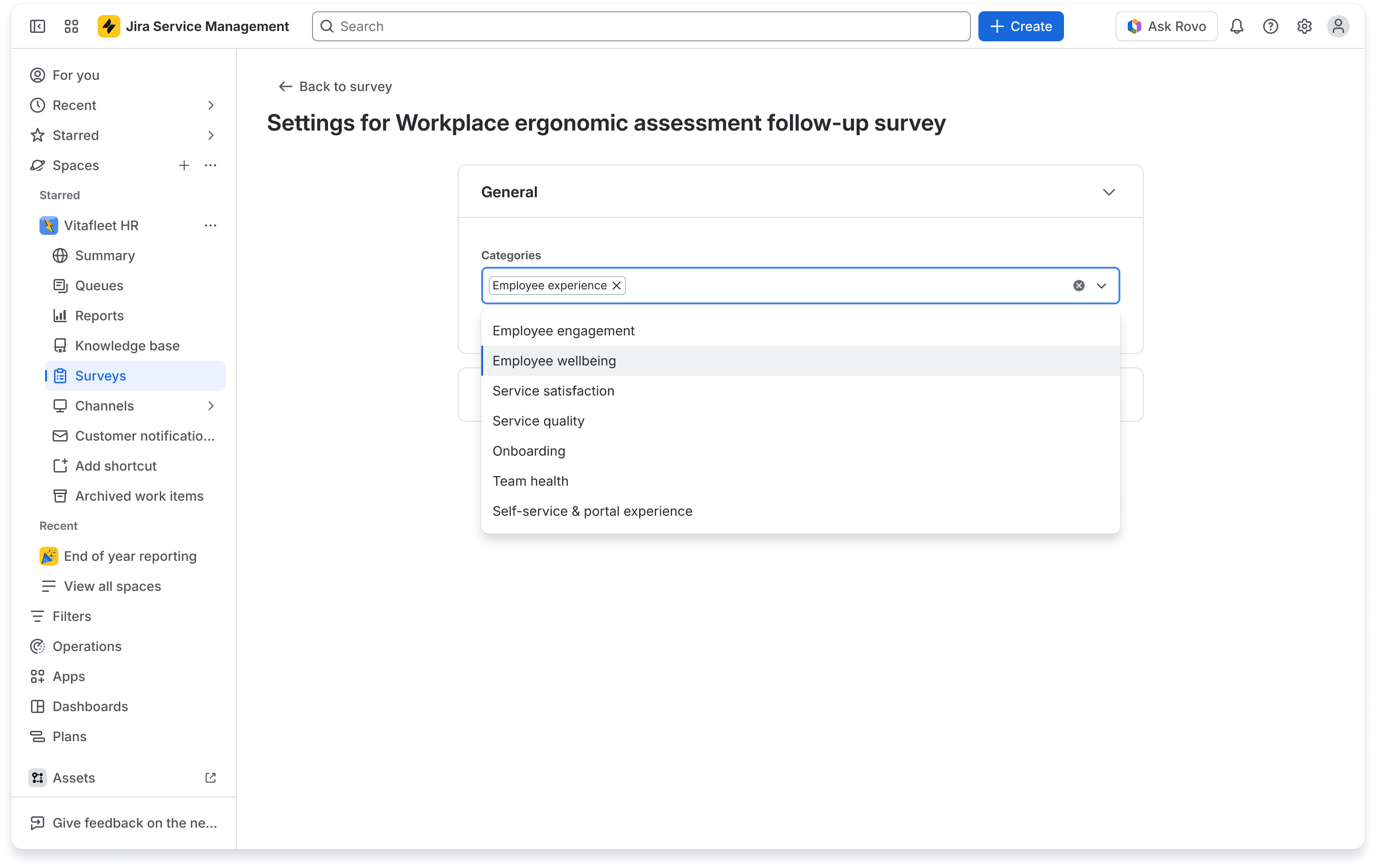
You can now categorize surveys by type, making it easier to keep survey programs organized as more teams and use cases adopt them. Use categories to group surveys for service follow-up, onboarding, offboarding, engagement, knowledge feedback, and other key moments.
Survey lists are also easier to browse with a scannable table view and category filters, so teams can quickly find the right survey in their service space.
Create richer questions with ratings and scales
Surveys now include Ratings and Scale question types, giving teams more ways to collect structured, measurable feedback.
-
Ratings questions let respondents select a star-based rating, such as 1 to 5 stars.
-
Scale questions let respondents choose from a labeled range, such as “Not likely” to “Very likely.”
-
Conditional section logic can use these responses to show or hide sections based on someone’s answer.
-
Response summaries show results with charts and tables for each question, helping teams analyze feedback faster.
Early Access: create surveys with Rovo
A live Early Access Program is now available for creating surveys with Rovo in Jira Service Management.
With Rovo, teams can describe the survey they want to create and quickly generate a ready-to-use draft with relevant questions, a logical flow and best-practice structure. Rovo can also tailor surveys using organizational context, while the no-code survey builder makes it easy for teams to refine, preview, and publish with confidence.
👉 Register now to join the Early Access Program and start creating surveys with Rovo.
How to get started
If you’re on a paid Jira Service Management Cloud plan:
-
Open a service project.
-
Look for Surveys in the space navigation, or enable it in Space settings under Features.
-
Create a new survey using a template or design your own.
-
Add Ratings or Scale questions from Add field, then configure options such as the number of stars or label ranges.
-
Use survey settings to choose categories and manage whether respondents can submit one or multiple responses.
-
Share surveys via link, email, chat, journeys, or automation rules at key moments.
-
Review results in the survey summary dashboard and use the insights alongside your operational metrics.
Our goal is to help teams move from collecting feedback to acting on it, in the same place where service work already happens. Share your examples and questions in the comments below.
Kind regards,
Gemma Aldrich
Product Manager, Jira Service Management


