Hello,
At the moment we are using the Components field in the JSM portal for users to select the application/s for which they are raising the ticket.
In the near future we want to replace the Components field with a Assets custom field named Affected Service - this field has been already created and added to the screens, and the ObjectType Applications & Products also is created in Assets, each object containing different attributes. The Affected Service field can accept multiple Objects.
Each Component in the JSM project has its corresponding Object, for example, Jira Component has Asset Object with attribute Application Name = Jira
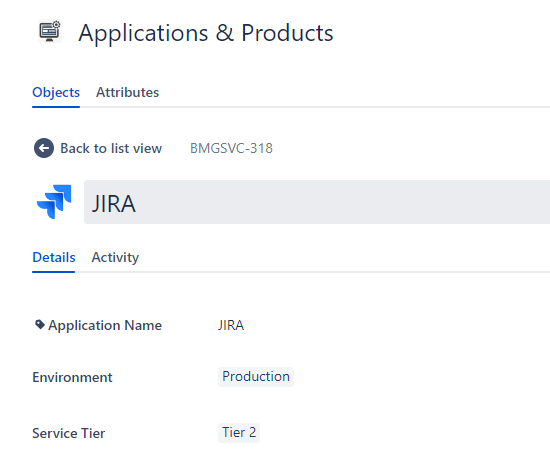
As we have many separate automations triggered by the Components field, we do not want to replace it straight away, but instead temporary we want to have both fields in the screens - Components to get user app selection from the portal, and additionally the Affected Service Asset field to provide additional info on the selected apps.
To have that, I need an automation that will work in this way:
- On issue created, for each selected Component in the JSM issue, check if in the Applications & Products there is an Object where the Application Name equals to the selected Component, and add that same Application Object to the Affected Service Asset field
I have created one automation, but it works only when a single Component is selected.
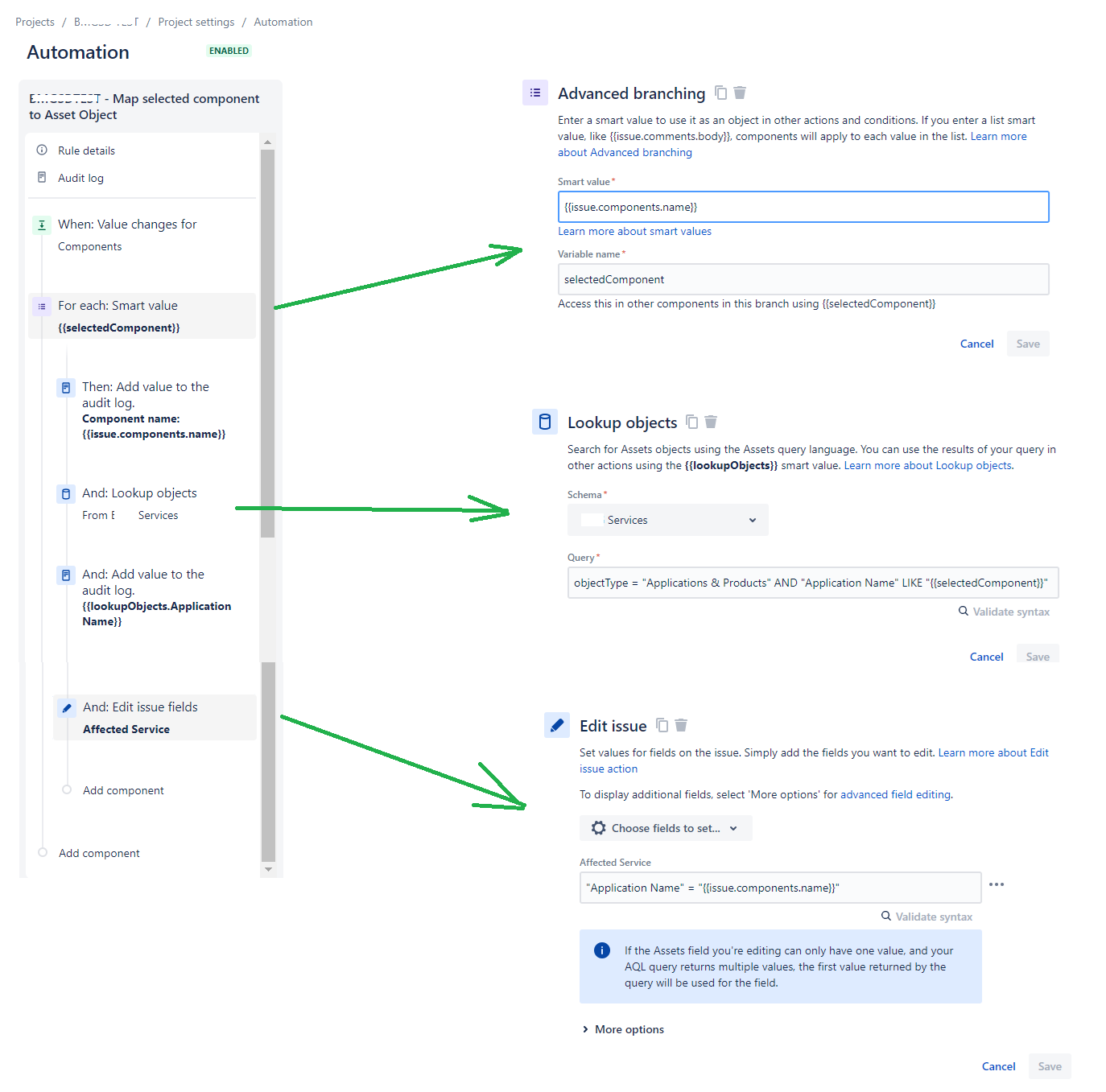
When there are multiple Components selected, an error is thrown:
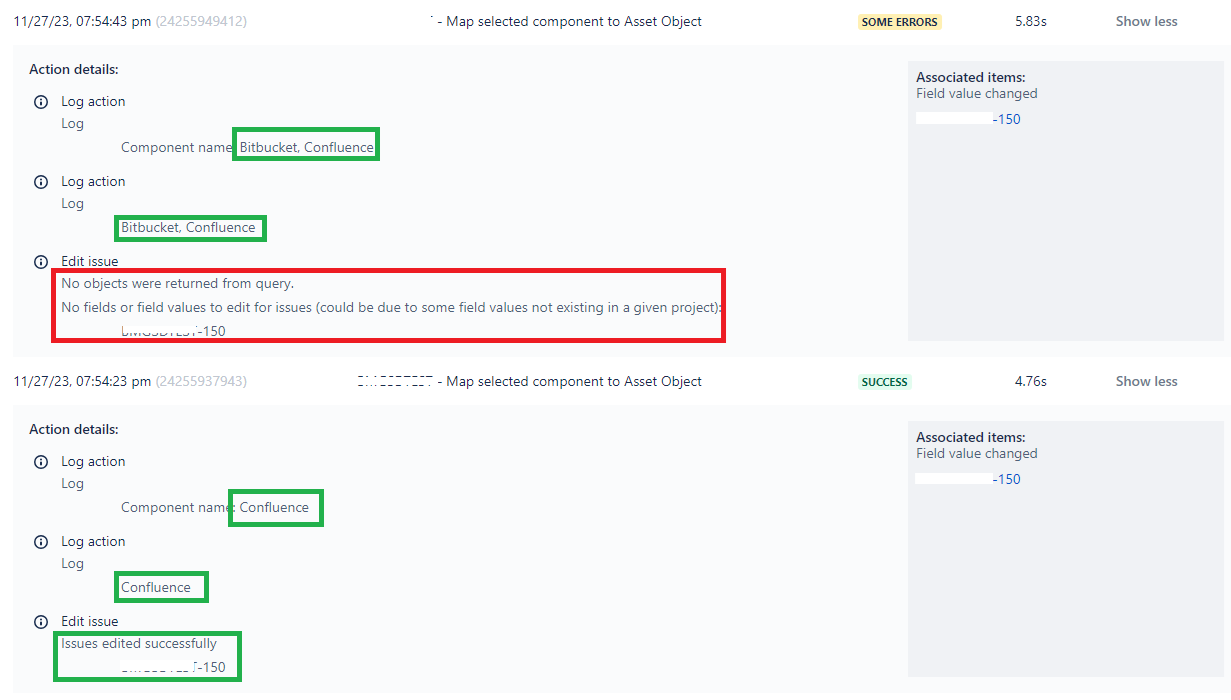
I am suspecting on two things: either I have not set properly the Components iteration, OR I need to use some Array reference when populating the Affected Service Asset field with multiple values. However, I am a bit stuck for some time.
Can anyone give some guidance or directions here - either how to fix this, or maybe suggest some alternative approach?
Thanks in advance.
Best,
Klime


