Attention! We're excited to share the news of a new onboarding process for our bestseller, Issue Templates for Jira Cloud. As a Jira Administrator, you can now engage in a step-by-step learning journey to make the most of the app's potential 🚀.
Don't have Jira Admin privileges? We've got a solution for you too!
In our commitment to inclusivity, we're publishing the onboarding process gradually on the Atlassian Community.
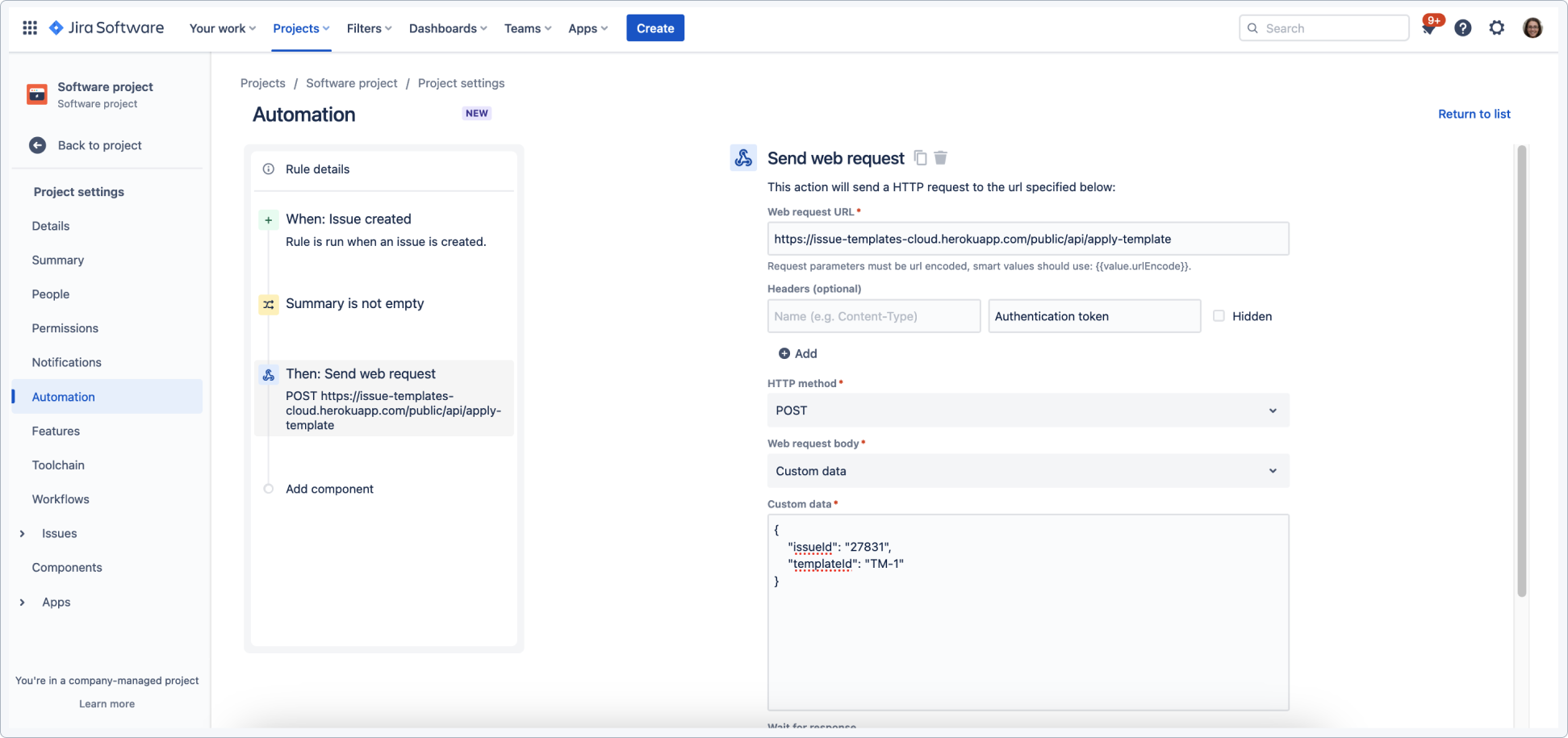
With Issue Templates for Jira you're not limited to using a template with Jira only. You can also use external software to trigger different events in Jira and apply a template immediately.
With this feature, you can:
- Connect this function with any external tool to automatically create an issue and apply a template with received data.
- Use templates from Jira Automation and apply them to an issue at any moment on any action in an automation.
- Synchronize it with Requirements and Test Management for Jira , so when a user creates an issue with a specific status a selected template can be applied and values filled.
- Configure an incoming webhook that will create a new issue from a template in automation.
- Update an issue by applying a new template and copying sub-tasks.
Are you curious about other Issue Templates possibilities? Check out what we have prepared in the new onboarding for Issue Templates for Jira ✨:
Initial Setup in Issue Templates for Jira app
How to use templates in Issue Templates for Jira app
Automation in Issue Templates for Jira app
Calculated Values in Issue Templates for Jira app
![Photo of Katarzyna Kornaga [Deviniti]](https://avatar-management--avatars.us-west-2.prod.public.atl-paas.net/5cab0787bb353819f2b61677/9caf1a28-4b9d-46a5-9a54-f3592f75812b/128)
