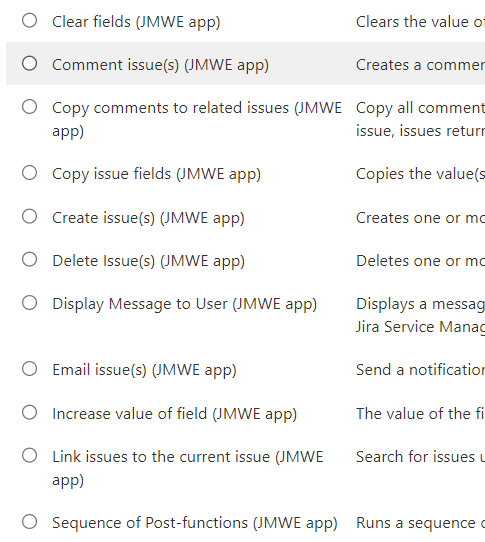
JMWE also has some more extensive abilities. You also have the functionality to run shared actions. Using this post function allows you to reuse the same setup over multiple transitions within a workflow or multiple workflows, all while having a single item to maintain. This can greatly reduce the time it takes to make updates and can make every admin happier.
JMWE also has the ability to come away from workflows slightly and trigger their post functions based on events or just have them run on schedules. While configuring those, you have the same options available to you when creating post functions on your workflows.
What can you not do?
As mentioned above, only JMWE can use variables extensively through its automations and even come away from workflows, but even while having the ability to step away from workflows, its event based triggers are slightly more limited compared to the native counterpart.
So why would you use an app?
The JMWE send email post function is better in my option for flexibility in design and ability to incorporate a single issues custom field data.
Outside of specific functionality, personally, I have always love having the separation from automations that happen on because of X movements on a workflow etc. It is a pre determined action with pre determined outcomes. Like transitioning a ticket to the done status and having the issue get a resolution. It makes no sense for you to make a different automation rule for this. Its clean to have that automation run from the workflow with an app.
I have also found over the years that it creates a smoother maintenance and break fix support journey. when something does go wrong, you don’t have to remember items on workflow then switch to a native automation rule, it’s all in one place.
Tech debt vote
Tech debt level - 2/5
SCRIPTS
Finally we have scripting. While scripting can offer sometimes the most functionality, and unfortunately sometimes the only way to get those very specific use cases dealt with, it does come with the most technical debt.
With scripting, you have the most flexibility in terms of how you want to work. You can work with pretty much any system you so wish to, as well as any code language you choose. Just connect to the APIs and you’re off. However to avoid opening that can of worms and having every developer on my ass for bashing their favourite language, for the purpose of this blog, I’m going to keep to the marketplace app scripting options.
If you need to script you basically have two options - Adaptavist’s Scriptrunner or Appfire’s Powerscripts. They can both achieve the same outcomes, but are written in different languages, which again have the own benefits.
Scriptrunner uses Groovy as its code language while Powerscripts uses SIL (Simple Issue Language), a dedicated language to the app and the Atlassian ecosystem.
what can you do?
what can you not do? When it comes to scripting you kind of have the ability to do almost anything you want, including mass archiving or projects, creating configuration or even working with external systems. If you want the ability to do those more complicated matters, this is probably where you will be.
However, like all systems, there are cons and unfortunately, scripting probably has the most.
-
Both apps limit who has the ability to manage the scripts, meaning, yes it is down to you admins and you admins alone.
-
You also have to know the coding language. While some are easier to pick up then others, this still increases the technical debt as it increases risk.
-
Neither is native functionality. Atlassian does not have a native scripting engine, meaning you again, have to rely on third party apps to help out. Now these two apps are not really going anywhere and they are well supported by the vendors, but it is still an additional thing and is an additional cost which needs to be factored in.
-
Can cause the most damage. Before you come at me, I am well aware, any automation can cause damage. Scripting though, can cause the most since you can pretty much do anything you want.
While I personally believe that PowerScripts is the easier of the two to pick up and can provide all of the same functionality you would get with Scriptrunner, check out this article from a solution partner that ran a feature comparison.
Tech debt vote
Tech debt level - 4/5
HOW BEST TO BUILD AUTOMATION
So now we have been through our three options for automation, how do we make sure we build automations using best practice to shape them? There are some fundamental elements I think are key to building automations.
BUILDING WITH SCALE IN MIND
Think about how your rule will scale. As your company grows, your rules may need to be reused or change. When creating the rule, use elements that allow it to be easily adaptable and grow as the business changes.
REDUCE TECH DEBT WHEREVER POSSIBLE
Proactively scan your environment to see wherever tech debt can be reduced. You will often find that some of your previously made rules were probably made can be updated for new actions making the rule smarter and more efficient.
DOCUMENT YOUR AUTOMATION
We will not always be at the same place where we make our automation rules, so we need to document them. A leading cause of automation failure is due to adopted and undocumented rules that your engineers have to learn before fixing. Documenting how they work and what they do will speed up resolution times.
LOW/NO CODE PLATFORMS
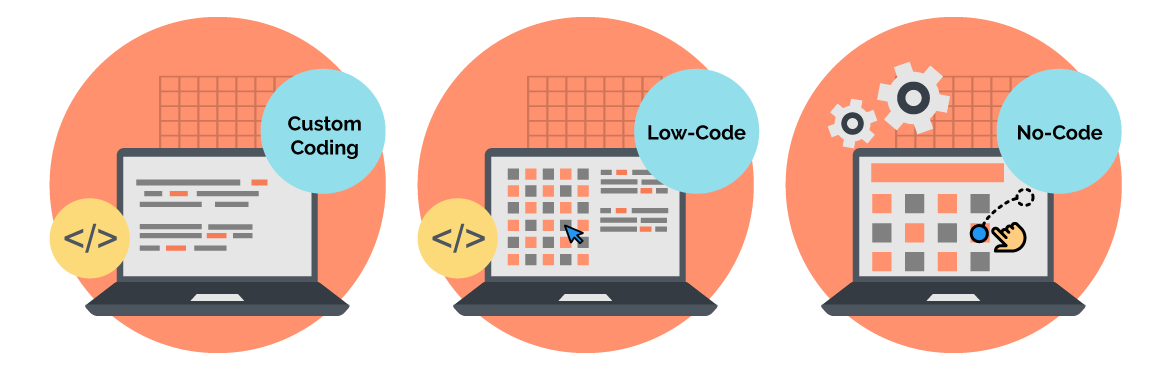
Low code / No code automation engines are becoming ever more prevalent. GARTNER projected that in 2021, no code automation brought a 23% increase in productivity. A great way to reduce technical debt and build your automations to the best of your ability is to move what you can to Low code / No code engines.
WHEN DOES IT BECOME TOO MUCH?
when you can no longer sustainably look after it. Tech debt is too high. Some of you may have seen the “is the jar full” story on social media, with the ping pong balls, pebbles, sand & water. If you fill your jar with large complex items, you limit the availability and resource to manage smaller and easier things. If you now imagine your Atlassian environment as that glass jar. Every action you do has a cost. Some will be so minute that it won’t matter. Some will be simple changes to update already previously spent actions. But your jar is only so big and with every action does come responsibility to maintain it for the future. The more complexity you build, the harder things can become to maintain and the more of your jar is filled. You only have so much of a finite resource to look after your ecosystem.
SUMMARISE
I wanted to write this not to put people off automation. Far from it!! I want to impress how great automation is, but just how quickly automations can get out of hand if handled incorrectly. Depending on the requirements of the automation, select the most appropriate path (lowest possible path) and go. Start by writing it on paper to help get the structure in your head if you need to.
When it comes to handling other automations, proactively scan your environments, and always develop with scale in mind. You do that, you’ll be just fine.