Summary
Overall, to perform the action of populating a custom field with the reporter's group is usually using a bunch of "if/else" conditions to first catch who the reporter is and then filter what group the reporter belongs to; it can be exhausting to add new components every time a group is created, and this may become impracticable if you have hundreds (or thousands) of groups - there's no scalability here and lots of manual work. Based on this, I'm presenting a simple way to solve this without having so many conditions using automation and a web request.
Suggestion
Overall, it'll look like this:
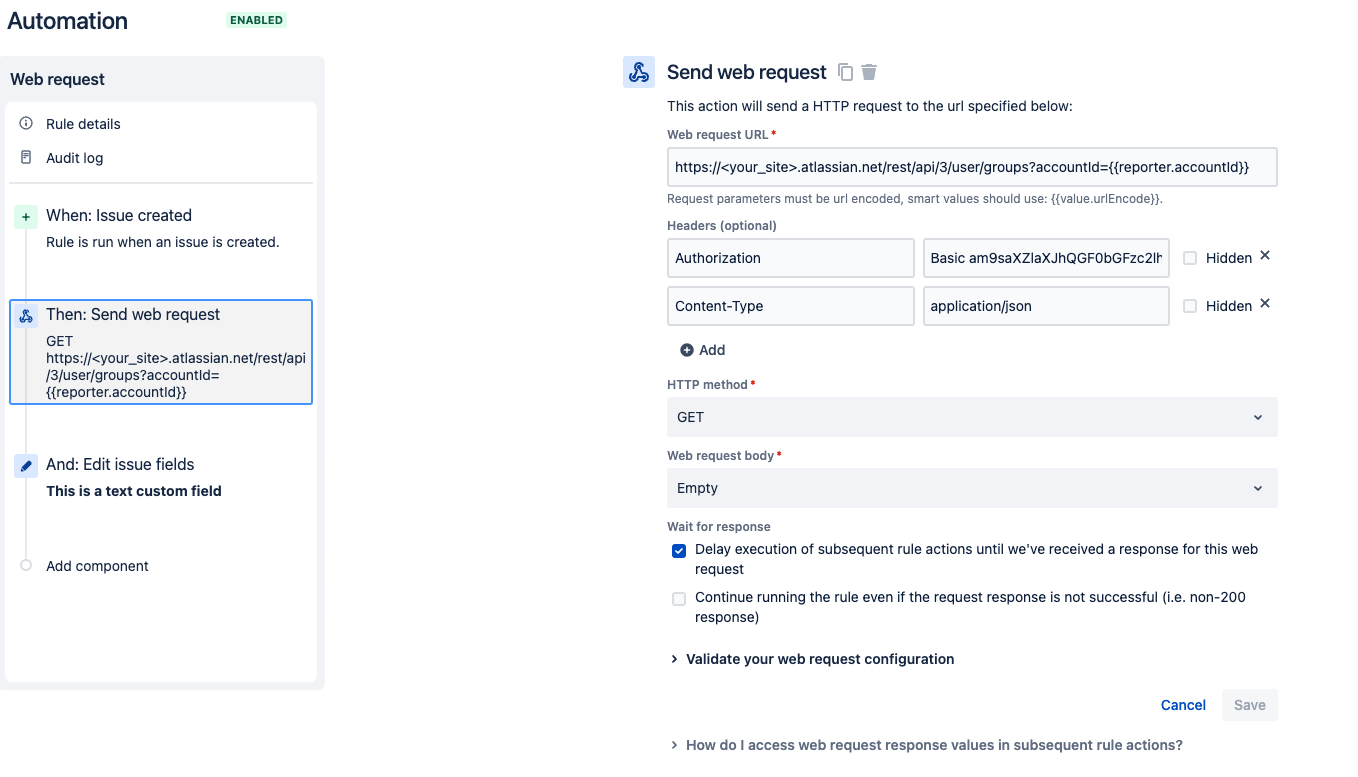
1 - Set up when the rule is triggered using any of the automation triggers available.
2 - Then, send a web request to the endpoint below:
https://<YOUR_SITE>.atlassian.net/rest/api/3/user/groups?accountId={{reporter.accountId}}
With the headers:
For Linux/Unix/MacOS use:
echo -n YOUR_EMAIL@example.com:<API_TOKEN_HERE> | base64
Windows 7 and later, using Microsoft Powershell:
$Text = ‘YOUR_EMAIL@example.com:<API_TOKEN_HERE>’
$Bytes = [System.Text.Encoding]::UTF8.GetBytes($Text)
$EncodedText = [Convert]::ToBase64String($Bytes)
$EncodedText
 You just need to run the commands above in the respective terminal of your operating system.
Also, don't forget to add the "Basic" and then the encoded token.
- The content type it'll be just exactly as in the screenshot: Content-Type application/json
- The HTTP method is GET because the rull will just read the results, and the Web request body is Empty
- It's important to set the option "Delay execution of subsequent rule actions until we've received a response for this web request" marked too
3 - After the web request, you need to add an action of 'Edit fields,' select the field that it'll be populated, and set the smart value as:
{{webhookResponse.body.name}}
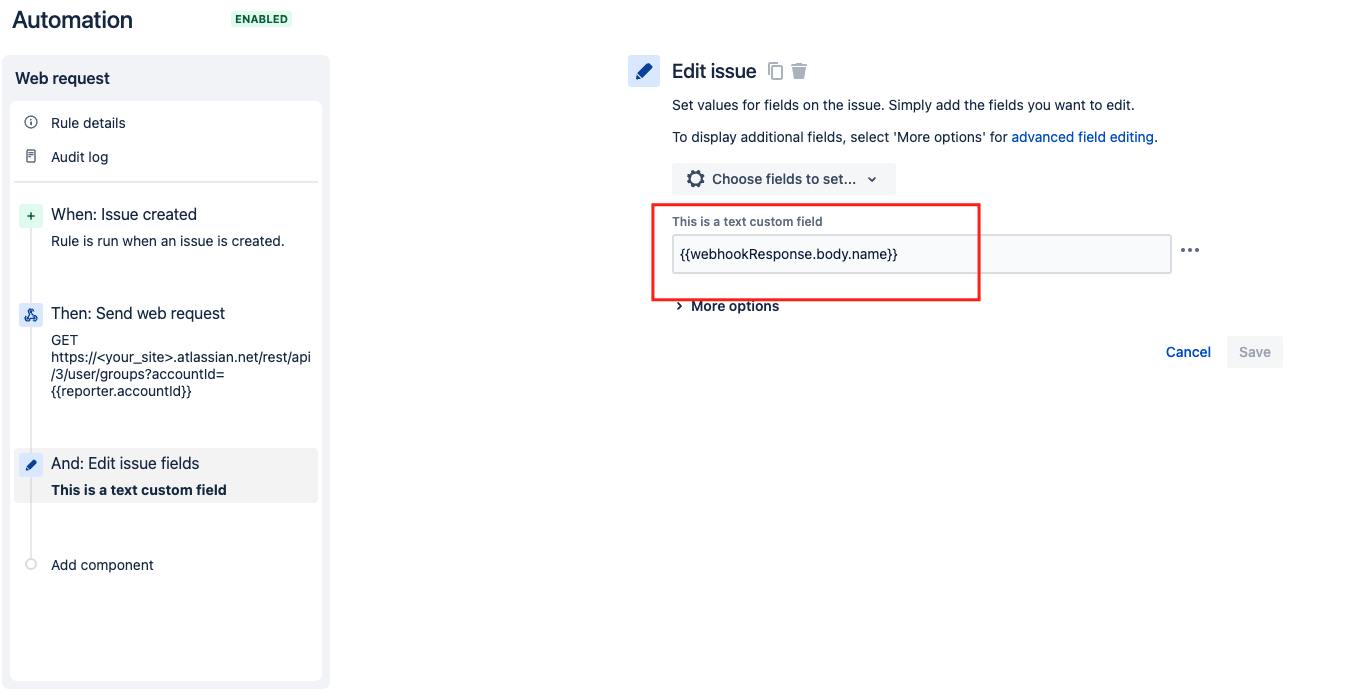
It's done! 
It may seem a bit complicated to set, but you won't need all of the conditions, and you also gain the scalability to create new groups without adding a component.


