Apologies for the large post, but I'm in a web of automation. We are starting to create automation to create and act on issues between various projects. I will try to follow this per the workflow and include pictures of the rules as they are. Bolded steps are the steps that are not working correctly.
- Employee submits a Facilities project form for some equipment they want/need ordered.
- Agent decides request needs approval and moves it to the appropriate status.
- Request gets Finance approval and the Facilities issue is transitioned to "Approved" status.
- Automation triggers to perform the following actions:
- Create a task issue in the Finance project.
- Set specific fields
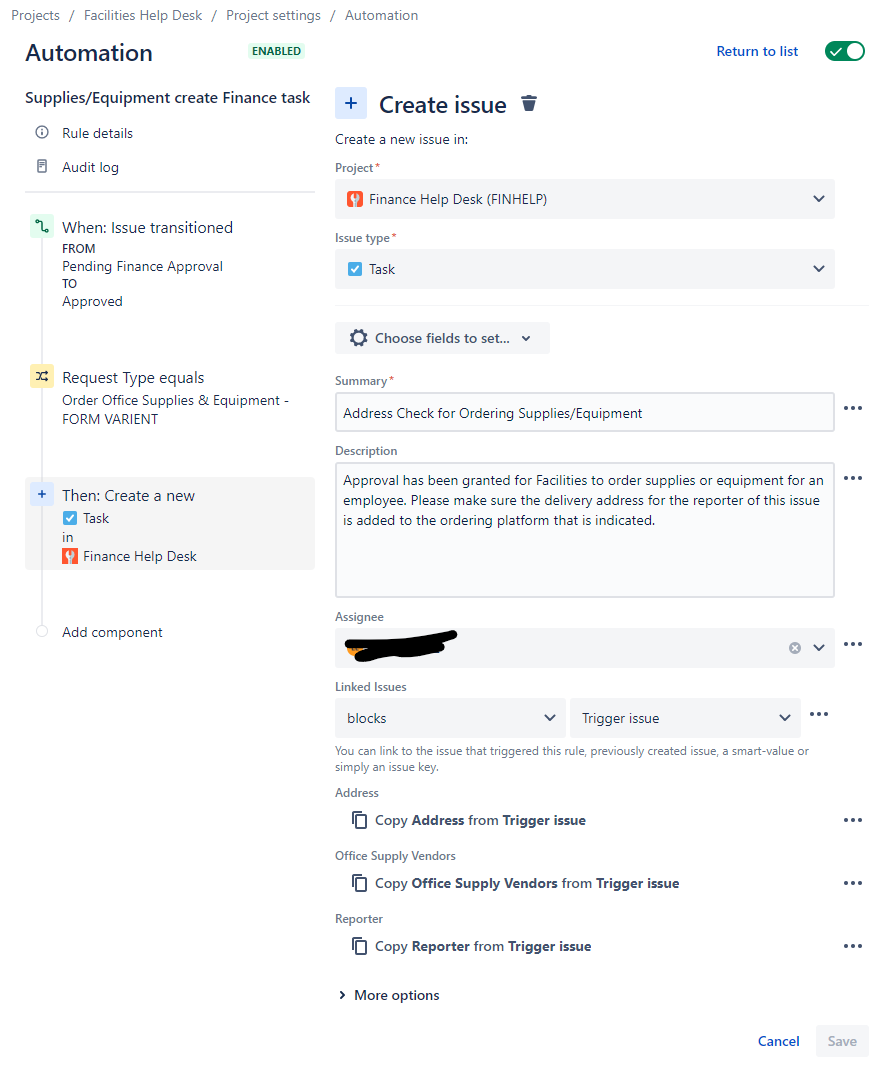
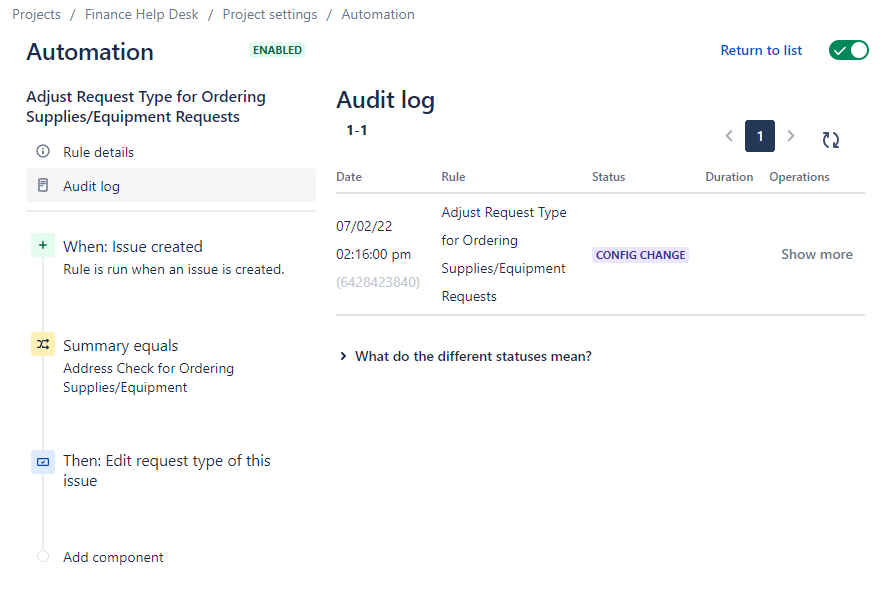
- Automation triggers to adjust the newly created Finance issue.
- Finance works their issue and marks it as Done
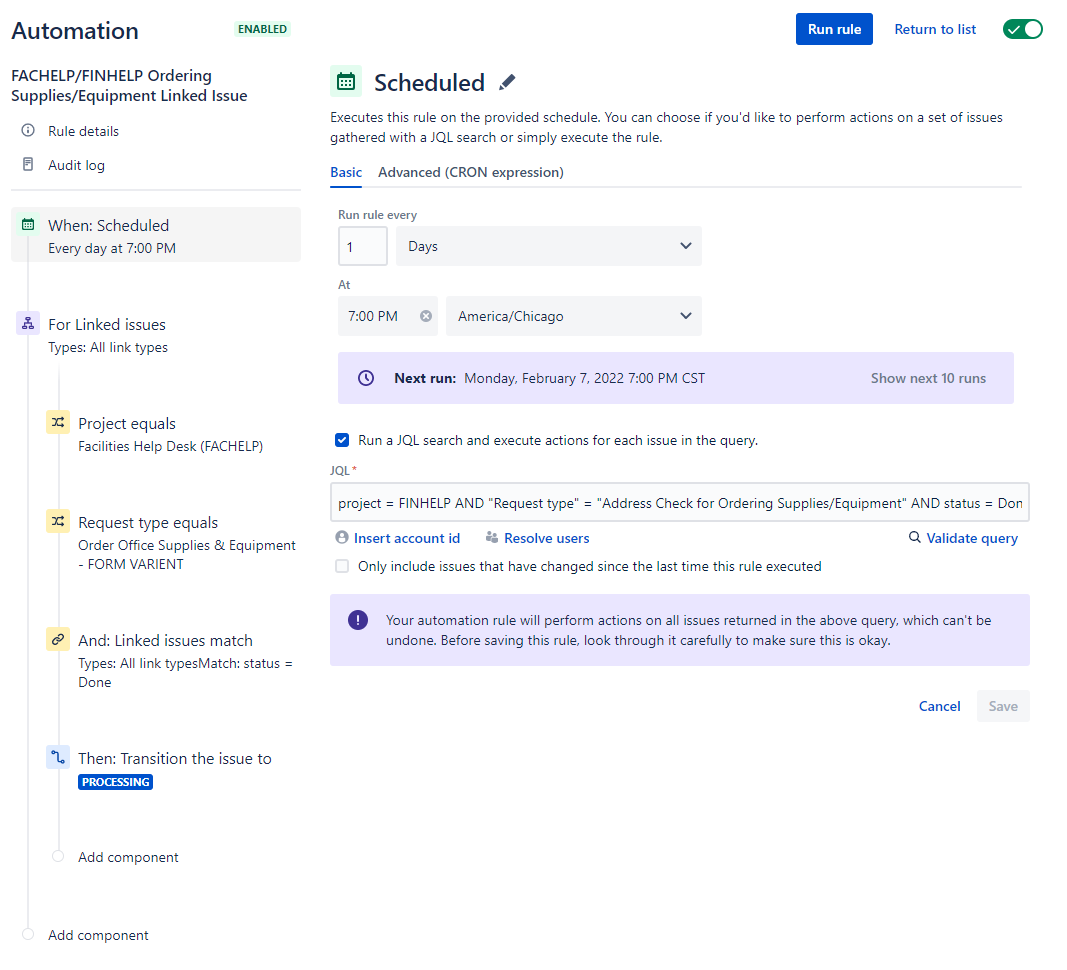
- Global Automation triggers once a day to perform the following actions:
- Check Facilities issues for their subtasks. If the subtasks are Done, transition the issue to the next status.
Step 4 Details:
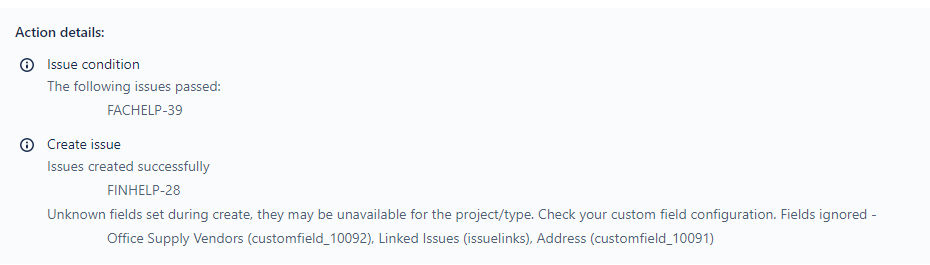
After reading a few other community questions and checking the available automation options. I found the options to create issues in other projects. The automation creates the issue, but some of the fields are not working.
I checked the field configuration that the Finance project issues use and confirmed the custom fields that failed are in that field configuration. So not sure what else might need to be done on that. The fact that just linking the issues isn't working properly is also discerning.
Step 5 Details:
After the Facilities automation creates the Finance issue, we have automation in the Finance Project to adjust the request type on the task to the request type we prepped for it. But it looks like the trigger of issue create isn't working. I'm guessing an issue created from other automation doesn't trigger the "issue created" trigger? Which now that I'm typing this, I guess makes sense to prevent automation loops? If that is the case, can we adjust the request type of that issue in the previous automation or should we use a different trigger?
Step 7 Details:
After reading This Post , I see that we have to make this global automation. We decided to set it to a daily check to keep our runs below limit. I manually ran the rule a few times and no matter what I change, it isn't finding an issue to transition. I have the rule set to both the Finance and Facilities projects.
The thought was that it would run a daily check on Facilities issues of a specific request type and if it has a linked issue that's completed, move the issue to the next status.
This was so that our facilities agents can just watch for the status change and know it's ready for them to work as the other issue has been completed.
Thank you for any responses and thoughts on this.

