Hello Community,
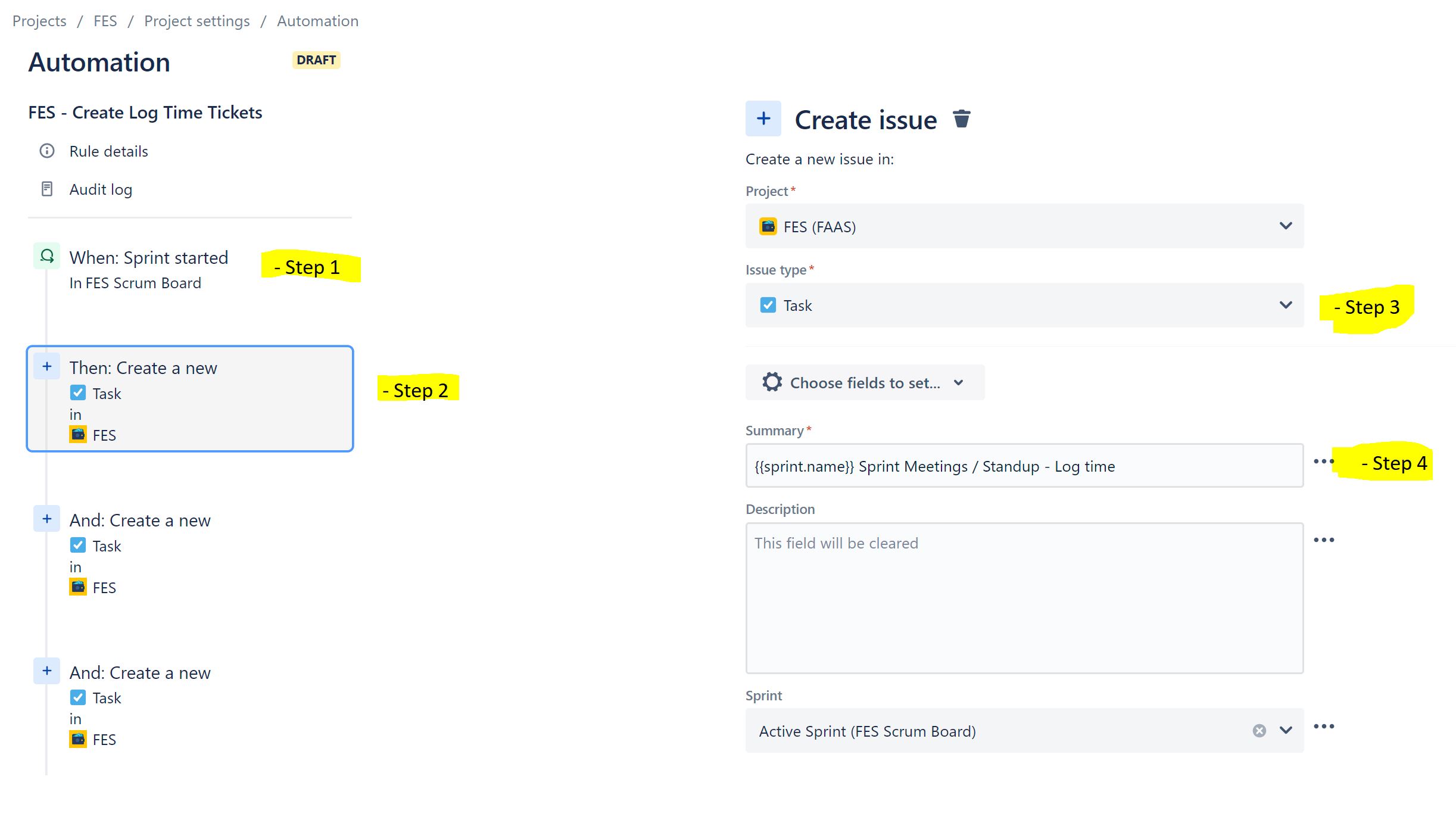
I created an automation rule triggered by the event "When Sprint is started", to create some mandatory tasks that should go in that sprint.
I managed to create the ticket and label the Summary field with the Sprint name using the field value, for example: {{sprint.name}} Sprint Meetings / Standup - Log time. Also, the second field that I need to be populated is Sprint, using the same name, and it works, as I set the field to use the value of the Active Sprint.
(See Image 1 below).
When I start the sprint and the automation runs, the tickets are created with the summary fetching the value of sprint name and everything works fine. The ticket
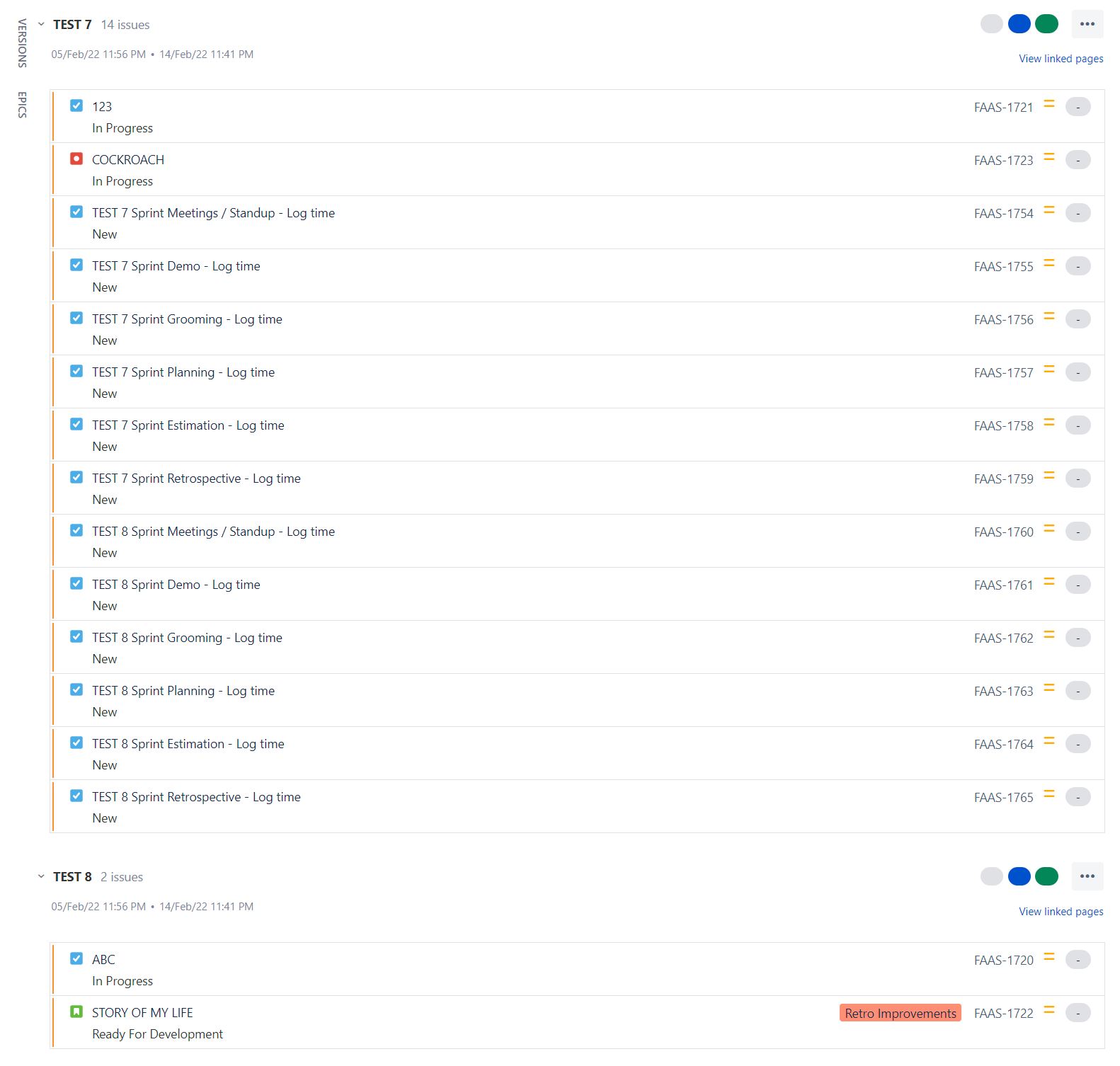
The problem starts when I start a parallel sprint on the same project (with a different name, of course). The Automation creates the tasks as it should be (great!), the summary takes the name of this second sprint (great!), however, the tickets are placed in the previously started sprint, and not in the second sprint that I started.
(See Image 2 below).
I believe that instead of choosing to change the field "Sprint" copying the value of the Active Sprint, I should use some JSON code on the "more options" section, so the tickets created by automation for the SECOND sprint have, in the field "Sprint", the value (name) of the second sprint, therefore being placed in the right sprint.
I have tried something like:
{
"fields": {
"sprint": { "id": "{{sprint.name}}" }
}
}But then Automation fails and I get the error:
Error creating issue
Number value expected as the Sprint id., The Sprint (id) must be a number (customfield_10007)
So the question is: How do I make automation "understand" that either there are 2 parallel sprints and I should map tickets from Sprint A to Sprint A, and tickets from Sprint B to Sprint B - OR - how can I write the JSON code in order to create the ticket and set the value of field Sprint to the same value as {{sprint.name}} ?
Thank you in advance for the support and help!
Best,
Mauricio
PS: I have read many many articles already, including the ones below, that look very similar to the problem that I am having, but they did not quite help with what I need.
- https://community.atlassian.com/t5/Jira-Service-Management/Can-we-add-a-specific-Sprint-to-Automation/qaq-p/1867159
- https://community.atlassian.com/t5/Jira-Software-questions/Automation-setting-incorrect-sprint-with-parallel-sprints/qaq-p/1491305
- https://community.atlassian.com/t5/Jira-questions/JIRA-Automation-Set-Active-Sprint/qaq-p/1373729


