Seeing dupicate tickets in JSM from email replies all over the community (here, here, here, here, ..) I decided to write an actionable article to get this fixed quickly.
Problem 😨
Summary
You have received an email from a customer (or they used your service portal).
A different person replies to the ticket emails (or the customer uses a different e-mail address).
Instead of commenting on the existing ticket, a new ticket was created.
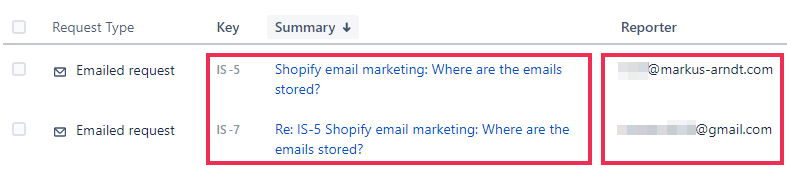
Details
Jira ingests emails in five stages, during which problems like a duplicate ticket from an email can occur:
Jira will not recognize emails from another email address as valid comments, since ..
.. the email address differs from that of the original customer ( => different customer ) and
.. no one other than the original customer is allowed to see or interact with the original customer's tickets (without further setup)
Will this work for you? 🤔
Solution 💪
1. Create an Organization for all customers that belong together
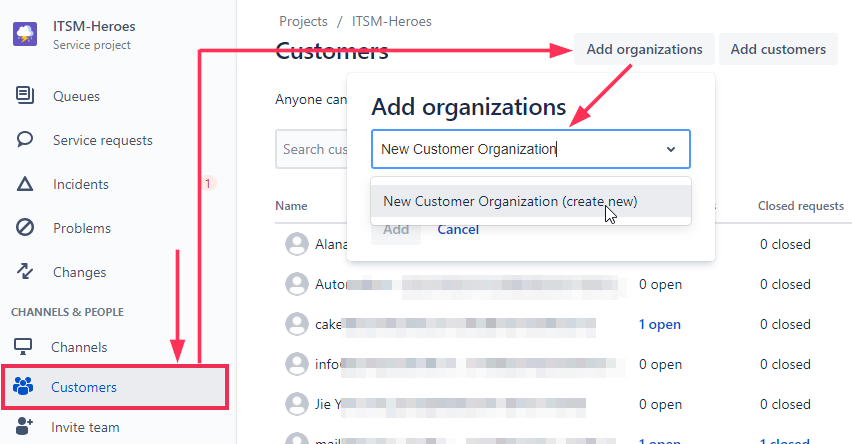
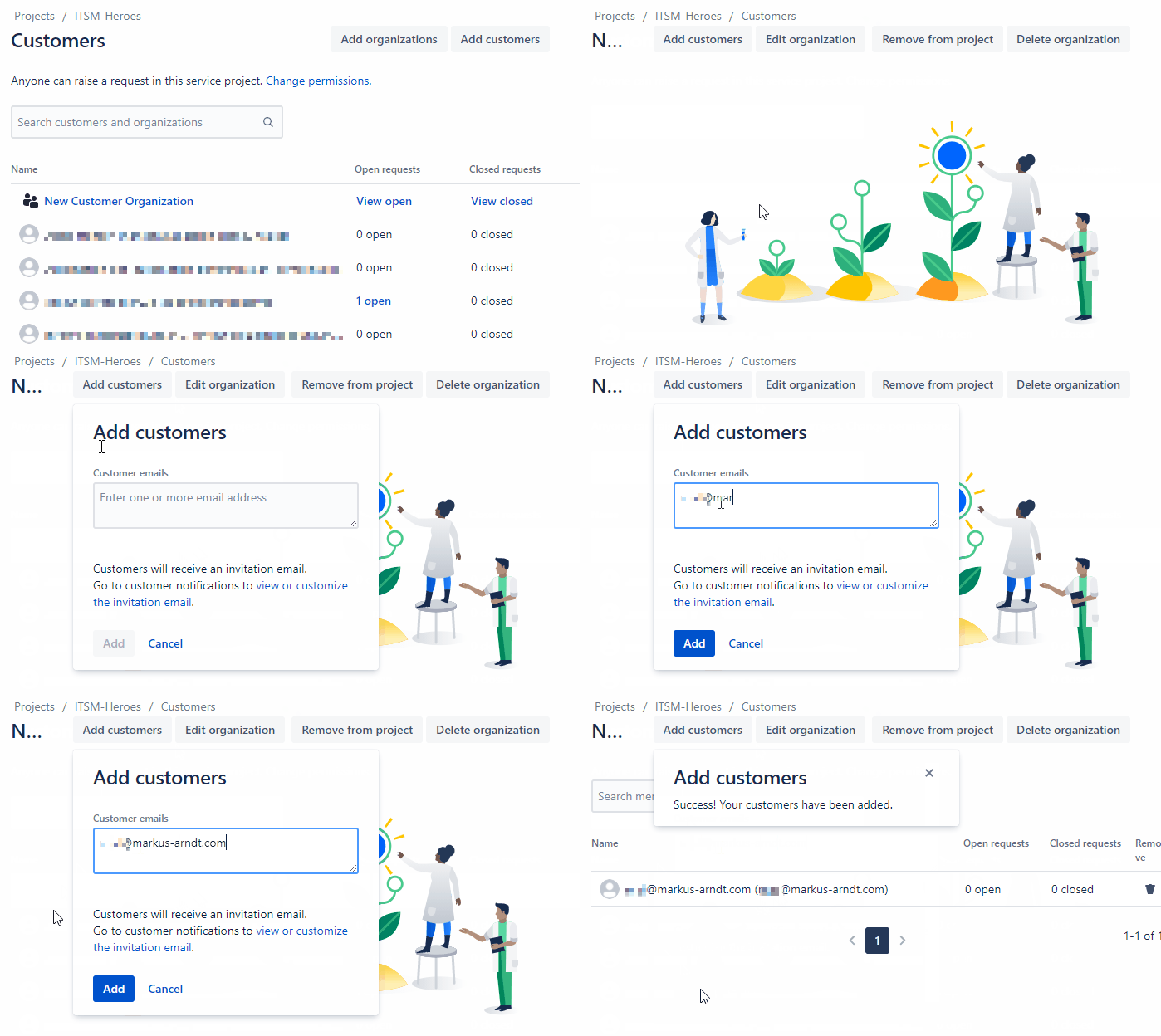
2. Add all customers to that Organization
Add all email addresses of the customers who are part of that organization. By doing this, they will be moved from 'general customers' to 'customers specific to that organization'.
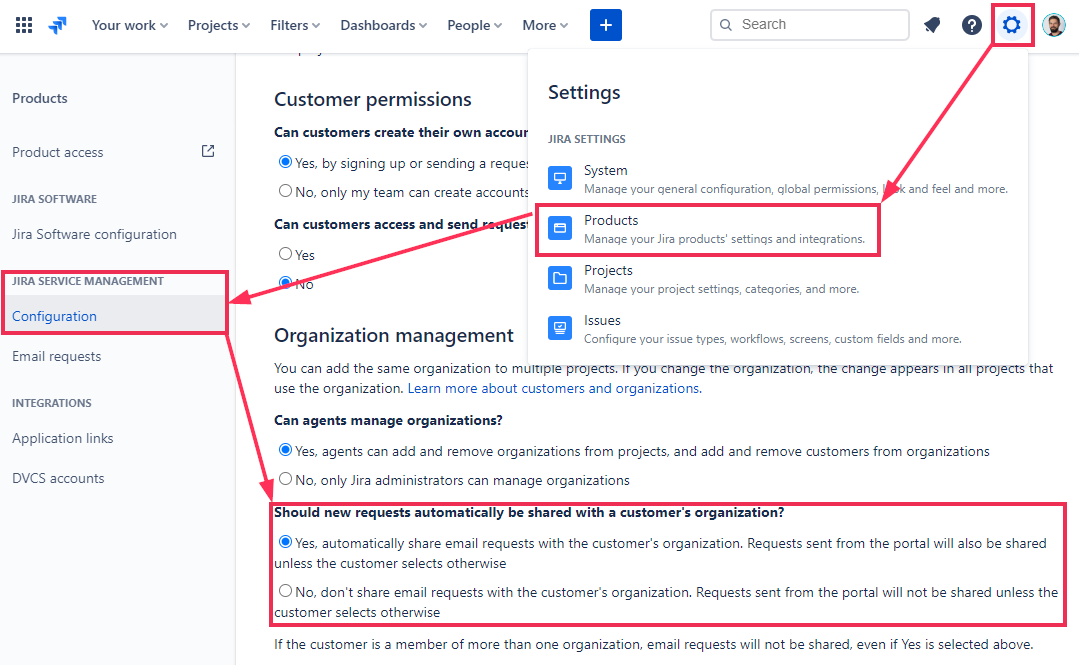
3. Organization Settings
Your JIRA admin must ensure the global setting 'Request Sharing' is enabled for your organization:
Global settings (check under this URL):
https://<YOUR_INSTANCE>.atlassian.net/secure/admin/SDConfiguration.jspa
Project settings (just fyi, no check needed):
https://<YOUR_INSTANCE>.atlassian.net/jira/servicedesk/projects/<YOURPROJECT>/settings/customer-permissions
4. Fixed!
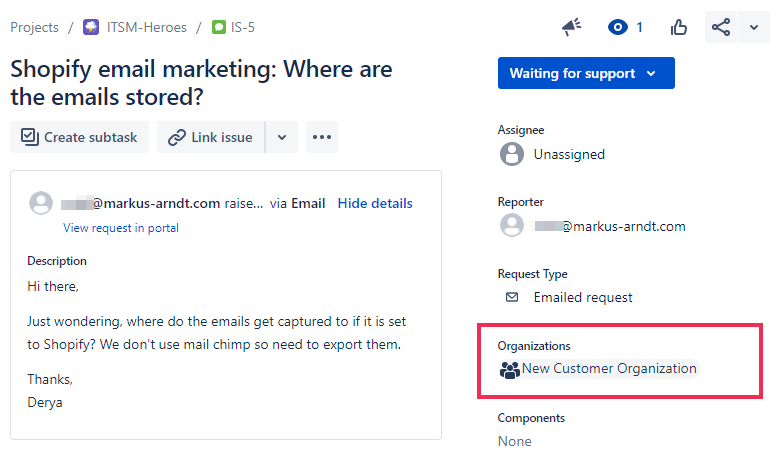
New issues created by organization-registered email addresses will now be tagged as such in a dedicated field. Other email addresses registered with the same Organization are now allowed to comment under these issues.
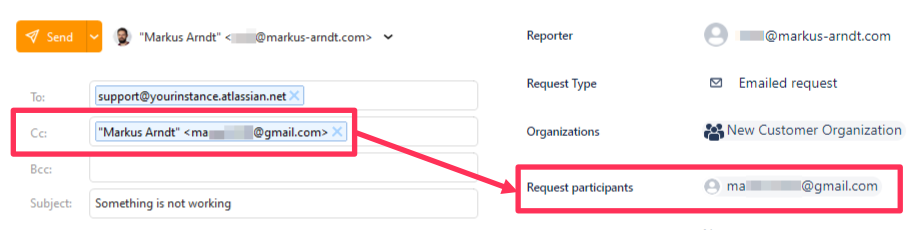
Additionally, if an email has other organization members on CC these are added as request participants, so they will receive notifications regarding that ticket. This does however not apply to people on CC, which are not part of the ticket's organization.
5. Update old tickets if needed
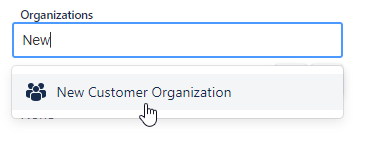
Responding to existing tickets (before Organizations were set up) will however still create a new ticket and not a comment. In order to fix this, you will need to assign them to Organizations in the issue sidebar manually.
You've crossed the finishing line 🏆🥳
Hope this small article helped fix your emailing problem. I'd love to hear if yes or no and also if any particular step caused trouble or can be improved. 🙂
Still doesn’t work for you? 😩
In case this Quickfix did NOT work out, feel free to take a look at Duplicate AI (our app on the marketplace).
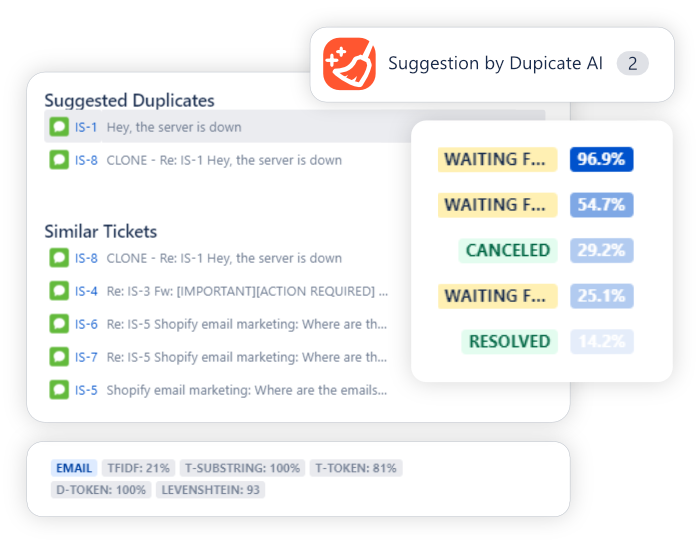
It’s an all in one tool all around duplicate issues: automatically find duplicates / similar tickets & merge issues with a few clicks.
– Cheers, Markus / Secretbakery.io


