Hello,
I am getting started with plugin development for Jira Cloud (Jira Software). I have followed closely the steps described in the following tutorial: Getting started (atlassian.com)
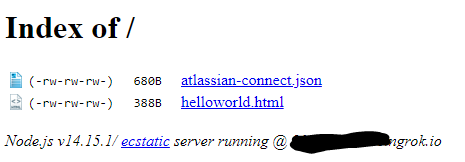
I have made my files available from the web using ngrok, see below picture.
Here is the content of the atlassian-connect.json file:
{
     "name": "Hello World",
     "description": "Atlassian Connect app",
     "key": "test.emixis.plugin.jira",
     "baseUrl": "https://<hiddenurl>.ngrok.io",
     "vendor": {
         "name": "Emixis SA",
         "url": "http://emixis.com"
     },
     "authentication": {
         "type": "none"
     },
     "apiVersion": 1,
     "modules": {
         "generalPages": [
             {
                 "url": "/helloworld.html",
                 "key": "hello-world",
                 "location": "system.top.navigation.bar",
                 "name": {
                     "value": "Greeting"
                 }
             }
         ]
     }
}Private listing and developper mode are enabled, but when I upload, I get this error:
"https://<hiddenurl>.ngrok.io cannot be installed on this Cloud instance."
Which doesn't help a lot. I have looked for similar issues in the forum but didn't find anything I could try.
Thanks,


