Community resources
Community resources
Community resources
- Community
- Q&A
- Jira Product Discovery
- Articles
- 📣 Product hierarchies (Connection fields) are now out of beta + updates to Custom Types
📣 Product hierarchies (Connection fields) are now out of beta + updates to Custom Types
Hi everyone,
Great news: we've added long awaited features to both Custom Types (e.g. configure different pinned fields, or idea creation form, per type) and product hierarchies (Connection fields)
And after 6 months of iterations with many of you we're lifting the "beta" flag on the hierarchy feature, making it generally available. This means everyone on the Premium plan is now able to use it without having to accept the terms and conditions of early access programs.
Here's a summary of the changes:
Note: if you're not seeing some of these features yet it could be because your site is on the "bundled" release track (if so you'll see them on 13 Jan)
Updates to Custom Types
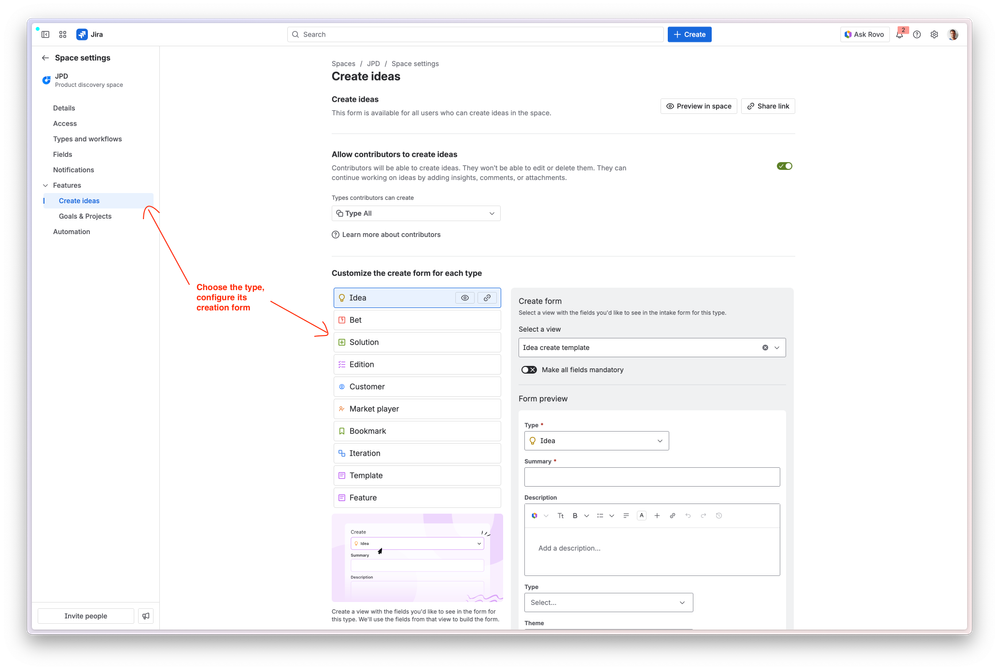
- Configure a different creation form per type of idea
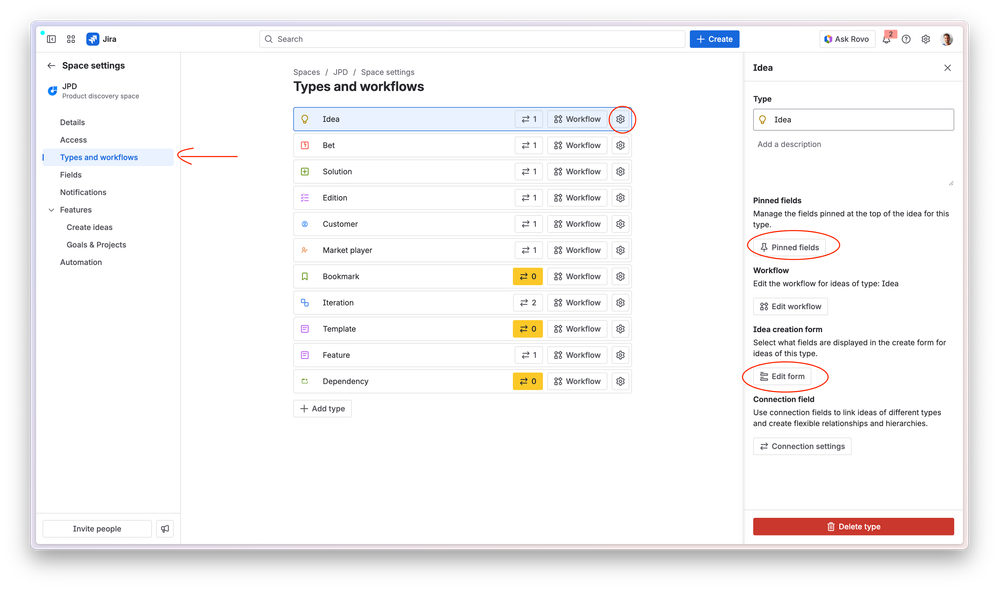
- Configure different pinned fields for each type of idea
- Types are supported in Roadmaps and Published views
- Types are supported in the Chrome extension
- You can rename the default "Idea" type to something else or delete it
Updates to Custom Product Hierarchies (Connection fields)
This feature has proven to be the most tricky one we've added to JPD to date - we were expecting that and it did not disappoint in that regards. We're really happy with the results though: close to 1000 companies have used it as part of the beta and they've been able to do so in ways that we didn't even anticipate.
If you are new to this feature
This feature lets you create custom product hierarchies within a space or across multiple spaces, for 2 main use cases:
- Within a space: model ideas in your space to match how you think about product work, e.g. Opportunity/Solution/Experiment or Bet/Solution/Feature
- Across spaces: get clear visibility for how product work from individual teams ladder up to department/company-wide initiatives, e.g. "show me how each team is contributing to adding AI across the portfolio".
Here are a couple of links to help you get started:
- Introducing hierarchies and how to configure them
- An implementation guide that shows you how to roll-out JPD across many teams using this feature and others from the Premium plan
What we improved
A few highlights:
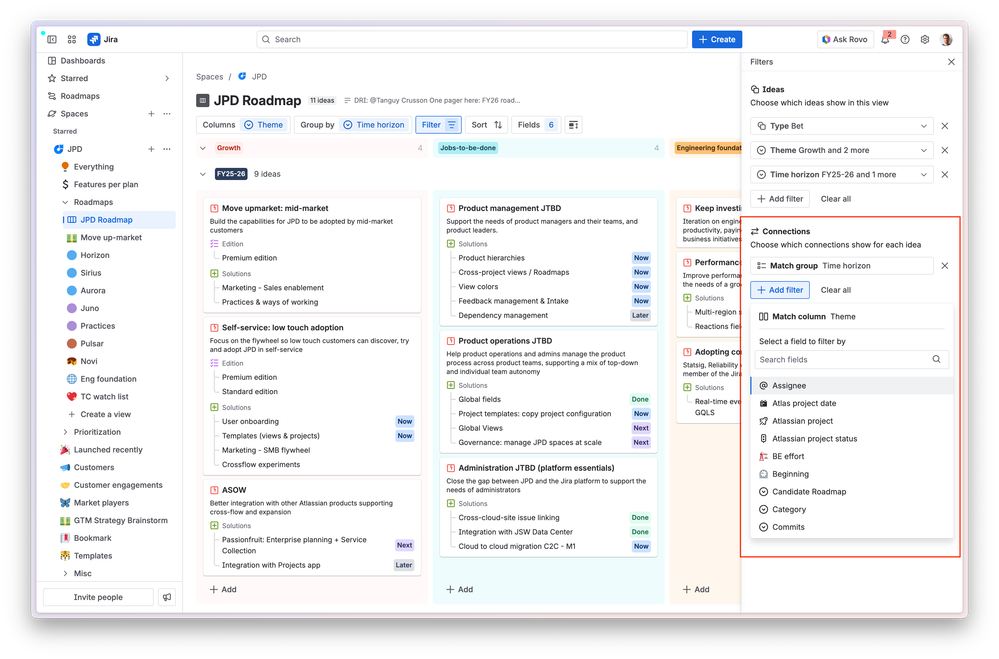
- Filtering is now much easier as you can simply use fields from connected ideas to filter them out of the view
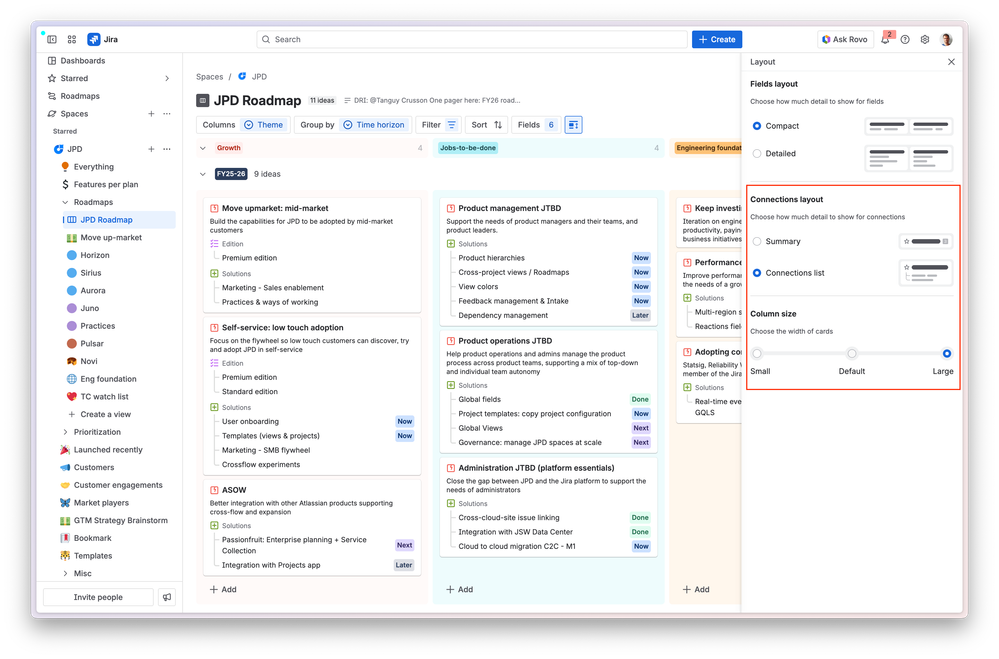
- You can make cards bigger and choose how to display Connection fields, to show more information on boards - especially if you use long names for ideas
- Connection fields are supported in Roadmaps
- It also works in Published views
- The initial version suffered from performance issues. 90% of them have been fixed so far. We're still working on a couple but they mostly impact infrequent operations like the creation of new types/fields.
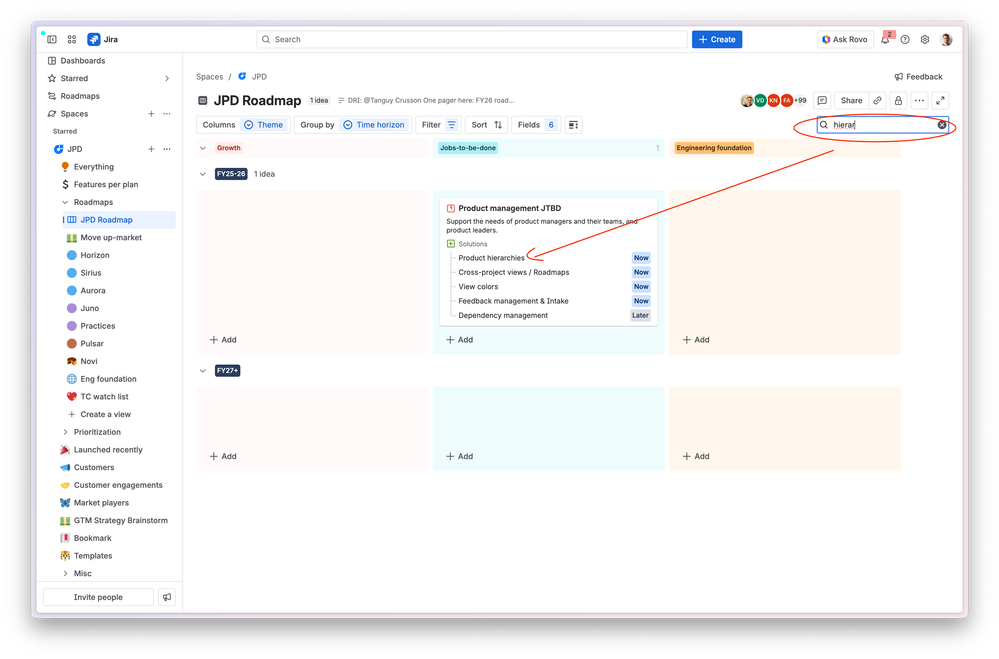
- If you search for ideas in a view it will also look for connections
As of 13 April:
- You can now connect ideas of the same type
- If you use a global connection field, you can only use it to connect ideas from up to up to 20 spaces. We're working on increasing that.
What's next
Thank you everyone for all the feedback that helped us make this better for everyone. While the feature is out of beta it is by no means done, and here's how we're currently planning to improve it:
- Now
- We're adding support for one more level of hierarchy in the timeline view
- Next
- Product hierarchies are not yet integrated with Jira Plans.
- You cannot yet "roll up" field values to connections unless you do this via an automation rule (e.g. roll up "impact" from "children" to the "parent" idea) but we've started exploring that.
- Later
- We are going to look at improving the list view to add a second level of group by so you can show 3 levels of ideas in a tree there
- Connections are not inherited: e.g. if you connect A to B, and B to C, it doesn't connect A to C. But you can do that via an automation rule with a bit of fiddling.
Was this helpful?
Thanks!

Tanguy Crusson

14 comments