If you are responsible for Jira strategy or Atlassian tooling in your organisation, your biggest migration risk is probably not what you think. It is not the issues, projects, or attachments. It is everything you have automated around them.
This piece is for Jira admins, platform owners, and IT leaders who are planning, sponsoring, or worrying about Jira Data Center to Cloud migrations.
Do Not Wait To Ascend
In its announcement called “Ascend to the cloud: The next chapter for Atlassian and our customers”, Atlassian confirmed that:
- New Data Center subscriptions and Marketplace apps for new customers will stop on March 30, 2026.
- March 30, 2028 is the last day for existing customers to buy new Data Center licenses, Marketplace apps, or license expansions.
- March 28, 2029 is the end of life for Data Center. After that date, all Data Center and related Marketplace app licenses expire and become read only.
By that point, you will need to be on Atlassian Cloud or have a realistic alternative.
March 2029 sounds distant on paper. In practice, if the Server end of life story taught us anything, it is this: the closer you get to the deadline, the harder and more expensive it becomes to get good help. That is what many customers discovered as the Server end of support date in February 2024 approached.
There is never a perfect moment to migrate. In this case, early movers have more options, more partner capacity, and more time to make good decisions.
The Not So Hidden Risk Of Third Party Automations
Most migration conversations start in the same place. Teams worry about whether all the issues, projects, and attachments will make it across in one piece. The good news is that Atlassian’s Jira Cloud Migration Assistant (JCMA) does a solid job of moving that core data.
The larger problem is everything that has grown up around that data.
Jira Data Center became popular partly because it is so customizable. Marketplace apps such as ScriptRunner and Power Scripts / Power Suite (SIL) let teams:
- Run powerful scripts against Jira’s Java APIs
- Trigger REST calls from inside workflows
- Customize email notifications
- Change how screens behave with dynamic fields and behaviours
Over time, many organisations also added their own plumbing around Jira:
- Java based integrations wired into Jira events
- Python, Node, or PowerShell scripts that call the REST API
- Services that sync Jira with CRMs, HR systems, or data warehouses
- Reports and jobs that query the Jira database directly
Most of this is invisible to anyone who does not live in the admin screens. It just works, right up until the day you move to Cloud and discover how much of your business process depends on it.
If you think of your Jira migration as a data project, this automation layer is the time bomb sitting underneath it.
Jira Cloud Is Not Just “Jira Somewhere Else”
Jira Cloud gives you all the classic SaaS benefits. You no longer manage servers, apply patches, or babysit the JVM. For many teams, that is the main reason to move.
The tradeoff is that Jira Cloud is not simply “your old Jira running in someone else’s data center”. It is a different platform with different rules.
Key differences include:
- No P2 plugins running inside Jira
- No direct access to Jira’s internal Java APIs
- No direct database access
- A different REST API surface and a different authentication model
That matters because most serious Jira automation on Data Center is built on exactly those capabilities. A ScriptRunner listener that calls internal Java APIs, a Power Scripts job that relies on Data Center specific behaviour, or a reporting tool that reads directly from the Jira database cannot simply be pointed at Cloud and expected to work.
Some of your current logic will have a clear path forward. You may be able to recreate it with:
- Jira Cloud Automation
- Forge or Connect apps
- Cloud versions of Marketplace apps
Other pieces will need a redesign. A few will have no direct equivalent at all. The earlier you discover which is which, the more control you have over the outcome.
How To Find The Time Bombs Early
So where do you start, practically, if you are an admin or platform owner?
The first step is not to rewrite scripts. The first step is to understand what you already have. Most teams underestimate this by an order of magnitude, because automation lives in many tools and many heads.
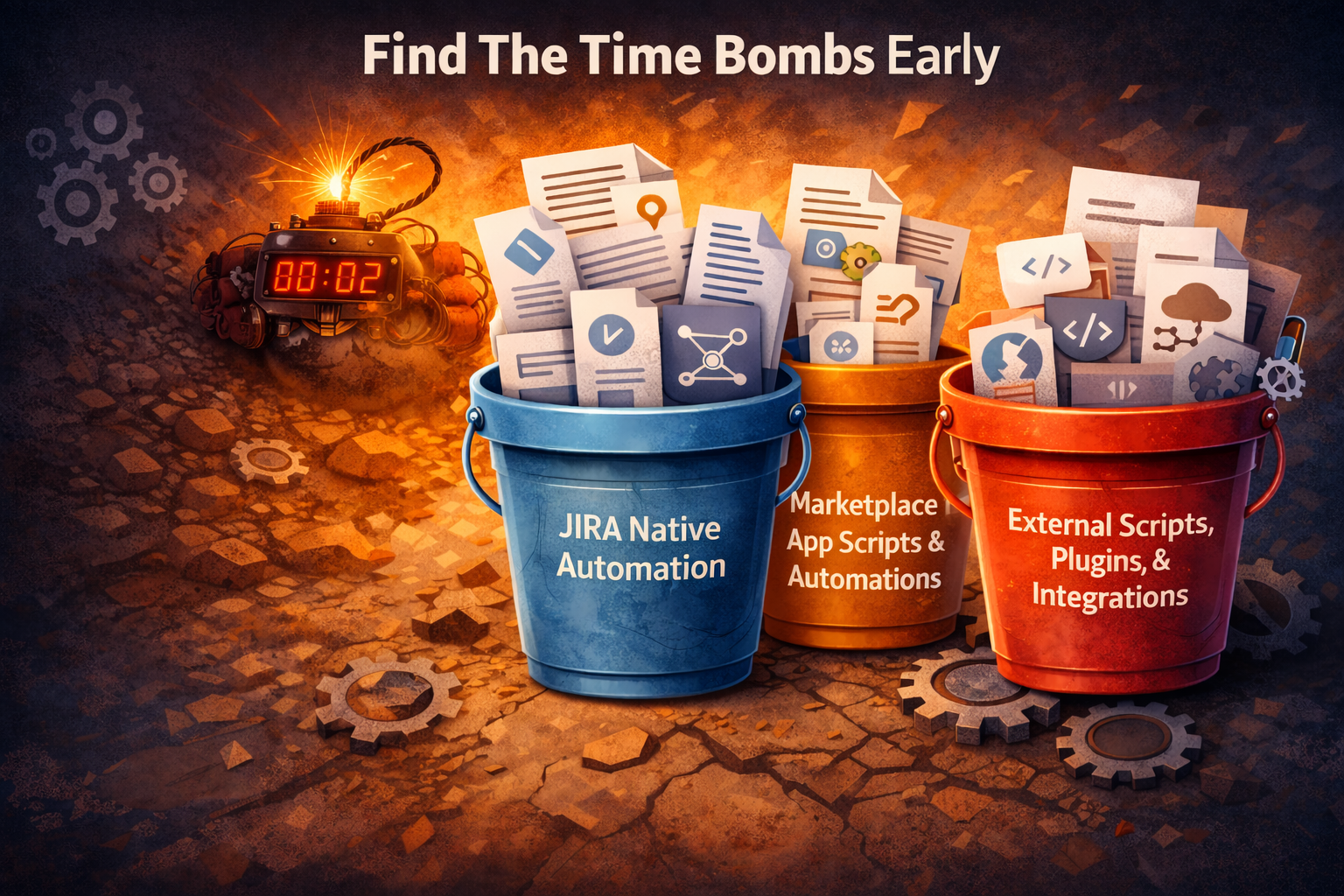
A simple way to make this problem manageable is to sort what you find into three buckets:
- Jira native automation
- Marketplace app scripts and automations
- External scripts, plugins, and integrations
You do not need to build a perfect inventory on day one. You just need enough structure that you can see where the biggest risks are and where to focus first
Bucket 1: Jira Native Automation
Jira native automation is usually the least frightening category.
Atlassian has worked hard to keep the core ideas of automation similar between Data Center and Cloud. You still have triggers, conditions, and actions. You can still do the obvious things, such as:
- Update fields
- Create related issues
- Transition issues when something happens
- Send notifications
There is no magic one click migration, so you will still need to recreate and test rules in Cloud. However, the mental model carries over and many rules map cleanly.
Where you need to pay closer attention is with rules that are particularly heavy. For example:
- Rules that fire on every issue update across many projects
- Global rules that run very frequently on a schedule
- Rules that work through very large sets of issues in one go
These are more likely to hit Cloud rate limits, rule run limits, or subtle permission differences. They deserve early testing in a Cloud sandbox, before you assume they are “just fine”.
The important point is this. Native automation is mostly “rebuild and test” work, not “tear it all down and invent something new”.
Buckets 2 and 3: The Real Time Bomb
The other two buckets are where risk and effort really jump up.
- Marketplace app scripts and automations are where you will find the Groovy and SIL scripts, the deeply wired workflow tricks, and the scripted fields that power your dashboards.
- External scripts, plugins, and integrations are where you discover critical jobs that no one has touched for years but that still run every night and feed other systems.
For these areas, the immediate goal is visibility. At this stage you do not need to know exactly how you will migrate each item. You do need to know:
- That it exists
- Which teams depend on it
- How painful it would be if it stopped working on day one in Cloud
Once you have that view, you can have adult conversations about budget, timelines, and tradeoffs. That is where Part 2 comes in. I will walk through how to catalogue your automation, assess compatibility, and decide what to drop, what to rebuild, and what to redesign for Jira Cloud.
If this has made you slightly nervous about how much your Jira instance is really doing behind the scenes, that is a healthy reaction. And if you are already knee deep in ScriptRunner jobs and mystery integrations, feel free to drop a comment with what you are wrestling with.


