Roles are coming to Confluence, and the next phase is here
If you’ve been following along over the past few years, you know that Confluence is on a mission to make managing user access exponentially easier. In March, we launched a new way to share in Confluence, and since June, Confluence roles have been available in Beta.
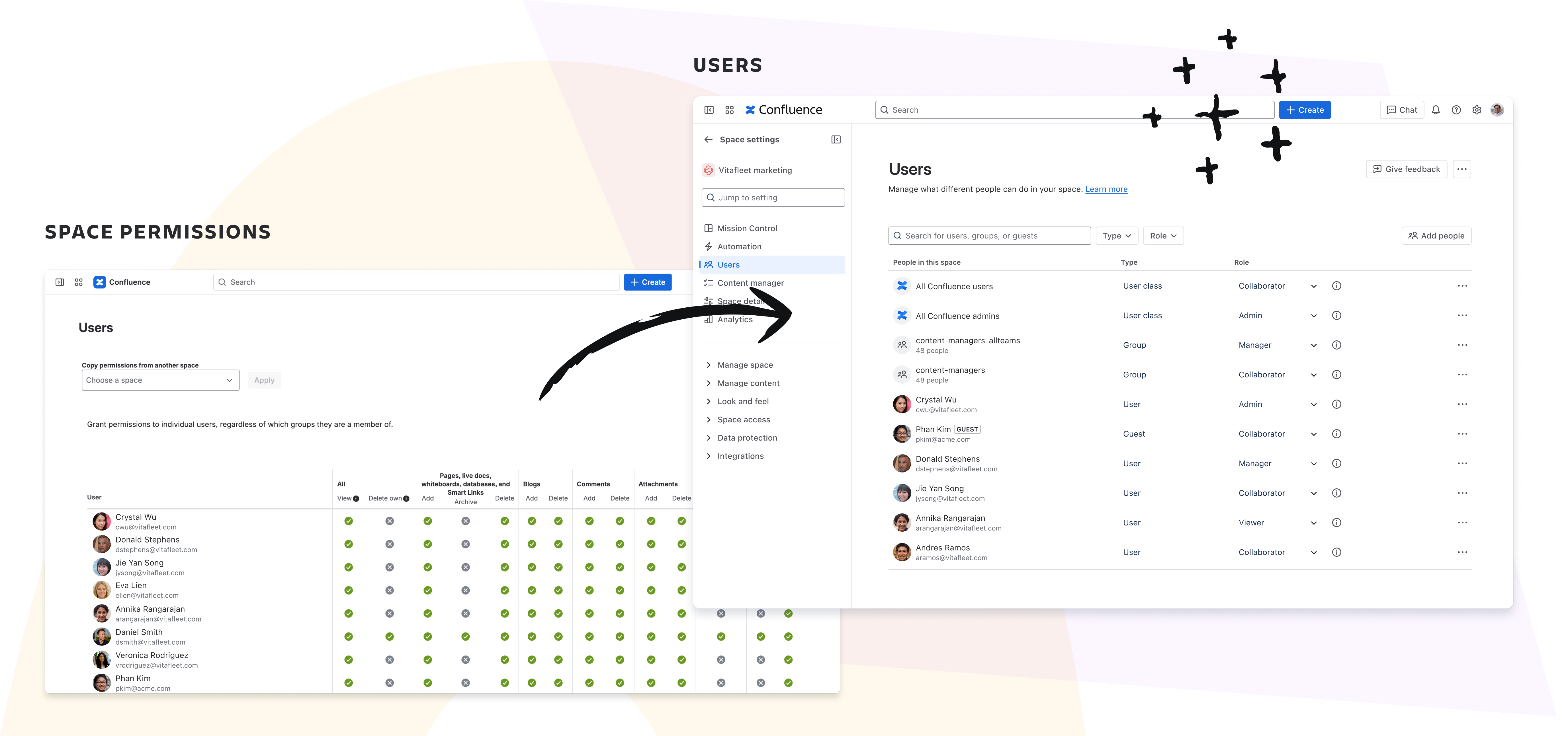
Today, we’re announcing the next phase of our Confluence roles rollout, which has 3 parts:
- Tools to plan your roles rollout
- A roles-only access experience for new Confluence sites
- Changes to Cloud data migrations experiences to ensure backward compatibility across access modes
1. Tools to plan your roles rollout
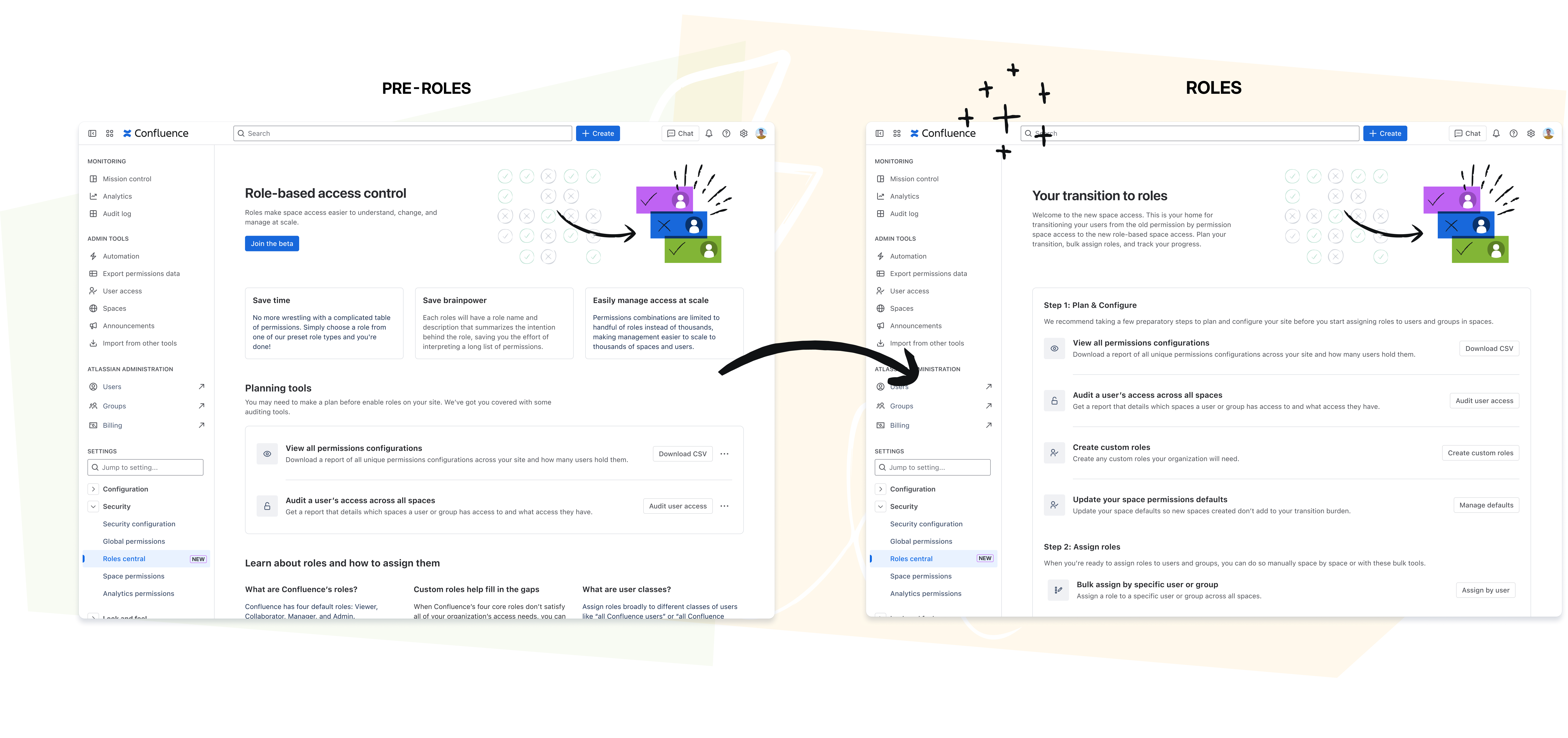
To help you plan for Confluence roles, we’re introducing two new resources for Confluence admins — Roles Central and permissions data exports.
Roles Central
Roles Central is a one-stop shop for your transition — all the tools and everything you need to know to assign roles to users across your whole site.
Export permissions data
Before you can start assigning roles, you’ll likely need a plan. To create that plan, you’ll need a clear picture of how permissions are being used across your site. Enter permissions data exports.
First, you can get a complete view of all the combinations of individual permissions currently used on your site, ordered by most commonly used. Second, you can export the full access lists of each space on your site.
Together, these 2 exports will help you:
- Understand how your current permissions map to Confluence’s default roles
- Plan what custom roles you’ll need to create
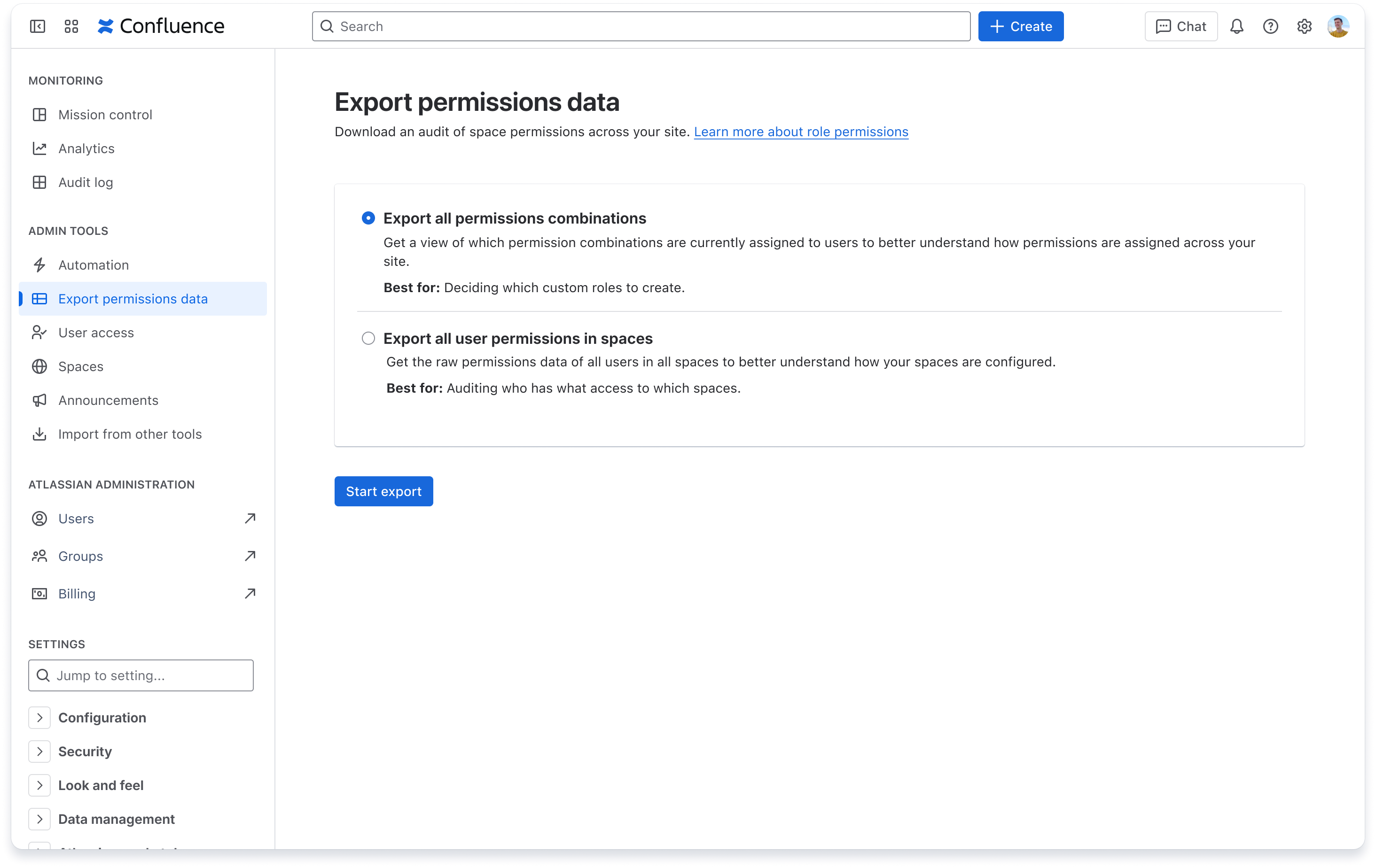
*Note: All Confluence admins, whether your organization is enrolled in the roles beta or not, will have access to these resources directly in Confluence settings.
2. Roles only experience for new Confluence sites
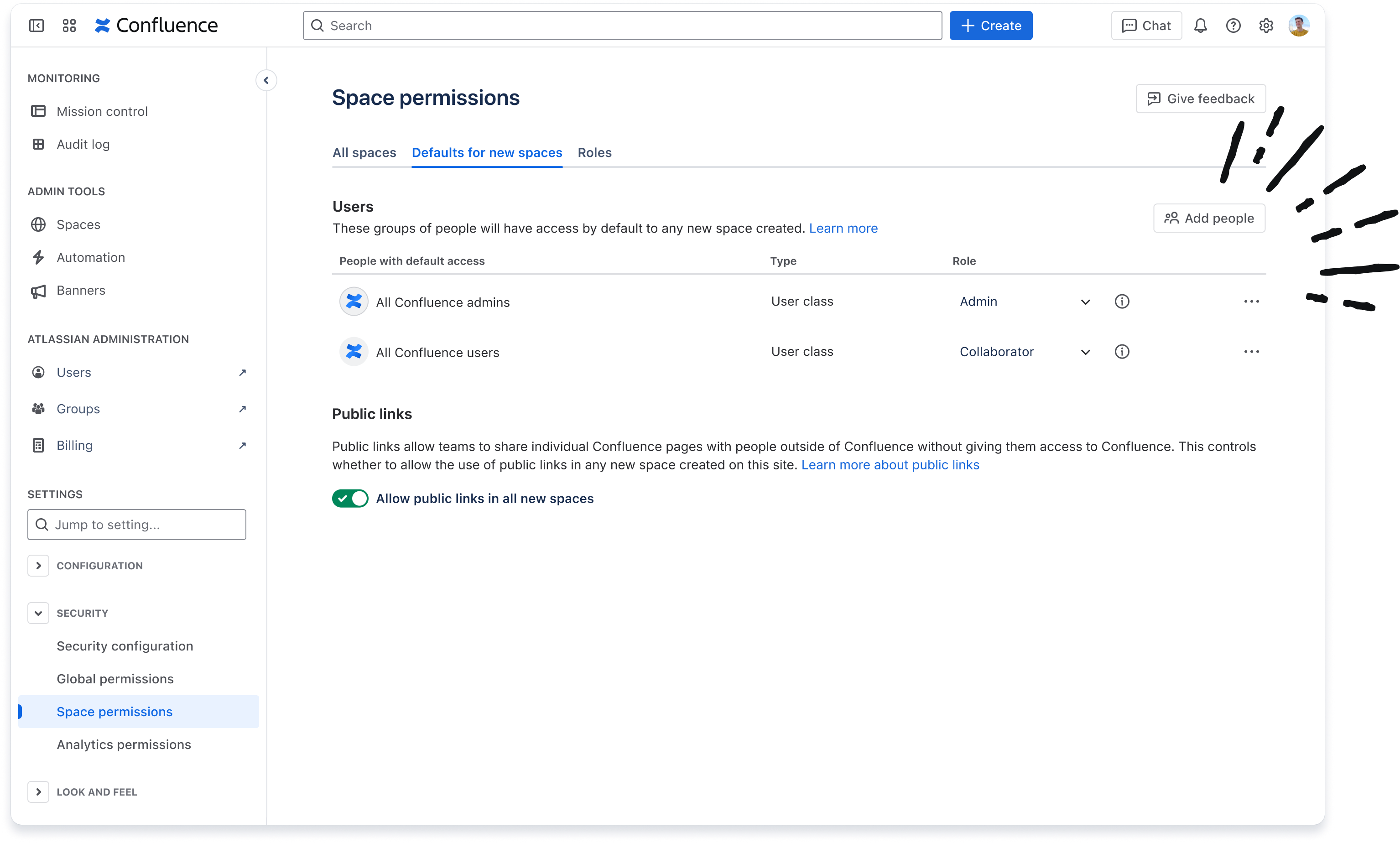
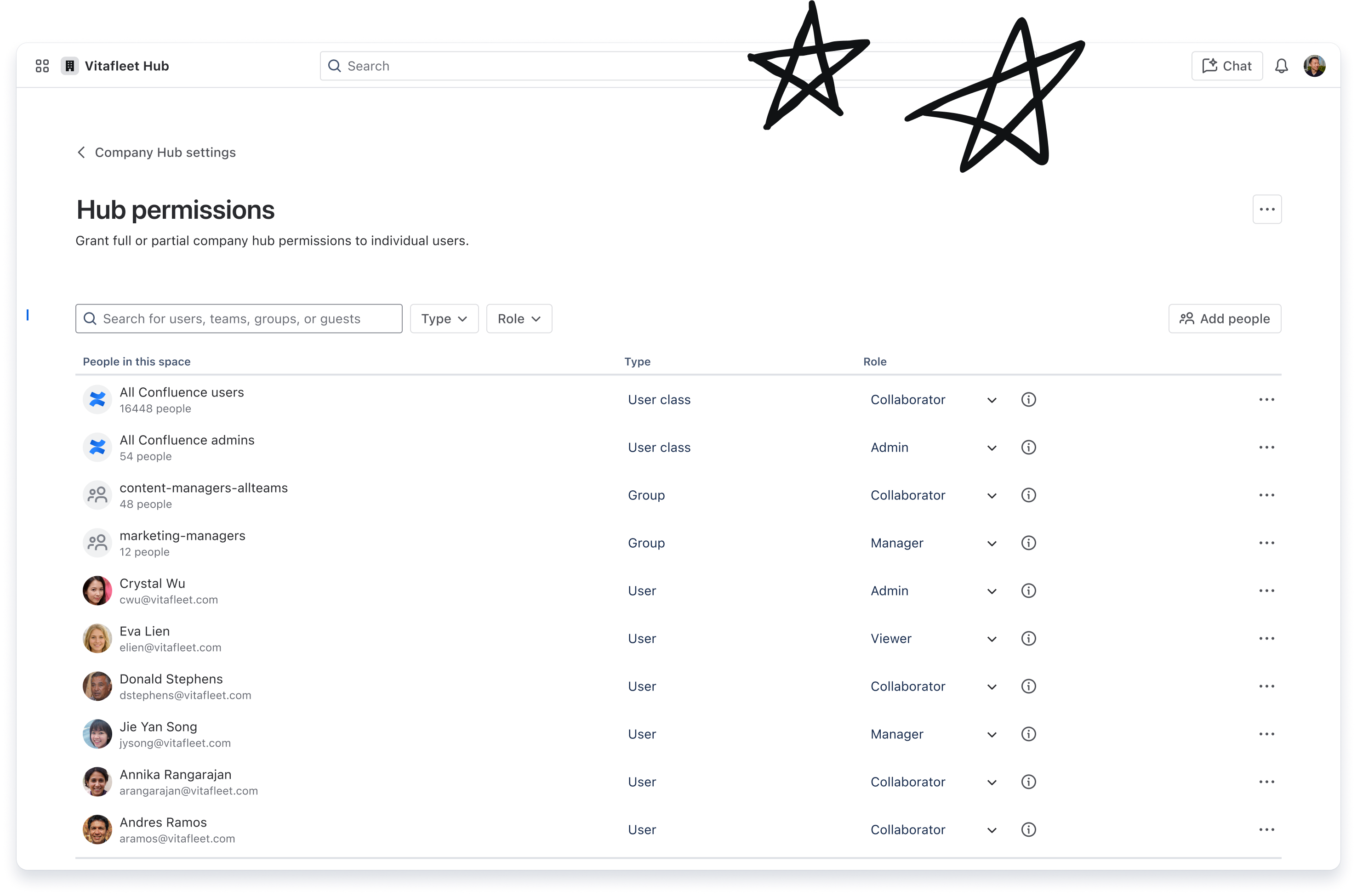
To simplify the space access administration experience for new customers, we’ve made it so that when you create a new Confluence site (in a new or existing Atlassian org), it will use roles, and only roles, for managing space access.
This means that everything from site defaults to space access, Company hub access to Automations that set and update space access, will all do so using roles. There won’t be an option to assign any access with individual permissions, without a role.
3. Backward compatibility support for Cloud data migrations
To ensure all permissions data is safely transferred when running cloud data migrations, the destination Confluence Cloud instance’s space access mode will always land in “roles transition” mode, also known as roles beta.
Learn more about each migration flow and if it’s impacted by these roles changes.
The future: all customers will get roles
We can’t wait for the roles beta to come to an end and for every customer to have roles, and we’re hard at work building some exciting features to help with your transition.
For now, we recommend familiarizing yourself with the resources in Roles Central where you can get an up-to-date picture of your site’s permissions data, see how your site and spaces are set up, and plan for the types of roles you’ll need.
Thanks!
The Confluence Permissions team


