Hey Confluence Databases community! 👋
We've been busy shipping some awesome updates, and I'm so excited to walk you through everything that's new.
🤖 AI-Powered Create & Edit for Databases
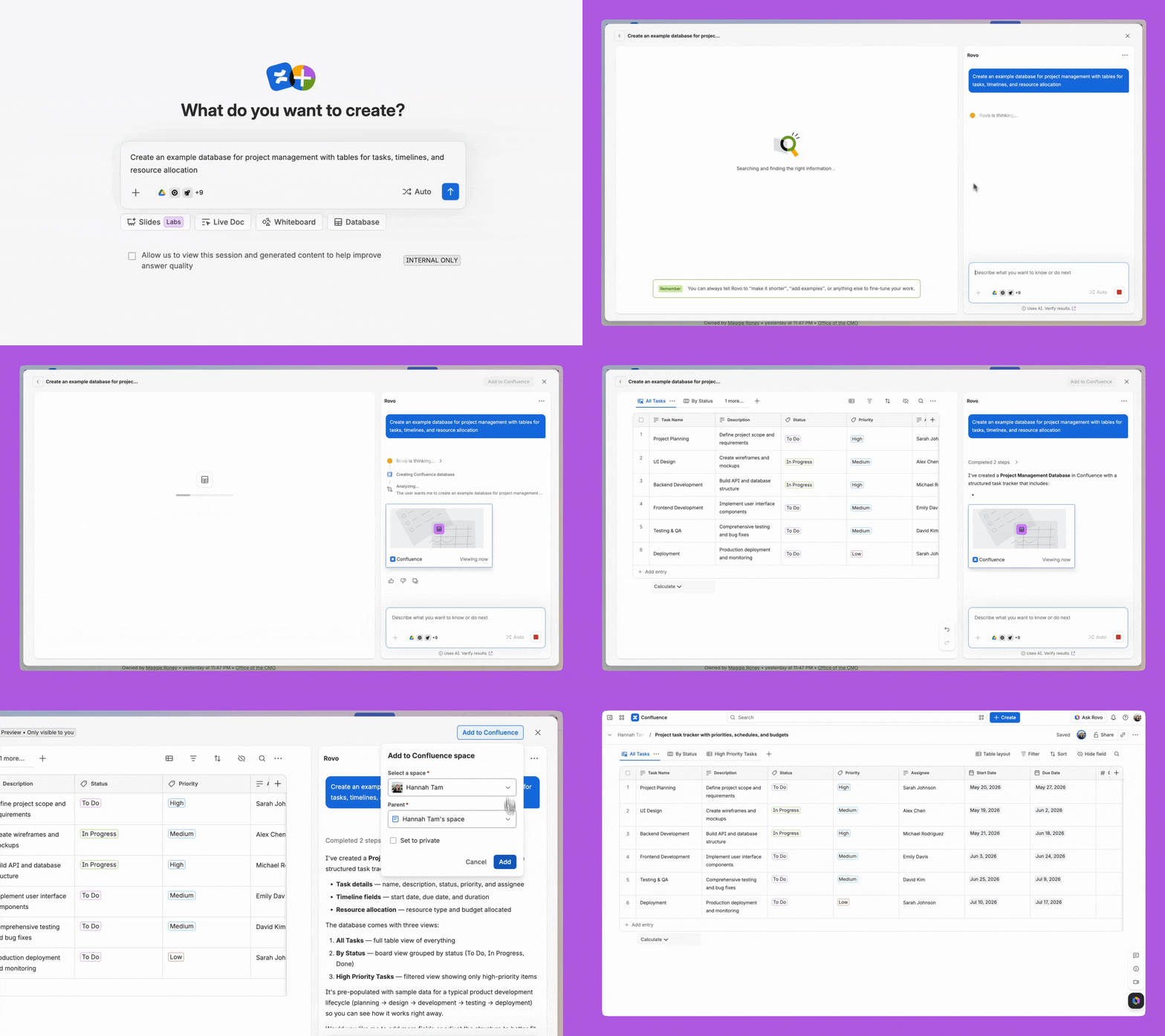
You can now use Rovo to create and populate entire databases, or edit existing ones, using natural language prompts.
💡How to leverage it:
-
Create a database from scratch: From Rovo Chat or 'Create with Rovo', describe what you need and Rovo will generate the database structure and column types. Because Rovo is connected to the Teamwork Graph, it can also pull in real, contextual data from across your organisation so your database starts populated with information that's relevant to you.
-
Edit existing databases: Ask Rovo to add columns, reformat data, or bulk-update entries. Say "Add a priority column and fill it with High, Medium, or Low" and it's done.
✍️ Rich Text editing
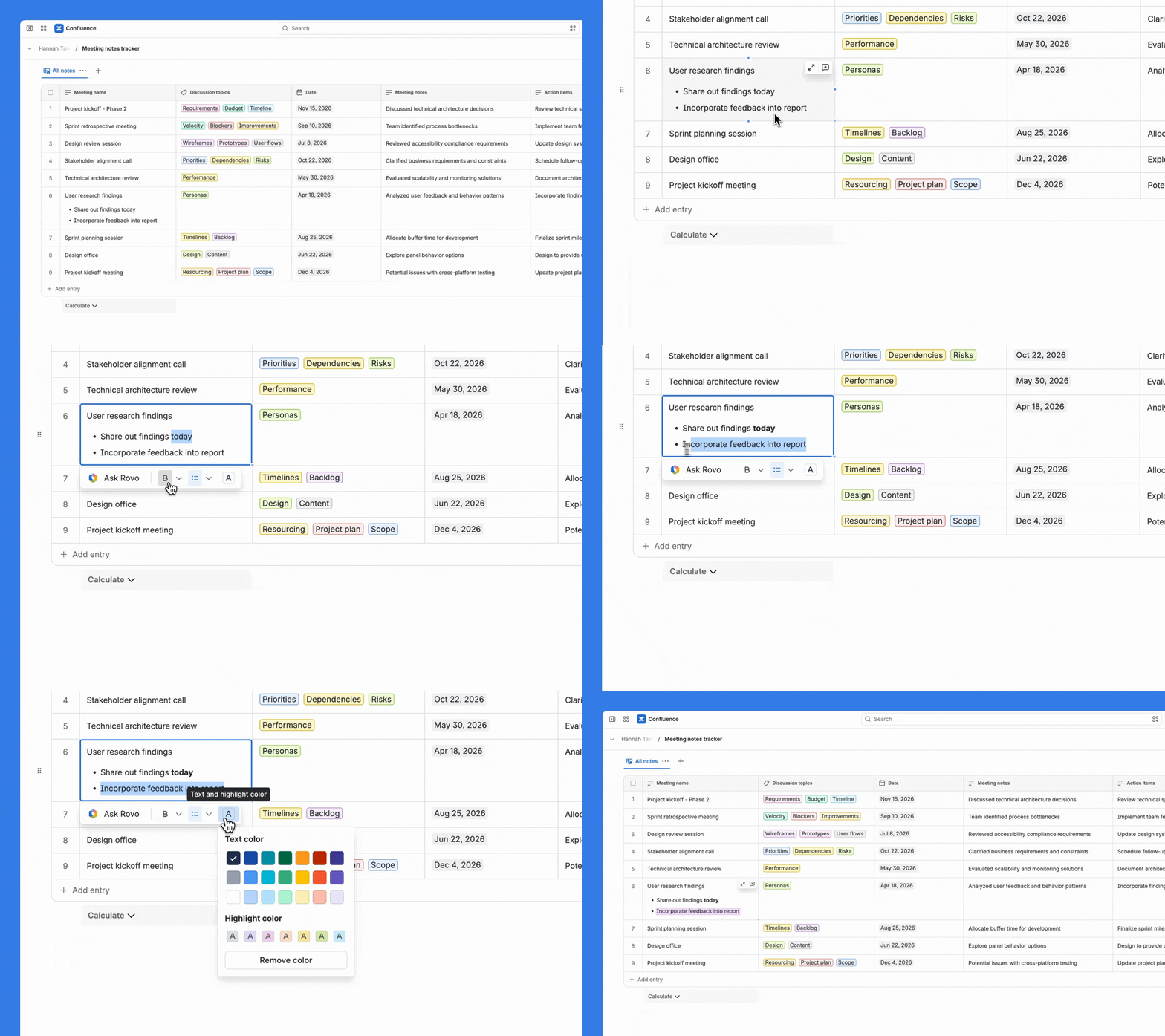
We've heard your feedback loud and clear, you wanted more than just plain text in your database cells. Now you've got it!
The new Rich Text functionality supports:
-
Bold, italic, underline and other inline formatting
-
Bulleted and numbered lists
-
Links and mentions
💡 How to leverage it: In your existing text fields, highlight text to enable the rich text toolbar to help you create more expressive content.
🏊 Subgrouping on Board Layout (Swimlanes!)
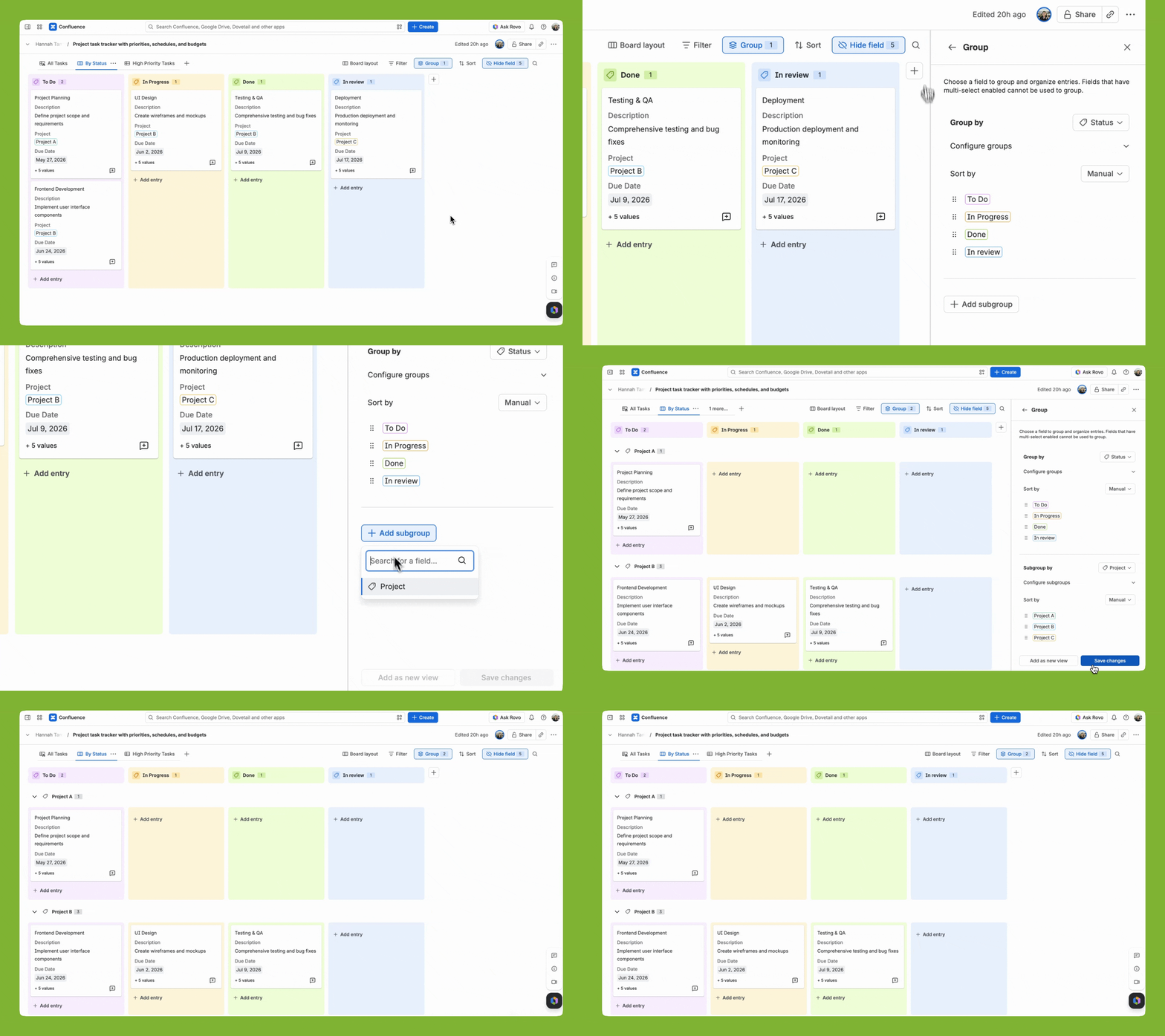
Board layout just got a major upgrade. You can now add a second grouping dimension to create swimlanes on your board view.
💡How to leverage it:
-
On any Board layout, click Group in the header (between Filter and Sort).
-
In the Group panel, choose your primary Group by field - this creates your columns (e.g. Status: Planning → In Progress → Done).
-
Click Add subgroup at the bottom of the panel to pick a second field (e.g. Season, Team, Owner).
-
Your board will now show swimlanes for that second field, giving you a two‑dimensional board that makes it easier to see work by both status and season/team/owner at a glance.
Examples: Status + Team, Status + Owner, Priority + Status, Status + Project
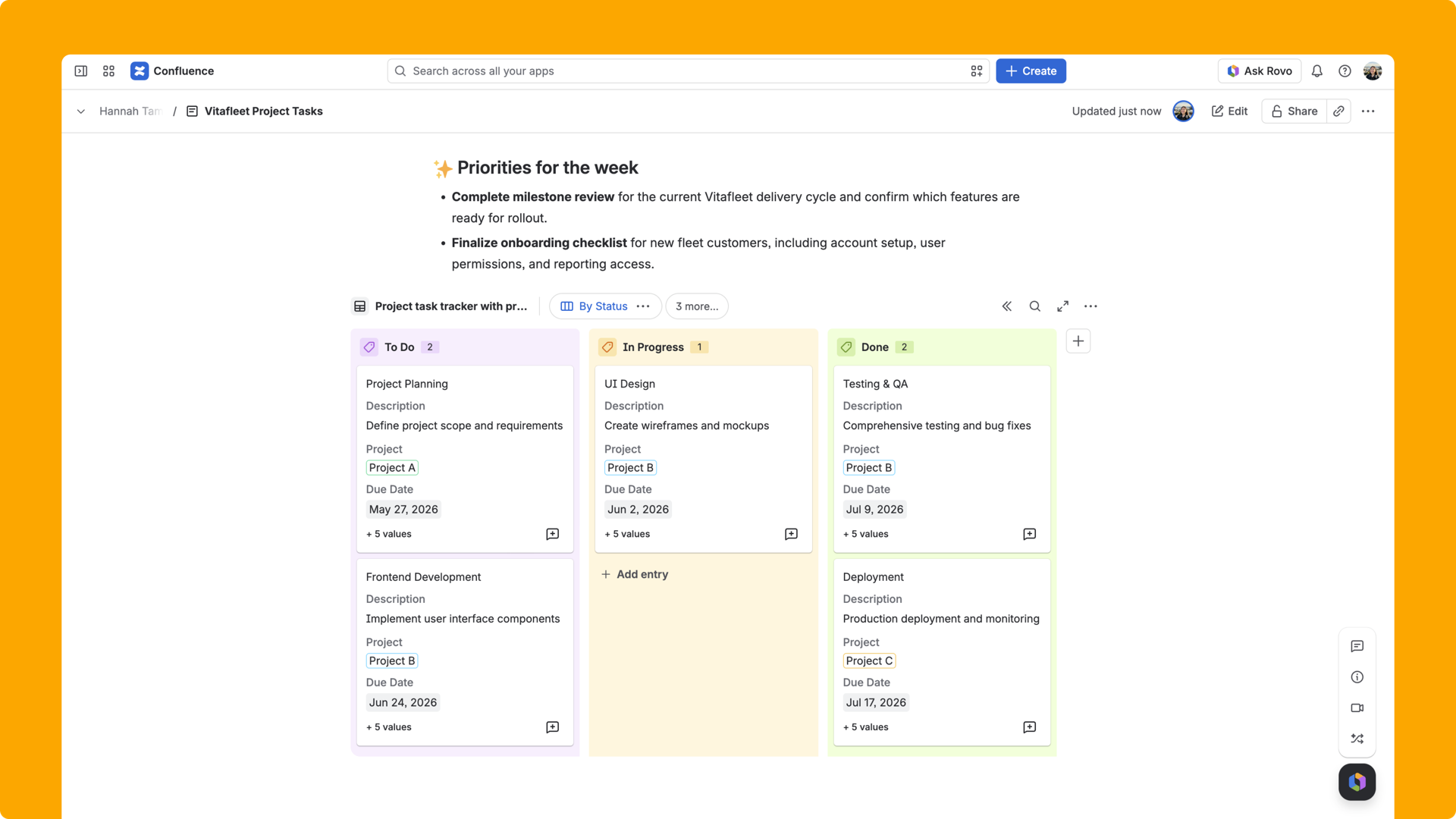
📌 Improved Database Embeds on Pages & Whiteboards
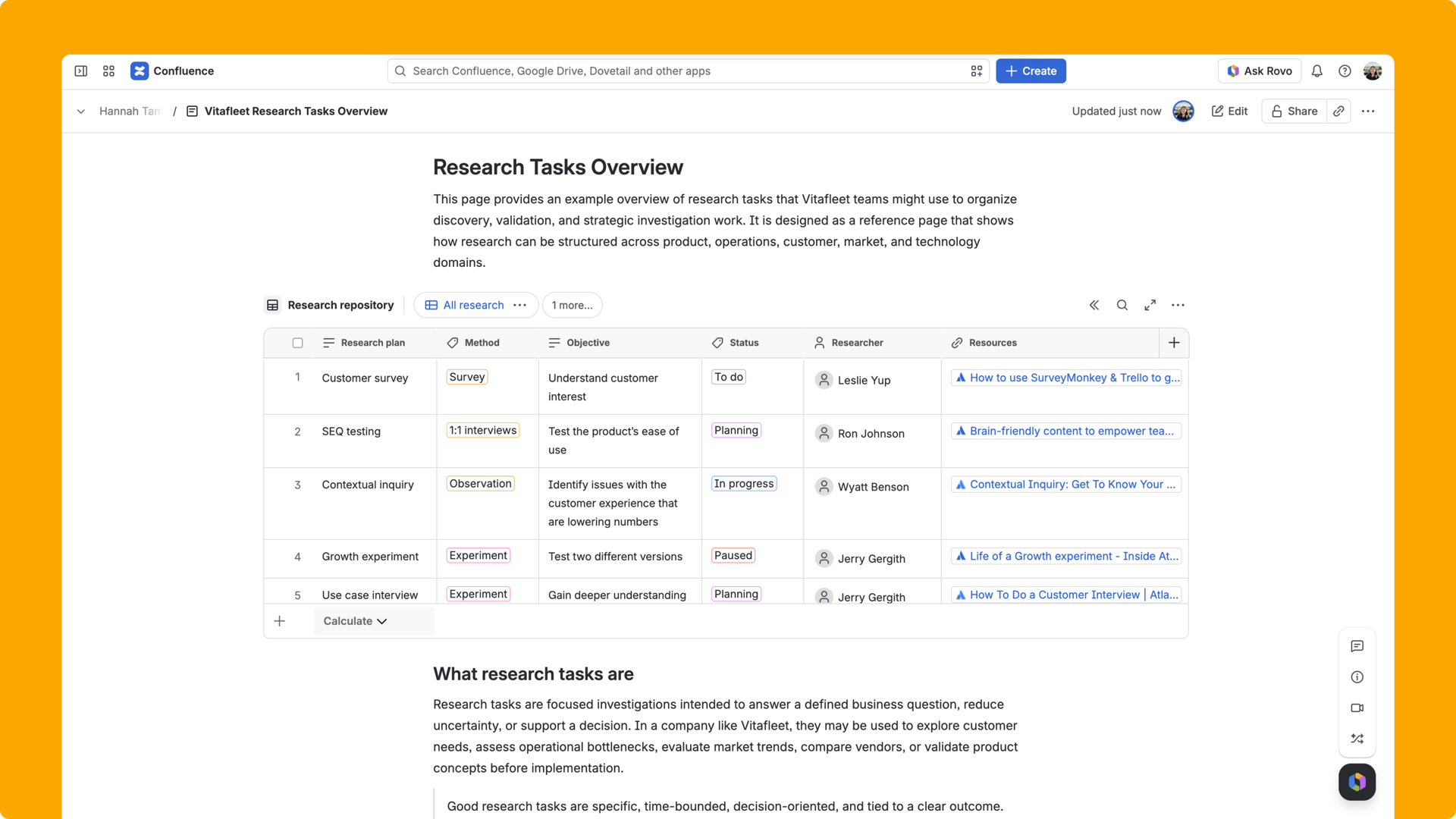
We've significantly improved how databases look and behave when embedded on Pages, Live Docs & Whiteboards. You'll notice a more sleek border, simplified UI controls, better rendering, resizing & scroll behavior.
💡 How to leverage it: On Pages and Live Docs, embed a database to keep live structured data right alongside your written content. On Whiteboards, pair it with sticky notes and diagrams for a visual planning canvas - great for workshops and sprint kickoffs.
🔧 Jira field fixes
For those of you using Jira fields in databases, we've shipped a set of important fixes particularly to the filtering & sorting experience.
What's fixed:
-
Ability to use quick calculations on Jira fields
-
Easier filtering on Jira fields
-
Field level indicators of what is 2 way synced (bi-directional sync with Jira)
-
Auto-selecting Jira work item field when creating a Jira work item details field (saving you 1 click)
-
Auto-labelling Jira work item details field to the name of your Jira detail (to save you extra typing)
💡 How to leverage it: If you've been hesitant to use Jira columns for grouping or filtering your database views, now's the time to try again. These fixes make it much more reliable to build database views that combine your Confluence data with live Jira issue data, perfect for project dashboards, sprint tracking, or cross-team reporting where you want one unified view across both tools.
All of these features are available now. We'd love to hear how you're using them!
Drop a comment below and let us know. Your feedback directly shapes our roadmap 💙
Happy databasing!


