We’re thrilled to introduce a major milestone for permissions in Confluence: you can now manage access with Atlassian teams!
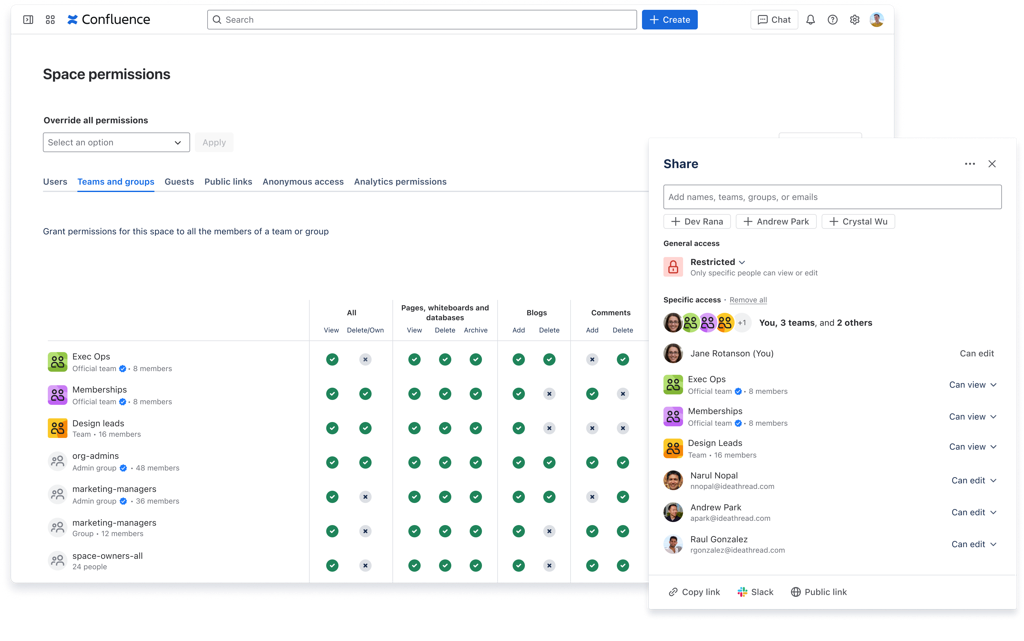
Across spaces, content, and more, you can now manage access using teams just like you do with users or groups today. This makes giving the right access to the right set of collaborators easier than ever.
What's new
Share content with teams
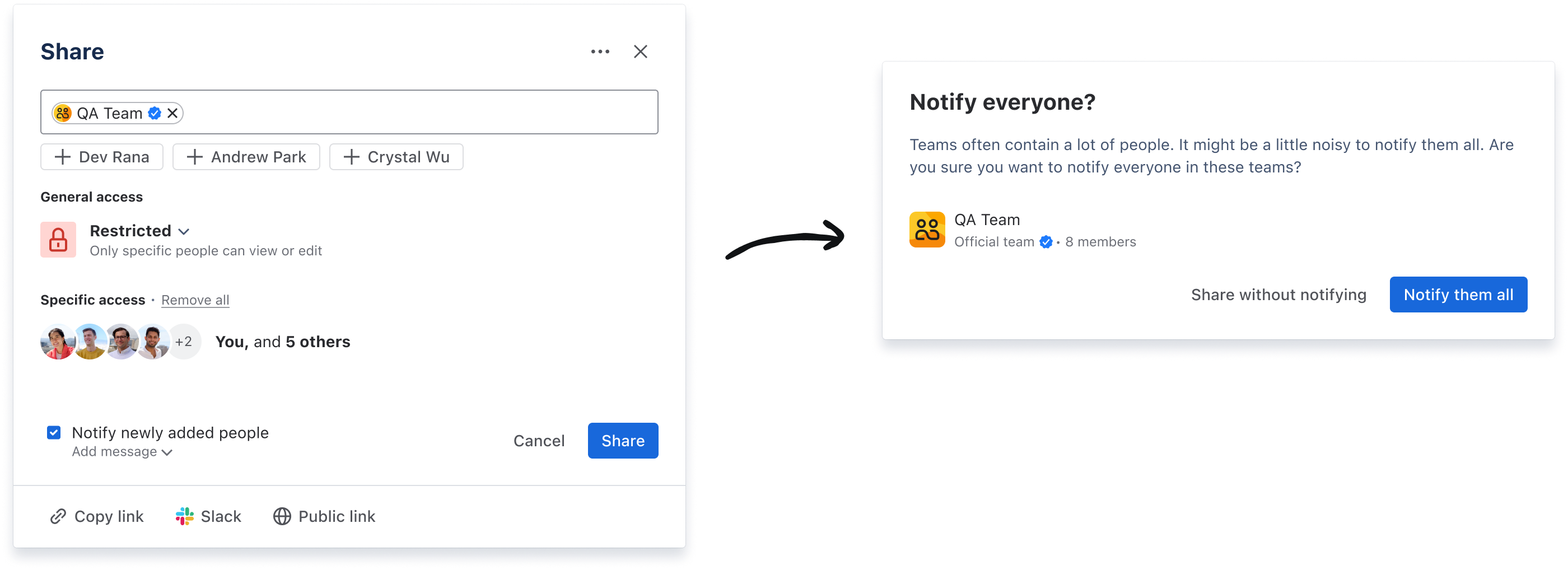
Share content directly with Atlassian teams, giving the right collection of collaborators access in a single action.
Teams, just like groups, can have a lot of people in them. When sharing content with a team, you’ll see an alert asking you to confirm whether you want to notify everyone.
Manage space access with teams
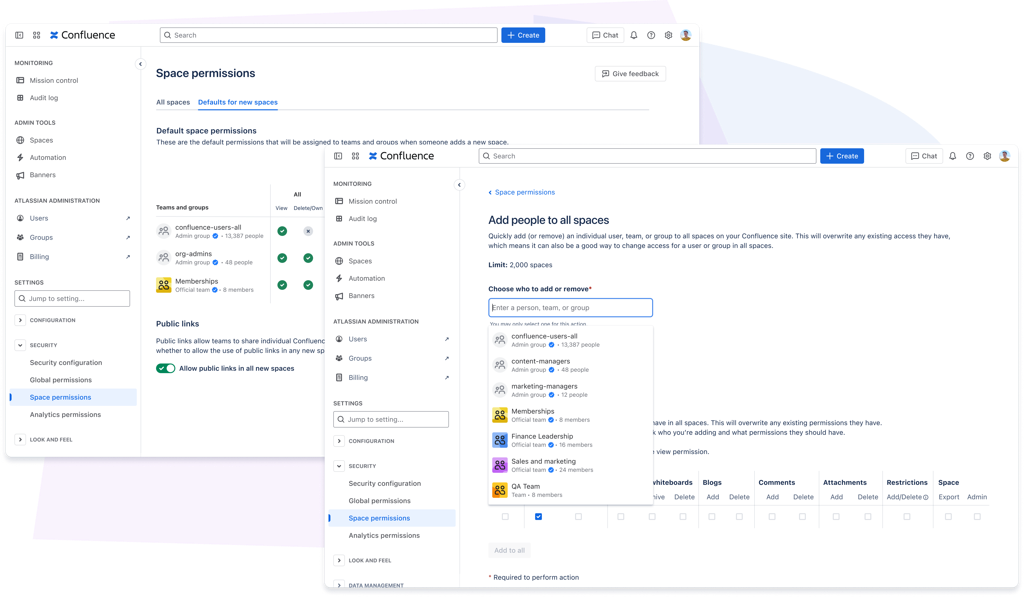
Just like with groups, you can now grant space access to teams, ensuring the right people have access at all times as your team membership changes. This experience is also fully compatible with Confluence’s new role-based access model. Learn more about Confluence roles.
You can also use teams in your defaults for all new spaces, and when making bulk changes to space access.
Control how teams are used on your site
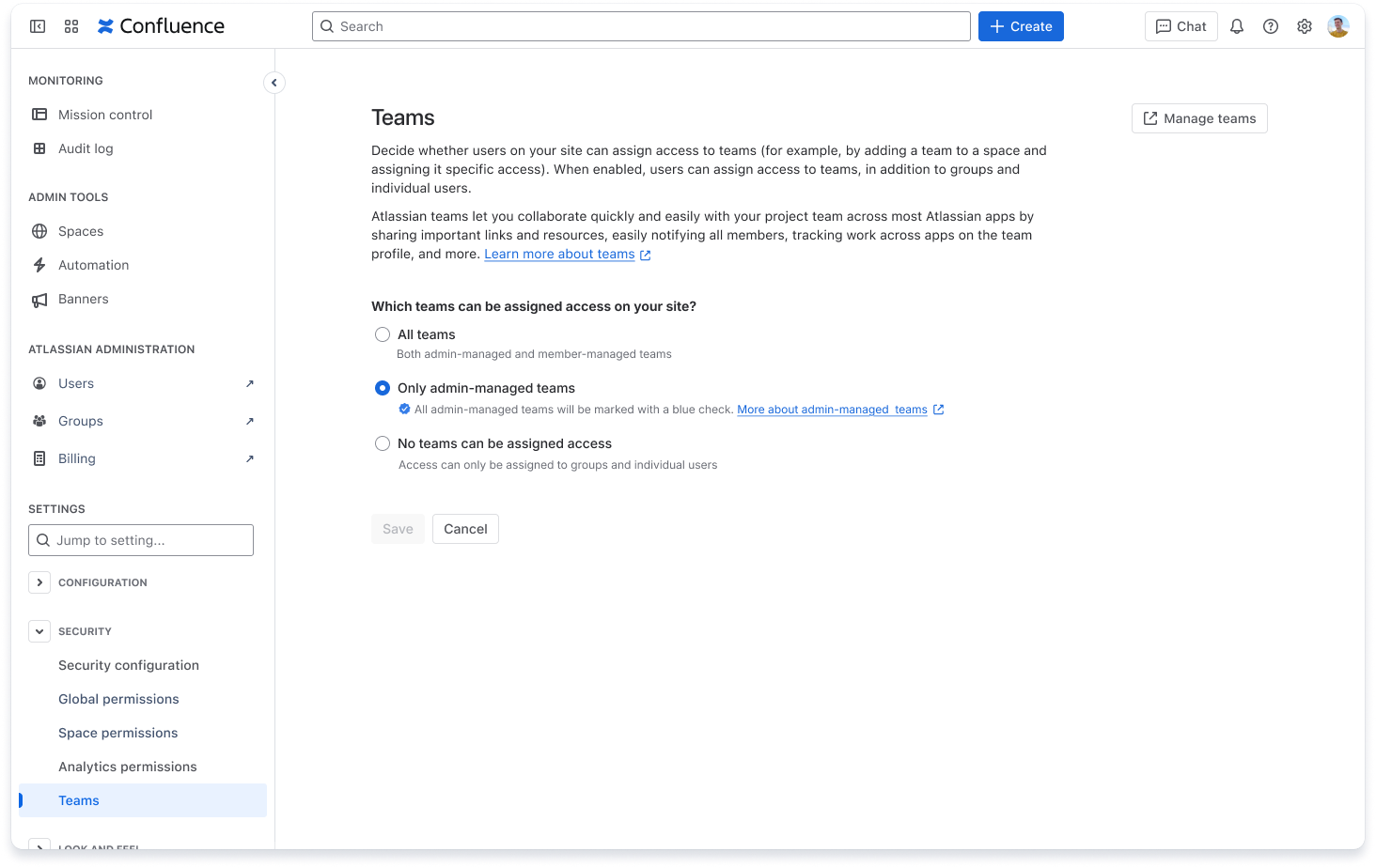
From Confluence administration, app admins can set which types of teams can be used on your site: all teams, only teams that are verified by an admin, or no teams at all.
-
If you’re an existing customer (your site was created before this feature), teams are turned off by default, so they can’t be used in Confluence permissions until an admin enables them.
-
If you’re a new customer (your site was created after this feature), teams are turned on by default, and all team types can be used in Confluence permissions.
Confluence app admins can change these settings at any time.
Share with confidence
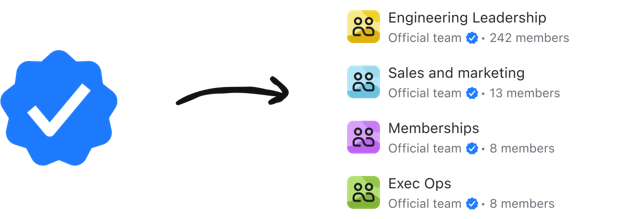
Since teams can be managed by admins or managed by team members, we’ve added labels to clearly communicate what type of team you’re sharing with or granting access to.
Learn more about team types

Here’s how you’ll know if you’re sharing with an admin-managed team or not:
-
Official teams, which can only be created and managed by organization admins, are verified with a blue checkmark icon
-
Groups, which are also admin-managed, are verified with a blue checkmark icon too
-
Teams can be created by anyone in an organization and, by default, are managed by its members. These teams are intended for flexible, general collaboration and don’t use a verification badge.
Teams in even more places
-
Set a team as the owner of a space – Ensure the right people are responsible for your space by assigning an Atlassian team as its owner.
-
Teams in analytics permissions – You can now use teams to ensure the right collections of people are able to view analytics for your sites and spaces.
Learn more about teams
We’re committed to continually improving Confluence permissions. As you try out teams in your Confluence permissions system, feel free to leave a comment or share any feedback with our team.
Thanks!
The Confluence Permissions team


