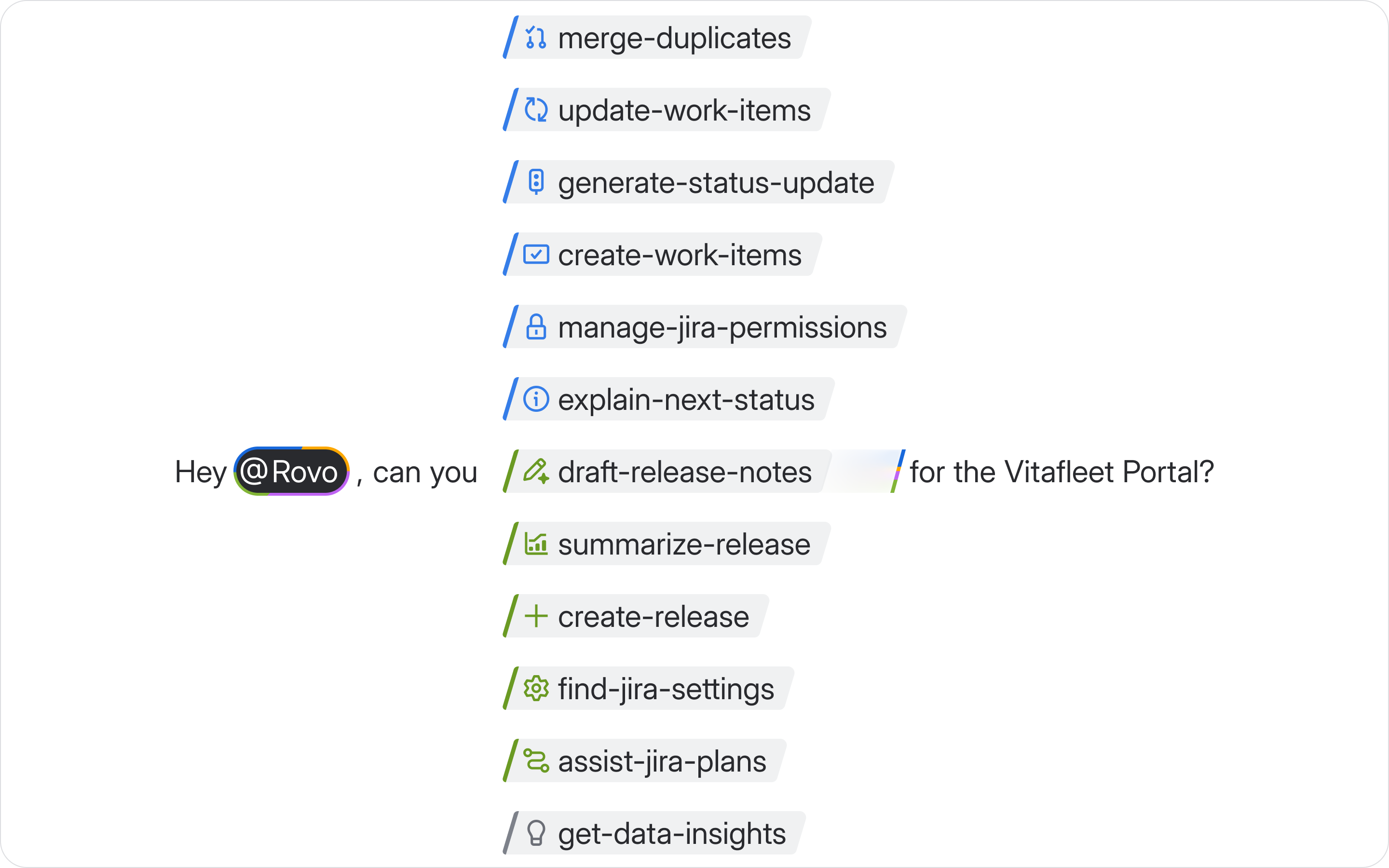
Rovo Skills are now live for all customers using Rovo Chat, and will soon be available to Rovo agents. This marks an exciting step in how you work with Rovo. You can now leverage a growing library of skills that encode decades of opinionated best practices for tasks across Jira, Confluence, JSM, and more.
This article explains what skills are, how to trigger them in Rovo Chat, and how they’ll keep expanding over time.
What are skills?
Skills are being adopted and developed across the industry as a way to reuse and package up instructions for agents to handle specialized tasks.
The famous analogy is that of the recipe. You can think of agent as a chef, it can do a lot of great cooking with the knowledge it has, but it needs a recipe to make specialized and consistent meals - skills are the recipe.
What’s special about Rovo Skills?
Over the past 20 years, we’ve seen all kinds of teamwork developing across the millions of teams that use our apps. Skills allow us to package up that observed best practice to make Rovo way better. How do skills help us do that? Well, skills inform behavior: they’re reusable, packaged guidance about how an agent should approach a kind of task. They encode best practices so an agent doesn’t have to rediscover it from scratch each time.
You can think of a skill as a pattern Rovo can access when it needs. A skill can:
-
give Rovo the steps to take
-
show Rovo what “good” looks like for that task
-
turn your natural language request into consistent, reliable action.
And the best part is that they work across the whole teamwork graph including all your Atlassian or 3P connected tools to help deliver the best outcome by tapping into your complete organizational knowledge.
This is the beginning of supercharging how people work with Rovo to make their lives at work easier.
Skills in Rovo Chat: how they work
Skills are now directly available in Rovo Chat. You can invoke them in two ways:
1. Use slash commands (explicit skills)
Slash commands let you intentionally choose a specific skill when you know exactly what you want Rovo to do.
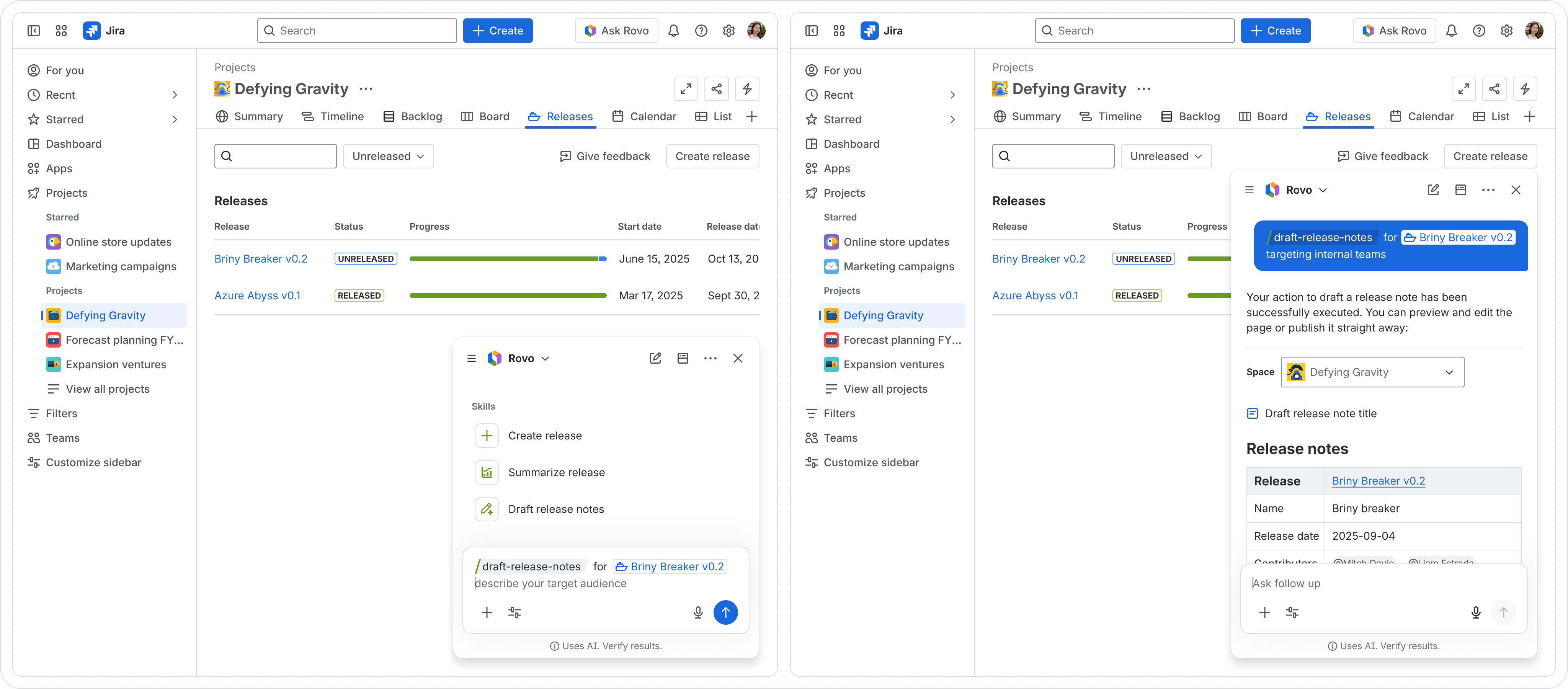
In any Rovo Chat conversation, just type a slash (/) to see available skills, or type a skill name directly:
"/write-status-update for this project over the past week"
"/create-work-items for a new onboarding experience"
"/get-data-insights about deployments by environment in the last 30 days"
"/explain-workflow for ABC-123"
"/search-assets to show me all the laptops assigned to me"
Rovo will run the chosen skill, pull in the right data (respecting your permissions along the way), and present a structured, opinionated output.
2. Ask in natural language (only available for some skills)
For some skills, you don’t need to remember the exact slash command. You can just ask Rovo in your own words, and it will find a relevant skill to run behind the scenes.
For example:
-
“Summarize this release for my stakeholders and call out high‑risk work.”
-
“Draft a status update for our team goal with highlights and risks.”
-
“Why can’t my teammate access this Jira issue?”
-
“Help me understand what happened in this incident and what to do next.”
Rovo will interpret what you need and route your request to the appropriate skill when possible. Over time, we’ll keep improving how often and how accurately Rovo does this for you.
What’s possible
With this release, we’re shipping ~30 skills that showcase what skills can do across different parts of your workflow. A few examples:
Try some of our top skills 
Status & reporting
/write-status-update generates rich status updates for work items, and projects, with highlights and risks.
/explain-workflow gets your a summary of available statuses and transitions for a work item.
When checking the workflow of a work item, Rovo can access workflow validation rules, including rules enabled by third-party apps. Rovo can also access workflow condition rules; however, Rovo can’t access any content for condition rules that identifies a user, group, permission, or custom field, and this content won’t be shown to users.
Planning & execution
/create-work-items turns ideas into structured work in Jira, including epics with child items.
Operations & incidents
/create-pir helps you structure post‑incident reviews consistently.
/find-incident-root-cause guides you through understanding what happened and why.
Analytics & insights
/get-data-insights generates charts and commentary based on Jira, JSM, CSM, Bitbucket and other connected DevOps tools, or Goals data.
Assets and inventory
/search-assets queries your Assets data (“show me all the laptops assigned to me”) and get helpful, readable results.
All skills available in March 2026
|
|
|
|
|
|---|
|
/write-status-update
|
Write status update
|
Provide an update on the status of work in a space
|
Project status meetings, team updates, Jira space view
|
|
/create-work-items
|
Create work items
|
Create multiple work items based on a project or feature you describe
|
Backlog grooming, project kickoff, Jira backlog view
|
|
/update-work-items
|
Update work items
|
Update work item fields like assignee, summary, descriptions, and more
|
Work item view, bulk editing, Jira backlog view
|
|
/get-data-insights
|
Get data insights
|
Create charts and get insights on your work
|
Reporting, dashboards, Jira space view
|
|
/explain-workflow
|
Explain workflow
|
Get a summary of available statuses and transitions for a work item
|
Work item view, workflow troubleshooting, Jira space settings
|
|
/assess-change-risk
|
Assess change risk
|
Assess technical, operational, security, and business risks for changes in Jira Service Management.
|
Change management, CAB review, JSM Change view
|
|
/manage-jira-workflows
|
Manage Jira workflows
|
Explain the workflow for a Jira space and perform actions in workflow's statuses, transitions and top 5 workflow rules
|
Workflow admin, Jira space settings, workflow troubleshooting
|
|
/manage-plan-features
|
Manage plan features
|
Manage advanced features in Jira plans
|
Jira plans, Portfolio planning
|
|
/add-plan-dependency
|
Add plan dependency
|
Add dependencies between work items in Jira plans
|
Jira Plans, Portfolio planning
|
|
/add-plan-work-source
|
Add plan work source
|
Add a work source to a Jira plan
|
Jira plans, Portfolio planning
|
|
/create-plan-release
|
Create plan release
|
Create a release for a Jira plan
|
Jira plans, release planning
|
|
/create-plan-work-item
|
Create plan work item
|
Create work items within Jira plans
|
Jira plans, portfolio planning
|
|
/create-program-board
|
Create program board
|
Create a program board for a Jira plan
|
Jira plans, program management
|
|
/query-plan
|
Query plan
|
Query and retrieve information from Jira plans
|
Jira plans, portfolio planning, reporting
|
|
/delete-program-board
|
Delete program board
|
Remove a program board from a Jira plan
|
Jira plans, program management
|
|
/remove-plan-work-source
|
Remove plan work source
|
Remove a work source from a Jira plan
|
Jira plans, portfolio planning
|
|
/summarize-plan
|
Summarize plan
|
Get detailed summaries of Jira plans
|
Jira plans, portfolio review, reporting
|
|
/summarize-focus-area
|
Summarize focus area
|
Synthesize all linked goals and work items from a focus area into a clear snapshot that shows progress, status, and risks with helpful next steps.
|
Jira plans, portfolio review, focus area reporting
|
|
/find-jira-settings
|
Find Jira settings
|
Get assistance finding the correct Jira admin settings for your needs
|
Jira admin, space settings, troubleshooting
|
|
/manage-jira-permissions
|
Manage Jira permissions
|
Detect and fix space and work item permission problems.
|
Jira admin, permission troubleshooting, space settings
|
|
/draft-release-notes
|
Draft release notes
|
Write release notes covering key changes in a release
|
Release management, product updates, Jira release view
|
|
/create-release
|
Create release
|
Create a release to package code for deployment
|
Release management, Jira release view
|
|
/summarize-release
|
Summarize release
|
Summarize release scope, risks, blockers, and more
|
Release review, reporting, Jira release view
|
|
/suggest-playbooks
|
Suggest playbooks
|
Suggest playbooks that can help mitigate, resolve, or investigate work items in Jira Service Management.
|
Alert triage, incident response, Jira Service Management Ops workflows
|
|
/find-alerts
|
Find alerts
|
Find alerts and their related data for an Operations team in Jira Service Management
|
Operations, alert triage, Jira Service Management alert list / Ops dashboard
|
|
/summarize-incident
|
Summarize incident
|
Create a comprehensive summary of a given incident in Jira Service Management
|
Incident review, stakeholder comms, incident handover, Jira Service Management incident view
|
|
/suggest-incident-expert
|
Suggest incident expert
|
Suggest people or teams that can help resolve incidents in Jira Service Management faster
|
Incident escalation, major incident response, on-call triage
|
|
/suggest-incident-fields
|
Suggest incident fields
|
Suggest field values for an incident in Jira Service Management, or mark it as major
|
Incident intake/triage, major incident declaration, Jira Service Management incident view
|
|
/suggest-problem-ticket
|
Suggest problem ticket
|
Suggest creating a problem ticket when an incident in Jira Service Management recurs
|
Problem management, recurring incidents, post-incident review
|
|
/find-similar-incidents
|
Find similar incidents
|
Find similar incidents in a given Jira Service Management space based on content similarity
|
Incident triage, known-issue detection, faster diagnosis
|
|
/find-incidents
|
Find incidents
|
Find incidents in a given Jira Service Management space and their related data
|
Ops reporting, incident queue review, incident trend analysis
|
|
/create-pir
|
Create PIR
|
Create a post incident review for an incident in Jira Service Management
|
Post-incident review, retrospective, incident learning
|
|
/find-incident-root-cause
|
Find incident root cause
|
Find possible root causes of an incident in Jira Service Management
|
Incident investigation, root cause analysis, post-incident follow-up
|
The above is a complete list of Rovo Skills we’re releasing this month (March 2026)—More skills to come.
How to get started
- Select Ask Rovo to open a Rovo Chat
-
Type <strong>/</strong> to browse skills and pick one to try, or:
-
Ask in your own words and let Rovo decide which skill to run. (Note that routing to a skill based on a generic prompt isn’t available for all skills yet)
-
Iterate in conversation. Refine, ask follow‑up questions, or run another skill to go deeper.
What’s next: An ever‑growing library of skills
This GA launch is the start of Rovo Skills, not the end:
Product teams across Atlassian are continually adding new skills and refining existing ones. Our skills are built on a shared platform, so improvements to one skill (or the platform itself) benefit others.
Over time, you’ll see:
-
More skills for planning, execution, operations, and support.
-
Better routing from your prompts to the right skill.


![Photo of Fabio Racobaldo [Catworkx]](https://us.v-cdn.net/6038660/uploads/avatars/80/57/n805742325ad6db3516f9bc7c3e7ad85e.png)


