The Atlassian Community Forums are currently in read-only mode. We will be relaunching on a new platform on September 22 (read more here). We apologize for the extended downtime. For concerns or questions, please email communitymanagers@atlassian.com. See you on the other side, on the new Atlassian Community Forums! :)
×Community resources
Community resources
Community resources
Planim Time: a native desktop time tracker for Jira (macOS, Windows, Linux)

Hi App Central 👋 I'm Vladimir, and we build Planim Time, a desktop time tracker for Jira. Since this group covers third-party apps as well as Marketplace ones, here's what it does and why we built it as a menu bar app instead of a plugin.
Why a desktop app instead of a plugin
Most Jira time trackers are Cloud plugins. They live inside a browser tab, need an active Jira session, and every glance at the timer means switching to a tab that loads a dozen widgets you didn't ask for. The established options are also built for someone else: finance teams, agencies, managers who want screenshots. We built ours for the person actually logging the hours: a plain timer that keeps running even when Jira has a bad five minutes.
So Planim Time is a native desktop app that sits in the menu bar (or system tray) on macOS, Windows, and Linux. Under the hood it's Tauri, with a Rust core and a Svelte UI, which is why the installer stays small. It talks to Jira Cloud through the standard REST API with your own account. Nothing gets installed on the Jira site itself, so there's no Marketplace approval or admin request involved.
A timer where your hands already are
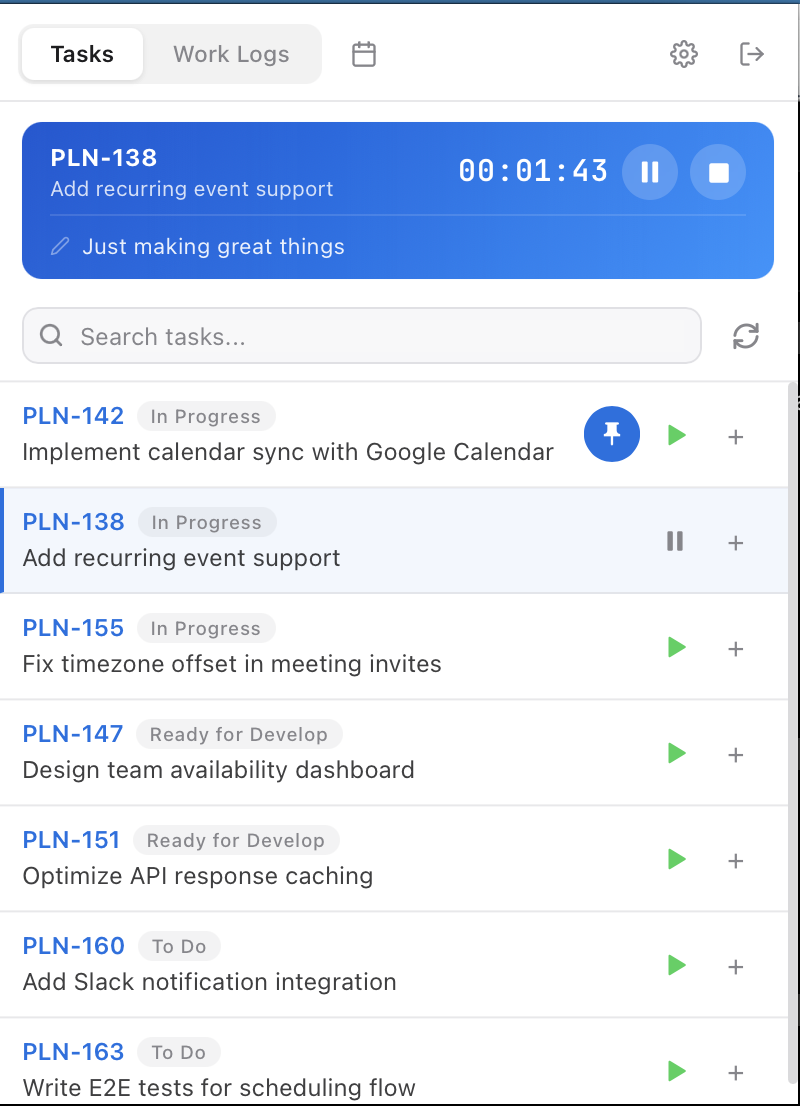
Your issues load into the app via JQL filters, and the ones you live on can be pinned to the top so they don't vanish behind a sprint boundary. Starting a timer is one click from the menu bar, and the tray icon changes when a timer is running, paused, or idle, so you can tell the state at a glance. Stop the timer and the worklog can push to Jira automatically.
Worklogs sync both ways
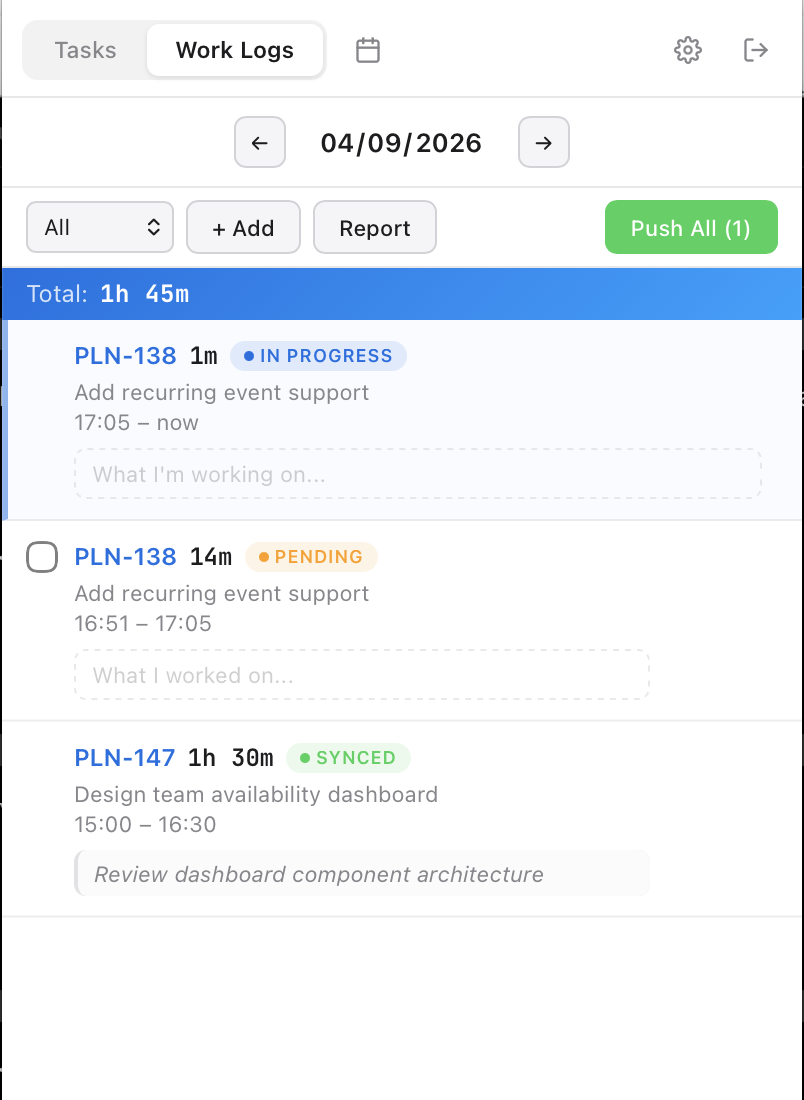
First launch imports the worklogs you've already logged in Jira, so you don't start from a blank slate. After that, sync runs in both directions: every entry carries a status badge (in progress, pending, synced), and if you edit one in the app, "Save & Push" updates Jira. What lands in Jira is a plain native worklog under your own account: worklogAuthor JQL, the Time Tracking report, and the REST API all see it exactly like a hand-typed one, with no third-party silo in between.
Your week on a calendar (or a timesheet)
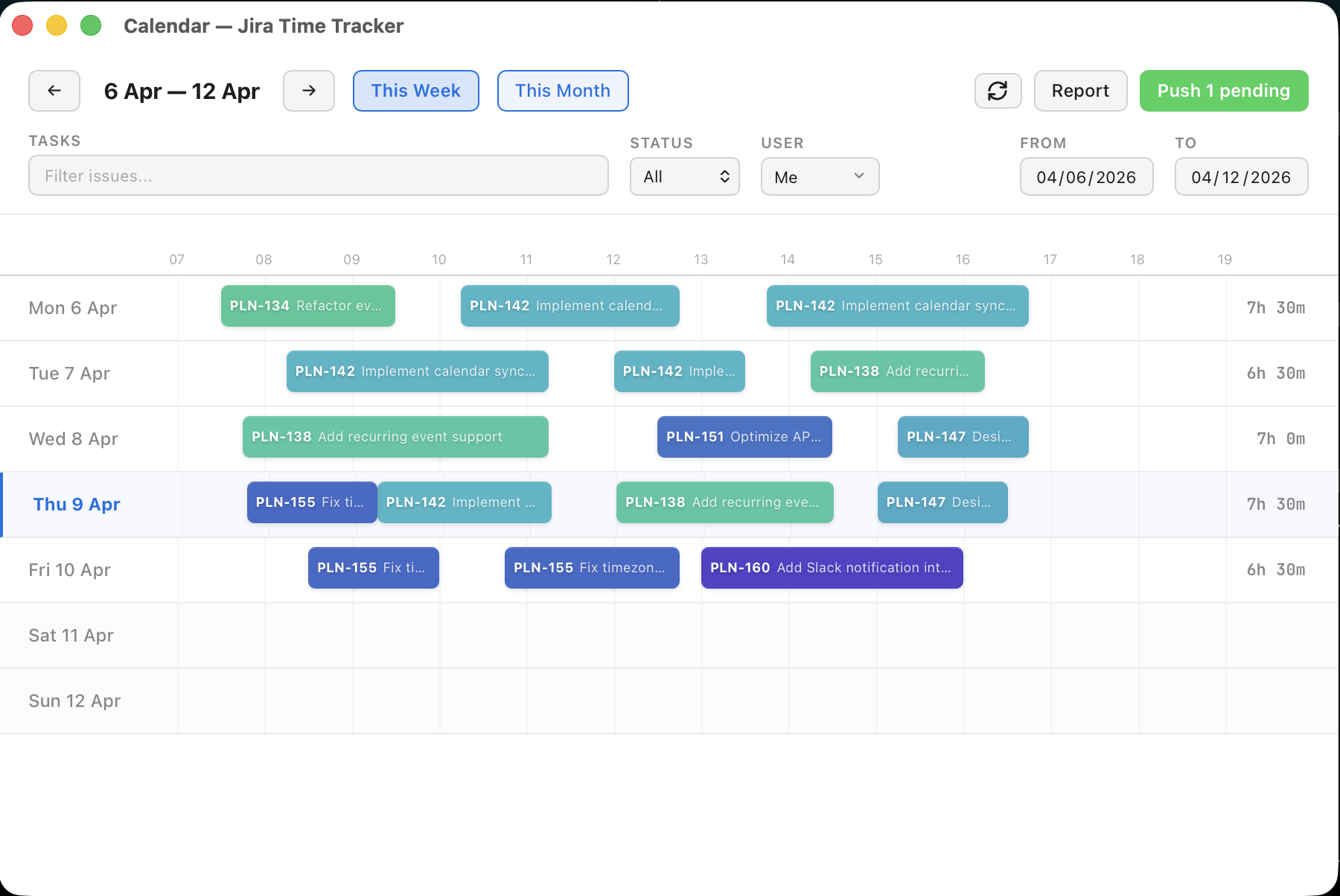
Logged time shows up as color-coded blocks on a weekly calendar. Drag a block to move it, or resize it to change the duration; there's no edit modal to click through. If you'd rather see rows and columns, the same data is also available as a timesheet grid with daily and per-issue totals.
The calendar is also where backfilling happens. For the week you forgot to track, the app reads your own Jira activity (comments, status changes, field edits) and suggests time blocks you can review and accept. We added this because it matches how time tracking actually goes: most weeks, at least a few hours get reconstructed on Friday afternoon rather than tracked live, and staring at an empty Tuesday trying to remember it is the worst part of the job.
Reports without a spreadsheet
Pick any date range and get a breakdown by issue with work descriptions. Export it to CSV for invoicing, or copy your day grouped by issue straight into standup.
The parts you notice later
- Idle and sleep detection. Step away with the timer running and the app asks what to do with the gap (keep it, subtract it, or stop the timer) instead of logging the whole gap as work.
- Offline-first. Every worklog lives in a local SQLite file on your disk, so tracking keeps working on a plane or through a Jira outage and reconciles later.
- Credentials. Sign in with Atlassian is the default, with an API token as a fallback. Long-lived credentials go into the OS credential store: macOS Keychain, Windows Credential Manager, or the Linux Secret Service. Nothing gets written to a plaintext config file.
One thing the app deliberately doesn't do is monitoring. There are no screenshots, activity scores, or URL logs anywhere in it. If you're shopping for employee surveillance tools, this is the wrong one.
Download and details: time tracker for Jira
One question for the room
If you're using a time tracker with Jira today, what made you pick it, and what would it take to make you switch?
0 comments
Comments for this post are closed
Community moderators have prevented the ability to post new comments.