If you’ve been following AI Apps Builder, the spring update is worth checking out. The tool now offers more features, and you can build a lot more with it. The roadmap for AI Apps Builder is shaped by real Jira use cases and feedback from admins, product managers, and teams who use Jira every day.
In this article, I’ll walk you through what’s new in AI Apps Builder and why these changes are important.
More Jira Modules You Can Build
The biggest change is in module coverage. AI Apps Builder can now create apps for many more parts of Jira.
Jira Core: 18 Modules
The modules fall into five practical categories:
-
Enhancement & Automation: with jira:customField, jira:customFieldType, jira:issueAction, and jira:command, you can build custom fields and field types that validate data, trigger actions when fields change, or track SLA metrics and approval stages. These modules enable smarter workflows, not just display features.
-
Contextual Information Display: jira:issueContext, jira:issueGlance, and jira:issuePanel let you show external data directly inside issues, such as deployment status from CI/CD tools, related records from other systems, or calculated metrics. The interface remains clean, and the data is easy to access.
-
Team Collaboration Tools: jira:issueActivity, jira:boardAction, jira:backlogAction, jira:sprintAction, and jira:issueNavigatorAction provide the basics for sprint planning assistants, backlog prioritization tools, and activity streams that gather information from different sources.
-
Administrative & Configuration Solutions: jira:adminPage, jira:projectPage, jira:projectSettingsPage, and jira:personalSettingsPage handle the management side, such as bulk configuration tools, health check dashboards, and custom onboarding flows for new projects.
-
Pages & Dashboards: jira:dashboardGadget and jira:globalPage let you build dashboard widgets for better visibility and full-page apps in Jira's main navigation.
Jira Service Management: 11 Modules
JSM support now covers the entire customer and agent experience:
-
Portal branding: jiraServiceManagement:portalHeader, jiraServiceManagement:portalFooter, jiraServiceManagement:portalSubheader for custom navigation, banners, and real-time status widgets
-
Self-service enhancement: jiraServiceManagement:portalRequestCreatePropertyPanel, jiraServiceManagement:portalRequestDetail, and jiraServiceManagement:portalRequestDetailPanel to show knowledge base articles during request creation, or external tracking data (shipment status, for example)
-
Customer profile personalization: jiraServiceManagement:portalProfilePanel and jiraServiceManagement:portalUserMenuAction for subscription details, linked assets, or quick actions like “Schedule a call”.
-
Organization management: jiraServiceManagement:organizationPanel for project admins to view and manage organization-specific data in project settings—custom metadata, SLA configurations, or contract details
-
Agent queue productivity: jiraServiceManagement:queuePage adds custom pages to the queue left sidebar—team metrics, workload balancers, CRM data, or escalation helpers
-
Request actions: jiraServiceManagement:portalRequestViewAction for sidebar actions like “Escalate to manager” or pushing data to external systems.
With more modules, you can now access more parts of Jira. The workflow is still the same. You share your idea, explain the problem you want to solve, and AI creates a Forge app for you. The process hasn’t changed, but now you have more options to build.
Preview Your App Before Deployment
They say writers should show, not tell. So I won't spend much time explaining what a Preview is. I'll just show you a few examples of app previews.
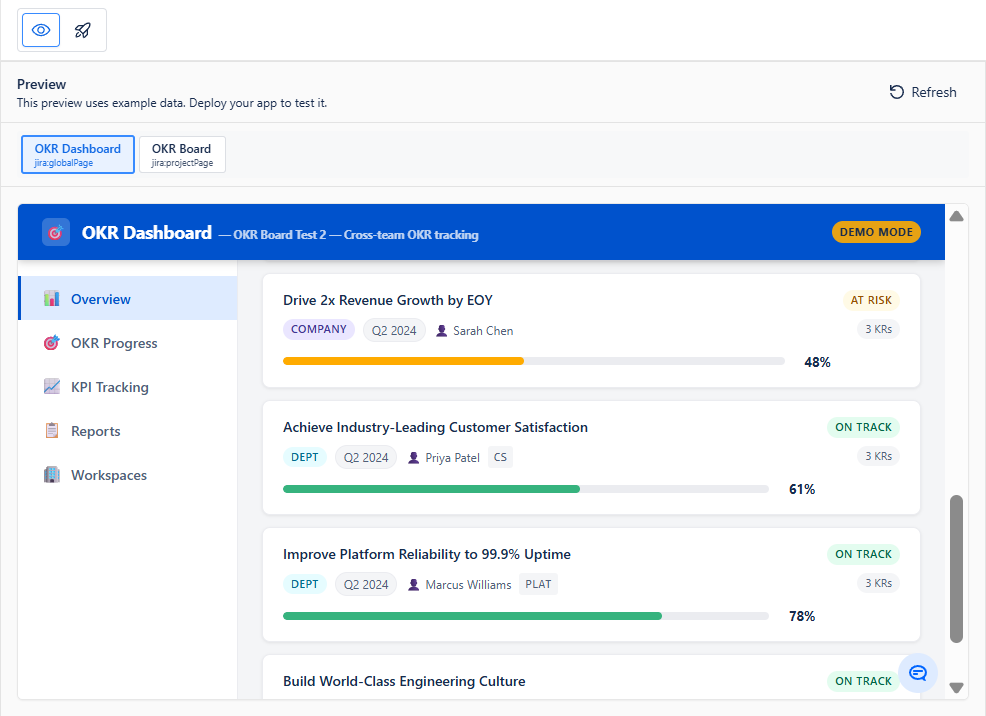
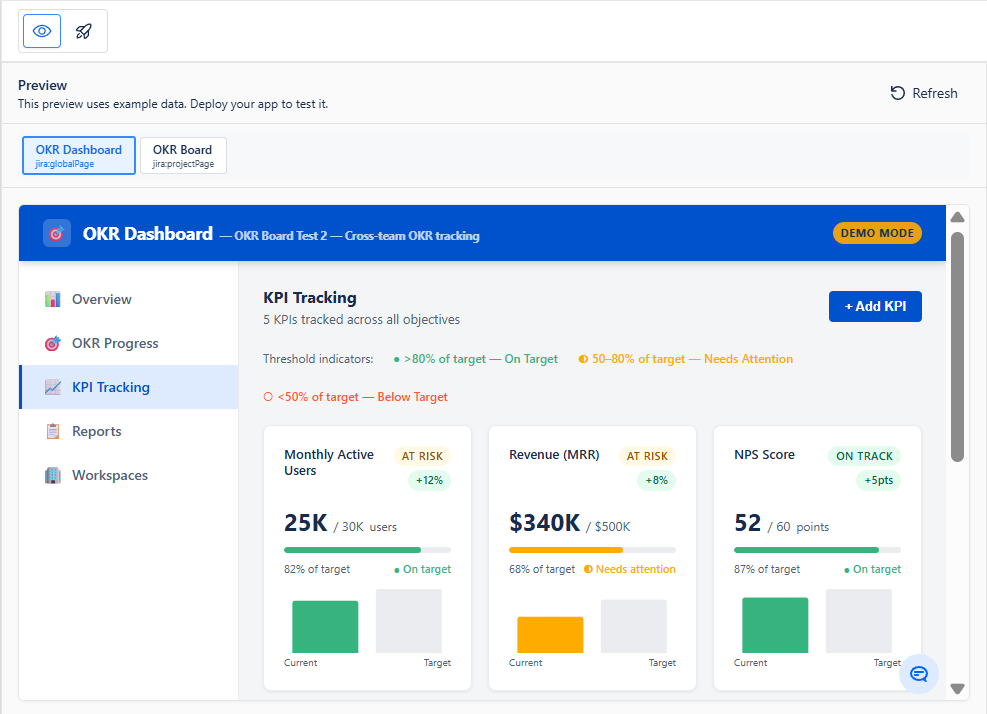
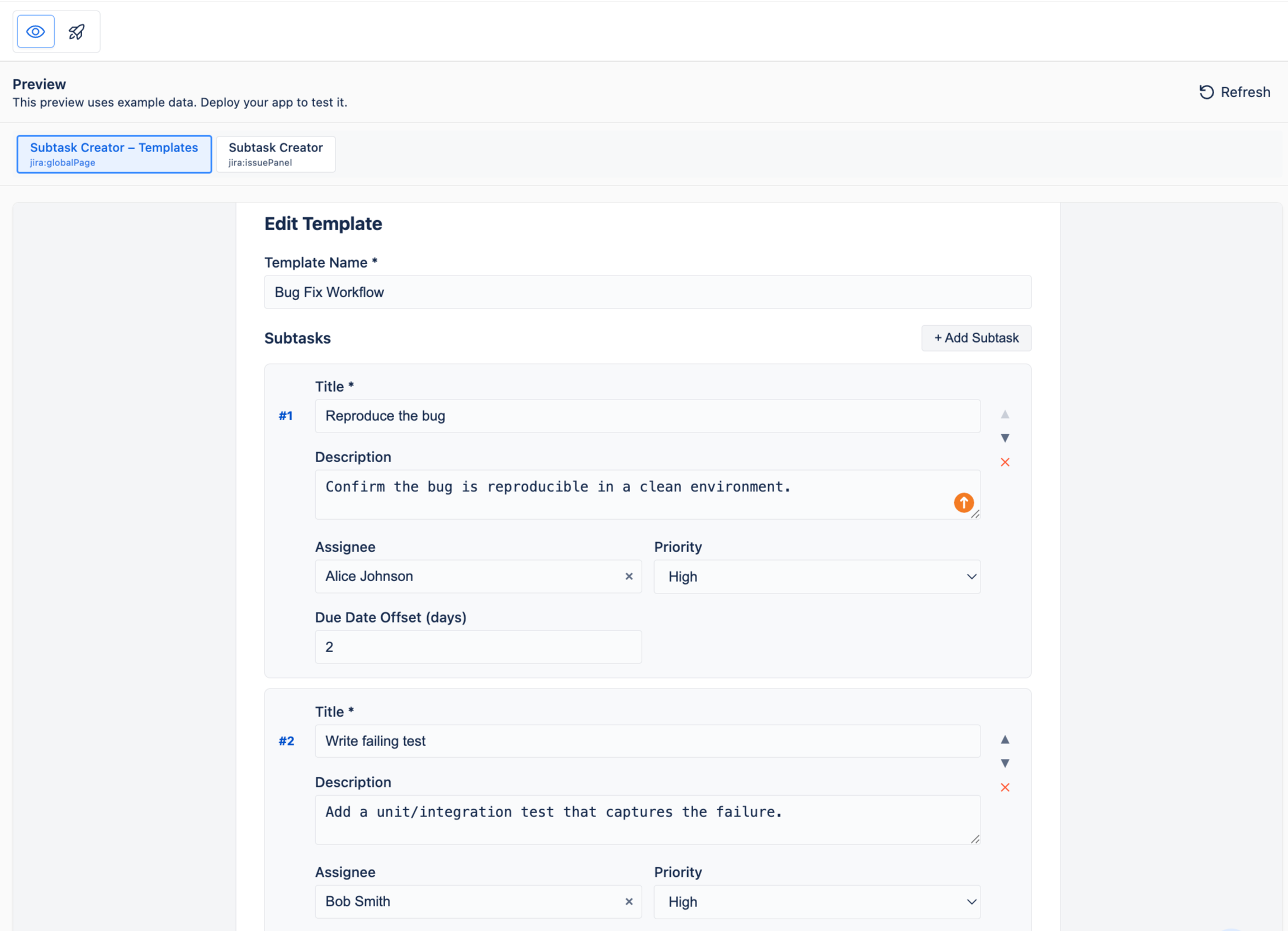
Before deployment, you can check your app in the preview environment. You open Preview and see your app running: real UI, real layout, real behavior. If something looks off, you can fix it with AI. That's it—no surprises in production.
Version History: Experiment Without Risk
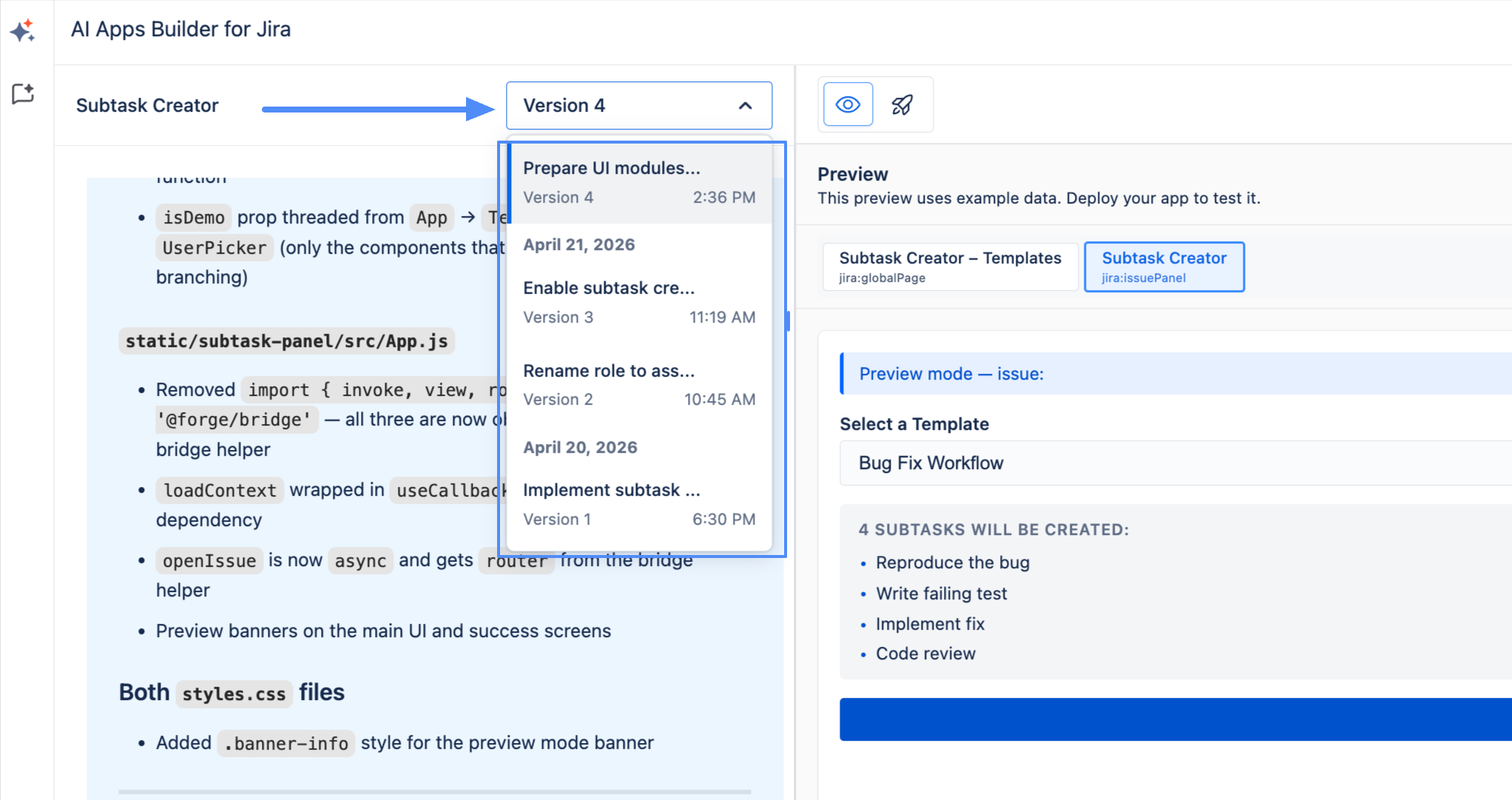
Version History changes the way the building process works. Now, every version of your app is saved automatically, and you can branch off from any earlier version.
|
You create an app
|
Version is automatically saved
|
|
You make changes
|
New version saved; previous versions preserved
|
|
You want to go back
|
Select any previous version from the dropdown
|
|
You restore a version
|
Full source code restored — UI, logic, and structure
|
|
You continue editing
|
New changes build on the restored version
|
In practice, this lets you try major changes, see how they work, and roll back if needed without losing your previous work. You can also branch from a stable version to explore a different approach at the same time. For teams quickly prototyping custom Jira apps, this removes the main worry: breaking something that already works.
Screenshot Upload: Show, Don't Describe
You can attach screenshots directly in the chat with AI. It gives you the possibility: instead of describing layout issues or your design style, just upload an image and let the AI use it as a visual reference.
This is especially helpful for UI polish. Upload a design example, ask the AI to match it, and keep refining from there.
Dev Help: Human Manual Support
Dev Help is manual technical support from real developers who review your app’s code, fix issues, improve features, and add custom logic when the AI output isn’t quite right. Non-technical users get direct help from people. Technical users get another expert to review the generated code.
This feature is in beta and free for now. Just submit a request with your issue, what you expect, and any files. The team will get back to you with next steps.

Security: Built on Atlassian Forge
One question comes up consistently: what does the AI see? The answer is simple: AI in AI Apps Builder does not access, read, or analyze any Jira data. It never connects to Jira or uses Jira APIs. Its only job is to generate Forge app code based on your text prompt and public Forge documentation.
Your Jira data only enters after the app is deployed, at which point it operates entirely within Atlassian Cloud, under standard Forge permissions. The AI is no longer part of the process.
The full picture:
-
The app runs entirely within Atlassian Cloud; no data leaves Atlassian infrastructure
-
Jira data is processed and stored only within Atlassian's systems, following Atlassian's security and compliance standards
-
Data access is governed by standard Jira permissions and approved scopes
-
No data is sent to external servers, third-party services, or AI systems
-
Site administrators have full transparency and control over what the app can access.
The AI generates the code. Atlassian Forge runs it. Your data stays within Atlassian's infrastructure at every step.
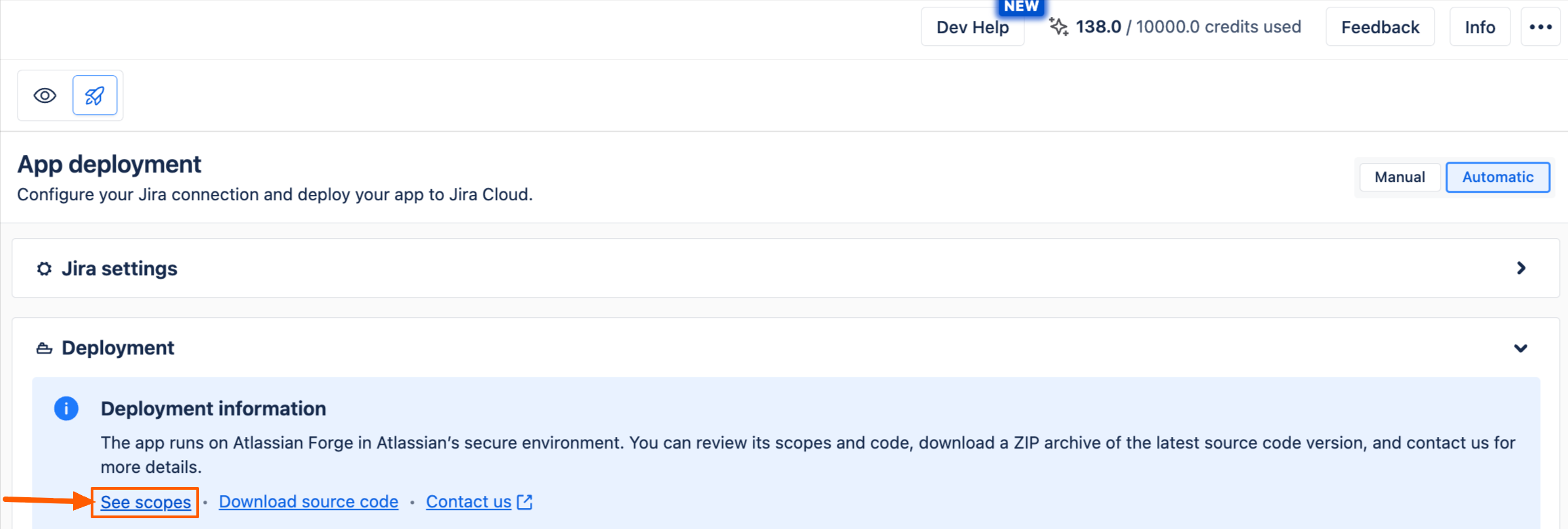
One more important point: in AI Apps Builder, you can review all the scopes your Forge app uses before deployment.
Start Building Your Own Jira Solution
If you tried AI Apps Builder before and moved on, now is a good time to take another look. A lot has changed. If you're new, you start with 100 free credits. That's enough to build at least five working Jira apps.
Install AI Apps Builder for Jira and start with a small tool that solves one real Jira problem. See where it goes.
As Lori wrote about AI Apps Builder in the Atlassian Marketplace review: "Amazing, this is the future. The best way to get a custom app is to build one." Hard to argue with that.
P.S. If you have questions, ideas, or feedback, please leave a comment below. If you’re already using our app and have any issues or want to share your experience, we’d love to hear from you. My team and I are here to help and support you.
