We're moving! The community forums are migrating to a new platform on September 22. Learn more
×Community resources
Community resources
Community resources
How to get Confluence page approvals from guest users
There are a few sticky situations that come up more often than you'd think: your legal team needs external counsel to review a policy page before it goes live. An ISO audit is approaching and you need an external auditor to formally acknowledge a compliance document. A contractor contributing to a project needs to sign off the deliverable brief before work begins.
In each case, the reviewer doesn't have an Atlassian licence - at most, they have guest access to your Confluence space. Until recently, that meant working around the approval process: sending PDFs by email, chasing sign-offs over Slack, and manually noting somewhere that approval had actually been given.
If you use Approvals for Confluence, there's now a cleaner way to handle this.
What guest users can do in Approvals for Confluence
Guest users with access to a Confluence space can participate in approvals in most of the ways a licensed user can. Specifically, a guest user can:
- Be added as an approver to both Page Approvals and Section Approvals by a non-guest user, both in the byline and via the macro
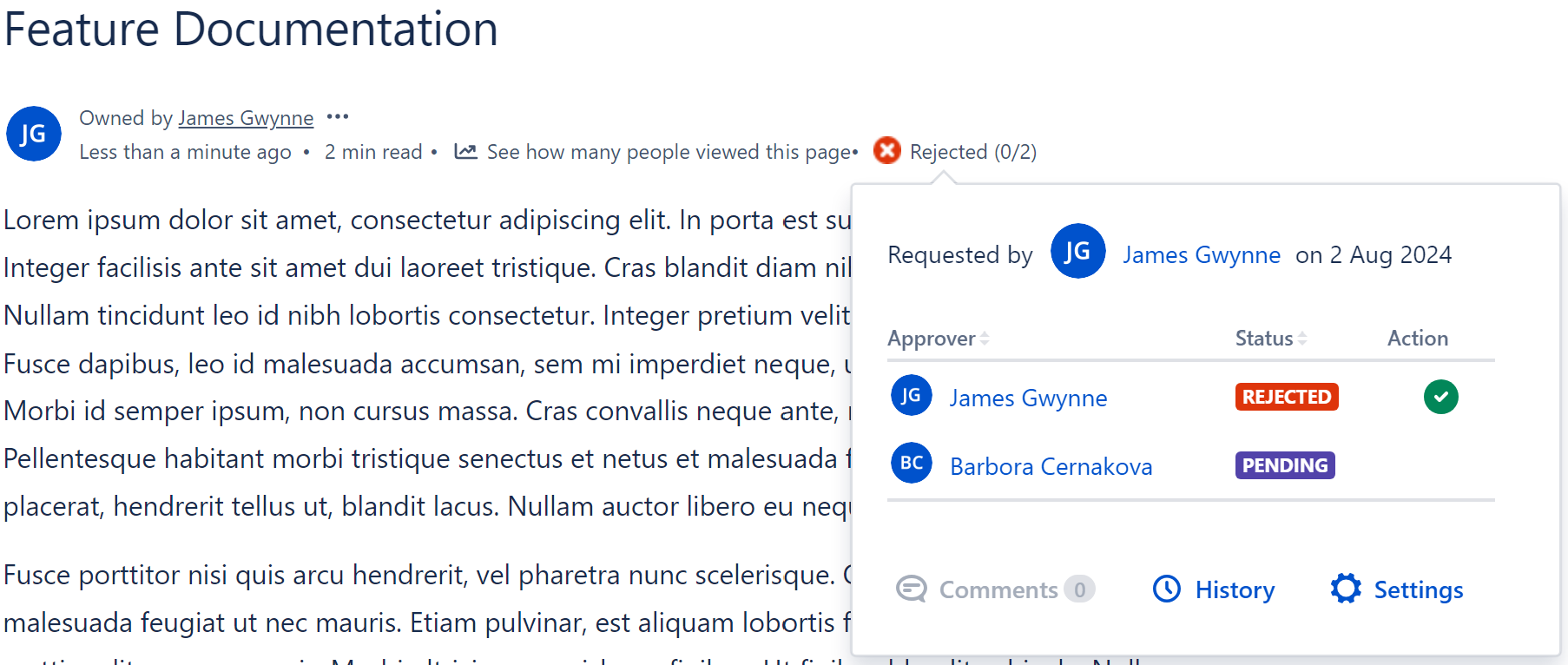
- Approve or reject both page and section approvals, and leave comments
- Be added to Approval Teams
- View Page Approval history and Section Approval history, including any comments
- View and export the Page Approval Status macro
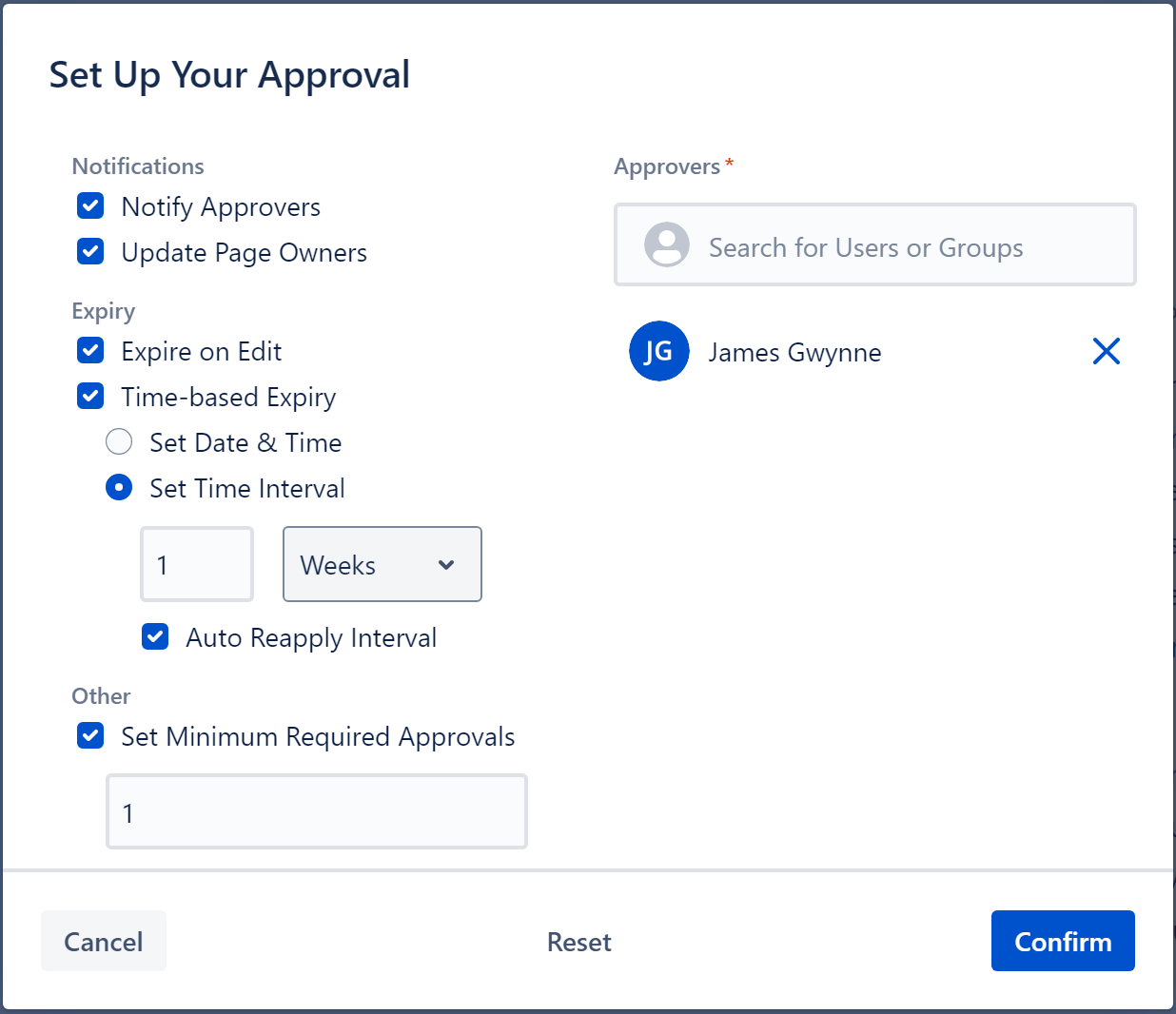
The result is a proper sign-off that sits in the same place as all your other approvals - on the page, in Confluence, with a timestamp and audit trail - rather than buried in an email thread.
Two things to know beforehand
Guest user support is fairly comprehensive, but there are two limitations worth being aware of before you involve external reviewers.
- Guest users will see all other participants listed as 'Unknown User' within the approval panel and history by default. This is an Atlassian platform restriction rather than something specific to the app. It can be resolved: if your Confluence admin enables 'View User Profile' under Anonymous Access in Confluence's global settings, guest users will see real names instead.
- Guest users can't create approvals themselves or access the settings of existing ones, they can only respond to approvals they've been added to. The Approvals Dashboard and Search are also unavailable to them.
For the core use case - a guest reviewing and signing off a page or section - everything works as expected.
If your team works in Confluence live docs
Worth knowing if you use live docs: Section Approvals now work on Confluence live docs, including the Expire on Edit feature and section approvals applied via page templates. If you've been holding off on using section approvals in live docs, that blocker is now gone.
Frequently asked questions
Can Confluence guest users approve pages?
Yes. Guest users can be added as approvers to both Page Approvals and Section Approvals. They can approve or reject directly from the page, and their decision is logged with a timestamp and any comments they leave. By default they will see other users as 'Unknown User', but this can be resolved by an admin enabling 'View User Profile' under Anonymous Access in Confluence global settings.
Do guest users need a full Atlassian licence to approve a Confluence page?
No. Guest users with access to a Confluence space can participate in page and section approval processes without a full Atlassian licence.
Can guest users use section approvals in Confluence?
Yes. Guest users can be added as approvers in Section Approvals and can approve or reject section-level sign-offs directly from the page. Their decisions are logged in the section approval history, which is also viewable and exportable by guest users.
How do I add a guest user as an approver in Confluence?
The process is the same as for any other approver. They'll be notified and can respond directly from the page.
Why do guest users see 'Unknown User' instead of real names?
This is a default Atlassian platform restriction on guest user data access. It can be resolved: a Confluence admin can enable 'View User Profile' under Anonymous Access in Confluence's global administration settings, which allows guest users to see real names within Approvals for Confluence.
Was this helpful?
Thanks!

Matthew Joslin_AppFox_

1 comment