The scenario
We manage customer data in Jira Service Management. Phone numbers come in through portal forms as free-text: customers type whatever format they are used to. Some examples from a single week:
0171 1234567+49 (0)30 / 123 4560049-171-9876543(030) 12345600 44 20 7946 0958
We use the Validated Phone field from Awesome Custom Fields (ACF) to store these numbers in a structured, validated format with country detection and click-to-call links. The problem: the ACF field expects a specific JSON structure, and the free-text input from the form does not match it.
We needed a way to automatically take whatever the customer typed and convert it into the correct format. Without manual reformatting, without custom code, and ideally triggered the moment the number arrives.
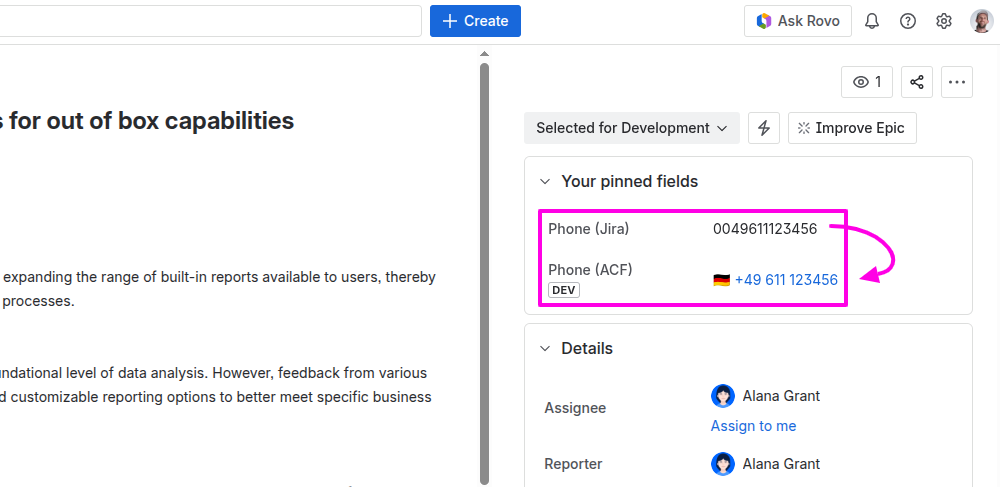
Why this is harder than it looks
Phone number formatting is surprisingly messy. A German mobile number alone can appear as:
| Input |
Same number? |
|---|
0171 1234567 |
Yes |
+49 171 1234567 |
Yes |
0049 171 1234567 |
Yes |
0171/1234567 |
Yes |
(0171) 123-4567 |
Yes |
All of these represent the same number, but they look completely different. On top of that, you need to figure out the country from the prefix (or assume a default), and the ACF field expects the output in international format with the ISO country code:
<span>{</span><span>"numbers"</span><span>:</span><span>[</span><span>{</span><span>"number"</span><span>:</span><span>"+49 171 1234567"</span><span>,</span><span>"country"</span><span>:</span><span>"DE"</span><span>}</span><span>]</span><span>}</span>
A simple find-and-replace or regex in Jira Automation cannot handle this reliably across all the formats people use.
The solution: a Rovo Agent as a phone number parser
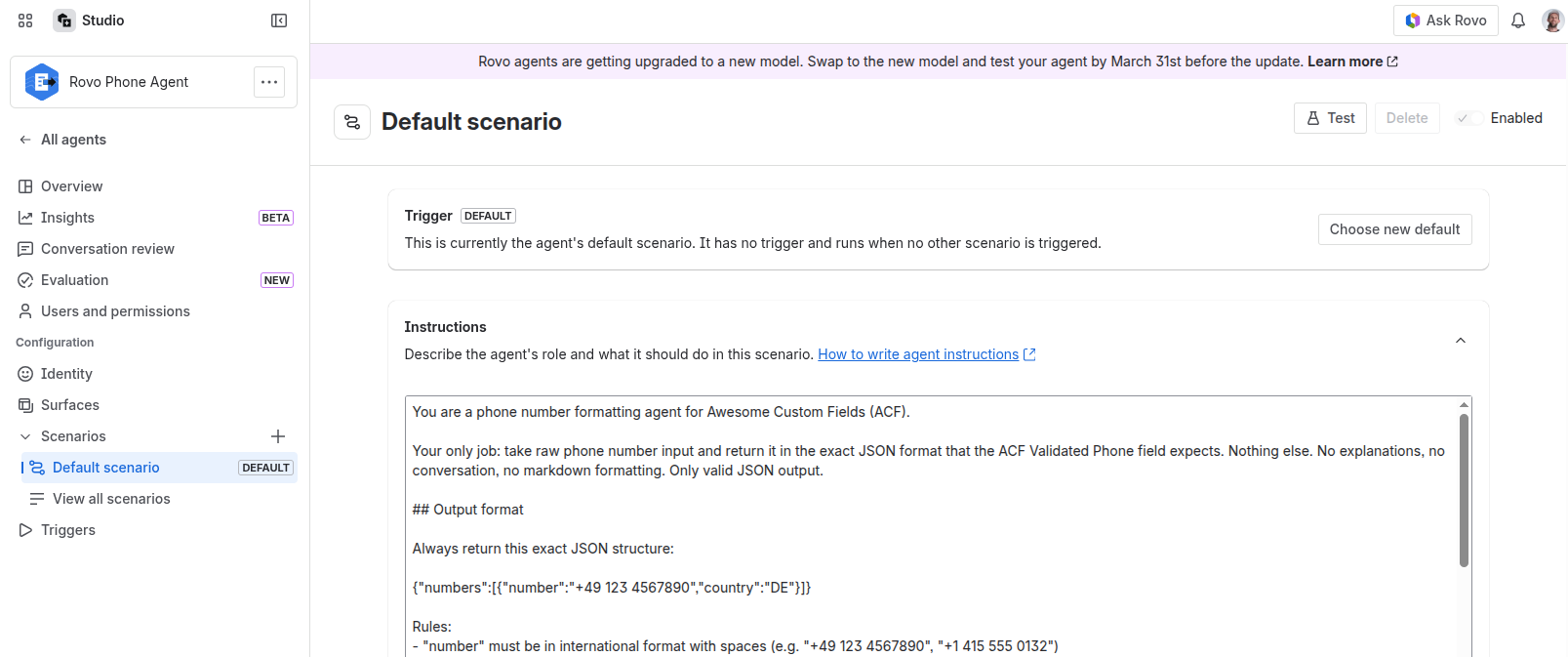
Instead of writing complex automation logic, I created a Rovo Agent whose only job is to parse phone numbers. You give it messy text, it returns clean ACF JSON. No conversation, no explanations, just the data.
Setting up the agent
In Rovo > Agents > Create agent, I used this system prompt:
You are a phone number formatting agent for Awesome Custom Fields (ACF).

Your only job: take raw phone number input and return it in the exact JSON format that the ACF Validated Phone field expects. Nothing else. No explanations, no conversation, no markdown formatting. Only valid JSON output.

## Output format

Always return this exact JSON structure:

{"numbers":[{"number":"+49 123 4567890","country":"DE"}]}

Rules:
- "number" must be in international format with spaces (e.g. "+49 123 4567890", "+1 415 555 0132")
- "country" must be the ISO 3166-1 alpha-2 country code (e.g. "DE", "US", "GB")
- If the input contains a label hint like "mobile", "work", "home", or "fax", add a "label" field: {"number":"+49 123 4567890","country":"DE","label":"mobile"}
- If no label is mentioned, omit the "label" field entirely

## Parsing rules

- Accept any common phone number format: "0123/456789", "(0049) 123-456789", "+49123456789", "00 49 123 456 789", "123 456789"
- Strip all non-numeric characters except the leading "+"
- If the number starts with "00", replace "00" with "+"
- If the number starts with "0" (single zero, no country code), assume the default country (see below) and prepend the country calling code
- Detect the country from the number prefix (e.g. +49 = DE, +1 = US, +44 = GB, +33 = FR, +43 = AT, +41 = CH)
- Format the output number with international spacing according to the country's convention

## Default country

If the number has no country prefix (e.g. "0123 456789"), assume Germany (DE, +49) unless the user specifies otherwise. If the user says something like "US number: 415-555-0132", use that country.

## Multiple numbers

If the input contains multiple phone numbers (separated by commas, newlines, or "and"), return all of them in the "numbers" array:

{"numbers":[{"number":"+49 123 4567890","country":"DE"},{"number":"+1 415 555 0132","country":"US"}]}

## Invalid input

If the input cannot be parsed as a phone number at all, return a short plain-text error message. No JSON, no formatting.
Important: Adjust the default country to match your region. Our customers are mostly in Germany, so the default is DE. If your users are in the US, change it to US (+1).
Testing the agent
Before connecting it to automation, I tested it in the Rovo chat with various inputs:
| I typed |
Agent returned |
|---|
0171 1234567 |
{"numbers":[{"number":"+49 171 1234567","country":"DE"}]} |
+1 (415) 555-0132 |
{"numbers":[{"number":"+1 415 5550132","country":"US"}]} |
work: 030/123456 |
{"numbers":[{"number":"+49 30 123456","country":"DE","label":"work"}]} |
hello world |
Not a valid phone number. |
It handles all the messy formats correctly, detects countries from prefixes, and picks up label hints like "mobile" or "work" from the input text.
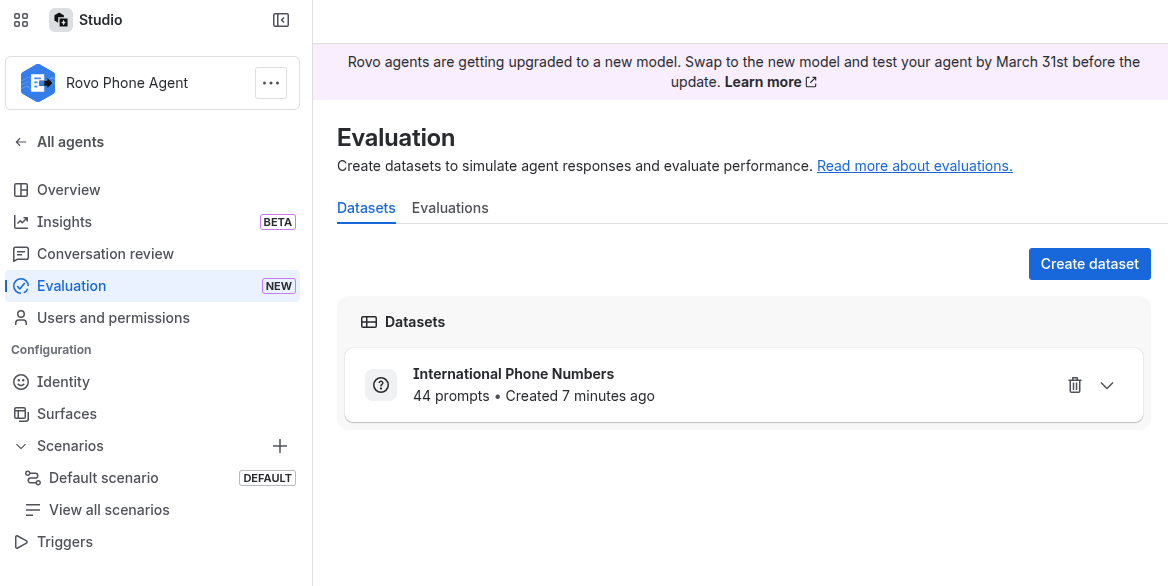
You may also use the recently introduced “Evaluation“ function. Use this CSV to test it
Wiring it up with Jira Automation
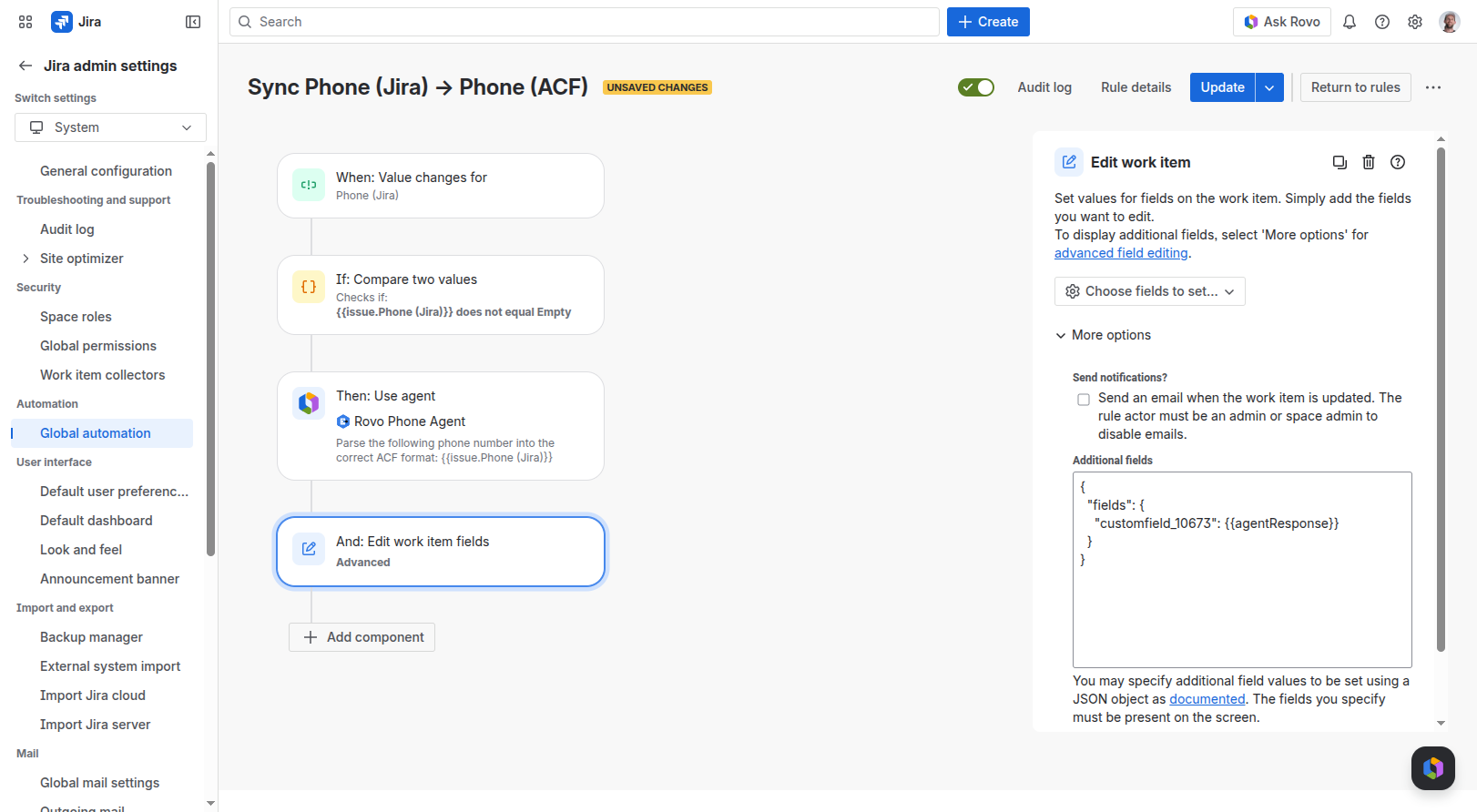
The second part is a Jira Automation rule that triggers whenever someone enters a phone number and sends it through the agent.
I tried using Rovo to create the automation rule via prompt, but it did not work reliably. Manual setup is straightforward though:
Trigger
- When: Field value changed
- Field: your plain text phone field (e.g. "Phone (Jira)")
Condition
- If: the phone field is not empty
Action 1: Send Rovo Agent request
- Agent: select the phone formatting agent
- Prompt:
{{issue.Phone (Jira)}} (use the smart value for your source field)
Action 2: Edit issue
The ACF Validated Phone field is not available in the standard field dropdown. Use Additional fields with raw JSON:
<span>{</span>
  <span>"fields"</span><span>:</span> <span>{</span>
    <span>"customfield_XXXXX"</span><span>:</span> <span>{</span><span>{</span>agentResponse<span>}</span><span>}</span>
  <span>}</span>
<span>}</span>
Replace customfield_XXXXX with your ACF Validated Phone field's ID. You can find it in Jira Settings > Issues > Custom fields: click the field, and the URL will contain customFieldId=10673 (making the ID customfield_10673).
The {{agentResponse}} smart value contains the raw JSON from the Rovo agent, which is already in the exact format ACF expects.
The result
Whenever a customer submits a phone number through our JSM portal, the plain text value is automatically parsed, validated, formatted with the correct country code, and written into the ACF Validated Phone field. The field then shows a properly formatted international number with a country flag and a click-to-call link.
No manual reformatting. No custom scripts. The agent handles the messy part, automation handles the plumbing.
Tips if you try this
- Test the agent first. Get the parsing right in the Rovo chat before connecting automation.
- Adjust the default country. The prompt assumes DE. Change it to match your region.
- Use the custom field ID, not the name. The Additional fields JSON requires
customfield_XXXXX, not the display name.
- Label detection is a bonus. If users type "mobile: 0171 1234567", the agent picks up the label and includes it in the output. The ACF field will show it as a badge.
Hope this helps someone with a similar setup. Happy to answer questions in the comments.
![Photo of Paul Pasler [Seibert]](https://avatar-management--avatars.us-west-2.prod.public.atl-paas.net/557058:16d1f9bb-612b-43a6-ac1b-8857c60c5182/e35f4b50-5f2f-4df0-87f3-7d1be5a76df6/128)
