When a new user is onboarded, a confluence page is created with all the employee's information through Jira Automation.
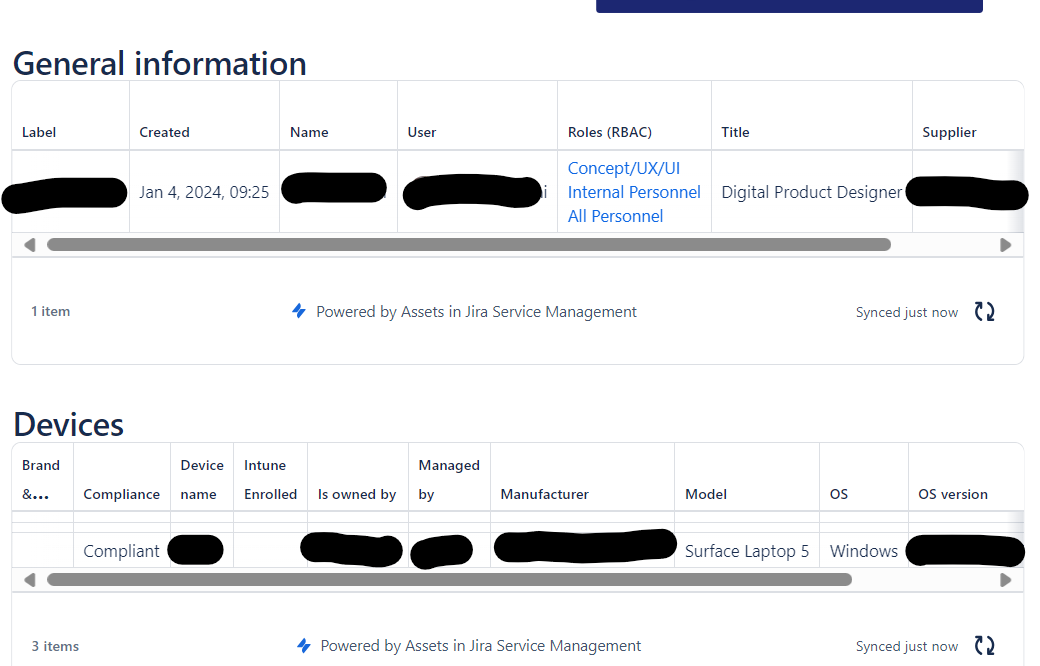
I'm using the storage format from a 'template' confluence page to automate onboarding sheets; in this page we use asset fields. In screenshot 1 you see how the onboarding page should look like.
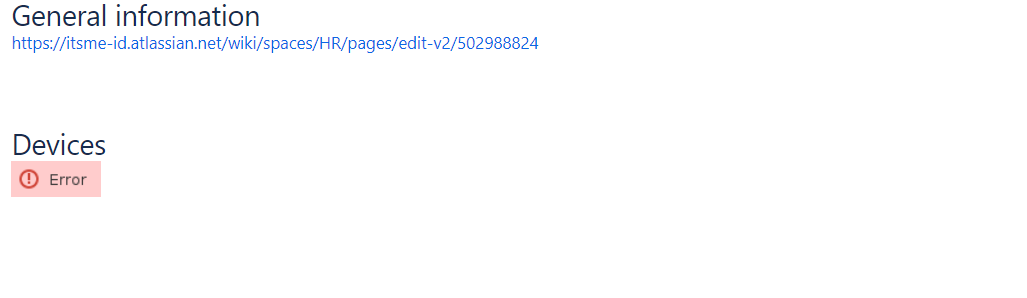
When a new page is created through jira automation; the asset fields are all having errors like "unhandled adf error" or they simply show up as links instead of asset labels with info. (see screenshot 2).
On the Jira Automation audit page, we see the following errors:
An error occurred while requesting remote information
Unknown fields set during clone, they may be unavailable for the project/type. Check your custom field configuration. Fields ignored -
Linked Issues (issuelinks), Labels (labels)
Issues cloned successfully
OHR-156
How can we resolve this issue so the labels appear as in screenshot 1?
Advanced thanks