What a time the cPrime crew had at the Atlassian Summit! We were thrilled to receive Atlassian Partner of the Year 2018: Agile for our contribution and achievements during Atlassian's fiscal year 2018 and happy to be recognized for our expertise in the Agile space.
We were also happy to be able to meet and talk to so many of our current and future customers, who came to see what awesome automation features Power Scripts could provide them to make their Jira life easier. We had some great conversations and gathered lots of feedback leaving us anxious to get back to work to build out these new suggestions (well, as anxious as you can be to leave relaxing, sunny Barcelona :P)
Curiously, we also discovered that many of the questions people had when approaching our booth, could be solved with the same basic script.
The 5 minute challenge
We asked users to come to us with a problem they had to see if our experts could solve the problem using Power Scripts in 5 minutes or less.
As more and more customers tried unsuccessfully to stump our experts, we excitedly discovered that the majority of the solutions actually started out from the very same script base. We realized that this base was an important building block for many different types of scripts. We are calling this script the loop base. Below is more detail around how to use this in your Jira scripting:
Loop Base Script
1
2
3
4 | string [] issues = selectIssues("project = TEMP");
for(string i in issues) {
runnerLog(i);
}
|
Common Use Cases for the Loop Base
- Checking status of sub-tasks or a value of a custom field within the subtask
- Getting the status of linked issues or a value of a custom field within the linked issue
- Creating custom JQL functions
- Escalation services
- Checking attachment names
- Working with database search results
- Working with results from REST API
- Searching for other issues in Jira
- Creating a scheduled service
- And many more
Sections
The loop base is made of 3 sections, the List section, the Loop section, and the Action section. In its most basic form, the script is only 4 lines of code.
Loop Base Script
1
2
3
4
5
6
7
8
9
10
11 | //List section
string [] issues = selectIssues("project = TEMP");
//Loop section
for(string i in issues) {
//Action section
runnerLog(i);
}//end Loop section
|
List Section
The List section is the part of the code where a list of objects is gathered. This list could be any other issues in Jira, a list of sub-tasks, links, rows in a database, etc. In almost every case this section only needs to be one line of code.
Examples of how to retrieve different types of information in the List section:
Select issues using JQL
string [] issues = selectIssues("project = TEMP");
|
Get an issues sub-tasks
string [] subtasks = subtasks(key);
|
Get the issues links
string [] links = linkedIssues(key);
|
Get the attachments for an issue
string [] attchmnts = attachments;
|
Get data from a database
string [] data = sql("External_DB", "SELECT * FROM TABLE");
|
Loop Section
The Loop Section is the part of the code where we go through the list of objects one by one. The syntax for this loop is almost always the same. This section is essentially one line of code with a closing bracket at the end.
Here is an example of a Loop section:
Select issues using JQL
for(string i in issues) { ...
|
Action Section
This section is where actions are performed on the objects gathered in the list section. This could be writing a message to the screen, closing a subtask, or writing data to a database. This section could have as little as one line of code or many more lines depending on the action being performed.
Here are some example actions:
Close subtasks
autotransition("Close", s);
|
Copy data to a different customfield
%i%.customDate = %i%.dueDate;
|
Escalate priority
%i%.priority = "High";
|
Send an email
sendEmail("projectmanager", "teamleader1", "Transition executed", currentUser() + " has executed a transition");
|
Complete Examples:
Change priority of issues that are past due
1
2
3
4 | string [] issues = selectIssues("statusCategory != Done AND duedate < startOfDay()");
for(string i in issues) {
%i%.priority = "High";
}
|
Close sub-tasks when main issue is closed
1
2
3
4 | string [] subtasks = subtasks(key);
for(string s in subtasks) {
autotransition("Close", s);
}
|
Copy data to a different customfield
1
2
3
4 | string [] issues = selectIssues("project = TEMP");
for(string i in issues) {
%i%.newCustomField = %i%.oldCustomField;
}
|
Copy data from the parent
1
2
3
4 | string [] subtasks = subtasks(key);
for(string s in subtasks) {
%s%.assignee = assignee;
}
|
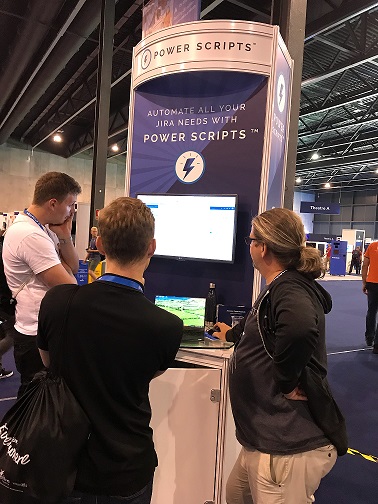
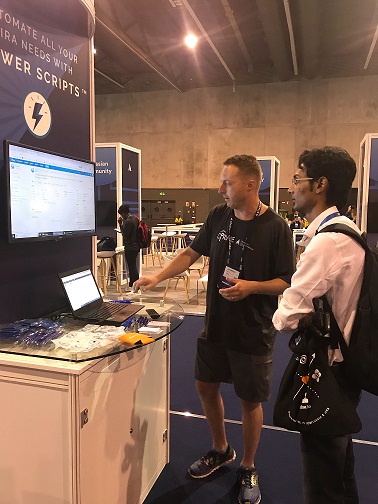
We hope you enjoy these Loop Base script examples and a few pictures from our time at Summit!

![Photo of Michele Lim [cPrime]](https://us.v-cdn.net/6038660/uploads/avatars/a6/4a/na64a813f62569674c45da7a1f2a9b0b8.png)


