Hi team,
I'm Avinoam, a product manager on Confluence Cloud, and I wanted to share with you some new things we've got coming out soon that we'd love to get your feedback on.
You may have seen our recent post, "A new way to write blog posts", in which we mentioned that we're making a bunch of improvements to the Confluence editing experience. We're now gradually rolling this out to meeting notes.
One of the things we hope you'll find useful is "decisions", which help with capturing and going back to key decisions your team is making. Decided to change your standup time? Put it in a decision, then @mention any team members who need to be kept informed and they'll receive a notification.

You'll also notice that, while your text is fixed width (which is far better for readability and ensuring consistency across screens), you can now expand tables or images to a wide or full-width setting in order to display larger quantities of information. These will scale up and down as you change screens, so it won't affect your page layout or alignment regardless of what device your viewing them on.
We've made a lot of other small improvements to get out of your way so you can focus better on your work. We particularly hope you'll like the in-context menus for images, macros and tables.
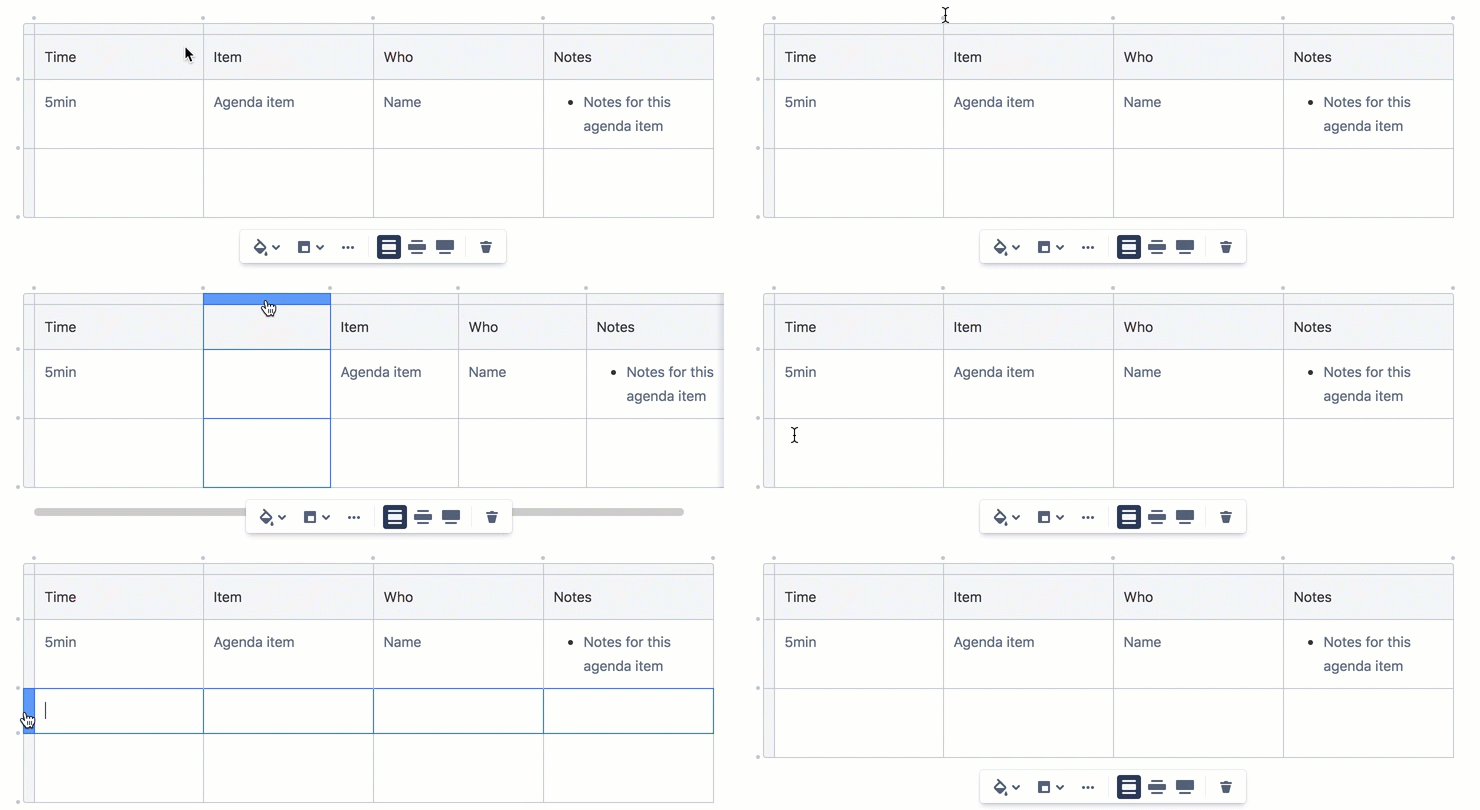
We'd received feedback about all the table options in the main toolbar being confusing, so the table options now only appear when you click on a table, and they appear right next to the table. Adding or deleting rows and columns is now done directly from the table. Image and macro options are also in-context, so you'll only see them when you actually need them.
Lastly, we updated the actual meeting notes template so it's cleaner and prettier.
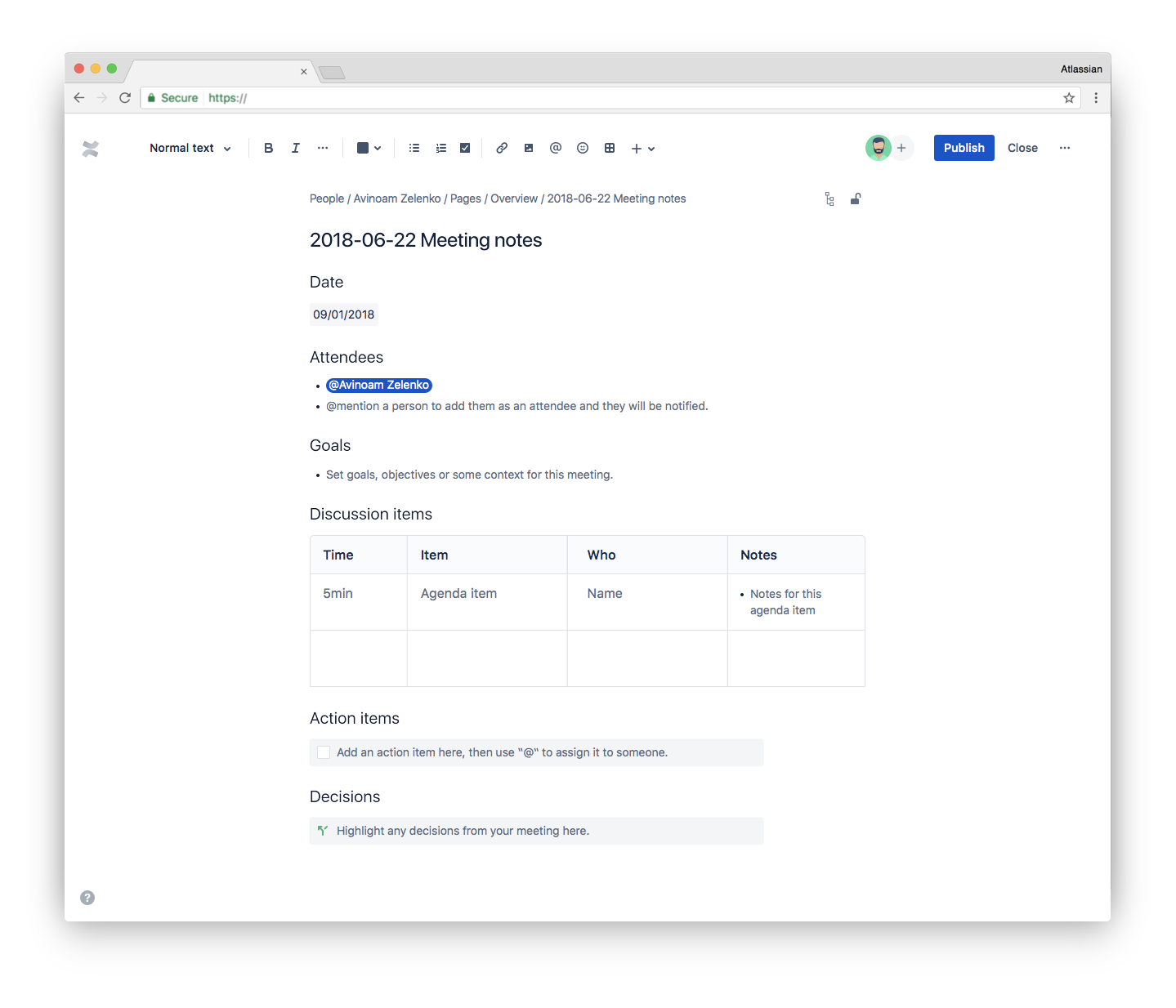
If you don't have the new meeting notes template on your site, it should arrive in the upcoming weeks.
As mentioned in our recent post, some features are temporarily missing as we rewrite them to be faster and more stable, but they will be back soon. These include pasting links to Confluence pages don't auto set the title, text alignment and indentation, multi-column layouts, setting your image size in pixels, the ability to edit the meeting notes blueprint, explicit image resizing, internationalization, and the inline macro browser.
We'd really appreciate it if you could leave us some feedback (click the "Feedback" link in the bottom right corner of the page while editing, or comment on this post) - as we rely on that to decide what further changes we need to make.
We'll be continuing to roll out further improvements to more of your favorite templates before we eventually start rolling out to new pages, and you can find more information about all the changes in our docs.
Thanks!
Avinoam


