I have a custom workflow, which works correctly when I move an issue through the statuses on my board, and if using the drop-down, but when looking at the issue itself it has two buttons, one with the wrong transition name.
@Nic Brough -Adaptavist- - you responded to a similar question here:
https://community.atlassian.com/t5/Jira-questions/Buttons-for-workflow-transition-in-view-issue-have-wrong-title/qaq-p/707173
but I can't find where I am going wrong.
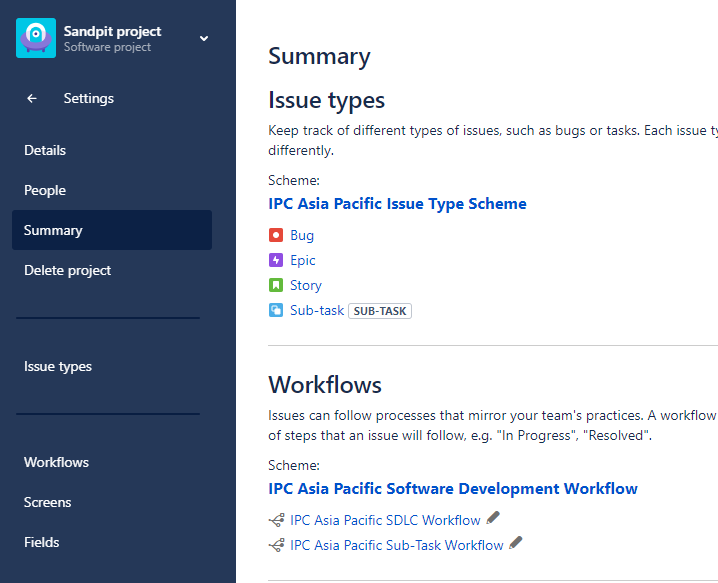
I have a workflow scheme that has two workflows (one for issues and one for sub-tasks):
 and that workflow scheme is linked to my project:
The start of the workflow for stories is defined with two transitions out of the "To Do" status:
 which looks like it is going to the correct status when I use the status drop-down on a story in that project - but says "Resolve Issue" before it - where does it pick that up from??:
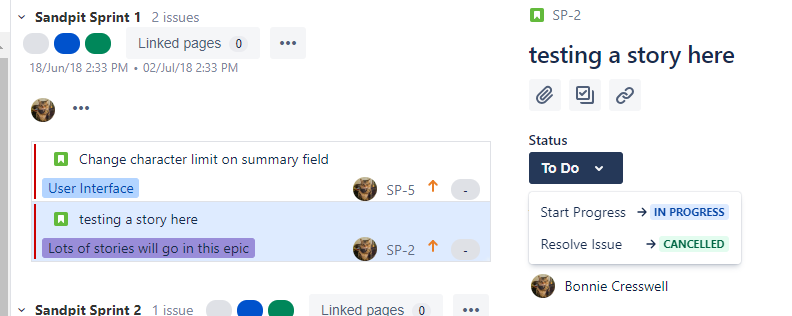
And when I look at that story in another screen (oh, DON'T get me started on how complicated Jira is with different screens behaving in different ways and showing different things - how can you control the different screens you see when you view details from a sprint, vs from a filter...? anyway, that is another question for another time, for now I'm just going to train people to do things one way...) there are two transition "buttons", one for Start Progress, and one for Resolve Issue. Resolve Issue should not be an option from To Do.
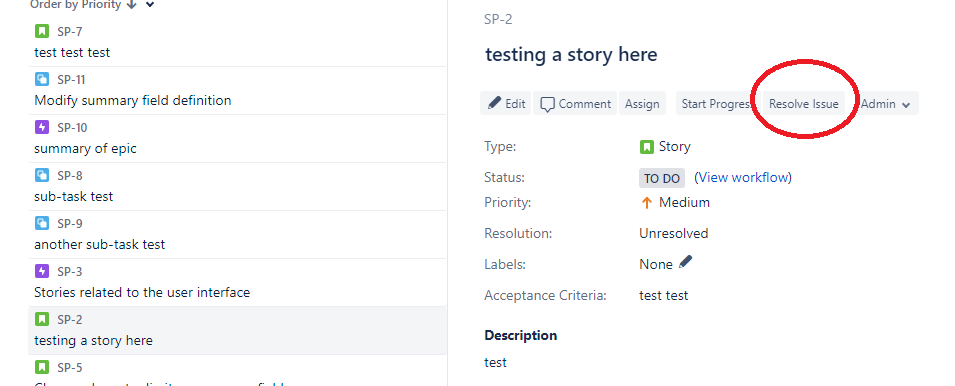
If I click Resolve Issue it brings up my Resolve screen, so it is clearly still linked to a valid transition in a workflow "somewhere", I just can't find where. Must be missing a vital step somewhere!
oh, and I checked the correct workflow is linked to that story, it is
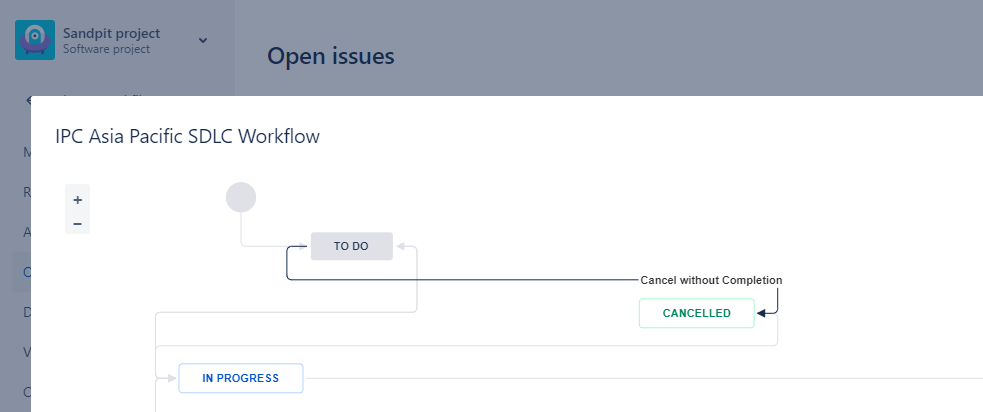
so... should read "Cancel without Completion"...?
Please help if you can!


