Recently Atlassian added this nice status filtering panel when looking at the full site audit log for Automation flows.
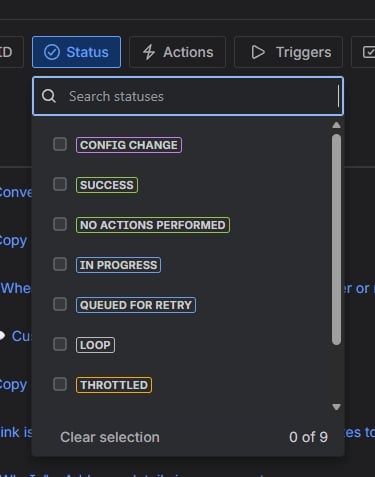
Is there a way to do this when looking at a specific flow? That's where I need it.
Especially after the changes to how executions are calculated, we have ended up with many more global and multi-project rules. So, I regularly have audit logs full of 'No Actions Performed.'
This morning I had to navigate through 8 pages of noise in an audit log to find the last time something actually happened.
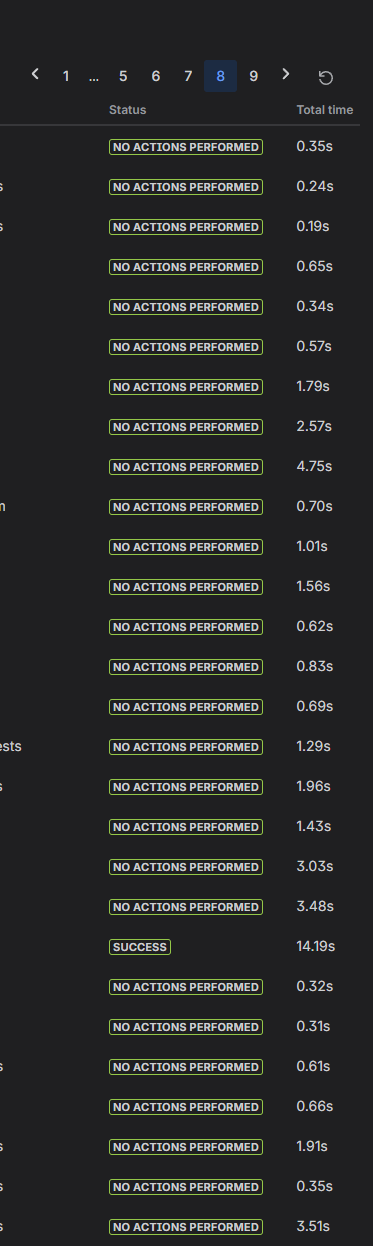
Using the filters on the full audit log for all rules doesn't do much for a site that has hundreds or thousands of rules.
Especially when a rule fails, I should be able to click in from the email I received then just filter for errors. (As a side note, emails generated from Jira Product Discovery failures still have broken links.)
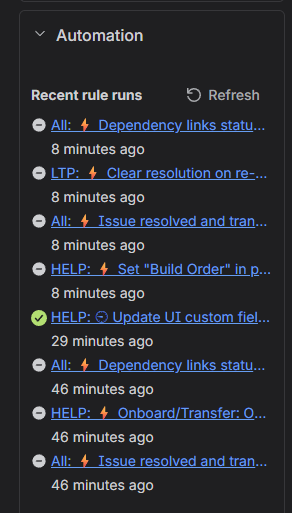
While I'm on the subject of noise, a while back Atlassian made the Automation panel on individual tickets basically useless. Is there a way to disable having rules that don't do anything display here? It seems that every time I'm trying to figure out why something failed, this panel is full of rules that didn't actually affect the current issue.
Edit: I also noticed that the status dropdown does not include an option for Aborted which we have unfortunately been seeing more and more often as we start to incorporate Rovo agents.


